
Beschrijving
Improve your SEO with real-time feedback, schema, and clear guidance. Upgrade for AI tools, Google Docs integration, and 24/7 support, no hidden fees.
Yoast SEO: de #1 WordPress SEO plugin
Since 2008, Yoast SEO has helped millions of websites worldwide improve their visibility and SEO performance.
Our mission is SEO for Everyone — from small local businesses to some of the most visited sites on the web.
Yoast SEO gives you everything you need to manage your on-site SEO effectively.
The Yoast SEO Premium plugin and its extensions unlock even more advanced and AI-powered tools.
Handing you the competitive edge
SEO is the most consistent and cost-effective source of website traffic — but it can be complex. Whether you’re just starting out or an advanced user, Yoast SEO helps you handle SEO confidently and efficiently.
Don’t have time to stay on top of AI search and best practices? Keeping Yoast SEO updated means you automatically benefit from ongoing technical improvements, schema updates, and AI advancements — all guided by our signature traffic light approach.
Empower search engines to better understand your website using Schema.org structured data integration, and access in-depth content and readability analysis tools that help you create content designed to perform well in search.
Quick and easy setup
Setting up Yoast SEO is quick and straightforward — no technical background required.
Our step-by-step configuration wizard walks you through essential setup details so Yoast SEO can generate accurate structured data that helps search engines understand your site.
Switching from another SEO plugin like Rank Math or AIOSEO? Migration is seamless.
Import your existing SEO data and settings safely with our built-in import/export tools.
Content and AI features
Unlock your content’s full potential with Yoast SEO’s advanced content analysis and AI-powered tools.
Content optimization features:
– Detailed SEO analysis to guide keyword targeting and site performance.
– Readability analysis for clear, engaging, and user-friendly writing.
– SERP previews for both desktop and mobile results.
– HowTo and FAQ blocks with built-in schema support.
– Breadcrumbs block for improved navigation.
– Inclusive Language Analysis to make your content more considerate and accessible.
– Semrush integration for keyword research directly in Yoast SEO.
– Wincher integration to track keyword performance inside your dashboard.
– Elementor integration for seamless optimization within your favorite builder.
AI features (included in Premium):
– Yoast AI Generate – Instantly create five SEO-friendly titles and meta descriptions, with one-click regeneration for more options.
– Yoast AI Optimize – Improve keyphrase placement (introduction, distribution, density) automatically.
– Yoast AI Summarize (New 2025) – Generate quick content summaries for briefs or social posts.
– All AI tools included – No extra accounts, limits, or hidden costs.
These tools help you craft optimized, helpful content that resonates with readers and performs strongly across search platforms.
Taking care of your technical SEO
Yoast SEO automatically handles much of your site’s technical SEO, freeing you to focus on your content.
Key technical SEO features:
– Automated meta tag optimization right out of the box.
– Canonical URLs to prevent duplicate content issues.
– Advanced XML sitemaps for clear site indexing.
– Best-in-class Schema.org integration to improve search understanding and appearance.
– Complete breadcrumb control for visitors and crawlers.
– Performance improvements that help reduce load times.
– Crawl settings to manage how bots access your site and reduce environmental impact.
– LLMs.txt management to guide how large language models interact with your content.
Every update delivers ongoing technical SEO enhancements automatically.
Houd je site in perfecte vorm
Whether you’re a creator, business owner, or developer, Yoast SEO helps maintain your website’s SEO health:
- Cornerstone content tools to organize and prioritize key pages.
- Front-end SEO inspector to view and edit titles, descriptions, and schema live.
- SEO roles to delegate plugin access securely across teams.
- Regular 2-week update cycle to ensure compatibility with the latest SEO standards and search engine changes.
Powerful integrations
Yoast SEO works seamlessly with popular WordPress tools to enhance your workflow and results:
- Google Site Kit: Access insights from Search Console, Analytics, and PageSpeed directly inside WordPress.
- Advanced Custom Fields (ACF): Combine with ACF Content Analysis for Yoast SEO for advanced field optimization.
- Elementor: Use full Yoast SEO functionality inside Elementor’s editor.
- Algolia: Enhance internal search accuracy and performance.
- Semrush: Discover and optimize for high-value keywords.
- Wincher: Track keyword positions and trends in Google Search.
- Jetpack: Manage SEO and social previews all in one place.
- Easy Digital Downloads (EDD): Improve digital product visibility with integrated schema.
- Mastodon: Verify your website on Mastodon with Yoast SEO Premium.
- WooCommerce: Optimize ecommerce SEO with the dedicated WooCommerce extension.
Yoast SEO Premium – AI-powered SEO for WordPress
Yoast SEO Premium enhances everything in Yoast SEO with advanced automation, AI tools, and professional support.
Trusted by millions, it helps you optimize efficiently for both traditional and AI-driven search.
Tackle your SEO challenges:
– Keep pace with algorithm and AI search updates.
– Target the right audience effectively.
– Automate redirects, crawl controls, and internal linking.
– Identify orphaned content and improve site structure.
– Get support when you need it.
Premium highlights:
– AI-generated titles and meta descriptions.
– Smart internal linking suggestions.
– Social previews for Facebook and X.
– Redirect Manager with bulk tools and automatic prompts.
– Bot Blocker for AI crawlers (GPTBot, CCBot, Google-Extended).
– IndexNow integration for fast content updates.
– Front-end SEO Inspector for real-time editing.
– SEO Workouts to improve orphaned and cornerstone content.
– Google Docs add-on for seamless SEO writing in Docs.
– 24/7 premium support from SEO specialists.
Includes at no extra cost:
– Yoast Local SEO: Optimize for local audiences and Google Maps.
– Yoast Video SEO: Ensure Google understands your videos with video sitemaps and schema.
– Yoast News SEO: Increase visibility in Google News and Top Stories.
Yoast WooCommerce SEO – Advanced SEO for Online Stores
Yoast WooCommerce SEO builds on Yoast SEO Premium with ecommerce-specific tools to improve your store’s visibility and conversion potential.
Key ecommerce SEO features:
– WooCommerce-specific XML sitemap excluding non-shopping content.
– Product structured data for enhanced rich results (price, reviews, availability).
– Canonical URL management to prevent duplicates.
– Ecommerce-focused content analysis for GTINs, SKUs, and short descriptions.
– AI Generate for ecommerce – Instantly create optimized titles and meta descriptions for product and category pages.
Benefits:
– Improve product visibility with automated structured data.
– Enhance crawl efficiency for large catalogs.
– Save time through metadata templates and automation.
– Increase engagement with AI-optimized ecommerce metadata.
Built for WooCommerce, trusted by thousands of online stores worldwide.
For Developers
Yoast SEO is built with developers in mind. With modern APIs, hooks, and a unified indexables system, you can extend or integrate SEO functionality across custom themes, plugins, or headless setups.
REST API
Retrieve SEO metadata for any post or URL, including meta tags, Open Graph, Twitter Cards, and Schema.org data.
Learn more about the REST API.
Surfaces API
Access SEO data directly in code via YoastSEO()->meta->for_current_page().
Supports titles, descriptions, canonicals, and schema.
Read the Surfaces API documentation.
Metadata API
Use the Metadata API to filter, override, or extend meta tags with WordPress hooks such as wpseo_title, wpseo_metadesc, and wpseo_canonical.
Schema API
The Schema API lets you modify or extend Schema.org graph pieces, including Article, Organization, Person, Breadcrumb, and WebPage entities.
Block Editor compatibility
Yoast SEO integrates directly with the WordPress Block Editor (Gutenberg).
It outputs schema for HowTo and FAQ blocks by default, and developers can extend schema for custom blocks.
Indexables
At the core of Yoast SEO lies the indexables system, unifying all SEO data for faster queries and consistent metadata across outputs.
Ongoing support and education
Yoast is powered by expert developers, testers, and SEO specialists who keep improving the plugin.
We’re committed to helping users grow their SEO skills with resources such as:
- Yoast SEO Academy: Free and premium SEO courses (included in all paid plans).
- Yoast SEO blog, newsletter, and webinars.
- Yoast SEO Update podcast for the latest SEO insights.
- Bug reports on GitHub (for issue tracking, not support).
Yoast SEO — built to make search optimization accessible, reliable, and ready for the future of AI search.
Schermafbeeldingen
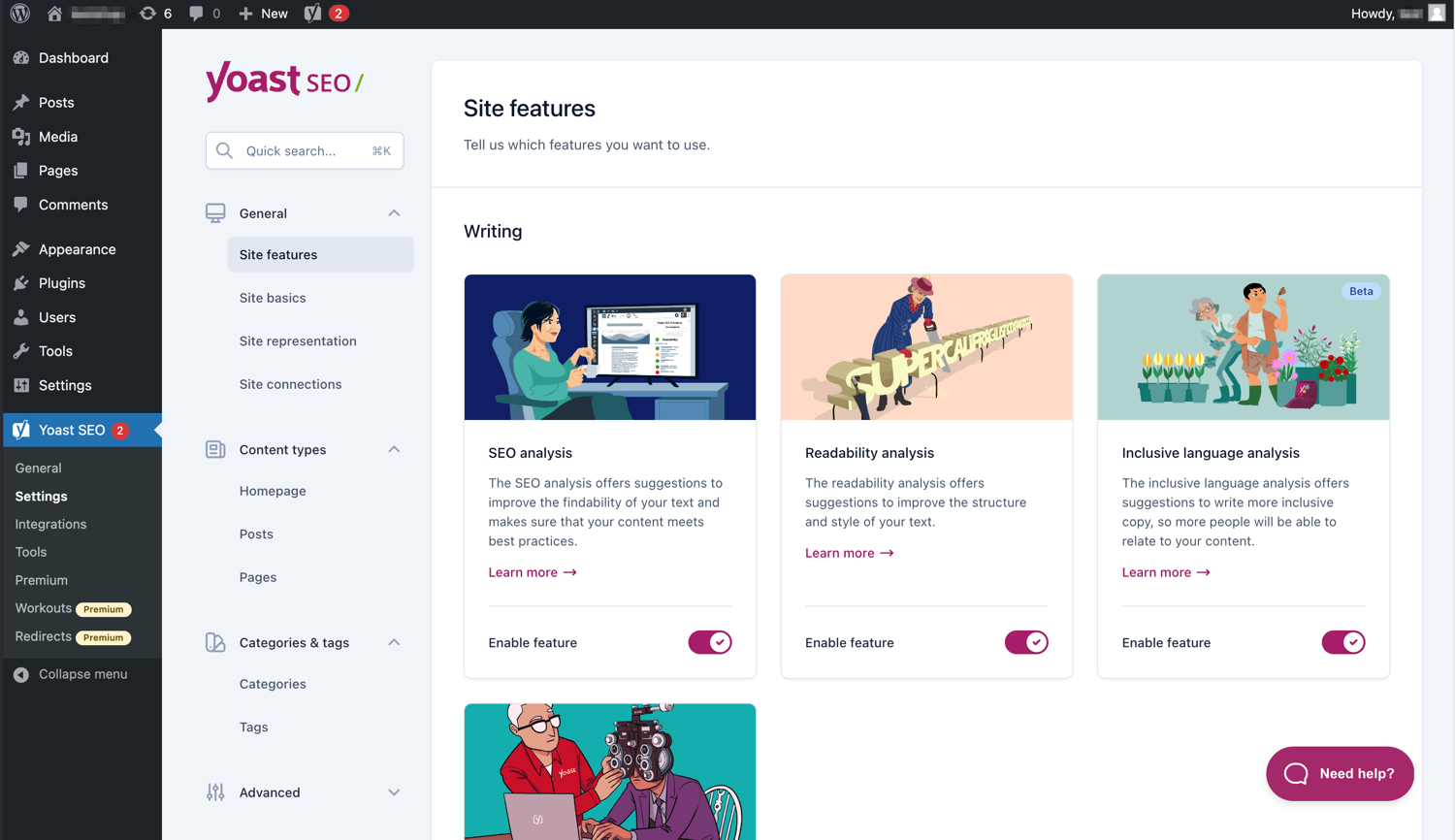
De moderne interface maakt Yoast SEO gemakkelijk om mee te werken. 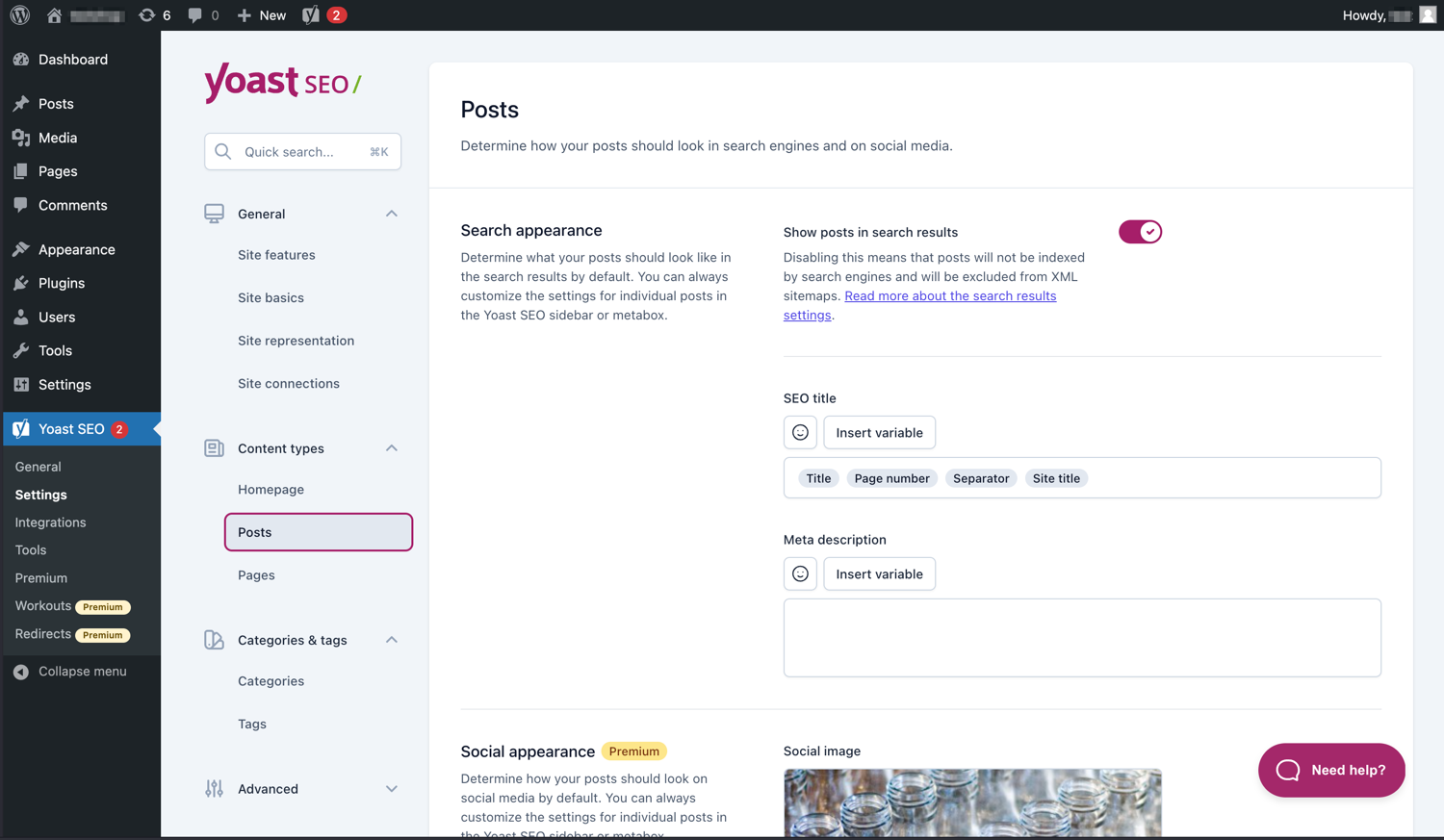
Beheer eenvoudig hoe je berichten en pagina’s in SERP’s verschijnen. 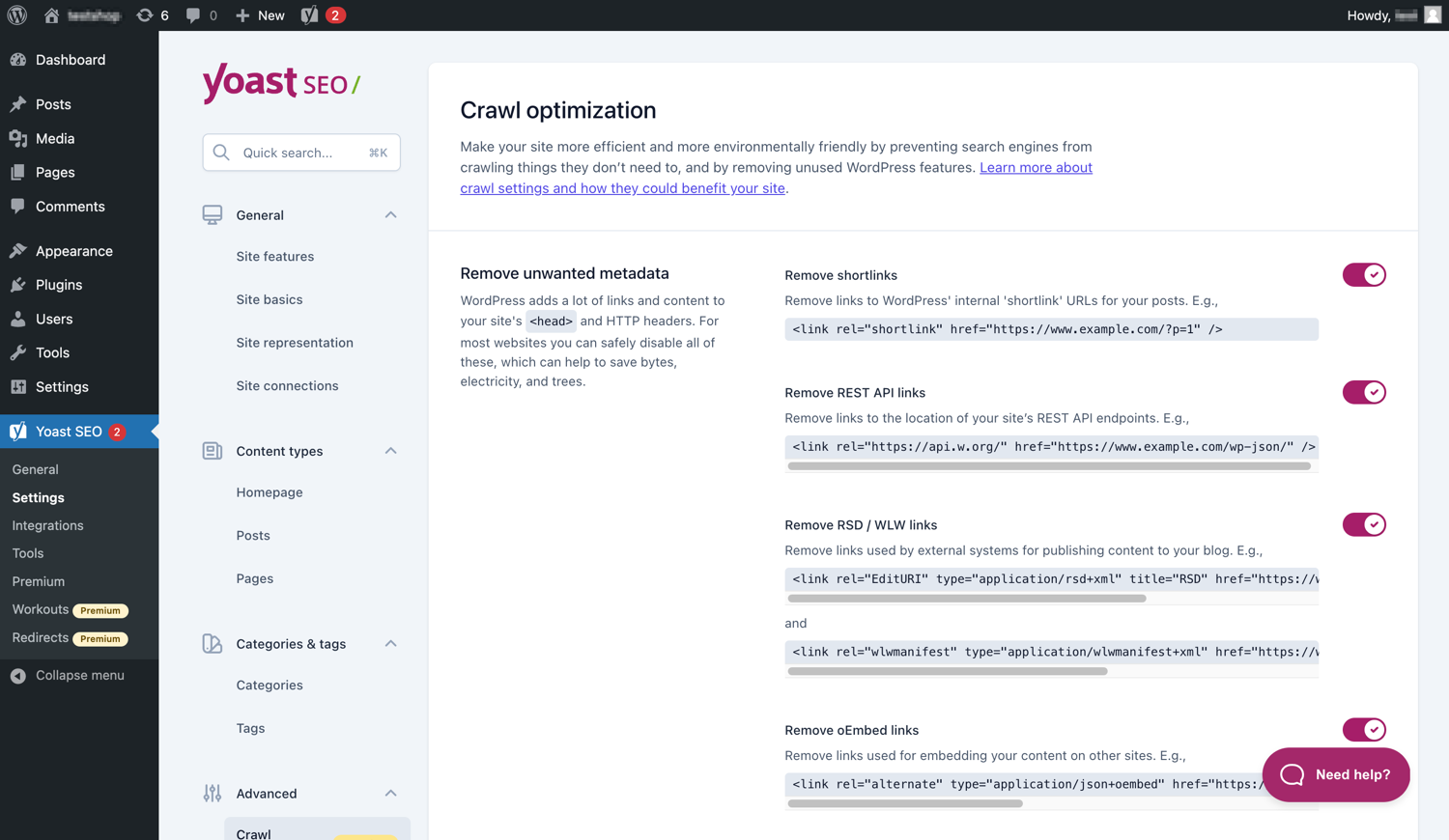
Yoast SEO Premium heeft extra crawl optimalisatie opties. 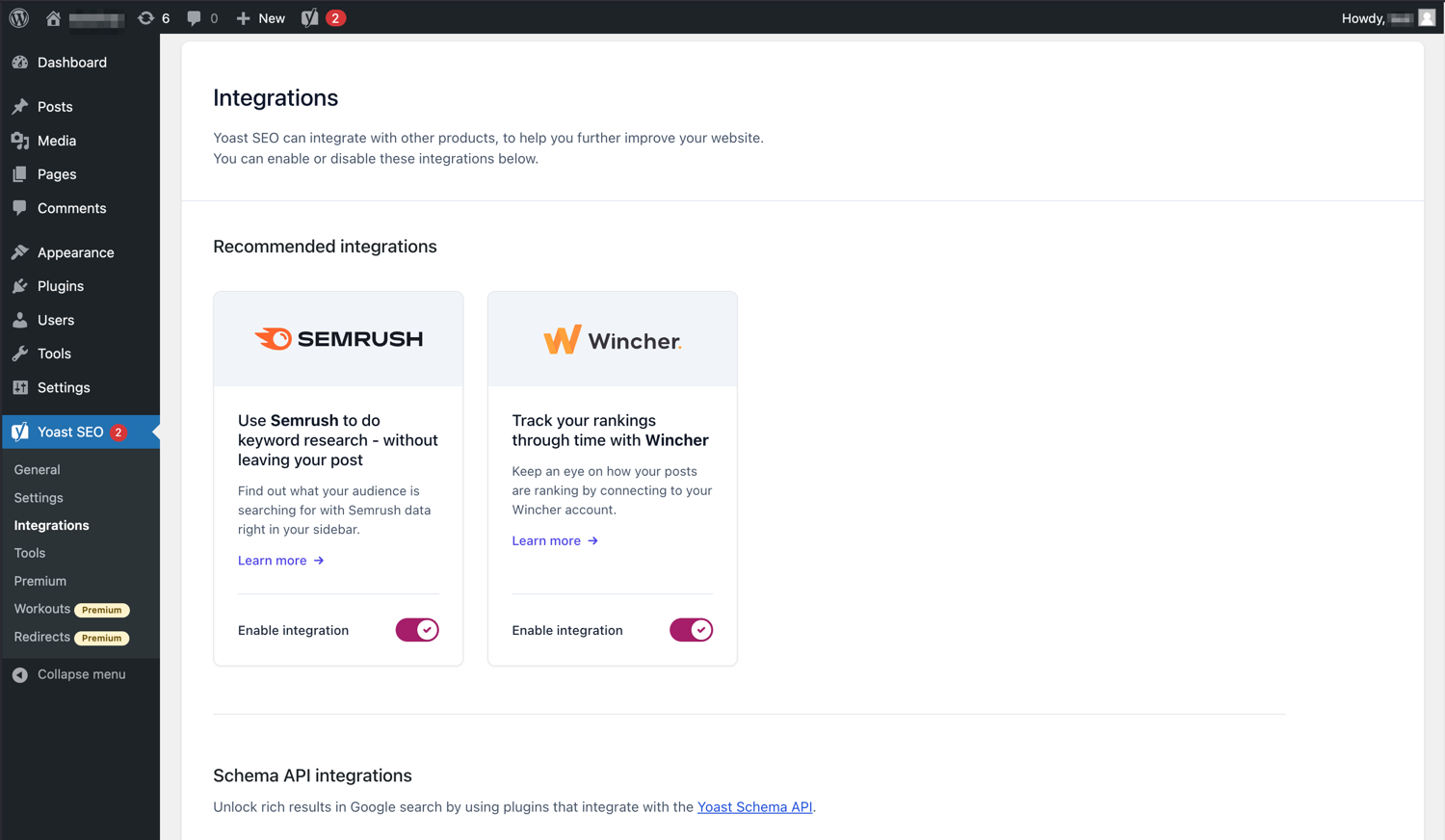
Yoast SEO integreert met gereedschappen als Semrush en Wincher. 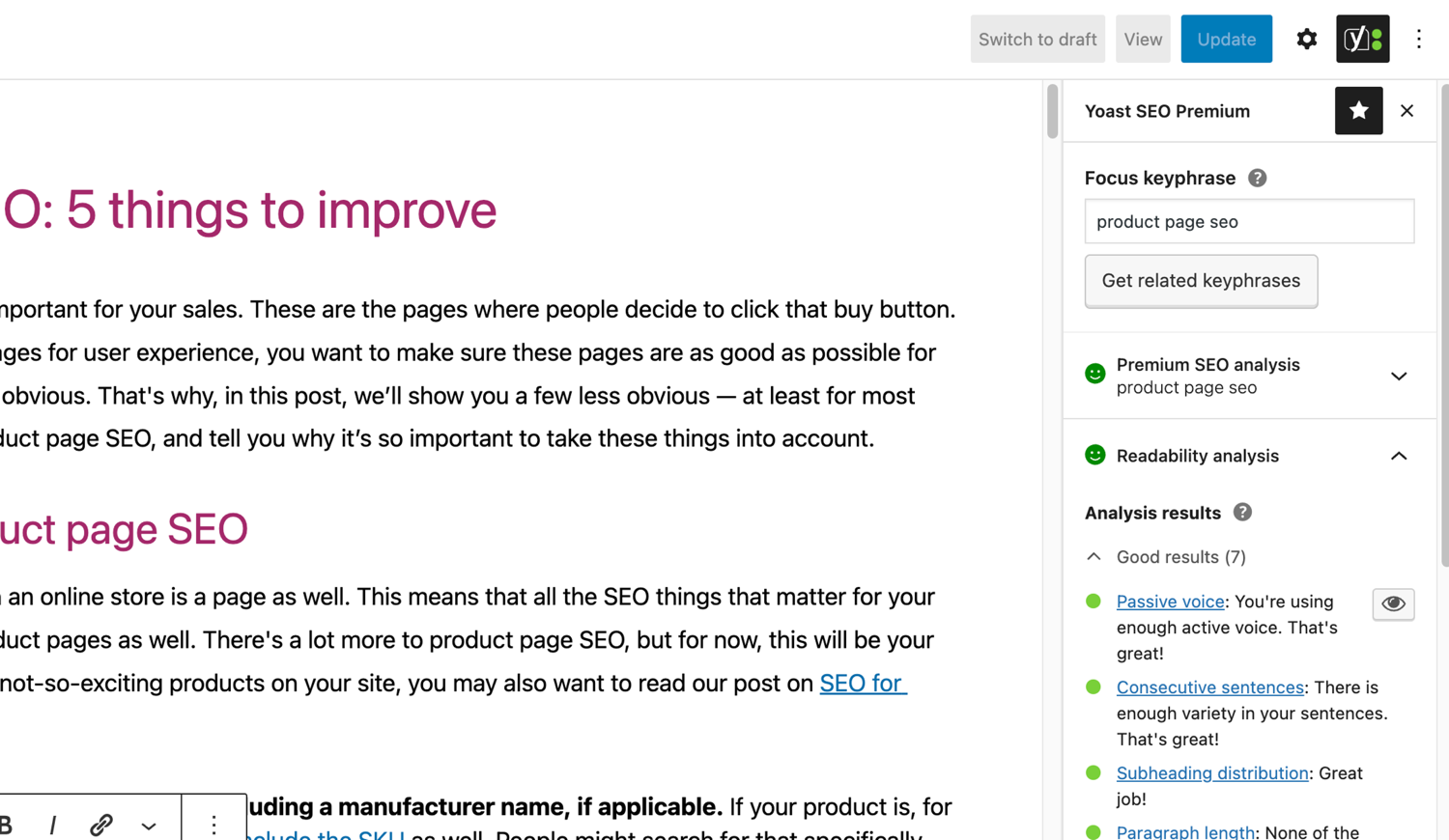
De beroemde SEO en leesbaarheid analyses in Yoast SEO. 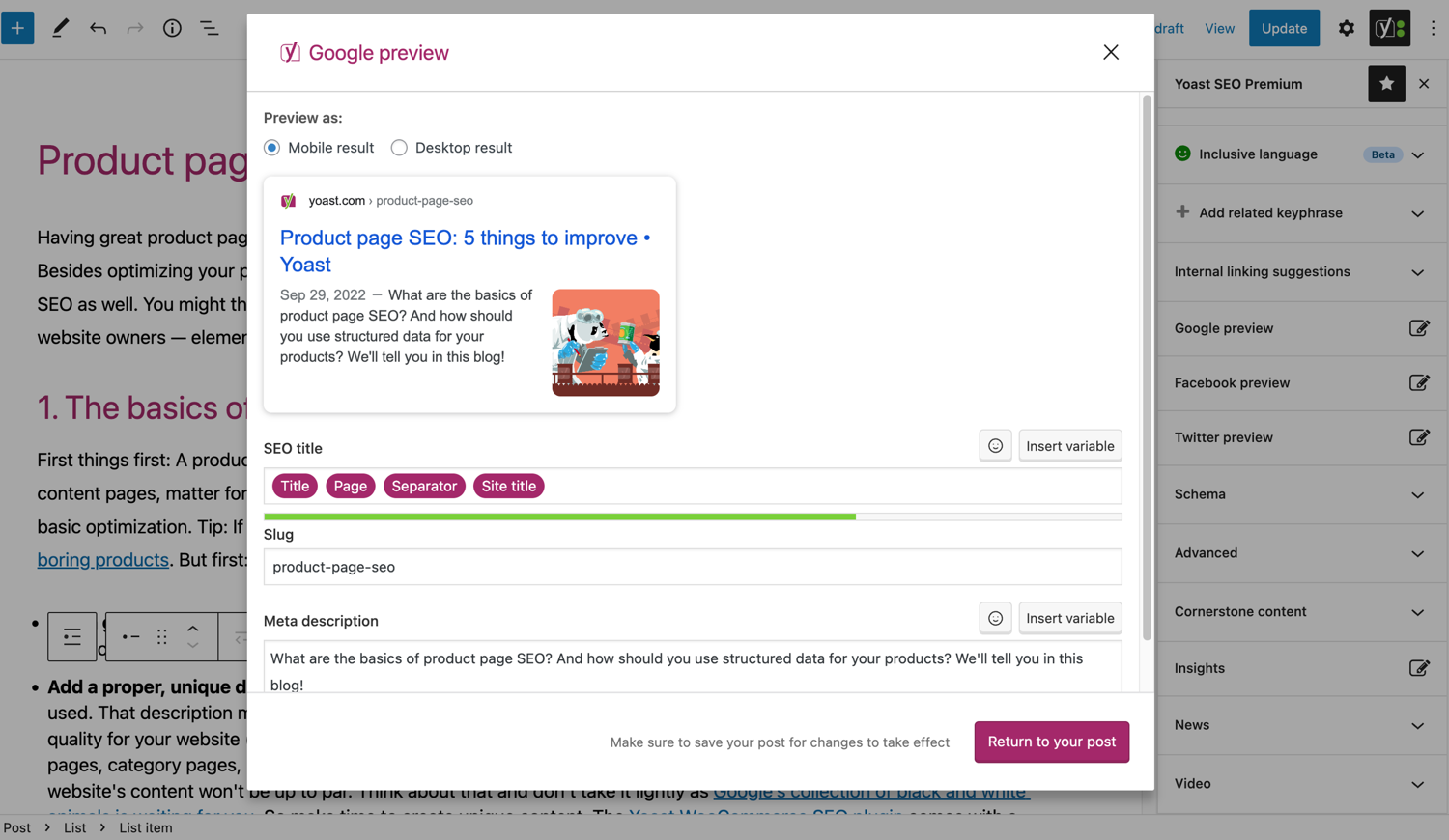
Kijk hoe je bericht eruit ziet in Google. 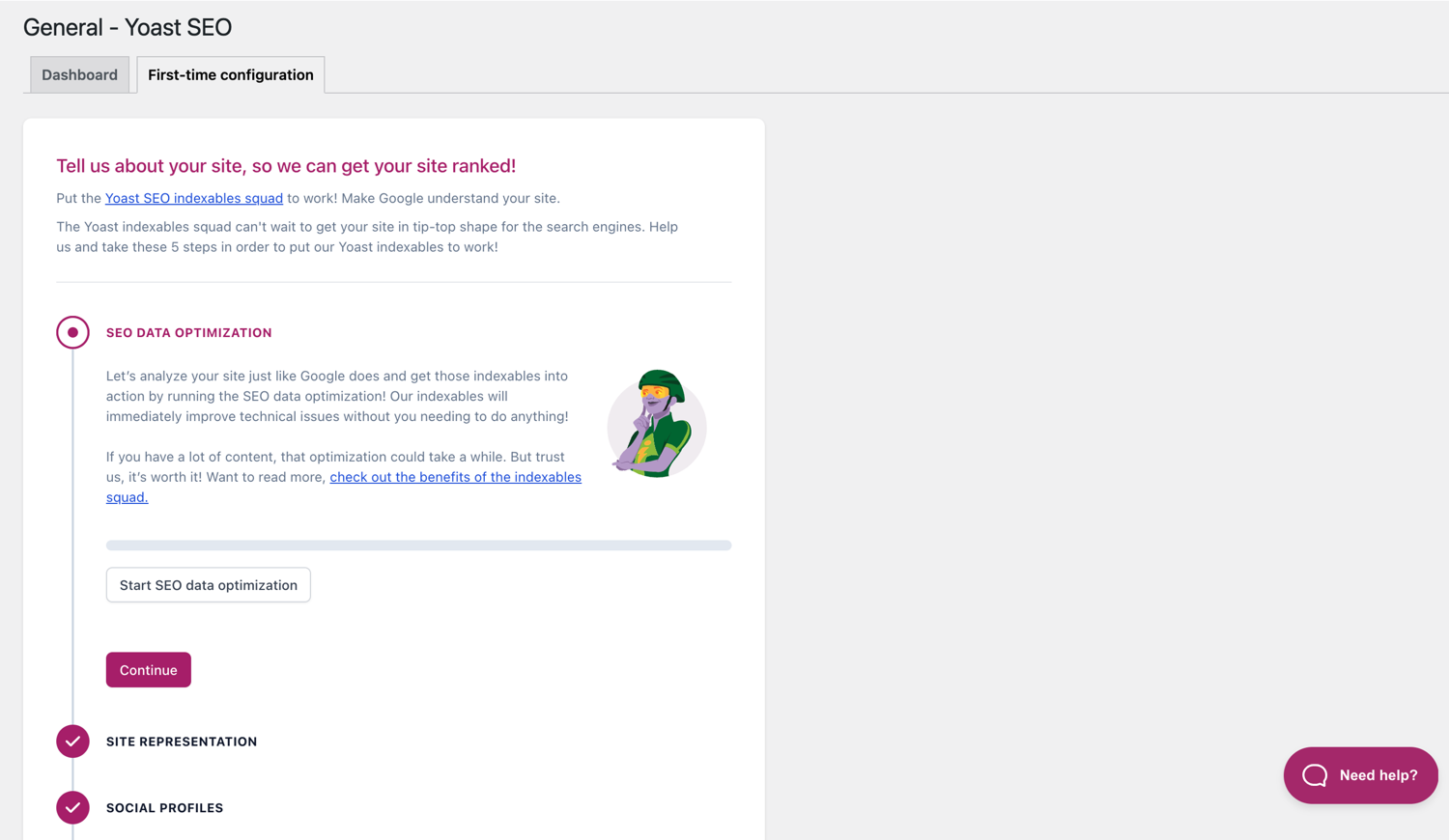
De first-time configuratie helpt je snel aan de slag te gaan. 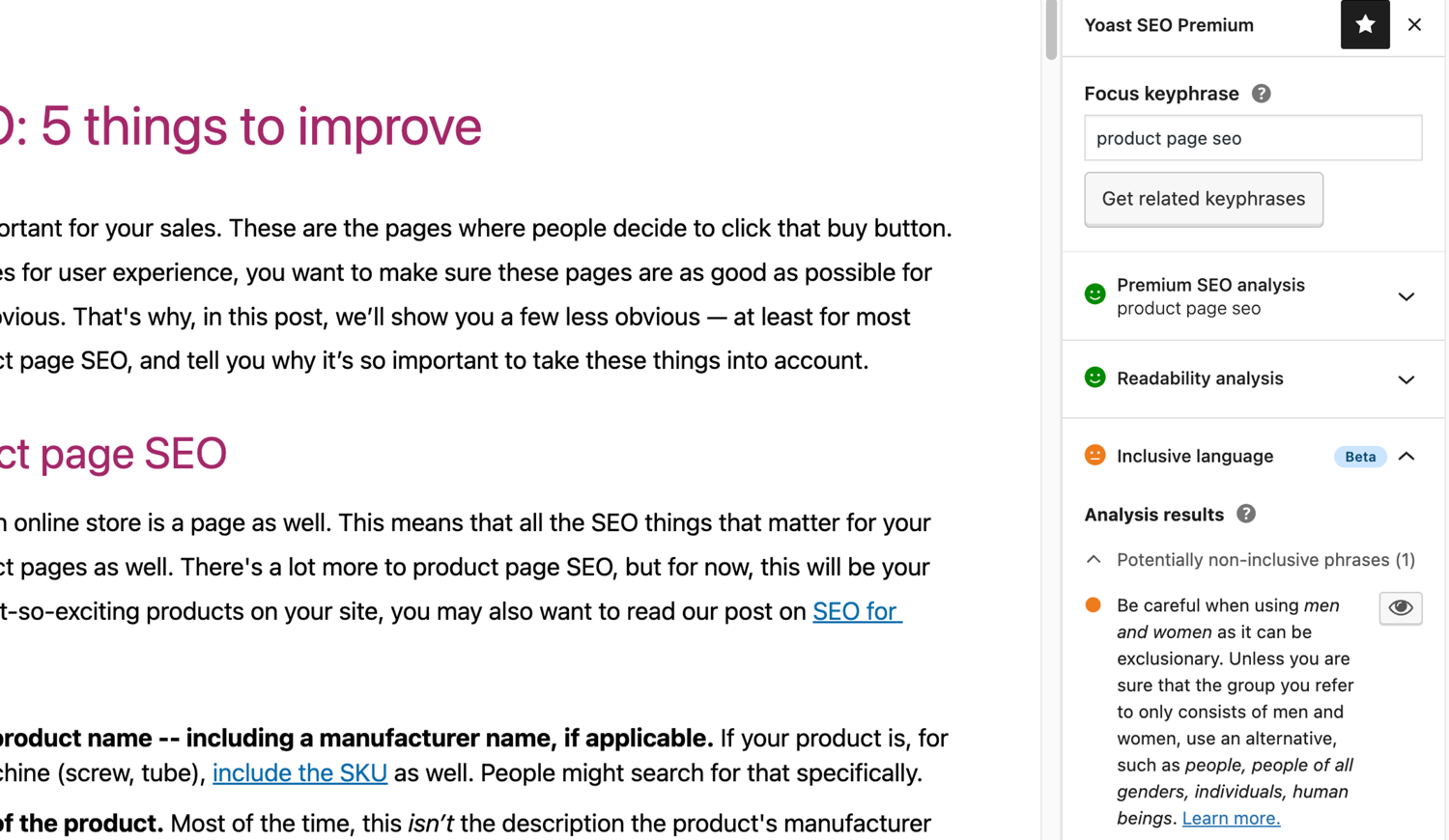
De inclusieve taal analyse in Yoast SEO. 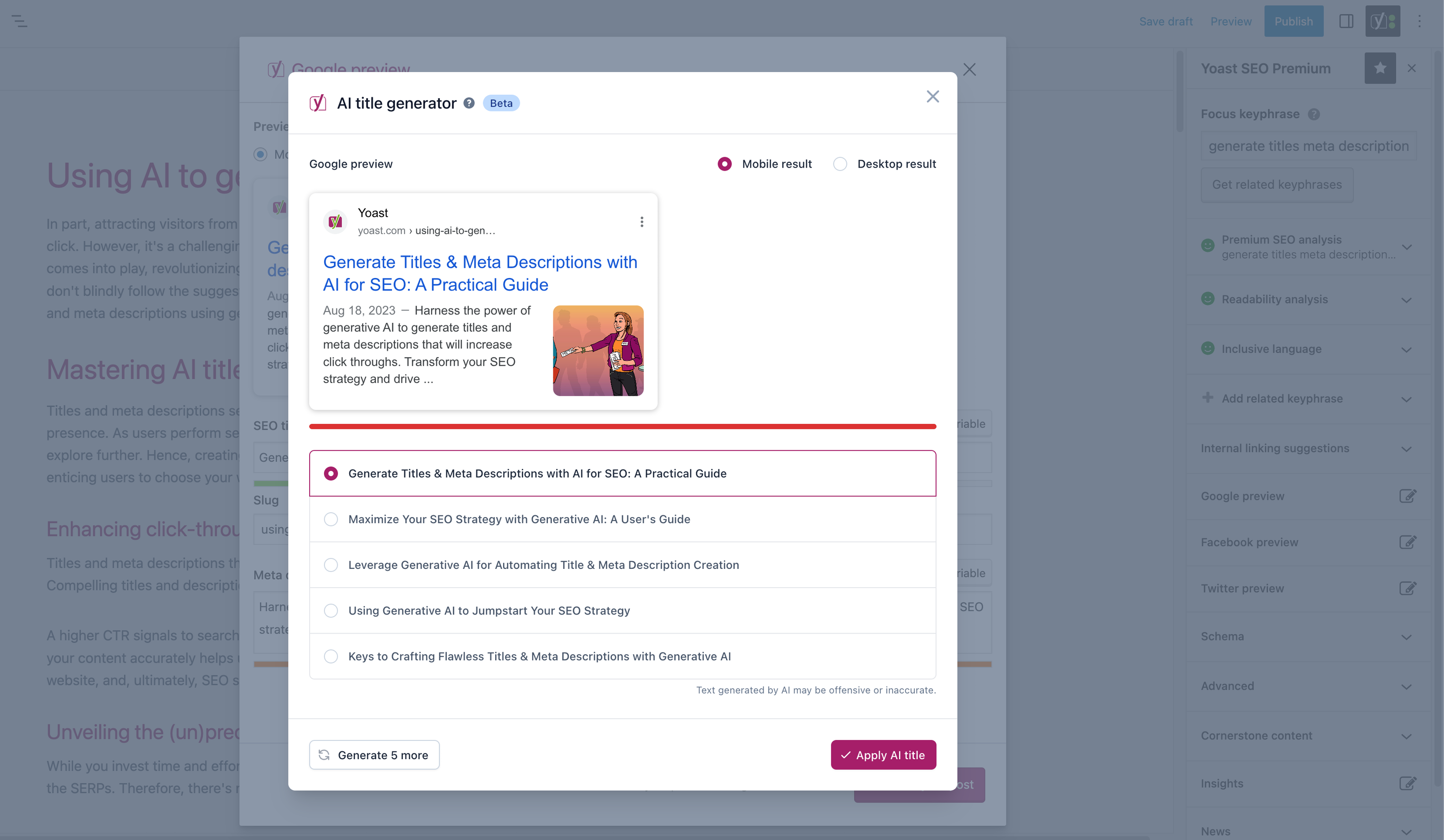


Blokken
Deze plugin heeft 2 blokken.
- Yoast FAQ List your Frequently Asked Questions in an SEO-friendly way.
- Yoast How-to Create a How-to guide in an SEO-friendly way. You can only use one How-to block per post.
Installatie
Beginnen met Yoast SEO bestaat uit slechts twee stappen: het installeren en instellen van de plugin. Yoast SEO is ontworpen om te werken met je site’s specifieke behoeften, dus vergeet niet om de Yoast SEO eerste configuratie door te nemen zoals uitgelegd in de ‘na activatie’ stap! Voor de meest up-to-date begeleiding over hoe je Yoast SEO producten kunt installeren, bezoek ons hulpcentrum.
FAQ
-
Hoe werken de XML Sitemaps in de Yoast SEO plugin?
-
Een XML-sitemap op je site kan gunstig zijn voor SEO. Google kan dan zeer snel essentiële pagina’s van een site ophalen, zelfs als de interne koppeling van een site niet vlekkeloos is.
De sitemap index en individuele sitemaps worden automatisch bijgewerkt wanneer je inhoud toevoegt of verwijdert en bevat de berichttypen die je door zoekmachines wilt laten indexeren. Berichttypen die zijn gemarkeerd als noindex, worden niet weergegeven in de sitemap. Meer informatie over XML-sitemaps. -
Hoe kan ik mijn site toevoegen aan Google Search Console?
-
Het is eenvoudig om je site toe te voegen aan Google Search Console.
1. Maak een Google Search Console-account aan en log in op je account.
2. Klik onder het dropdown-menu op ‘Een property toevoegen’.
3. Voer je site-URL in het vak in en klik op ‘Doorgaan’.
4. Klik op de pijl naast ‘HTML-tag’ om de optie uit te vouwen.
5. Kopieer de metatag.
6. Log in op je WordPress-site.
7. Klik in het dashboard op ‘SEO’.
8. Klik op ‘Algemeen’.
9. Klik op het tabblad ‘Webmasterhulpprogramma’s’.
10. Plak de code in het Google-veld en klik op ‘Wijzigingen opslaan’.
11. Ga terug naar Google Search Console en klik op ‘Verifiëren’.Voor meer gedetailleerde stappen, bezoek dan ons artikel in ons hulpcentrum.
-
De onderstaande stappen zijn een tijdelijke oplossing. Handmatige bewerkingen in themabestanden worden overschreven bij toekomstige thema updates. Neem contact op met de thema-ontwikkelaar voor een permanente oplossing. We hebben een artikel geschreven over het belang van een kruimelpad voor SEO.
Om de kruimelpaden functie in Yoast SEO te implementeren, moet je je thema bewerken. We raden aan om een backup te maken voordat je thema bestanden bewerkt. Je hosting provider kan je helpen bij het maken van een backup.
Kopieer de volgende code in je thema, waar je wil dat de kruimelpaden getoond moeten worden. Als je dit niet zeker weet, zul je moeten experimenteren met de plaatsing:<?php if ( function_exists( 'yoast_breadcrumb' ) ) { yoast_breadcrumb( '<p id="breadcrumbs">','</p>' ); } ?>Gebruikelijke plaatsen waar je de breadcrumbs kunt plaatsen, bevinden zich in je
single.phpen/ofpage.phpbestanden, net boven de titel van de pagina. Een andere optie die het bij sommige thema’s makkelijk maakt is het plaatsen van de code inheader.phphelemaal aan het einde.In de meeste niet-WooTheme thema’s, moet deze code snippet niet toegevoegd worden aan je
functions.phpbestand.
Als alternatief kun je de breadcrumb shortcode handmatig toevoegen aan individuele berichten of pagina’s:[wpseo_breadcrumb]Heb je meer details nodig of een stap per stap gids? Lees dan onze Implementatiegids voor het Yoast SEO kruimelpad.
-
Hoe stel ik noindex in voor URL’s?
-
Yoast SEO biedt meerdere opties voor het instellen van een URL of groep URL’s op noindex. Lees meer in deze handleiding om dit in te stellen.
-
Google toont de verkeerde beschrijving, hoe los ik dat op?
-
Heb je leuke metabeschrijvingen voor je blogposts gemaakt? Wel, niets is vervelender als Google dan een andere beschrijving voor je volledige site in de zoekresultaten toont.
Mogelijke oorzaken:
1. foute beschrijving in de code
2. Google cache is achterhaald
3. Zoekterm manipulatie
4. Google negeert de meta beschrijvingJe kunt hier meer lezen over hoe het probleem met de verkeerde beschrijving op te lossen..
-
Hoe vaak wordt Yoast SEO voorzien van een update?
-
Yoast SEO wordt elke twee weken geüpdatet. Als je wilt weten waarom dit zo is, lees dan deze blogpost die uitlegt waarom wij elke twee weken een update uitbrengen!
-
Hoe krijg ik ondersteuning?
-
Daar onze gratis plugin door miljoenen mensen wordt gebruikt wereldwijd, kunnen wij helaas niet iedereen 1-op-1 ondersteuning bieden. Als je problemen hebt met de Yoast SEO voor WordPress plugin kun je hulp krijgen op de ondersteuning forums hier wordpress.org of door ons hulpcentrum te bekijken op yoast.com/help/.
De plugins die je koopt bij Yoast worden ‘premium plugins’ genoemd (ook als Premium niet in de naam staat) en komen inclusief een jaar gratis updates en premium ondersteuning. Dit betekent dat je ons ondersteuning team kunt contacteren als je vragen hebt over de plugin.
-
Wat gebeurt er met mijn gegevens als ik de tracking aanzet?
-
Deze pagina op Yoast.com leg uit welke gegevens we verzamelen om je Yoast SEO ervaring te verbeteren. We verzamelen enkel data waar je expliciet toestemming voor geeft. Lees meer over hoe we met je data omgaan op ons privacybeleid.
-
Ik heb een andere vraag dan hier weergegeven
-
Je vraag is hoogst waarschijnlijk al beantwoord in ons hulpcentrum: yoast.com/help/.
Beoordelingen


Bijdragers & ontwikkelaars
“Yoast SEO – Advanced SEO with real-time guidance and built-in AI” is open source software. De volgende personen hebben bijgedragen aan deze plugin.
Bijdragers


“Yoast SEO – Advanced SEO with real-time guidance and built-in AI” is vertaald in 58 localen. Dank voor de vertalers voor hun bijdragen.
Vertaal “Yoast SEO – Advanced SEO with real-time guidance and built-in AI” in je eigen taal.
Interesse in ontwikkeling?
Bekijk de code, haal de SVN repository op, of abonneer je op het ontwikkellog via RSS.
Changelog
27.2
Releasedatum: 17-03-2026
Yoast SEO 27.2 brengt meer verbeteringen en bugfixes. Vind meer informatie over onze software-releases en updates hier.
Enhancements
- Enhances the task list with tasks about the SEO and readability of recent posts.
- Replaces the Toast with a ModalNotification dialog in the task list opt-in notification for improved accessibility, focus trapping, and keyboard navigation.
- Updates the Google Preview on WooCommerce product pages to show the rating as best out of 5, in line with how SERPs visualize the schema structure generated by Woocommerce. This change only applies when Yoast WooCommerce SEO is installed.
Bugfixes
- Adds sanitization to duration text for the HowTo block.
- Fixes a bug where
ImageObjectid related to Person Schema was not a fully-qualified, absolute URL. - Fixes a bug where structured data broke when
scripttag was used in the step description of the HowTo block. - Fixes a bug where the “Additional CSS class(es)” field was missing from the link popover when Yoast SEO was active. Props to somecodeiwrote.
- Fixes a bug where the Schema aggregator could break if another plugin returns
nullfrom therest_pre_serve_requestfilter. - Fixes a bug where the Schema aggregator response headers processor was called even when the feature was off.
Other
- Adds more loading tasks to the tasks list on the general page.
27.1.1
Releasedatum: 03-03-2026
Bugfixes
- Fixes a bug where Schema aggregator endpoints were returning a fatal error when trying to access response pages other than the first one by using slash syntax.
27.1
Releasedatum: 03-03-2026
New: Introducing the Schema Aggregation feature. Futureproof your website for an agentic future. Read the full release post here.
Enhancements
- Introduces the Schema aggregation feature. Thanks to Syde for helping us with testing it!
- Introduces a more robust HTML processing and highlighting approach for the transition words assessment.
Bugfixes
- Fixes a bug where sentences containing transition words failed to be highlighted in transition words assessment when they contained elements excluded from the analysis such as
<code>. - Fixes a bug where Slovak two-part transition words weren’t recognized when running the readability analysis.
Earlier versions
Voor het changelog van eerdere versies, zie de Yoast SEO changelog op yoast.com.