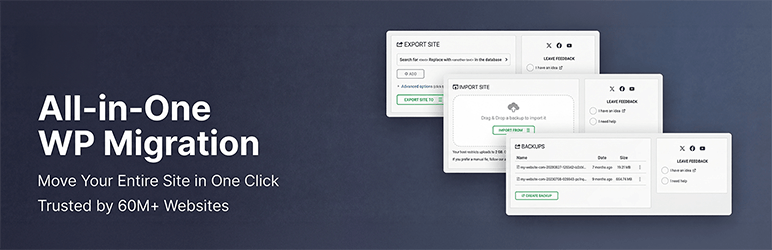

Beschrijving
The Most Trusted WordPress Migration & Backup Plugin Since 2013
All-in-One WP Migration is the gold standard for WordPress site migration and backup, used by over 60 million websites worldwide – from small blogs to Fortune 500 companies and government agencies. Whether you need to migrate WordPress to a new host, create a full site backup, or restore a previous backup, our plugin offers enterprise-grade reliability with beginner-friendly simplicity.
Free vs. paid, plainly: The free plugin backs up and exports sites of any size. To restore for free, download your backup file and import it on the Import screen. Your hosting company decides how large a file you can upload, so a very large backup may not go through that way. The paid Unlimited Extension adds one-click Restore from the Backups page and uploads that get around your host’s file-size restrictions. That is how we fund the free plugin.
Why Choose All-in-One WP Migration?
- Effortless Migration: Migrate your entire site with a single click – including database, media, themes, and plugins
- One-Click Backup: Create a complete WordPress backup before you migrate, so you can restore anytime
- Zero Downtime: Complete your migration with no service interruptions
- Universal Compatibility: Migrate between any hosting providers – from budget shared hosting to high-end dedicated servers
- Technical Excellence: Engineered for reliability with memory-efficient processing (512KB chunks), ideal for resource-limited environments
- No Technical Skills Required: Intuitive interface lets anyone migrate or backup a WordPress site without technical expertise
- Cross-Database Support: Migrate seamlessly between MySQL, MariaDB, and SQLite databases
- Secure & Reliable: Trusted by Boeing, NASA, Harvard, Stanford, Automattic, and government agencies worldwide
How to Migrate WordPress – Simple as 1-2-3:
- Install the migration plugin on your source and destination sites
- Backup & Export your site to a .wpress backup file with one click
- Import & Migrate using our drag-and-drop importer on your destination site
For Developers & Power Users:
- Advanced Find & Replace: Control exactly what changes when you migrate
- Selective Migration & Backup: Include or exclude specific content types from your migration or backup
- PHP 5.3-8.4 Compatibility: Works across virtually all hosting environments
- Custom WPress Format: Our optimized archive format ensures data integrity
- Hook System: Extensive API for custom integration and workflows
Premium Extensions:
Enhance your migration and backup workflow with our premium extensions:
- Unlimited Extension: One-click restore from your Backups page, plus uploads that get around your host’s file-size restrictions
- WP-CLI Commands (Unlimited Extension): Automate backups and restores from the command line with
wp ai1wm backupandwp ai1wm restore - Cloud Backup & Migration: Backup and migrate directly to/from Dropbox, Google Drive, OneDrive, and more
- Multisite Migration: Migrate complex WordPress multisite networks
- Scheduled Backups: Automated, recurring WordPress backups on your schedule
- Database Filtering: Exclude specific tables or data from your migration or backup
Functies spotlight:
- WCAG 2.1 AA Level accessibility compliance
- Mobile-responsive interface
- Browse WPRESS files online or extract locally
- Automatic URL and path replacement during migration
- WordPress Playground integration – migrate between SQLite and MySQL
- Regular bi-weekly updates ensuring your backup and migration plugin stays compatible
- Available in 50+ languages including Japanese
Vertrouwd door de overheid en grote corporaties:
Veel zakelijke klanten, overheidsinstanties en universiteiten gebruiken, waarderen en vertrouwen All-in-One WP Migration. Hier zijn er een paar: Boeing, NASA, VW, IBM, Harvard University, Stanford University, Lego, P&G, Automattic, de staat Californië en de staat Hawaï. Dat zo veel mensen het gebruiken, laat zien hoe veilig, betrouwbaar en flexibel de WordPress migratie en back-up plugin is voor elke site-migratie.
Update Frequency:
Our team is dedicated to keeping this WordPress migration and backup plugin up-to-date and secure. We release updates every two weeks or at least once a month, ensuring your migration and backup workflows remain compatible with the latest WordPress versions, including beta releases. Our proactive testing and feedback to the WordPress core team help in preemptively addressing any potential issues, so you can always migrate and backup with confidence.
Volledige compatibiliteit en ondersteuning:
All-in-One WP Migration has been extensively tested and confirmed to be compatible with most WordPress plugins and themes, so you can migrate and backup without worrying about conflicts.
This means you don’t experience cross-plugin compatibility issues that can slow down or break your WordPress site when you migrate.
All-in-One WP Migration has partnered with multiple theme and plugin vendors to distribute their products with us as a single, easy-to-install migration and backup package.
These vendors trust our migration plugin to provide their customers with reliable product delivery, support, migrations, and backups.
Cloud opslag ondersteund:
All-in-One WP Migration supports backup and migration to all major cloud storage services.
The plugin comes preinstalled on all Bitnami WordPress sites running on AWS, Google Compute Cloud, and Microsoft Azure – ready to migrate and backup out of the box.
Case studies:
- Small Business Migration: A small online retailer used All-in-One WP Migration to migrate to a more robust hosting solution, creating a full backup before the migration and completing the move without downtime during peak shopping season.
- Educational Migration: A prominent university utilized All-in-One WP Migration to migrate and consolidate multiple departmental sites into a single WordPress network, with automated backups ensuring no data was lost during migration.
- Overheidsmigratie: om een richtlijn voor betere digitale toegankelijkheid te volgen, heeft een overheidsinstantie onze migratie plugin gebruikt om hun content naar een nieuw, conform platform te verhuizen zonder dat dit invloed had op de toegang van het publiek tot belangrijke informatie.
Neem contact op
- Een beveiligingslek rapporteren
- Gratis hulp van ons krijg je hier
- Meld een fout of vraag om een nieuwe functie
- Meer over ons
Privacybeleid
All-in-One WP Migration is ontworpen om de persoonlijke informatie van haar gebruikers volledig te respecteren en te beschermen. Het vraagt om je instemming voor het verzamelen van het e-mailadres van de gebruiker bij het invullen van het plugin contactformulier.
All-in-One WP Migration is volledig in overeenstemming met de General Data Protection Regulation (GDPR).
Zie onze GDPR conform privacybeleid.
Schermafbeeldingen


Installatie
- All-in-One WP Migration kan direct geïnstalleerd worden vanuit je WordPress plugins dashboard.
- Klik “Nieuwe plugin” en zoek naar “All-in-One WP Migration”
- Installeer en activeer
Als alternatief kun je de plugin downloaden met de downloadknop op deze pagina en dan de map all-in-one-wp-migration uploaden naar de folder /wp-content/plugins/ en dan activeren via het Plugins dashboard in WordPress
FAQ
-
Is restoring free?
-
Yes, with one thing to know. Download your backup, then go to All-in-One WP Migration > Import and upload it. Your hosting company decides how large a file you can upload – the Import screen shows that number, and we have no say in it. If your backup is bigger than that, your host can usually help, or you can follow our guide to uploading larger backups.
If you would rather skip the file-size question entirely, the paid Unlimited Extension adds one-click Restore from the Backups page and uploads that get around your host’s restrictions. That is how we fund the free plugin.
-
How do I migrate my WordPress site to a new host?
-
Install All-in-One WP Migration on your current site and click Export. The plugin creates a single
.wpressfile containing your entire WordPress site – database, media, themes, and plugins. Then install a fresh copy of WordPress on your new host, install the plugin there as well, and use the Import feature to upload the.wpressfile. The plugin will migrate everything automatically, including updating all URL references and handling serialized data safely. You can migrate between any hosting providers – from shared hosting to dedicated servers.Before you migrate, we recommend lowering your DNS TTL to 300 seconds at least 48 hours in advance, and keeping your old host active for 7–14 days as a safety net in case you need to roll back.
-
How do I backup and restore my WordPress site?
-
To create a backup, go to All-in-One WP Migration > Export and choose your backup destination – local download or cloud storage. The plugin creates a complete backup of your entire WordPress site in a single
.wpressfile. To restore a backup, go to All-in-One WP Migration > Import and upload or select your.wpressbackup file. The plugin will restore your database, themes, plugins, and media files automatically. After restoring a backup, clear all caches and re-save your permalink settings under Settings > Permalinks.For best results, use a hybrid backup strategy: cloud storage for automated daily backups and local copies for fast recovery. Follow the 3-2-1 rule – maintain three copies of your data across two different storage types, with one stored off-site.
-
Can I migrate a WordPress multisite network?
-
Yes. The Multisite Extension allows you to migrate an entire WordPress multisite network as a single
.wpressfile. You can also extract a single subsite – when you migrate a subsite, the plugin automatically converts table prefixes and reorganizes media file paths. Multisite migrations require special handling because the network uses shared database tables for users and per-site tables with unique prefixes. We recommend at least 512 MB of PHP memory for large multisite migrations. -
What if my backup file exceeds the upload size limit?
-
The upload limit is set by your hosting company, not by the plugin (see “Is restoring free?” above). If you are comfortable editing server configuration, you can raise the PHP upload limit by adding
php_value upload_max_filesize 512Mandphp_value post_max_size 512Mto your.htaccessfile, or setclient_max_body_size 512mfor Nginx servers. Some hosts override these settings, so if the change does not take effect, ask your host. The paid Unlimited Extension works around host file size restrictions without any server changes. -
How do I migrate a WooCommerce store?
-
You can migrate a WooCommerce store the same way you migrate any WordPress site – export on your current host and import on the new one. However, after you migrate a WooCommerce store, you should immediately verify that payment gateway API keys are configured correctly, update any webhook URLs to reference your new domain, and run a small real transaction to confirm checkout works end-to-end. We recommend enabling maintenance mode on your old server after DNS propagation to prevent split orders during the transition. See our full WooCommerce migration guide for detailed steps.
-
Will my SEO rankings be affected when I migrate?
-
If you migrate to the same domain on a new host, your SEO rankings should remain intact because All-in-One WP Migration preserves all your content, URLs, and metadata exactly as they were. If you migrate to a new domain, set up proper 301 redirects mapping every old URL to its new equivalent and use Google Search Console’s “Change of Address” tool. A temporary ranking fluctuation of 10–20% in the first 1–2 weeks after a domain migration is normal. Keep your redirects active for at least one year. See our SEO migration checklist for a complete guide to preserving your rankings when you migrate.
-
How do I troubleshoot a failed migration or import?
-
The most common issues after you migrate and their solutions:
- White screen: Enable
WP_DEBUGinwp-config.phpto see the actual error. Verify PHP version compatibility between your old and new servers. - Database connection error: Check that
DB_NAME,DB_USER,DB_PASSWORD, andDB_HOSTinwp-config.phpmatch your new server’s settings. - 404 errors on all pages: Re-save permalinks under Settings > Permalinks to regenerate rewrite rules.
- Broken images: Verify the
wp-content/uploads/directory transferred completely with correct permissions (755 for directories, 644 for files). - Import stuck or frozen: Increase PHP
max_execution_timeandmemory_limit. With the Unlimited Extension, you can also restore from the command line via WP-CLI:wp ai1wm restore backup.wpress.
For a comprehensive list of migration troubleshooting tips, see our migration troubleshooting guide.
- White screen: Enable
-
Can I migrate between different database types?
-
Yes, All-in-One WP Migration supports cross-database migration between MySQL, MariaDB, and SQLite. This is especially useful when you migrate sites to or from WordPress Playground, which uses SQLite. The plugin handles all database schema differences automatically – you simply export from one environment and import into the other.
-
Can I automate my backups and migrations using WP-CLI?
-
Yes, with the Unlimited Extension. WP-CLI commands are not included in the free plugin – running them without the extension only prints a notice. With the extension installed, use
wp ai1wm backupto create a backup andwp ai1wm restore backup.wpressto restore or migrate from a backup file. This is ideal for developers who need to migrate sites in automated workflows, CI/CD pipelines, or scheduled backup scripts. Combined with cron jobs, WP-CLI lets you automate your entire backup strategy without touching the WordPress dashboard.
Beoordelingen


Bijdragers & ontwikkelaars
“All-in-One WP Migration and Backup” is open source software. De volgende personen hebben bijgedragen aan deze plugin.
Bijdragers


“All-in-One WP Migration and Backup” is vertaald in 59 localen. Dank voor de vertalers voor hun bijdragen.
Vertaal “All-in-One WP Migration and Backup” in je eigen taal.
Interesse in ontwikkeling?
Bekijk de code, haal de SVN repository op, of abonneer je op het ontwikkellog via RSS.
Changelog
7.112
Opgelost
- Scheduled backups stopping without an error on hosts that limit concurrent requests
- Exported databases with empty binary or blob values could not be read by tools outside the plugin
7.111
Security
- Export and import now require the administrator capability. This closes a missing-authorization issue that allowed authenticated users without administrator privileges to run migrations. Credits to Charles Vosburgh for reporting it
- Backup actions (list, delete, label, browse, and download) are now restricted to users who can export or import
- HTTP authentication credentials are no longer captured for users who lack permission to run a migration. Credits to Jakub Herman for reporting it
- Backup list, archive browser, and downloads now fail closed with a clear error when the session has expired, instead of failing silently
Opgelost
- Export REST route no longer accepts malformed find-and-replace pairs (previously ignored silently)
- SQLite export no longer removes the substring STRICT from column names that contain it
7.110
Opgelost
- Find and replace on values ending in a backslash. Special thanks to Jack Taylor for responsibly disclosing this issue
- Wrong warning message when leaving the page during export
7.109
Opgelost
- File option in the Import From menu did not open the file picker, which prevented importing a backup from a local file
7.108
Opgelost
- Site import on multisite now requires network-level capabilities. Special thanks to Mohamed Bassia for responsibly disclosing this issue
- CiviCRM attachments, contact images and extensions no longer dropped on import, only config and caches are excluded
7.107
Toegevoegd
- Bulk select and delete for backups
Opgelost
- REST export and import now restricted to network super-admins on multisite
- Site import now restricted to users with stronger capabilities
7.106
Toegevoegd
- REST API for AI-native WordPress migration
Opgelost
- Unauthenticated path traversal in ai1wm_error_path. Special thanks to Jakub Herman for responsibly disclosing this issue
- SQLite export producing invalid MySQL CREATE TABLE statements
- Stale archive file size caused by a cached stat result in ai1wm_archive_bytes()
- WP-CLI command now registered on cli_init instead of plugins_loaded
- Duplicate import done status dispatch during clean up
- Internationalization issues in export views and the decrypt modal
7.105
Opgelost
- PHP 8.5 “Cannot use bool as array” fatal error in export pipeline when reading past end-of-file
- Database column name replacement incorrectly matching column type keywords (e.g., UUID) in database tables
7.104
Toegevoegd
- CRC32 checksum integrity verification for wpress archive file format
Opgelost
- Infinite loop in compressor when timeout fires at exact end-of-file boundary
Verbeterd
- Minimum required versions enforcement for extensions
- WordPress 7.0 compatibility
7.103
Toegevoegd
- MariaDB-specific database driver with support for INET4, INET6, UUID, XMLTYPE, and VECTOR column types
- Server version parsing utility for improved database version detection
Opgelost
- Path traversal vulnerability in download_file() that could allow arbitrary file reads
- Path traversal validation when extracting files from archives
- Stale backups path option after server migration now auto-resets to default
Verbeterd
- Database export and import refactored for better separation of concerns — column types, column options, table options, and collations are now handled independently
- Expanded collation downgrade support including utf8mb4_0900_as_ci, utf8mb4_0900_as_cs, utf8mb3_* variants
- MariaDB-specific table options now properly handled (Aria engine, page compression, system versioning, encryption)
- Additional MariaDB storage engines (S3, ColumnStore, Spider, CONNECT, Mroonga) now convert to InnoDB on import
- Social share buttons replaced with lightweight static links (removed third-party JavaScript from Facebook, Twitter, and YouTube)
- Cached database server info calls for better performance
- functions.php now loads before constants.php for correct initialization order
7.102
Toegevoegd
- Clean storage folder option on backups page
- Archive validation before listing files for improved reliability
- Minimum required versions check
Opgelost
- Offset handling in archiver for correct data processing
- File extractor offset and file read operations
- Missing esc_html() function call for improved security
- FDP must-use plugin disabled to prevent plugin activation issues during import
Verbeterd
- CSS styling alignment with schedules page
- WordPress 6.9 compatibility
7.101
Opgelost
- File size and modification time type handling in archive for improved compatibility with PHP strict mode
- Post revisions exclusion to properly exclude associated postmeta entries during export
Verbeterd
- Upgraded to full Vue 3 framework for enhanced performance and reduced bundle size
7.100
Verbeterd
- Upgraded PHP and JavaScript dependencies to their latest versions
7.99
Toegevoegd
- Gzip compression support for file operations to improve backup file handling
Opgelost
- jQuery deprecated bind() method replaced with on() for better compatibility
- File upload security by removing stripslashes_deep on $_FILES input
Verbeterd
- Stream operations replaced with ai1wm_write() for enhanced reliability
- Update javascript dependencies to use latest versions
7.98
Toegevoegd
- WP_IMPORTING constant for better hosting providers compatibility
Opgelost
- Stored Cross-Site Scripting vulnerability in file upload (CVE-2025-8490). Thank you WordFence and Jack Pas for reporting this. What you need to know.
- File upload exceptions handling for better error reporting
Verbeterd
- PHP 8 compatibility issues in MySQLi database handler
- File uploader refactored for enhanced security and reliability
7.97
Toegevoegd
- SQLite support in AUTO_INCREMENT check
Opgelost
- Database replacement for serialized values to handle edge cases with string length validation
7.96
Toegevoegd
- Admin notice warning when AUTO_INCREMENT is missing on wp_options table
7.95
Toegevoegd
- New action hook ai1wm_status_export_init for developers on export initialization
Opgelost
- Theme export progress display showing incorrect percentage
- Uninstall.php script functionality
- Export and import button ordering
- Dropdown height styling issues
7.94
Toegevoegd
- Refresh Elementor plugin cache on import
7.93
Opgelost
- Compatibility issue with PHP 7 and PHP 5 due to trailing comma in style registration
7.92
Verbeterd
- Passed Plugin Check Plugin (PCP) validation
- Archive name generation
7.91
Toegevoegd
- CiviCRM for WordPress support
7.90
Toegevoegd
- Introduced a constant to disable MySQL late row lookups for enhanced database performance
Verbeterd
- Enhanced SQLite database integration for improved stability and efficiency
- Strengthened serialization replacement mechanism to address an unauthenticated PHP Object Injection vulnerability (CVE-2024-10942). Special thanks to Webbernaut for responsibly disclosing this issue
- Preserved the wp_rocket_settings option during exports for improved user experience
Opgelost
- Resolved PHP 8.4 deprecation warnings
7.89
Verbeterd
- Upgraded to Node.js 22 for better performance and security
- Updated all plugin dependencies to keep things running smoothly and securely
7.88
Opgelost
- Fixed an issue where the upload progress was stuck at 100%
- Fixed an issue where the upload could not be cancelled before it was completed
Verbeterd
- Improved user-facing messages to be friendlier, direct, consistent, and more informative.
7.87
Opgelost
- Er is een beveiligingsprobleem opgelost waarbij foutlogs met voorspelbare namen voor iedereen toegankelijk waren. Door nu willekeurige voorvoegsels toe te voegen aan de bestandsnamen, zijn de foutlogs niet meer te raden. Daarnaast worden foutlogs nu automatisch dagelijks en bij plugin-updates verwijderd. Speciale dank aan Ryan Kozak voor het verantwoord melden van dit probleem.
- Er is een beveiligingsprobleem opgelost waarbij een beheerder willekeurige PHP-code kon invoeren via bepaalde invoervelden. Dit probleem kon alleen misbruikt worden door iemand met beheerdersrechten, waardoor ongeautoriseerde gebruikers geen toegang hadden. We bedanken Ryan Kozak voor het verantwoord melden van dit probleem.
7.86
Opgelost
- Een probleem opgelost met PHP 8.4 compatibiliteit en het terugzetten van back-up bestanden via WP-CLI
7.85
Toegevoegd
- PHP 8.4 compatibiliteit
7.84
Toegevoegd
- Nieuwe hooks tijdens de export- en importprocessen om aangepaste acties en integraties toe te staan
7.83
Opgelost
- Opgelost: een probleem waarbij het downloaden van back-up bestanden mislukte op WordPress Playground omgevingen
7.82
Toegevoegd
- SQLite ondersteuning
- WordPress Playground ondersteuning
7.81
Toegevoegd
- Reset hub pagina: introductie van een nieuwe reset hub pagina, die gebruikers krachtige reset gereedschap biedt voor efficiënt site beheer. Deze functie maakt het eenvoudiger om WordPress omgevingen te resetten, wat soepelere ontwikkeling en test workflows mogelijk maakt.
Verbeterd
- Betere W3TC ondersteuning
- PHP compatibiliteitscontroles: Toon een waarschuwingsmelding, wanneer je je site verplaatst/terugzet naar een andere PHP versie.
7.80
Toegevoegd
- Ondersteuning voor update-services plugin
- Conversie van domeinnaam naar streepjes in plaats van punten in de back-up naam voor verbeterde compatibiliteit met hosting providers
Verbeterd
- Betere ondersteuning voor Multisite naar Standalone en Standalone naar Multisite exports en imports, waardoor het migratieproces wordt gestroomlijnd
7.79
Toegevoegd
- Ondersteuning voor WordPress v6.4
7.78
Toegevoegd
- Een nieuwe Planningen pagina geïmplementeerd in de plugin, die verschillende geavanceerde functies weergeeft die exclusief zijn voor premium extensies
7.77
Toegevoegd
- Getest de nieuwe versie van WordPress 6.3
7.76
Opgelost
- Verwijderd het [beta] label van geavanceerde instellingen