
Beskrivelse
WPML Multilingual & Multicurrency for WooCommerce includes everything you need to start selling internationally. You can easily set up and manage products in multiple currencies, no matter the size of your store. Or, translate your entire store to reach new customers all over the world by purchasing WPML.
Free Multi-Currency Features
WPML Multilingual & Multicurrency for WooCommerce is the only free plugin that includes all of the following multi-currency features:
- Add Currencies: show prices in over 200+ currencies.
- Currency Switcher: display a currency switcher on product pages and widgets.
- Switcher Content: display currency name, symbol, or code (e.g., Euro (€) – EUR)
- Switcher Styling: display as list / dropdown, set background color, and add custom CSS.
- Currency by Location: automatically display currencies based on a customer’s location.
- Manual Exchange Rate: set your own custom exchange rates.
- Automatic Exchange Rate: connect to an exchange rate source and pull data on a monthly, weekly, daily, or hourly basis.
- Custom Prices: manually set prices in secondary currencies.
- Custom Rates: manually set shipping rates in secondary currencies.
Paid Multilingual Features
Translate your entire WooCommerce store by pairing WPML Multilingual & Multicurrency for WooCommerce with WPML – the most popular multilingual plugin with over 1,000,000+ installations:
- AI Translation: automatically translate your store with PTC (Private Translation Cloud), WPML’s own AI translator that delivers human-quality accuracy at machine speed and cost.
- Machine Translation: automatically translate with DeepL, Google Translate, and Microsoft Translator.
- Multilingual SEO: get more international traffic by incorporating multilingual SEO best practices (hreflang tags, localized sitemaps, meta translation, etc.)
- Translate Products: translate simple, variable, grouped, and external WooCommerce products.
- Translate URLs: translate URL slugs and endpoints.
- Translate Taxonomies: translate categories and attributes.
- Translate Checkout: translate your cart, payment form, and confirmation pages.
- Translate Reviews: translate user reviews on product pages.
- Translate Emails: send emails to clients and admins in their language.
- Currency by Language: automatically display currencies based on site language.
- Payment Gateways: use different payment methods for each currency.
- Inventory Tracking: manage inventory across all languages in one dashboard.
- Custom Development: build your own custom functionality with WooCommerce REST API.
To use all features, you need WPML’s Multilingual CMS or Multilingual Agency plan. See WPML’s pricing for more details.
Compatibility With Woocommerce Extensions
WPML Multilingual & Multicurrency for WooCommerce is fully compatible with popular extensions, including:
- WooCommerce Subscriptions
- WooCommerce Product Add-ons
- WooCommerce Product Bundles
- WooCommerce Bookings
- WooCommerce Composite Products
- WooCommerce Tab Manager
- WooCommerce Table Rate Shipping
For the full list of compatible plugins, see WPML’s Compatible WooCommerce Extensions.
Additional Resources
Looking for more info? Check out our guides for free and paid features:
Skjermbilder
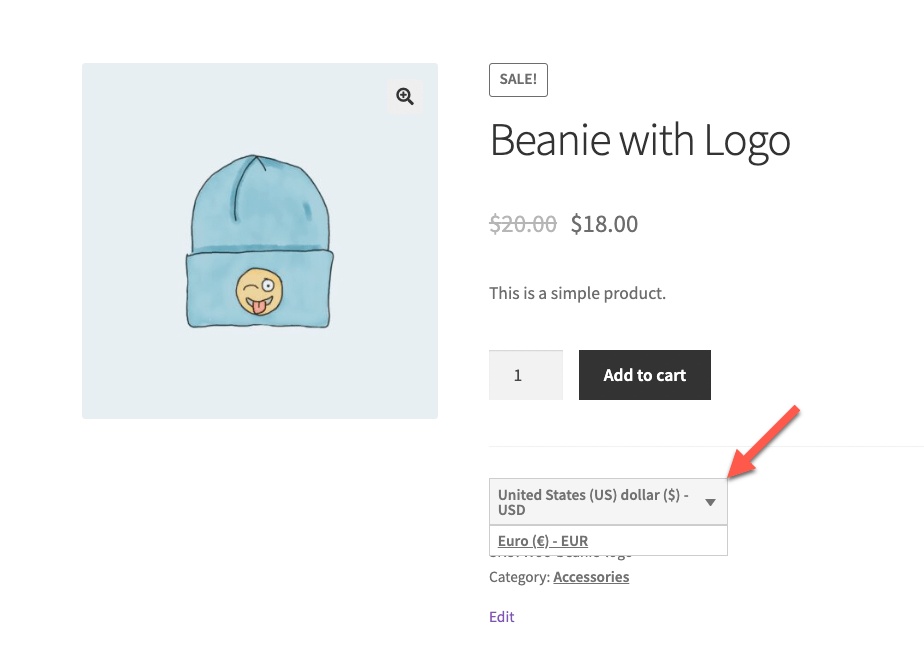
Currency switcher on the front-end 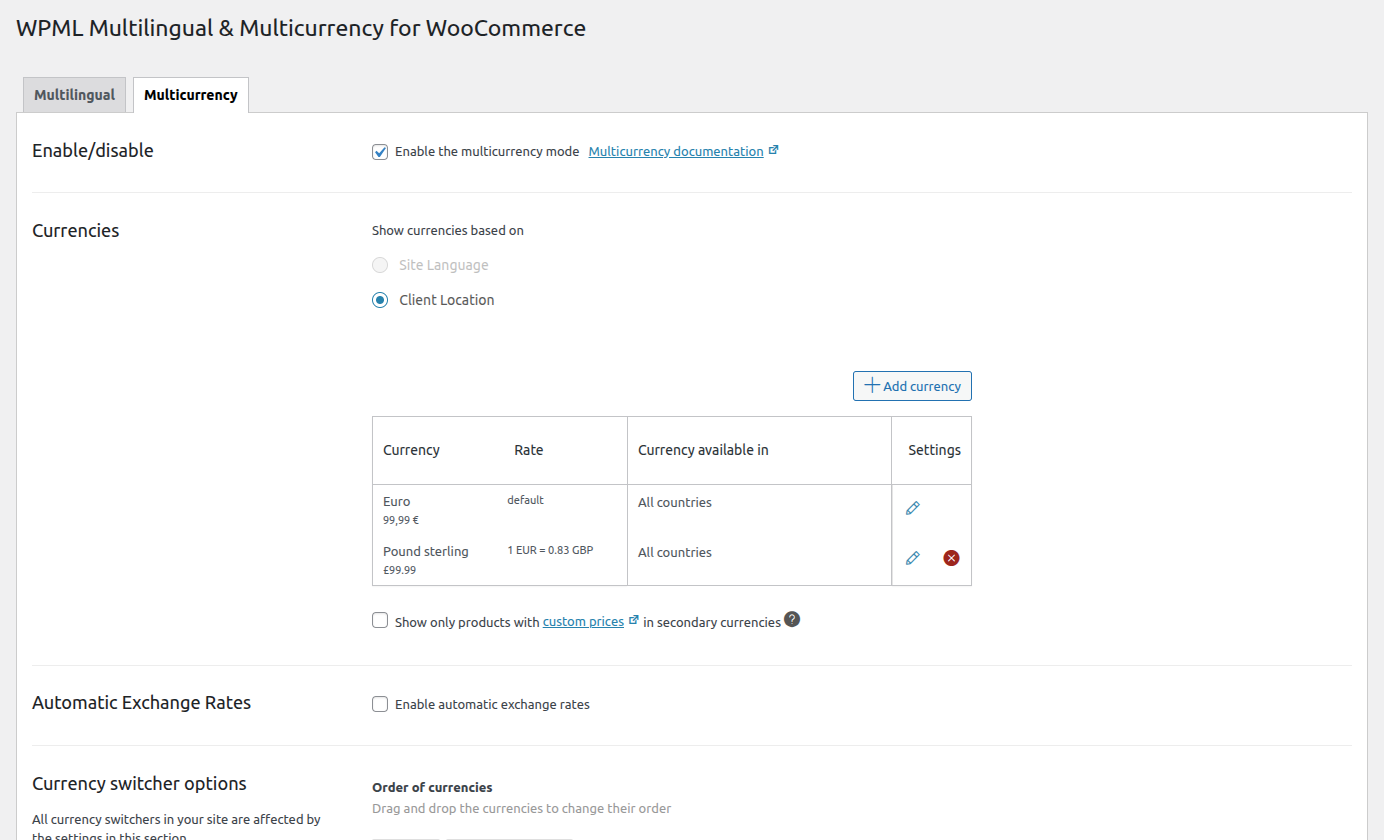
Multicurrency 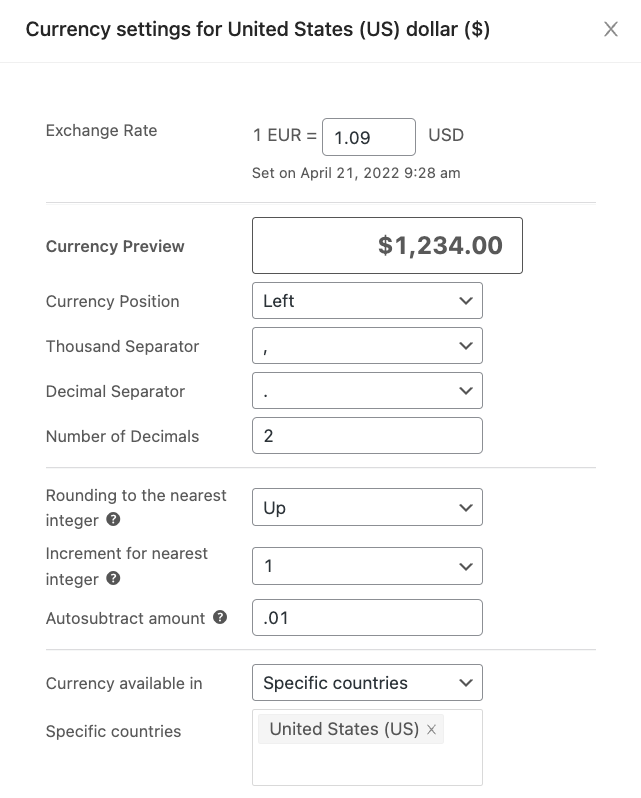
Adding a currency 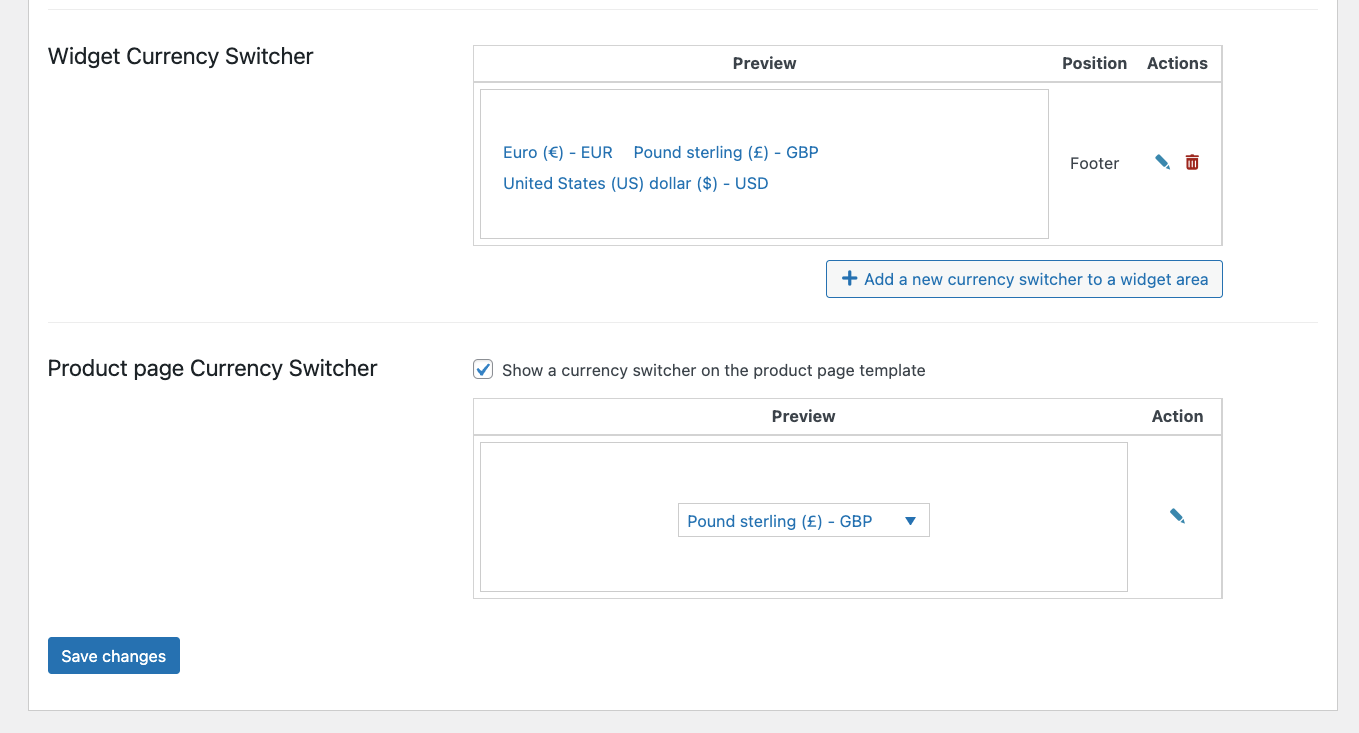
Adding currency switchers 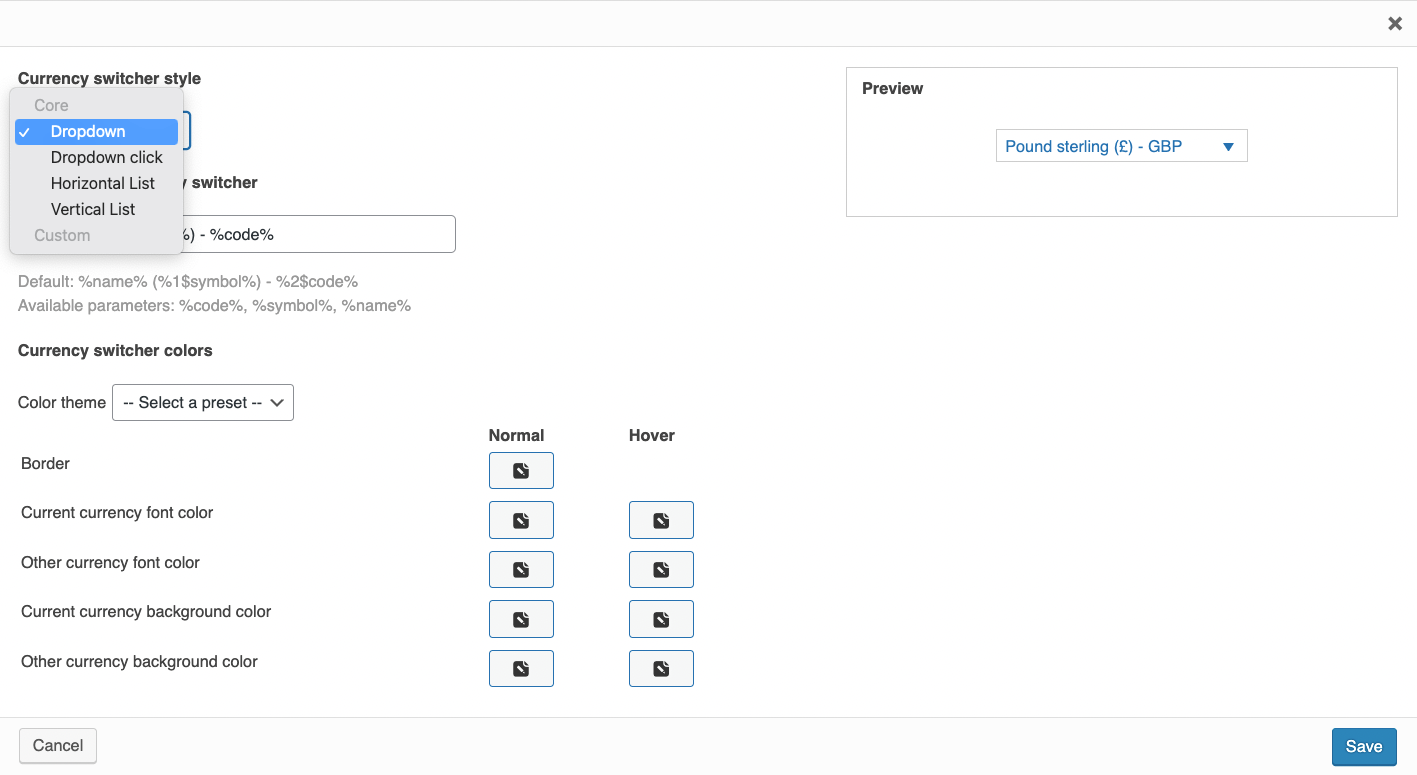
Currency switcher options 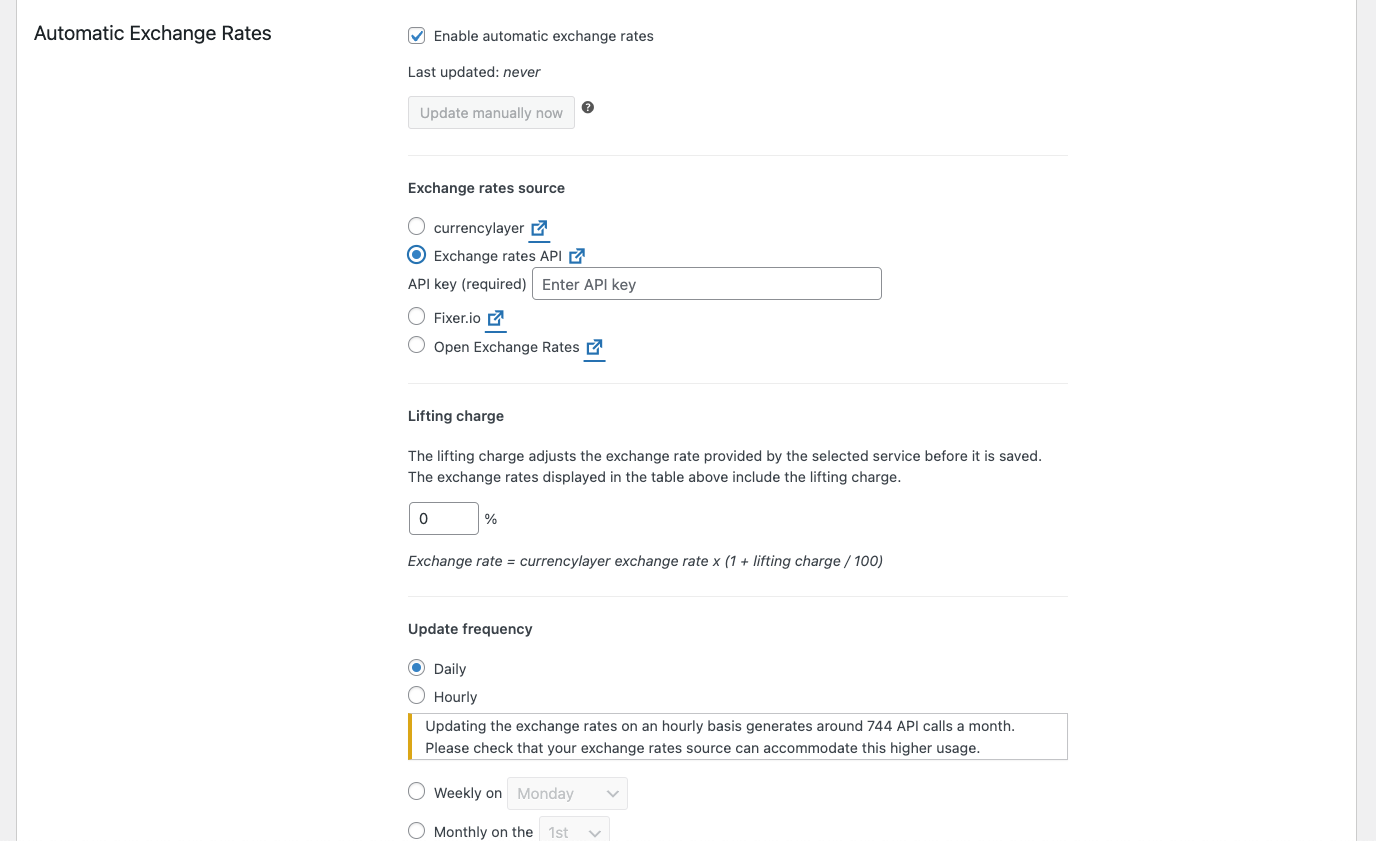
Setting automatic exchange rates 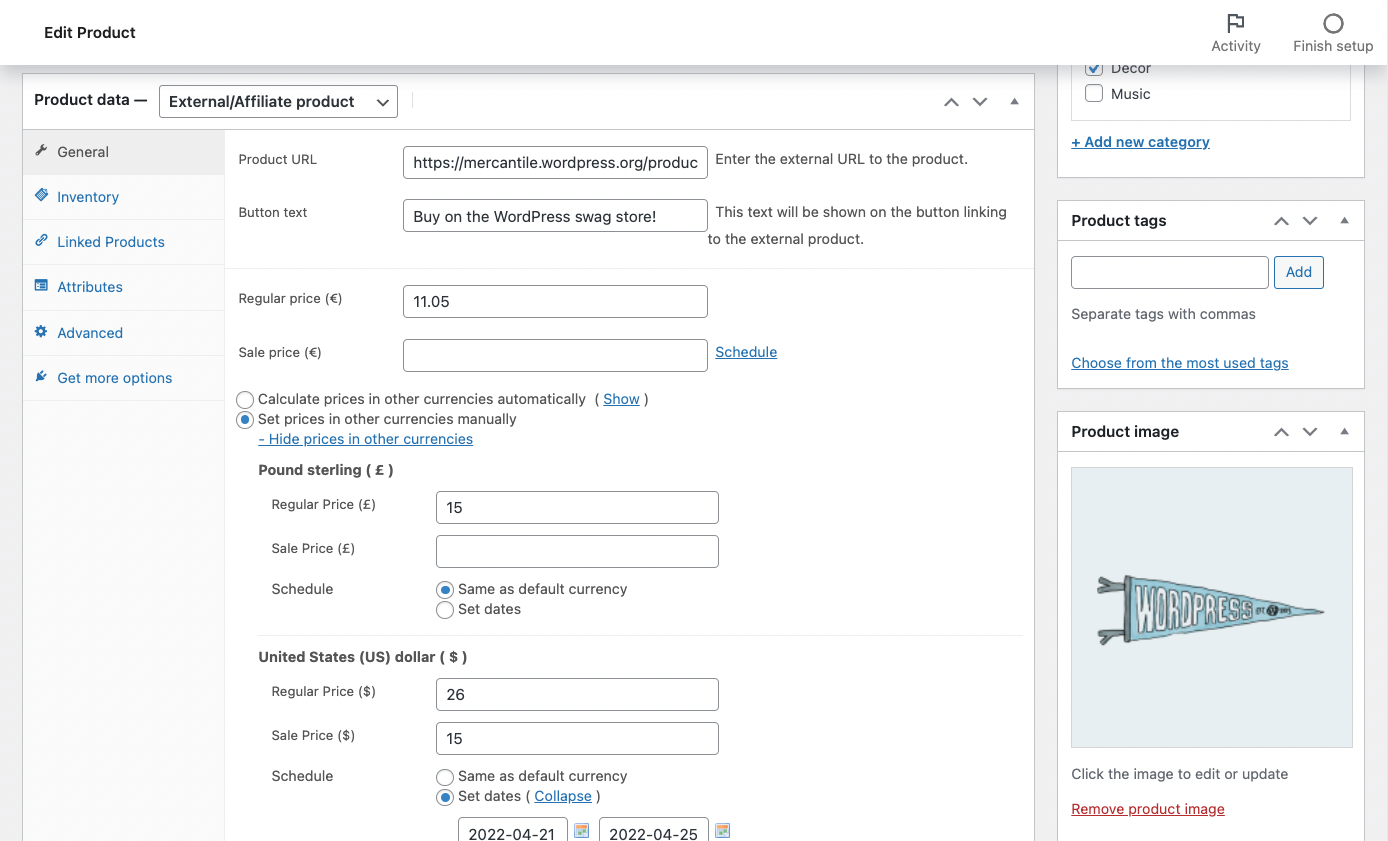
Setting custom prices in different currencies 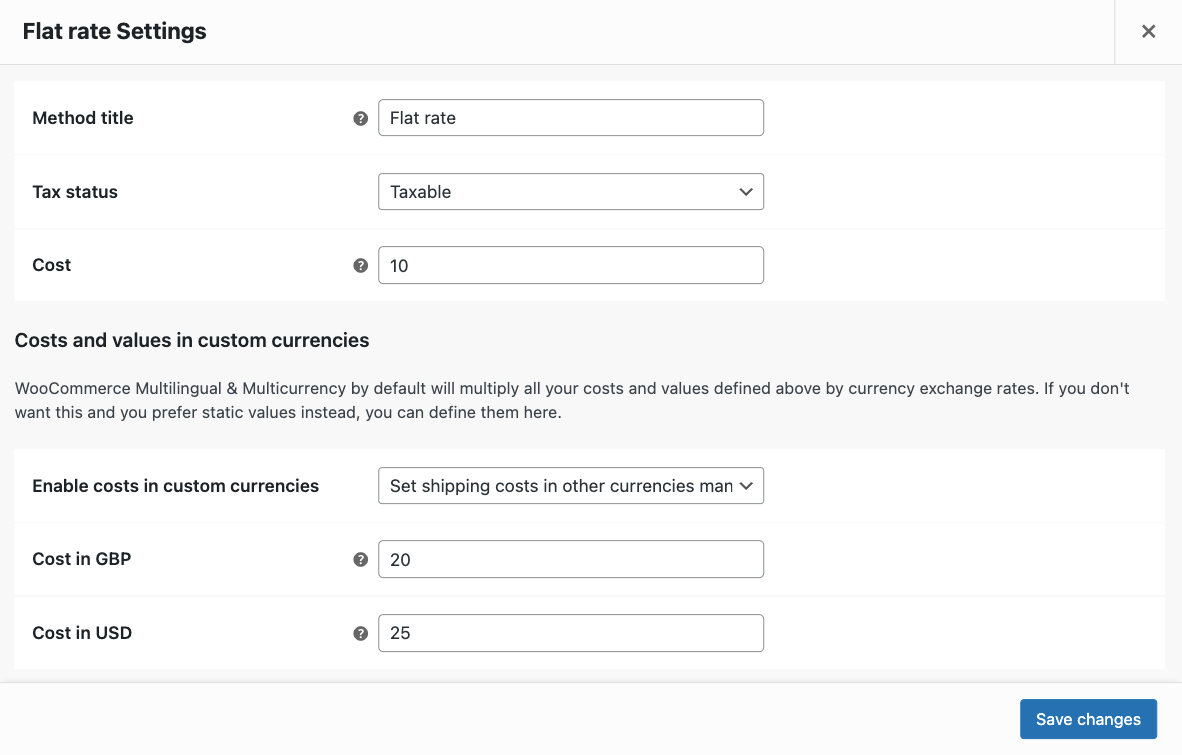
Setting custom shipping rates 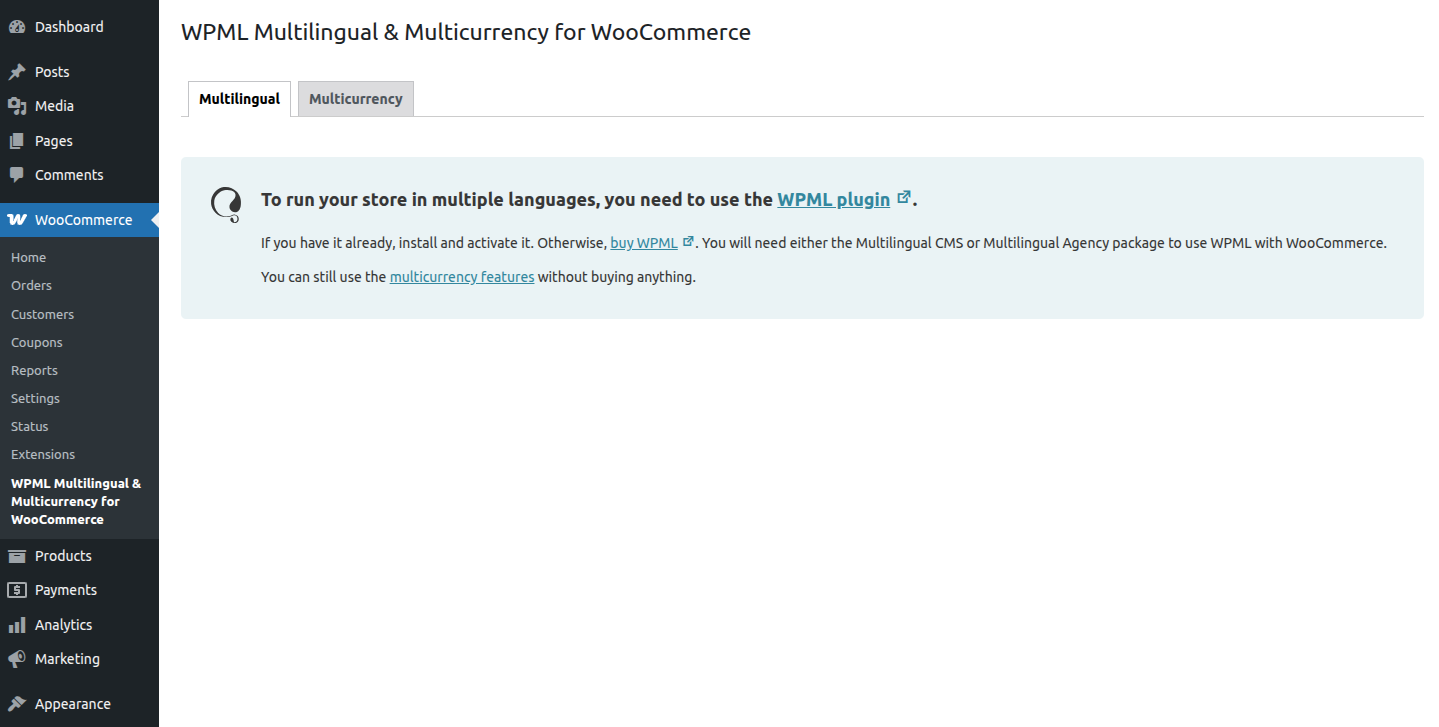
WPML Multilingual & Multicurrency for WooCommerce in standalone mode


Installasjon
Minimum Requirements
- WordPress 6.0 or later
- PHP version 7.2 or later
- MySQL version 5.6 or later
- WooCommerce 3.9.0 or later
Setup
Install and activate “WPML Multilingual & Multicurrency for WooCommerce” on your WordPress site. Then, go to WooCommerce → WPML Multilingual & Multicurrency for WooCommerce and enable the multi-currency mode to add more currencies to your store. Read more about setting up multiple currencies for your online store.
If you also use the WPML plugin for multilingual functionality, follow the setup wizard to translate the store pages, configure what attributes should be translated, enable the multi-currency mode and more. Read more about translating your online store.
Ofte stilte spørsmål
-
Does this work with other e-commerce plugins?
-
No. This plugin is tailored for WooCommerce.
-
What do I need to do in my theme?
-
Make sure that your theme is not hard-coding any URL. Always use API calls to receive URLs to pages and you’ll be fine.
-
How do I edit the translations of the cart or checkout page?
-
Some themes and plugins provide their own translations via localization files. WordPress loads these translations automatically.
To change any of these translations, you need to scan the theme or plugin providing these files. Go to WPML → Theme and Plugins Localization, select the theme or plugin providing the checkout page, and scan it.
After scanning, you should have the strings available in WPML → String Translation.
Read more about translating cart and checkout pages.
-
Can I have different URLs for the store in different languages?
-
Yes. You can translate the product permalink base, product category base, product tag base and the product attribute base on the Store URLs section.
-
Why do my product category pages return a 404 error?
-
In this case, you may need to translate the product category base. You can do that on the Store URLs section.
-
Can I set the prices in the secondary currencies?
-
By default, the prices in the secondary currencies are determined using the exchange rates that you fill in when you add or edit a currency. On individual products, however, you can override this and set prices manually for the secondary currencies.
-
Can I have separate currencies for each language?
-
Yes. By default, each currency will be available for all languages, but you can customize this and disable certain currencies on certain languages. You also have the option to display different currencies based on your customers’ locations instead.
-
Is this plugin compatible with other WooCommerce extensions?
-
WPML Multilingual & Multicurrency for WooCommerce is compatible with all major WooCommerce extensions. We’re continuously working on checking and maintaining compatibility and collaborate closely with the authors of these extensions.
Vurderinger


Bidragsytere og utviklere
«WPML Multilingual & Multicurrency for WooCommerce» er programvare med åpen kildekode. Følgende personer har bidratt til denne utvidelsen:
Bidragsytere


“WPML Multilingual & Multicurrency for WooCommerce” har blitt oversatt til 12 språk. Takk til oversetterne for deres bidrag.
Oversett “WPML Multilingual & Multicurrency for WooCommerce” til ditt språk.
Interessert i utvikling?
Bla gjennom koden, sjekk ut SVN-repositoriet, eller abonner på utviklingsloggen med RSS.