This isn’t a “just make it responsive” situation. You want an actual app in the App Store and Google Play (or at least you’re considering it). So, which framework do you pick?
I’ve helped dozens of teams make this exact decision and shipped 25+ mobile apps backed by Rails. Here’s how I walk through the decision for each of my clients.
There are four paths worth seriously considering for a Rails team. Each one trades off development speed, native feel, and long-term maintenance differently.
Building fully native apps means writing separate iOS and Android codebases in Swift and Kotlin, on top of your existing Rails app. You get full control over every pixel and every interaction. Fully native Swift and Kotlin apps feel incredible.
But you’re building everything three times. Every screen, every flow, and every feature needs an iOS version, an Android version, and the web version you already have. And if your Rails frontend is HTML-based (e.g. ERB, Hotwire, Turbo), you’ll also need to build a JSON API to power those native screens. That means new features can require work in four places: the data model, the API, the iOS UI, and the Android UI.
You will most likely need dedicated mobile developers (or need to become one) and you’re maintaining three codebases indefinitely. For most Rails teams, this is the most expensive option by a wide margin.
React Native lets you write one JavaScript codebase that runs on both iOS and Android. It’s backed by Meta, has a massive ecosystem, and produces apps that feel close to native.
You never have to open Xcode or Android Studio with React Native. You write code in your editor of choice, run a command, and see the result in a device simulator. The developer ergonomics are quite good once you’re up and running. Though getting to that point can be its own adventure. Setting up React Native projects is notoriously finicky, not unlike the React ecosystem on the web.
React Native also has a large plugin ecosystem for adding native features like cameras, maps, and biometrics. But if you need something custom that doesn’t have a plugin, you’re writing native modules in Swift or Kotlin anyway. And now you’re fighting against the abstraction layer rather than working with the platform directly. It can end up being more work than just building the feature natively.
Here’s the catch for Rails teams: it’s still a completely separate codebase. You’re building a new frontend in React, creating an API layer to talk to your Rails backend, and duplicating logic. And despite the name, React web and React Native are different enough that you can’t share frontend code between them. You’re pretty much building the frontend twice.
A Progressive Web App skips the app stores entirely. Your Rails app runs in the browser, and users can “install” it to their home screen. It has zero native toolchain overhead and the lowest development cost.
The tradeoffs are real, though. No in-app purchases, limited push notification support on iOS, and no presence in the app stores. You lose discoverability and the legitimacy that comes with being downloadable. And honestly, it’s quite rare for anyone to actually click “Add to Home Screen.” Or even know where to find it.
That said, if you don’t need the app stores, a PWA lets you move fast with the fewest constraints.
Hotwire Native wraps your existing Rails app in a native shell. Your HTML from the server gets rendered inside native navigation, so your Rails views are the mobile app. All of the business logic stays in one place: your Rails server. When you deploy a new feature or fix a bug, you change your Rails code and the apps update in real time. No app store review required.
When you need native features like push notifications, camera access, or biometrics, you add them with bridge components that connect your HTML to native code. And you can always “drop down to native” for fully custom screens when the situation calls for it.
I wrote an entire book on this approach. It’s also how 37signals builds Basecamp, HEY Email, and HEY Calendar, serving millions of paying customers across iOS and Android. These aren’t toy apps. They’re revenue-generating products built and maintained by a small team, because Hotwire Native lets them keep most of the work on the server.
The big tradeoff: you’re managing Xcode and Android Studio projects directly, and you’ll need to write a bit of Swift and Kotlin. But the amount of native code stays small because most of the work, and the core logic, stays on the server.
One thing to be aware of is that Hotwire Native doesn’t currently have offline support. Your app needs a network connection to load screens. This may be changing soon, but for now, if your users need to work without connectivity, this is a real limitation.
Here’s a side-by-side to make the tradeoffs concrete:
| Native | React Native | PWA | Hotwire Native | |
|---|---|---|---|---|
| Timeline | 6-12+ months | 4-8 months | 1 week | 1-2 months |
| Codebases | 3 | 2 | 1 | 1 + 2 small1 |
| Teams needed | iOS, Android, and Rails | React Native and Rails | Rails | Rails |
| Learning curve | Steep | Moderate | None | Low |
| Offline support | Full | Full | Partial | None |
| Native feel | Full | Full | Minimal | Mostly |
| App Store presence | Yes | Yes | No | Yes |
| Native API access | Full | Full | Limited | Full |
1Hotwire Native technically has three codebases, but the iOS and Android projects are thin wrappers. Most of your development time stays in Rails.
The “teams needed” row is the biggest differentiator for most businesses: Hotwire Native and PWAs are the only options where your existing Rails developers can do the work.
The mobile app is your product, not a companion to a web app. You need heavy offline support, you have or can hire dedicated iOS and Android developers, and budget and timeline aren’t major constraints. If all four of those are true, native will give you the best possible experience.
Your team is already using React on the web and you have an API layer built. The JavaScript knowledge transfers and you’re not starting from scratch. But if your frontend is server-rendered Rails (e.g. ERB, Hotwire, Turbo), adopting React Native means building an entirely new frontend skill set on top of the framework itself.
You don’t need the app stores. Your app is primarily content or information display, push notifications on iOS aren’t important, and budget is tight. A PWA is the fastest path to “mobile app” when the stores aren’t a requirement.
You have a working Rails app with real users and you want to get into the app stores in weeks, not months. You don’t have mobile developers and don’t want to hire them. You want one codebase powering the majority of web, iOS, and Android. If that sounds like your situation, my book will walk you through building it yourself, or I can help you plan the right approach.
Two other frameworks come up in these conversations. Here’s the short version.
Flutter is Google’s cross-platform framework using Dart. It has a custom rendering engine and produces pixel-perfect apps across platforms. But it requires learning a new language, building a completely separate codebase, and creating new APIs. There’s minimal code reuse with your Rails app. If your app is mobile-first and Rails is just the API, Flutter is worth considering. But for a Rails business adding mobile? It’s overkill.
Capacitor wraps a web app in a native shell with a plugin bridge for native APIs. It’s designed for JavaScript SPAs (React, Vue, Angular) bundled into the native binary and has good offline support since assets ship locally. But if you’re using server-rendered Rails, Capacitor creates a mismatch. You’d either build a redundant JS frontend or use their officially unsupported server mode. It’s a good tool for JavaScript teams, not a natural fit for Rails developers.
The right answer depends on your team, your timeline, and what your users actually need. There’s no universal “best framework,” just the one that fits your situation.
If you’d rather have someone help you figure out the right approach before writing any code, take a look at the Mobile Playbook. In two weeks you’ll have a framework recommendation, architecture diagram, risk register, and a phased build plan.
And if you just want to follow along as I share what I’m learning, my weekly newsletter covers building mobile apps for Rails businesses.
]]>Can you believe Rails World is so soon? Exactly two weeks from today I’ll be on stage delivering my talk on Hotwire Native.
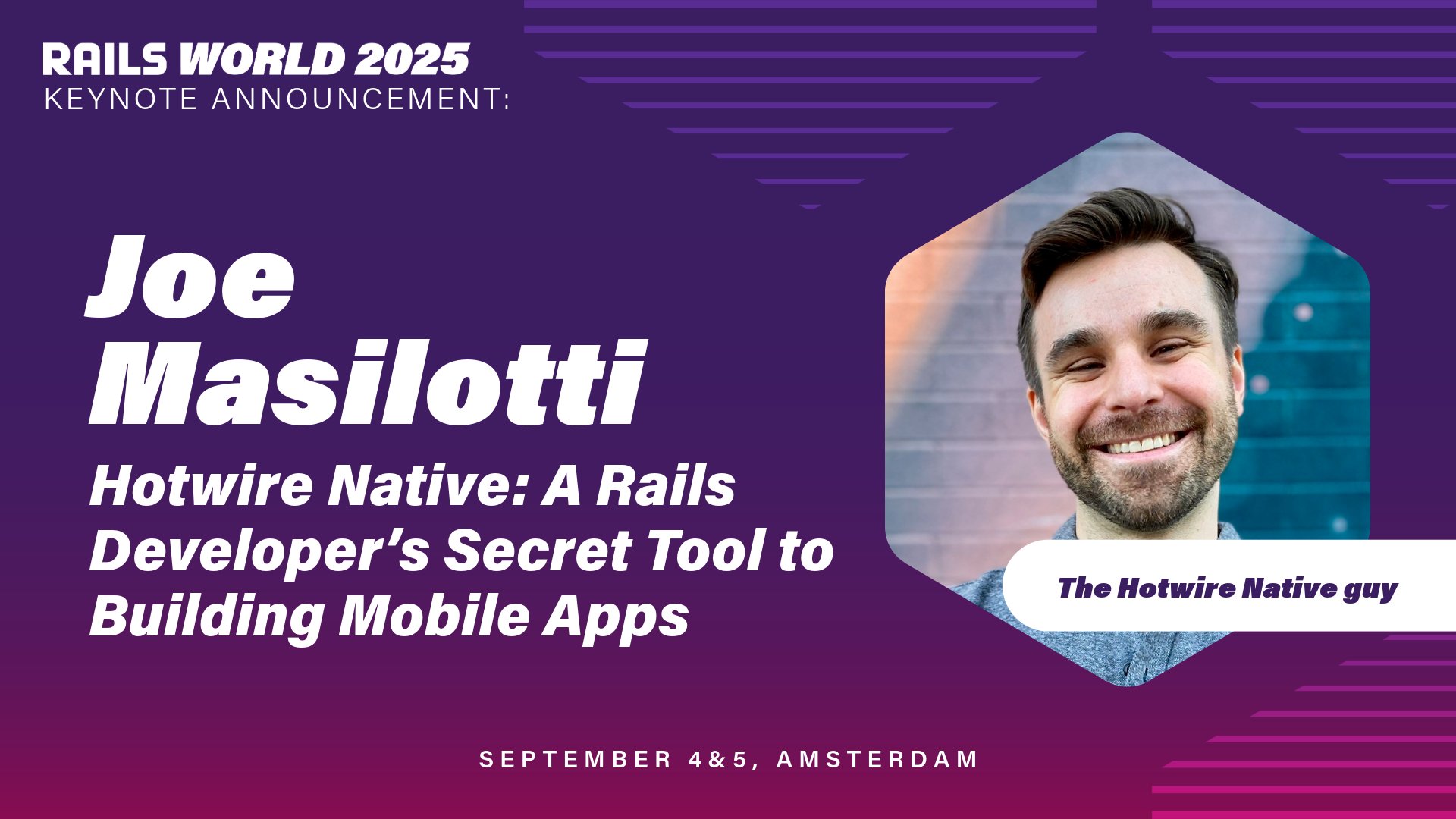
But the most exciting part? My talk was upgraded to a keynote!

I’m excited and grateful to The Rails Foundation for giving me this opportunity. But I’d be lying if I said I wasn’t nervous. 🙈
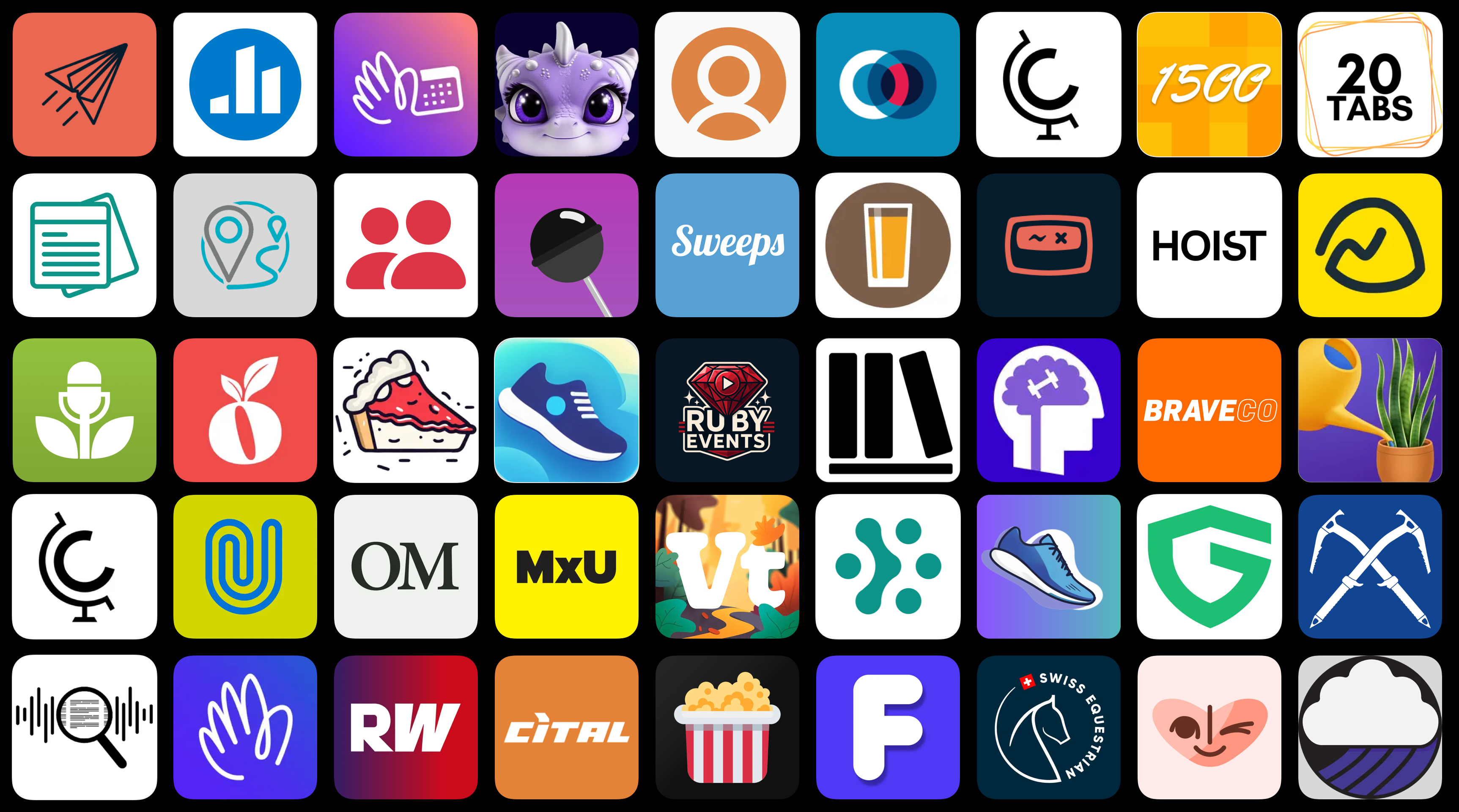
As a tiny sneak peek, here’s one of my favorite slides from my deck so far. Just look at all of these apps built with Hotwire Native! They are all in the App Store and/or Google Play.
![]()
If you’re attending Rails World then come say hi - I’d love to meet in person.
Since the last newsletter, I’ve been busy with two projects I’m excited to share.
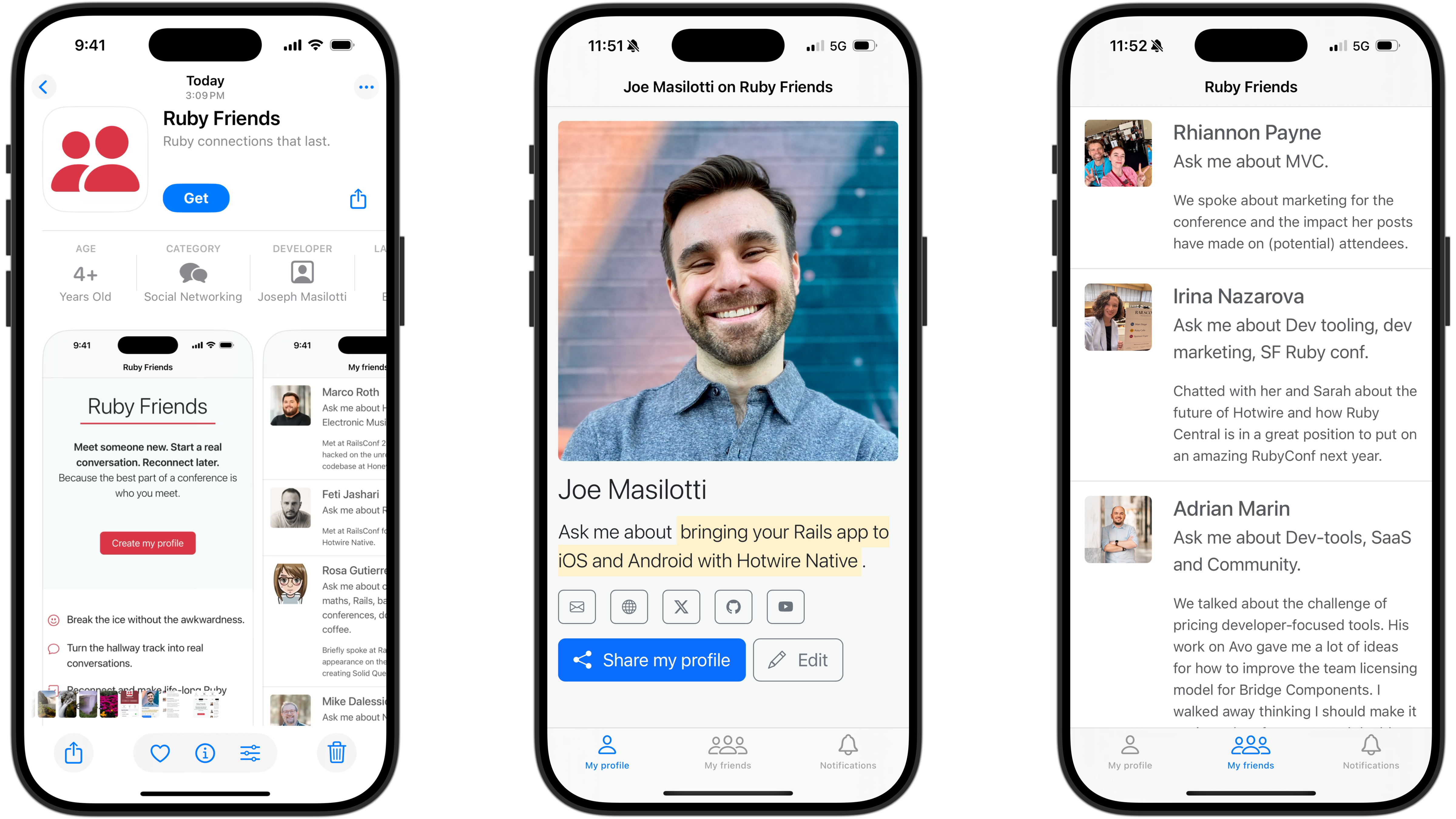
Ruby Friends is now on Android! The app makes it easy to connect at conferences without the awkward “what’s your Twitter?” moment. Just set up a profile, scan someone’s code, and you’ll have a real connection to revisit later - long after the hallway track ends.
Want your Hotwire Native apps to feel smoother? I published a 5 minute video showing how to make web-based modals behave like real native screens on iOS and android. No clunky overlays or awkward transitions - just fast, polished interactions that blend right in with the rest of your app.
Here’s a few articles and announcements about Hotwire Native that caught my eye.
37signals released a new gem for sending iOS and Android push notifications. It connects directly to APNS and FCM, and takes care of retries, rate limiting, and cleaning up inactive devices automatically. If your app only needs to send push notifications, this looks like a compact, focused dependency. For broader notification management, check out Noticed.
TL;DR: Hotwire Native injects a piece of JavaScript that integrates with the Turbo already present on the web and makes it talk to native mobile code.
This deep dive explains the magic behind how Hotwire Native bridges the web and native worlds. Essential reading for anyone looking to understand the underlying architecture.
Rails World 2025’s official app is back and better than ever. The open source iOS and Android conference app has been upgraded to Rails 8 and powered by Hotwire Native, delivering native experiences while still running as a progressive web app on desktop and mobile.
Rob Stortelder shared a demo triggering an Epson printer to spit out a receipt. Since most browsers prohibit requests to a local network, bridge components were the key to making it work seamlessly.
There’s so much exciting work happening in the Hotwire Native world right now, from new gems to open source apps to creative bridge components!
Again, if you’re heading to Rails World this year, I’d love to connect in person. If you see me around, don’t hesitate to come say hi.
]]>Last night we took the boys to dinner at a local family-friendly brewery. And it was glorious.
Why don’t more places like this exist?! Crayons, french fries, a play area, beer… it’s a busy parent’s dream!
If you missed my Hotwire Native workshop at RailsConf then don’t fret, the recording is now on YouTube. When you finish working through it then hit reply and show me what you built!
Ruby Central also uploaded recordings of the rest of the talks and workshops. I’m excited to catch up on these talks that I missed while in Philadelphia:
When I got back from the conference, I finally recorded a Hotwire Native video I’d been excited to make for a while.
This 5 minute tutorial walks you through how to copy and paste a ready-made bridge component from my open-source library. No Swift or Kotlin required!
I’m thinking about doing a short video like this for each component. Would that be helpful?
Speaking of bridge components, I used the Barcode Scanner and Notification Token components for the latest iOS release of Ruby Friends!
Ruby Friends, a fun little app to help you keep in touch with folks you meet at conferences, just hit v1.2 on iOS.
This release includes a ton of new native features:
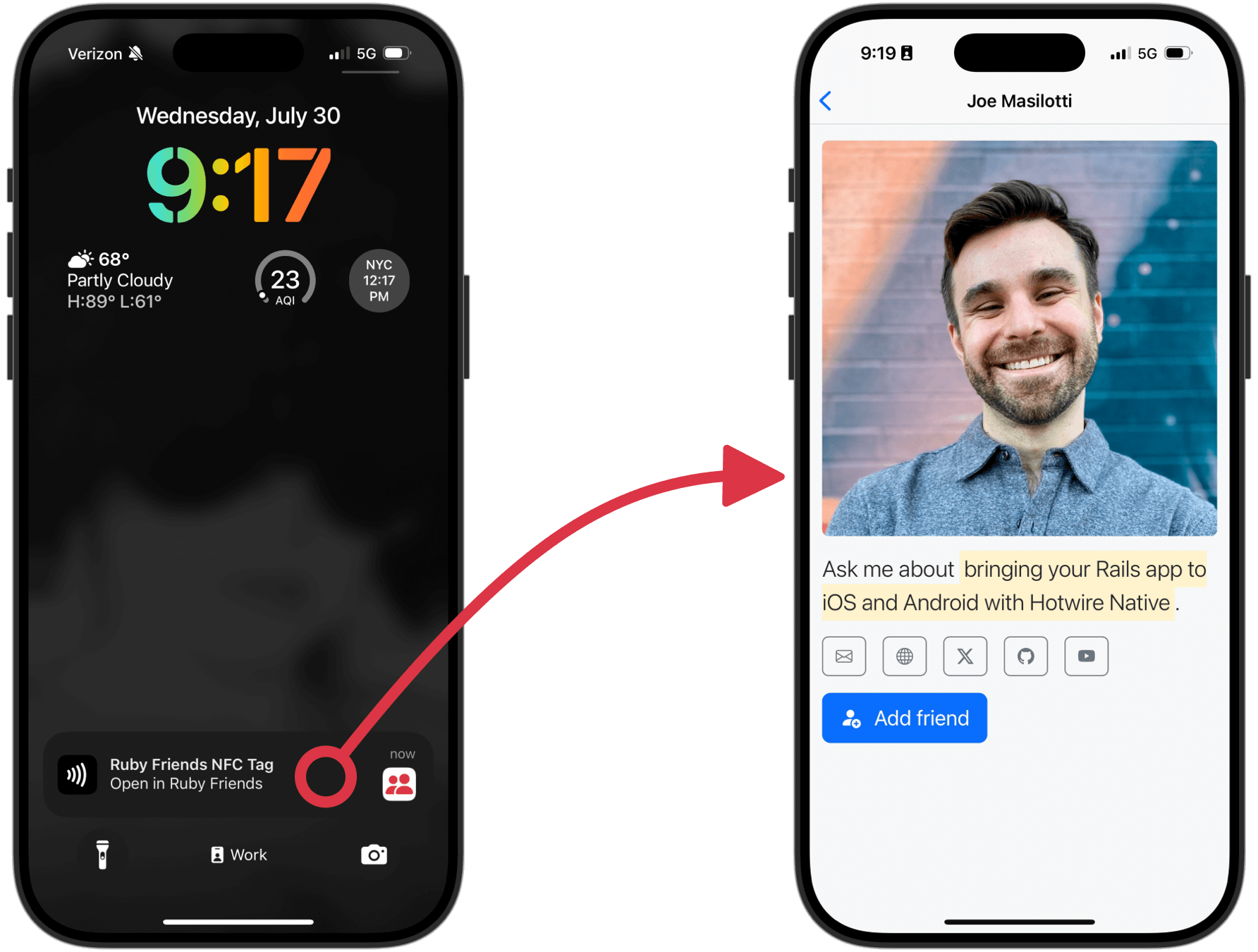
I’m also working on an NFC integration. This would enable tapping a NFC tag and deep linking right to a profile… even if the app isn’t running! I have a proof-of-concept working and just need to iron out some bugs.
There’s probably a generic component that I can extract from this and add to my bridge component library, too.
Want to give it a try? Hit reply and I’ll add you to the TestFlight group.
Until next time, folks!
]]>What’s Ruby Friends? Dave Thomas sums it up nicely in his latest newsletter:
You create a profile, and it gives you a URL and a QR code. When you chat with people [at a conference or meetup], they can scan your code to see your profile, and if they want to, they can add you as a friend. And that’s it. No posts, no transitive-closures of connections; just you and a list of people who wanted you to remember them.
Think of it like a conference companion that helps turn introductions into friendships. I’ve been building it in public on my YouTube channel.
This blew me away.
Within 48 hours of launch, Ruby Friends hit 100 profiles.
Lucky profile #100? Erin - congrats and thanks for being part of this!
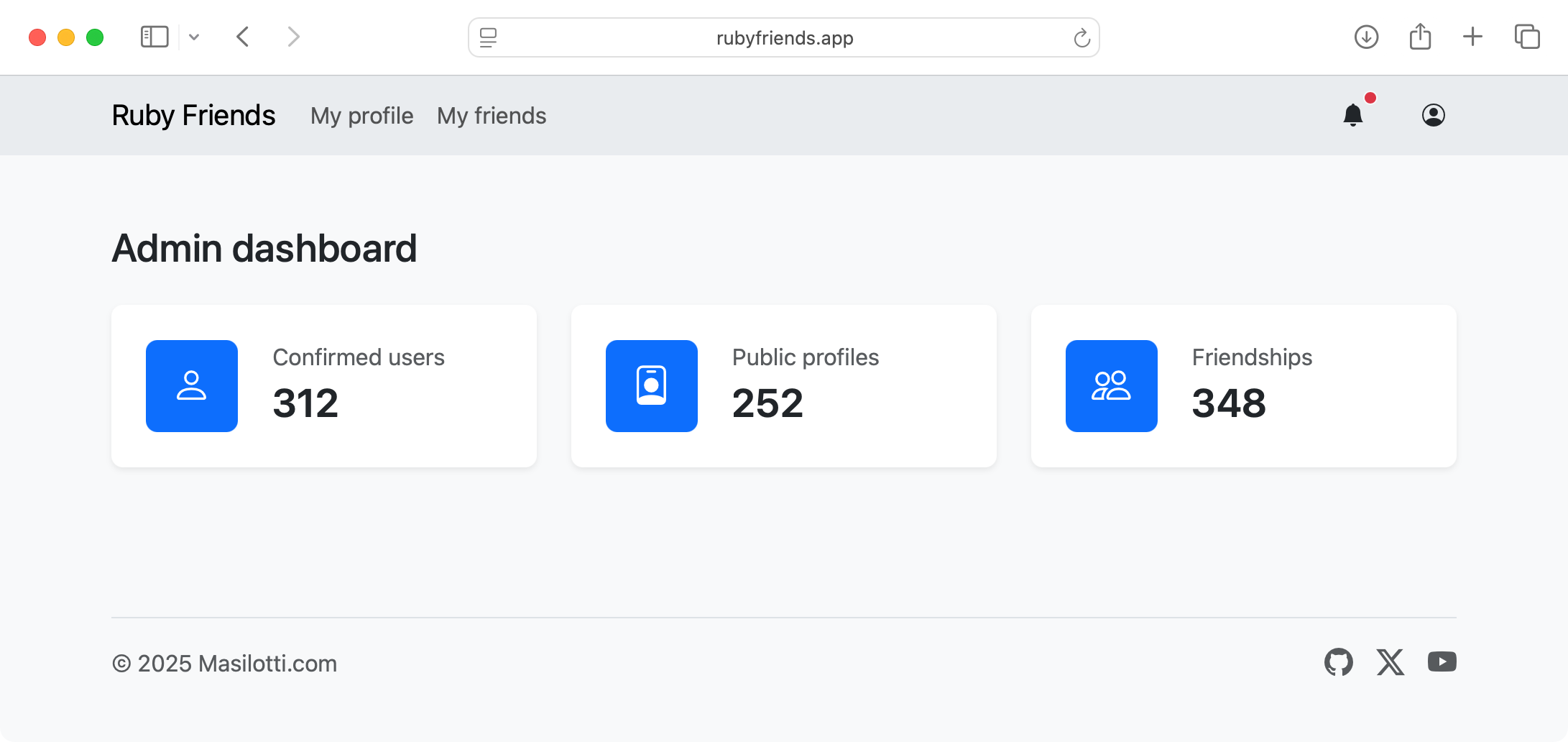
Since then, we’ve more than doubled that. As of writing, there are over 250 Ruby Friends using the app. That means more than 250 chances to meet someone new, start a conversation, and reconnect later.
Here’s a quick look at what’s live in v1.0:
You can create your profile, add other Ruby Friends, and manage your notifications. Super simple - and super early. But it’s already working. Up next? Push notifications, of course!
If you missed it, I started building the iOS app live on stream. We covered:
You can watch the full session here.
At first, I tried configuring the tabs after the user signed in. It worked… kind of. But it felt messy. So I tossed it and found something better: swapping the rootViewController once the user creates a profile.
At a high level, here’s what my SceneDelegate is doing. It renders a single Navigator on every app launch.
class SceneDelegate: UIResponder, UIWindowSceneDelegate {
private let navigator = Navigator()
private let tabBarController = HotwireTabBarController()
func scene(_ scene: UIScene, willConnectTo session: UISceneSession ...) {
window?.rootViewController = navigator.rootViewController
navigator.start()
}
private func didSignIn() {
if window?.rootViewController != tabBarController {
window?.rootViewController = tabBarController
}
}
}
And when the user signs in, a bridge component swaps out the rootViewController to the tab bar controller.
class AuthenticationComponent: BridgeComponent {
override func onReceive(message: Message) {
guard let data: MessageData = message.data() else { return }
if data.profileURL != nil {
SceneController.didSignIn()
}
}
}
I’ll dive into that code in the next stream, tomorrow (Thursday). Come say hi!
That’s it for this week.
If you haven’t already, download Ruby Friends from the App Store, create a profile, and meet a new Ruby Friend. Or two. Or five.
And if you’re enjoying it, forward this to someone you think might like it too. The more the merrier.
P.S. If you’re organizing a Ruby conference, then let me know! Maybe we can get some Ruby Friends QR codes printed on the badges.
]]>But the 800+ attendees brought an energy I’ve never seen before at a code-related meetup. And it was infectious. So much so, that I too decided to build something new. More on that below. 😉
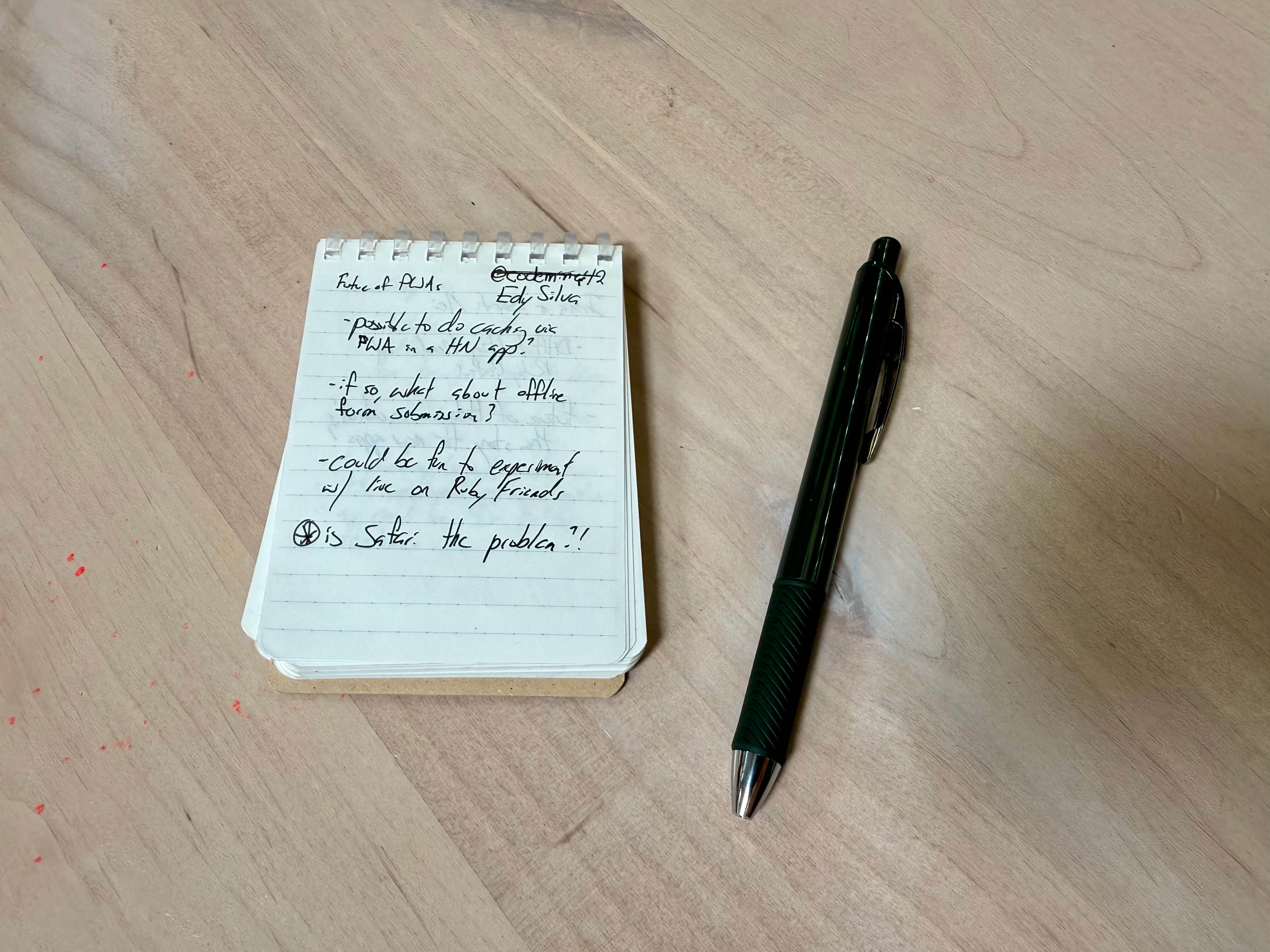
Over the three days in Philadelphia I kept track of everyone I spoke with on my tiny little notebook. Here are some of the conversations that stood out.
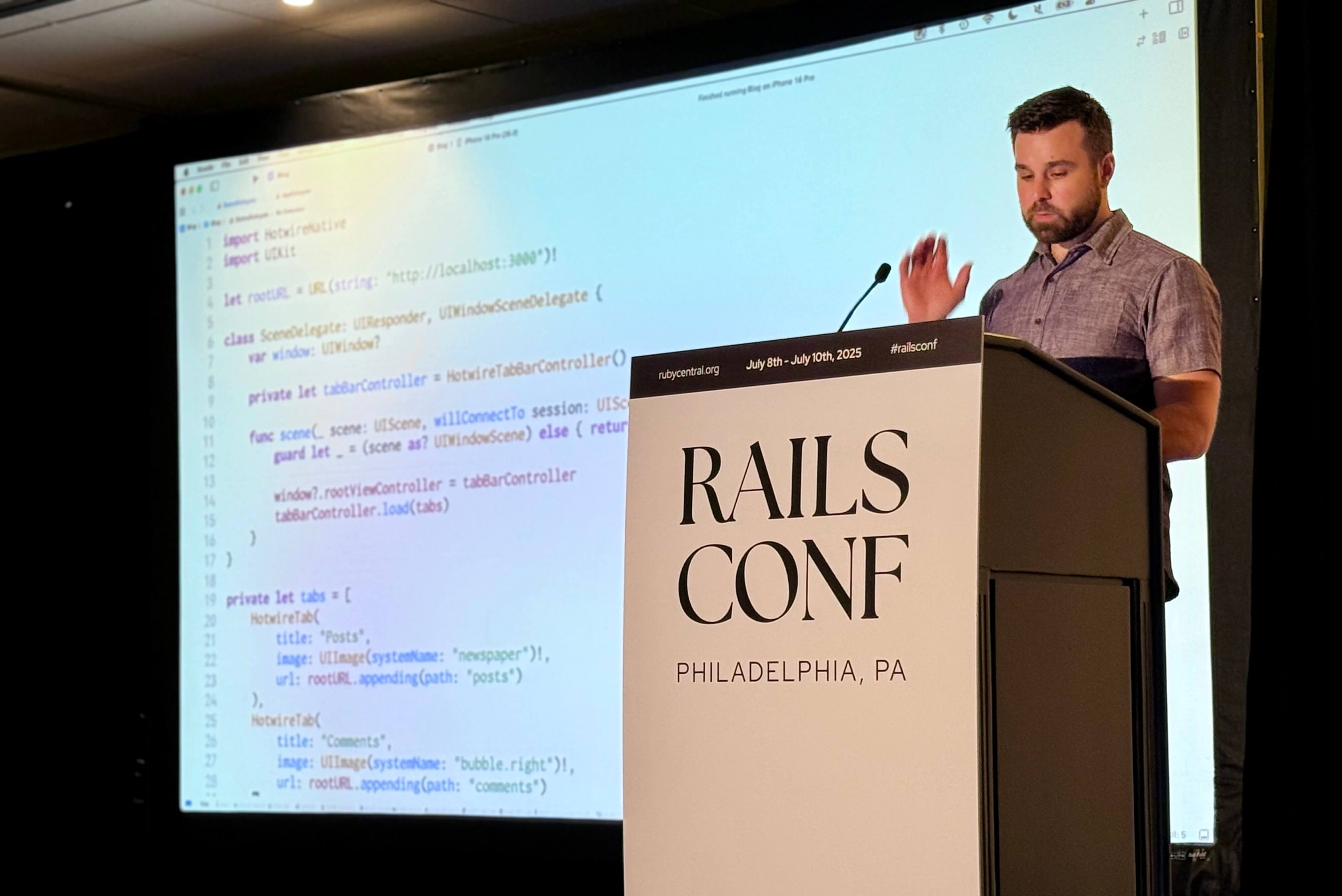
On Wednesday I hosted a two-hour workshop teaching Hotwire Native from scratch. Every seat was full and folks were sitting on the floor! Together we:
I also forgot how to delete a record in Rails. 😪 Luckily, the audience helped me out.
As promised, here’s links to the slides and all of the code we wrote together.
RailsConf wasn’t just socializing and teaching. I also learned a ton from the talks. Here are two that really stuck out.
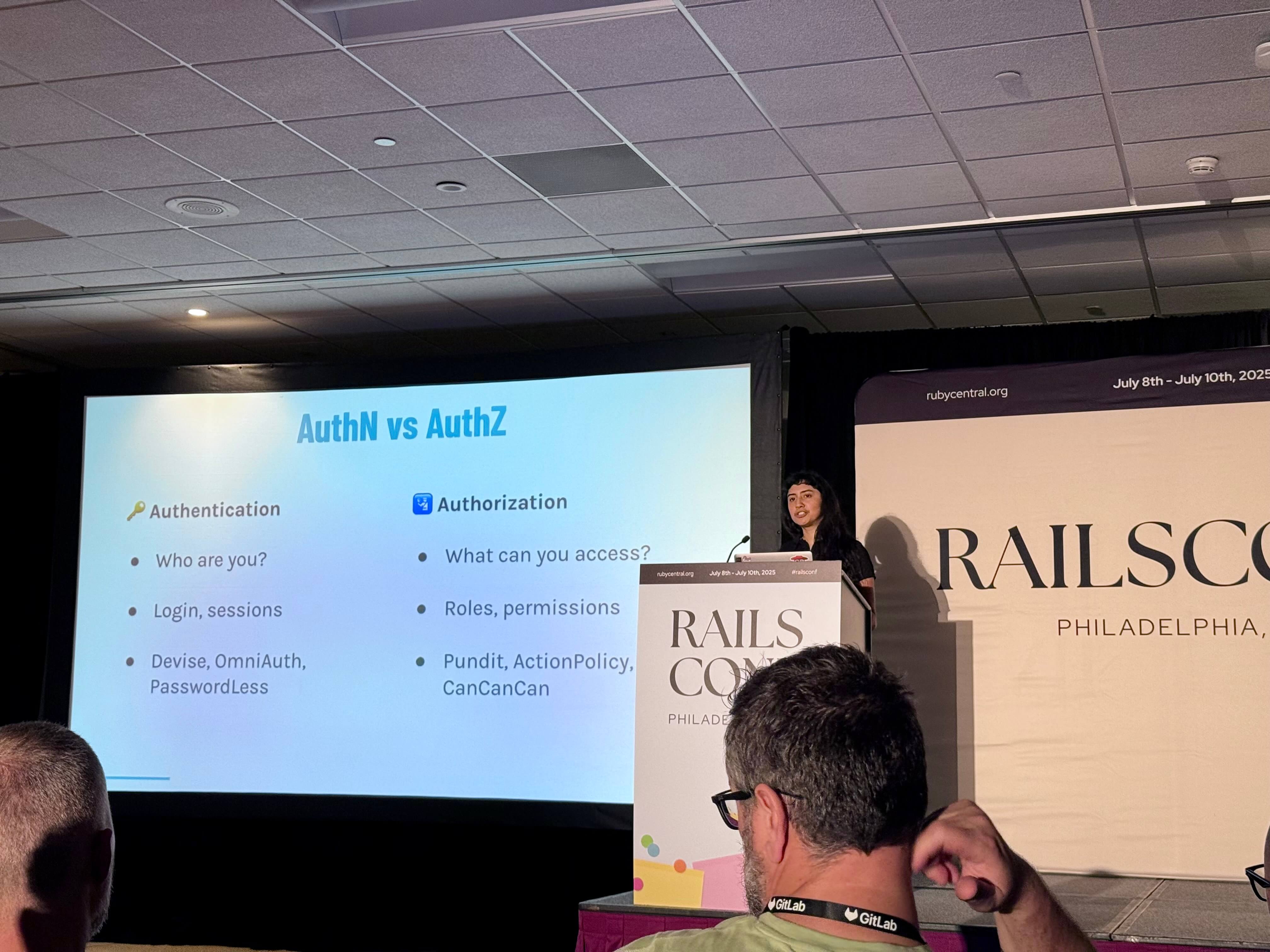
Alicia Rojas gave the clearest explanation I’ve ever heard of the difference between authentication and authorization. If you’ve ever confused AuthN with AuthZ, here’s a definitive answer.
Edy Silva’s talk lit a fire under me. As I watched, I wondered: could I get this working in a Hotwire Native app? After the talk I opened my laptop and two hours later had offline access working natively. I’ll share a full write-up soon - this could be huge for Hotwire Native.
One thing I heard over and over again at RailsConf: “I love meeting people at conferences, but I always forget who I talked to once I get home.”
Same here. So I’m building something new: RubyFriends.app
It’s a simple site (and soon-to-be app) that helps you:
Think of it like a conference companion that helps turn introductions into friendships. I’m building it in public and starting development of the Hotwire Native app this week.
This Thursday at 11am PT I’ll be live coding the Hotwire Native integration on YouTube. Come hang out, ask questions, and see how it all comes together.
RailsConf left me feeling fired up and full of ideas. I’m grateful to everyone I talked to and learned from last week.
Now I want to hear from you: What are you building next?
Reply to this email and let me know - I’d love to check it out!
]]>I’m hosting a Hotwire Native workshop on Wednesday at 10:15am. And I’d love to see you there!
During this two-hour session, you’ll build an iOS and Android app from scratch. You’ll learn the essentials, practical tips, and common pitfalls of building maintainable Hotwire Native apps.
And the best part? Zero Swift or Kotlin experience is required!
A thin wrapper for each platform enables continuous updates by only making changes to your Rails codebase. Deploy your code, and all three platforms get your changes immediately.
Before you attend, be sure your development environment is set up. You’ll need:
And make sure to clone this Rails demo app and run the quick start via bin/setup.
Hit reply or send me an email if you run into any issues.
Later that day I’ll also be at the Meet the Authors table at 3pm.
This is a great opportunity to get more information on my book, Hotwire Native for Rails Developers, and pick my brain.
I’ll also be giving out event-exclusive discount codes and running a book giveaway.
If you’re attending RailsConf, let me know - I’d love to connect!
]]>I just wrapped up the slides for the workshop I’m running on Wednesday. Attendees will build Hotwire Native apps on iOS and Android from scratch, including a native tab bar and bridge component.
You’ll walk away from the workshop with a solid foundation on how to bring your own Rails app to mobile.
If you’re heading to the conference please say hello! I’d love to meet you IRL.
Hotwire Native saw two patch releases this week with v1.2.1 on iOS and v1.2.3 on Android.
This is the first time the different platforms diverged on releases. Here’s what’s included in each.
Earlier this month Android received two patch releases with v1.2.1 and v1.2.2. Both of these updated under-the-hood infrastructure. From a developer’s perspective, nothing actually changed but the version number.
It’s safe to ignore these and go right to v1.2.3, which adds two new features:
TabBarComponent for my bridge component library to take advantage of this. Stay tuned!iOS’s sole release with v1.2.1 fixed some tests in PR #131 and restored support for running the demo app on iOS 15 in PR #128.
But most importantly it added a new path configuration property, queryStringPresentation, to match behavior on Android.
Set this to "replace" and navigating between URLs where only the query string changes will replace the current screen on the stack (instead of pushing a new one).
This is mostly helpful for web-based tabs that require roundtrips to the server. However, it does not fix the flickering issue outlined in #53. Hopefully we can get that fixed soon!
While reviewing through the code on these releases I realized I still haven’t used the new Route Decision Handlers on iOS. These were brought over from Android in v1.2.0.
We can use these to customize behavior when navigating between URLs. Think “external URL handlers” but on steroids.
I’m exploring how to use these tomorrow (Thursday)! Join me for episode #4 of Hotwire Native LIVE. And please, bring your questions - I’ll dedicate time at the end for Q&A.
I hope to see you there.
]]>In case you missed it, Apple announced iOS 26 at WWDC on Monday. And with it comes a brand new design, Liquid Glass.
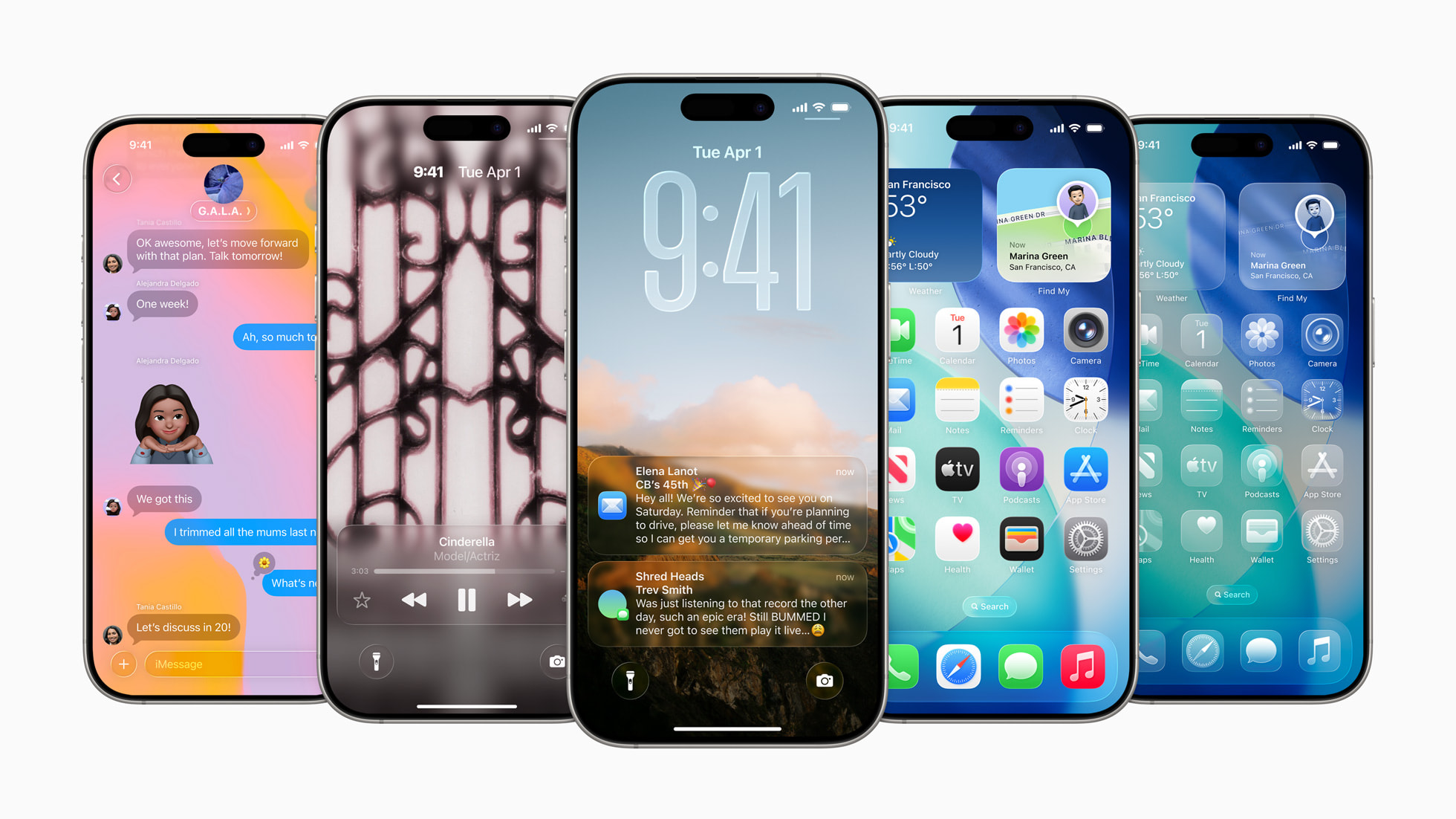
This translucent material reflects and refracts its surroundings, while dynamically transforming to help bring greater focus to content, delivering a new level of vitality across controls, navigation, app icons, widgets, and more. For the very first time, the new design extends across platforms — iOS 26, iPadOS 26, macOS Tahoe 26, watchOS 26, and tvOS 261 — to establish even more harmony while maintaining the distinct qualities that make each unique.
This week I’m exploring what this means for Hotwire Native developers. Short answer: I think we are in very good shape.
Unlike other hybrid platforms that rebuild every single element to match the system UI (React Native), Hotwire Native apps rely on using the first-party components directly.
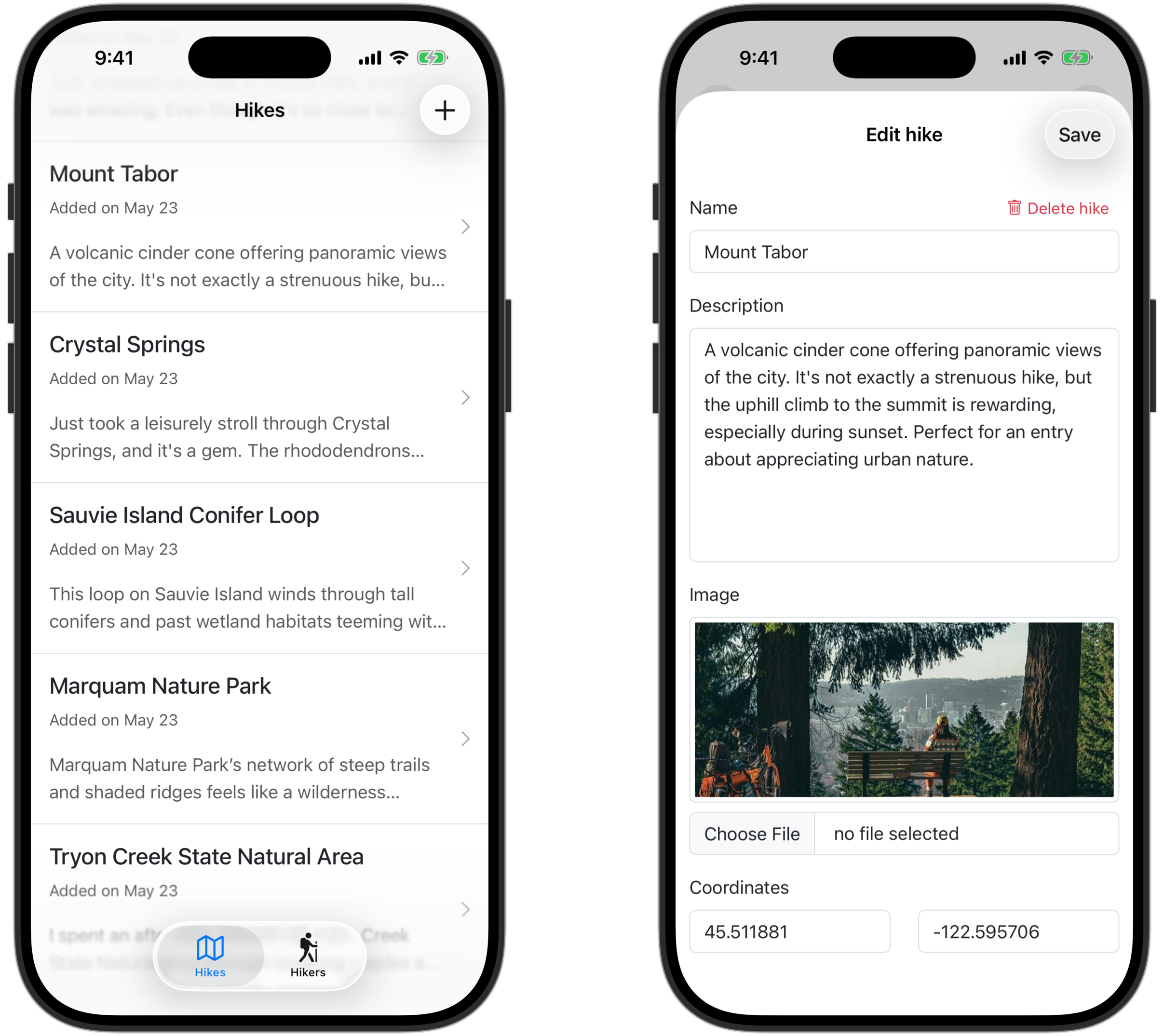
To demonstrate, when working through my book on Hotwire Native, you build an app to track hikes. Here’s what it looks like when running on iOS 26.
This required zero code changes. And we get all of the new design from Liquid Glass. For free!
I’ll be exploring this and the new SwiftUI WebKit API in an upcoming video on my YouTube channel later this month.
And speaking of YouTube…
Join me today (Thursday) at 11am PT / 1 pm ET for episode #3 of Hotwire Native LIVE.
This week we’re covering debugging: enabling Hotwire Native’s logging, attaching a browser for inspecting JavaScript, and figuring out cryptic IDE messages.
And as always, I’ve dedicated time at the end for Q&A so you can get real-time feedback and troubleshooting help. Come say hi!
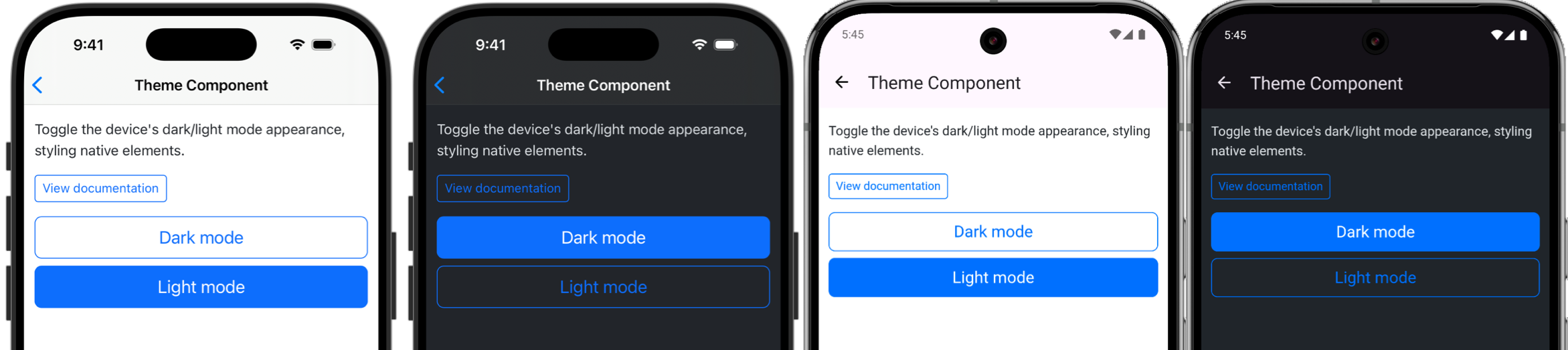
This week I also extracted a new bridge component from a client’s app. The free Theme Component helps keep the system UI in sync with your web-based design.
And to celebrate, I’ve also created a real marketing page for the component library!
If you’ve used the library and would like to add a testimonial then please let me know. I’d love to include your quote or company logo on the page for social proof.
That’s all for this week - hopefully I’ll see you at the live stream!
Talk soon,
]]>
Last week I ran the first Hotwire Native LIVE episode on YouTube. I built an iOS and Android app from scratch and answered 20+ questions from viewers. Between YouTube and Twitter, the recording has already been viewed over 2000 times. 😲
And this week I’m covering bridge components: what they are, how to add them to your iOS and Android apps, and examples of components I’ve built for clients. I’d love to see you there!
My book’s publisher, Pragmatic Bookshelf, is wrapping up their spring sale. That means you can get my book, along with almost 50 others, for 40% off until the end of the week.
Use code SPRING2025 on the Pragmatic Bookshelf website to grab your discount.
Stephen and Alan from Katalyst Interactive documented their approach to building a Hotwire Native app with seamless loading on launch. They weren’t satisfied with their iOS app showing the native launch screen then dropping the user directly to a blank page with a spinner.
By preloading the web view, detecting when it’s ready, and using a smooth crossfade transition, we made the Hotwire Native app feel truly native.
William Kennedy wrapped up his series on Hotwire Native Android with an article on building a custom keyboard extension. He uses a bridge component to add a native toolbar when a Trix editor is focused. Users can then tap native buttons to toggle bold, italic, and headings.
This is a great feature to build if you want to build a markdown editor in your app that’s accessible via mobile.
Until next time, everyone!
]]>I’m excited to announce Hotwire Native Live, a brand-new livestream where we’ll build real Hotwire Native features together. And you get to ask questions in real time.
Episode #1 kicks off Thursday at 11am PT on YouTube. Here’s what we’ll cover:
Whether you’re already familiar with Hotwire Native or just curious, you’ll walk away with working code you can drop into your own projects and tips to speed up your workflow.
Pro tip: Click the Notify me button on YouTube to get an email when I go live.
I can’t wait to see you there. And don’t hesitate to hit reply if there’s something specific you’d like me to cover!
See you Thursday,
]]>