Sometimes it is useful to find the user_id of each user you have in your WordPress site. This is especially helpful if you have a multisite with a lots of users. Something like this:

In order to have that kind of functionality, you can add the following code in your theme’s functions.php.
If you have a multisite installation the ID column will be only displayed in the network users admin page and not in each subsite’s users admin table.
This file contains hidden or bidirectional Unicode text that may be interpreted or compiled differently than what appears below. To review, open the file in an editor that reveals hidden Unicode characters.
Learn more about bidirectional Unicode characters
| <?php | |
| /** | |
| * Add the user id column after the user's checkbox | |
| * @param array $array | |
| * @param int $index | |
| * @param array $insert | |
| * @return array | |
| */ | |
| function ls_array_insert($array, $index, $insert) { | |
| return array_slice($array, 0, $index, true) + $insert + array_slice($array, $index, count($array) – $index, true); | |
| } | |
| /* | |
| * User id Column content | |
| */ | |
| function ls_user_id_column_content($value, $column_name, $user_id) { | |
| if ('user_id' == $column_name) { | |
| return $user_id; | |
| } | |
| return $value; | |
| } | |
| /** | |
| * Make user id column sortable. | |
| * | |
| * @param Array $columns The original columns | |
| * @return Array $columns The filtered columns | |
| */ | |
| function ls_user_id_column_sortable($columns) { | |
| // Add our columns to $columns array | |
| $columns['user_id'] = 'ID'; | |
| return $columns; | |
| } | |
| /** | |
| * Set column width | |
| */ | |
| function ls_user_id_column_style() { | |
| echo "<style>.column-user_id{width: 3%}</style>"; | |
| } | |
| add_action('admin_head-users.php', 'ls_user_id_column_style'); | |
| add_action( 'admin_init', 'ls_user_id_colunm_show' ); | |
| function ls_user_id_colunm_show(){ | |
| if ( ! is_multisite() ){ | |
| add_filter('manage_users_columns', function ( $columns ) { | |
| return ls_array_insert($columns, 1, array('user_id' => 'ID')); | |
| }); | |
| add_filter('manage_users_custom_column', 'ls_user_id_column_content', 10, 3); | |
| add_filter('manage_users_sortable_columns', 'ls_user_id_column_sortable'); | |
| } | |
| else{ | |
| add_filter('manage_users-network_columns', function ( $columns ) { | |
| return ls_array_insert($columns, 1, array('user_id' => 'ID')); | |
| }); | |
| add_filter('manage_users_custom_column', 'ls_user_id_column_content', 10, 3); | |
| add_filter('manage_users-network_sortable_columns', 'ls_user_id_column_sortable'); | |
| } | |
| } |

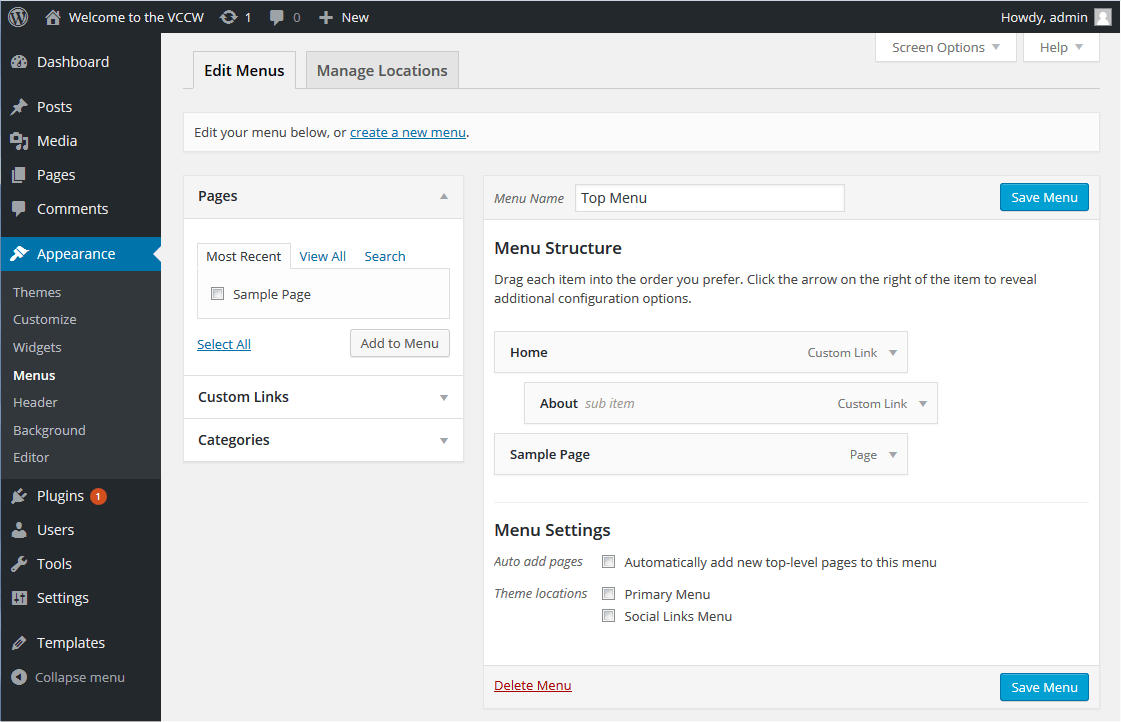 When you have a multisite installation, it is possible that the bloggers you host. have trouble to create menus for their blog. The default behavior of wordPress in wp-admin/nav-menus.php is to have hidden the posts, tags and formats metaboxes, which make the process of finding the things they want to include in the navigation menus more difficult. The following snippet opens by default these metaboxes in wp-admin/nav-menus.php.
 Lena’s Multisite & BuddyPress Mayhem