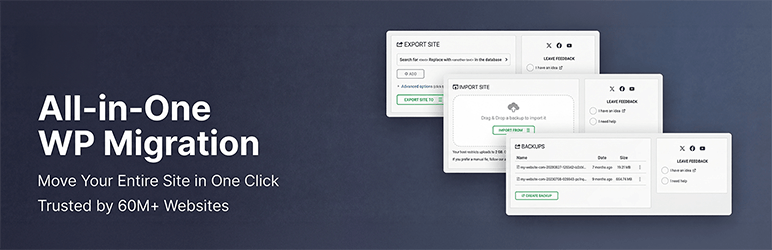

설명
The Most Trusted WordPress Migration & Backup Plugin Since 2013
All-in-One WP Migration is the gold standard for WordPress site migration and backup, used by over 60 million websites worldwide – from small blogs to Fortune 500 companies and government agencies. Whether you need to migrate WordPress to a new host, create a full site backup, or restore a previous backup, our plugin offers enterprise-grade reliability with beginner-friendly simplicity.
모두를 위한 WP Migration을 선택하는 이유는?
- Effortless Migration: Migrate your entire site with a single click – including database, media, themes, and plugins
- One-Click Backup: Create a complete WordPress backup before you migrate, so you can restore anytime
- 무중단: 서비스 중단 없이 마이그레이션을 완료하세요.
- Universal Compatibility: Migrate between any hosting providers – from budget shared hosting to high-end dedicated servers
- 기술적 우수성: 메모리 효율적인 처리(512KB 청크)로 신뢰성을 위해 설계되어, 자원이 제한된 환경에 이상적입니다.
- No Technical Skills Required: Intuitive interface lets anyone migrate or backup a WordPress site without technical expertise
- Cross-Database Support: Migrate seamlessly between MySQL, MariaDB, and SQLite databases
- 안전하고 신뢰할 수 있음: Boeing, NASA, Harvard, Stanford, Automattic 및 전 세계 정부 기관에서 신뢰받음
How to Migrate WordPress – Simple as 1-2-3:
- Install the migration plugin on your source and destination sites
- Backup & Export your site to a .wpress backup file with one click
- Import & Migrate using our drag-and-drop importer on your destination site
개발자 및 고급 사용자용:
- Advanced Find & Replace: Control exactly what changes when you migrate
- Selective Migration & Backup: Include or exclude specific content types from your migration or backup
- PHP 5.3-8.4 호환성: 거의 모든 호스팅 환경에서 작동합니다
- 맞춤형 WPress 형식: 최적화된 아카이브 형식은 데이터 무결성을 보장합니다.
- 훅 시스템: 맞춤형 통합 및 워크플로우를 위한 광범위한 API
- Command-Line Support: Automate migrations and backups via WP-CLI
프리미엄 확장 기능:
Enhance your migration and backup workflow with our premium extensions:
- Unlimited Migration Size: Migrate sites of any size with no file limits
- Cloud Backup & Migration: Backup and migrate directly to/from Dropbox, Google Drive, OneDrive, and more
- Multisite Migration: Migrate complex WordPress multisite networks
- Scheduled Backups: Automated, recurring WordPress backups on your schedule
- Database Filtering: Exclude specific tables or data from your migration or backup
기능 스포트라이트:
- WCAG 2.1 AA 수준 접근성 준수
- 모바일 반응형 인터페이스
- WPRESS 파일을 온라인으로 찾아보기 또는 로컬에서 추출하기
- Automatic URL and path replacement during migration
- WordPress Playground integration – migrate between SQLite and MySQL
- Regular bi-weekly updates ensuring your backup and migration plugin stays compatible
- 일본어를 포함하여 50개 이상의 언어로 제공됩니다
정부와 대기업의 신뢰:
Many enterprise customers, government organizations, and universities use, love, and trust All-in-One WP Migration. Here are some: Boeing, NASA, VW, IBM, Harvard University, Stanford University, Lego, P&G, Automattic, State of California, State of Hawaii.
This broad adoption demonstrates how safe, reliable and adaptable this WordPress migration and backup plugin is for any website migration need.
Update Frequency:
Our team is dedicated to keeping this WordPress migration and backup plugin up-to-date and secure. We release updates every two weeks or at least once a month, ensuring your migration and backup workflows remain compatible with the latest WordPress versions, including beta releases. Our proactive testing and feedback to the WordPress core team help in preemptively addressing any potential issues, so you can always migrate and backup with confidence.
완벽한 호환성 및 지원:
All-in-One WP Migration has been extensively tested and confirmed to be compatible with most WordPress plugins and themes, so you can migrate and backup without worrying about conflicts.
This means you don’t experience cross-plugin compatibility issues that can slow down or break your WordPress site when you migrate.
All-in-One WP Migration has partnered with multiple theme and plugin vendors to distribute their products with us as a single, easy-to-install migration and backup package.
These vendors trust our migration plugin to provide their customers with reliable product delivery, support, migrations, and backups.
지원되는 클라우드 스토리지:
All-in-One WP Migration supports backup and migration to all major cloud storage services.
The plugin comes preinstalled on all Bitnami WordPress sites running on AWS, Google Compute Cloud, and Microsoft Azure – ready to migrate and backup out of the box.
사례 연구:
- Small Business Migration: A small online retailer used All-in-One WP Migration to migrate to a more robust hosting solution, creating a full backup before the migration and completing the move without downtime during peak shopping season.
- Educational Migration: A prominent university utilized All-in-One WP Migration to migrate and consolidate multiple departmental sites into a single WordPress network, with automated backups ensuring no data was lost during migration.
- Government Migration: Following a directive to improve digital accessibility, a government agency used our migration plugin to migrate their content to a new, compliant platform without impacting public access to critical information.
문의하기
개인정보처리방침
올인원 WP 마이그레이션은 사용자의 개인 정보를 완전히 존중하고 보호하도록 설계되었습니다. 플러그인의 문의 양식을 작성할 때 사용자의 이메일 주소 수집에 대한 동의를 요청합니다.↵
올인원 WP 마이그레이션은 GDPR(일반 데이터 보호 규정)을 완벽하게 준수합니다.
GDPR 준수 개인정보 처리방침을 참조하세요.
스크린샷
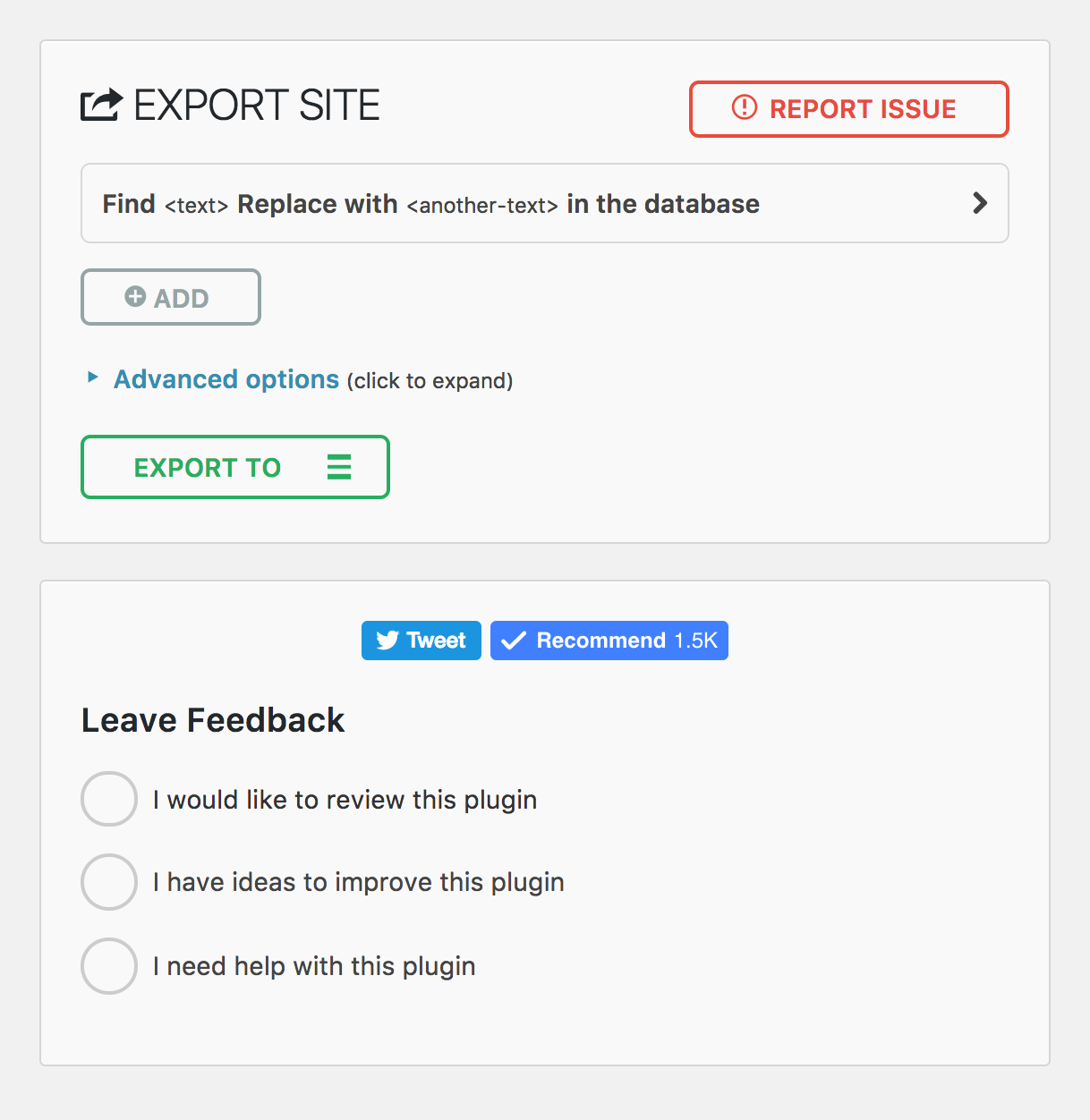
모바일 내보내기 페이지 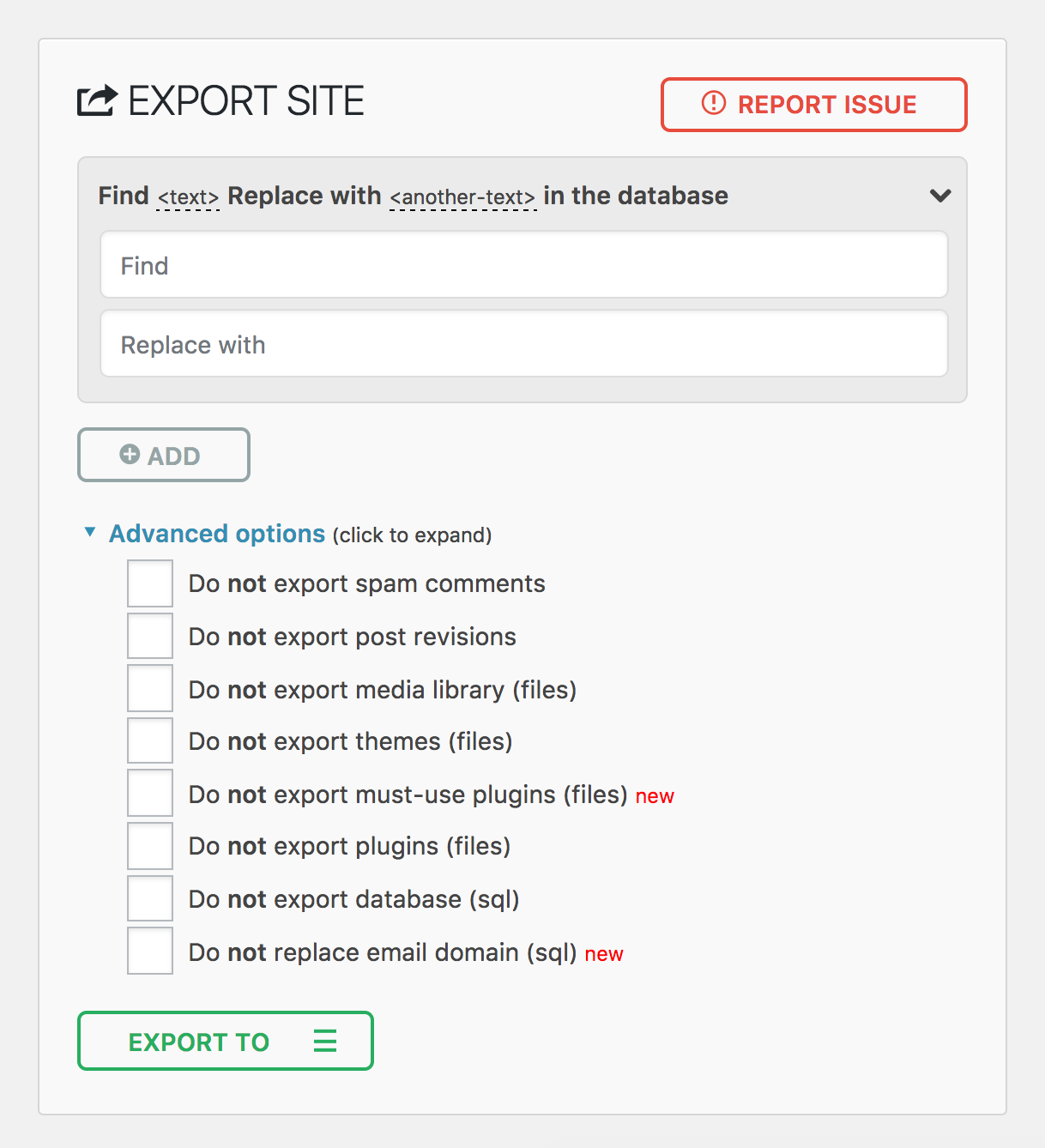
모바일 가져오기 페이지 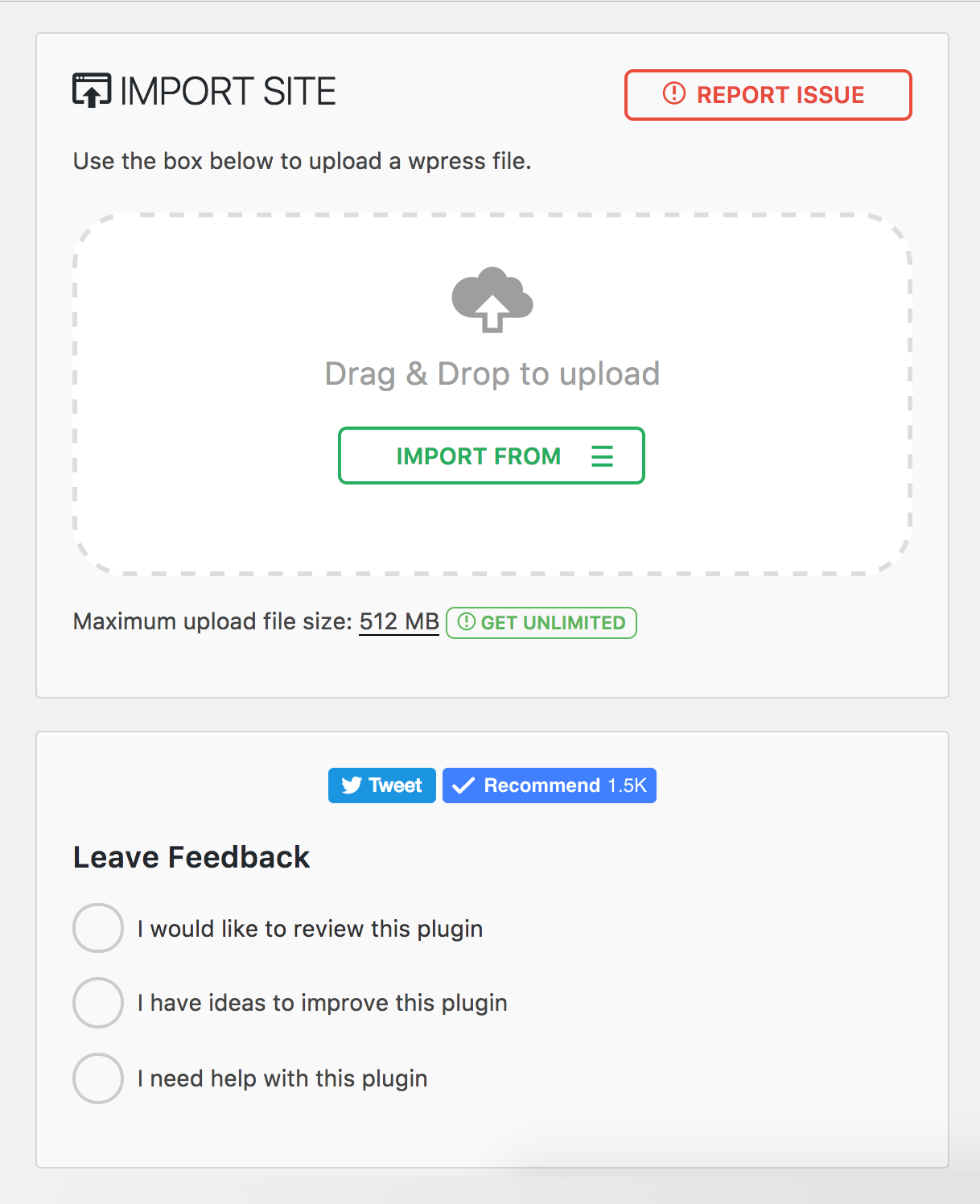
플러그인 메뉴 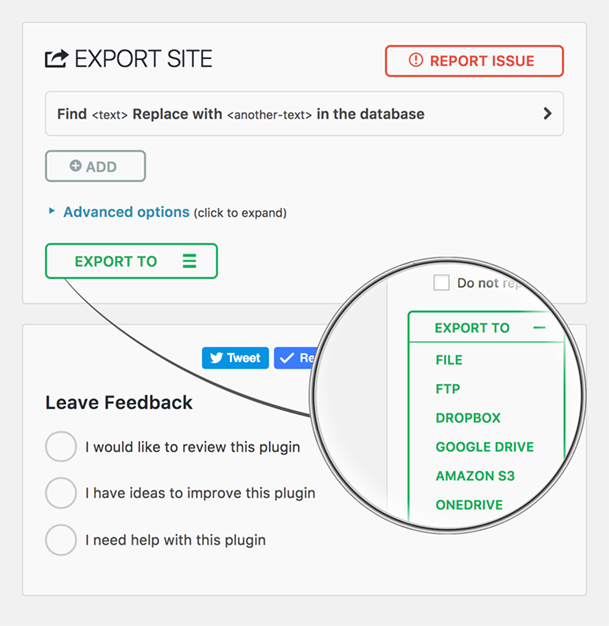


설치
- All-in-One WP Migration은 워드프레스 플러그인 대시보드를 통해 직접 설치할 수 있습니다.
- ‘새로 추가’를 클릭하고 “All-in-One WP Migration”을 검색하세요
- 설치 및 활성화
또는 이 페이지의 다운로드 버튼을 사용하여 플러그인을 다운로드한 다음 all-in-one-wp-migration 폴더를 /wp-content/plugins/ 디렉터리에 업로드한 다음 워드프레스의 플러그인 대시보드를 통해 활성화할 수 있습니다.
FAQ
-
How do I migrate my WordPress site to a new host?
-
Install All-in-One WP Migration on your current site and click Export. The plugin creates a single
.wpressfile containing your entire WordPress site – database, media, themes, and plugins. Then install a fresh copy of WordPress on your new host, install the plugin there as well, and use the Import feature to upload the.wpressfile. The plugin will migrate everything automatically, including updating all URL references and handling serialized data safely. You can migrate between any hosting providers – from shared hosting to dedicated servers.Before you migrate, we recommend lowering your DNS TTL to 300 seconds at least 48 hours in advance, and keeping your old host active for 7–14 days as a safety net in case you need to roll back.
-
How do I backup and restore my WordPress site?
-
To create a backup, go to All-in-One WP Migration > Export and choose your backup destination – local download or cloud storage. The plugin creates a complete backup of your entire WordPress site in a single
.wpressfile. To restore a backup, go to All-in-One WP Migration > Import and upload or select your.wpressbackup file. The plugin will restore your database, themes, plugins, and media files automatically. After restoring a backup, clear all caches and re-save your permalink settings under Settings > Permalinks.For best results, use a hybrid backup strategy: cloud storage for automated daily backups and local copies for fast recovery. Follow the 3-2-1 rule – maintain three copies of your data across two different storage types, with one stored off-site.
-
Can I migrate a WordPress multisite network?
-
Yes. The Multisite Extension allows you to migrate an entire WordPress multisite network as a single
.wpressfile. You can also extract a single subsite – when you migrate a subsite, the plugin automatically converts table prefixes and reorganizes media file paths. Multisite migrations require special handling because the network uses shared database tables for users and per-site tables with unique prefixes. We recommend at least 512 MB of PHP memory for large multisite migrations. -
What if my backup file exceeds the upload size limit?
-
If your server rejects a backup file as too large during import, you have several options. You can increase the PHP upload limit by adding
php_value upload_max_filesize 512Mandphp_value post_max_size 512Mto your.htaccessfile, or setclient_max_body_size 512mfor Nginx servers. For sites that require unlimited upload size, the Unlimited Extension removes all file size restrictions set by your host. -
How do I migrate a WooCommerce store?
-
You can migrate a WooCommerce store the same way you migrate any WordPress site – export on your current host and import on the new one. However, after you migrate a WooCommerce store, you should immediately verify that payment gateway API keys are configured correctly, update any webhook URLs to reference your new domain, and run a small real transaction to confirm checkout works end-to-end. We recommend enabling maintenance mode on your old server after DNS propagation to prevent split orders during the transition. See our full WooCommerce migration guide for detailed steps.
-
Will my SEO rankings be affected when I migrate?
-
If you migrate to the same domain on a new host, your SEO rankings should remain intact because All-in-One WP Migration preserves all your content, URLs, and metadata exactly as they were. If you migrate to a new domain, set up proper 301 redirects mapping every old URL to its new equivalent and use Google Search Console’s “Change of Address” tool. A temporary ranking fluctuation of 10–20% in the first 1–2 weeks after a domain migration is normal. Keep your redirects active for at least one year. See our SEO migration checklist for a complete guide to preserving your rankings when you migrate.
-
How do I troubleshoot a failed migration or import?
-
The most common issues after you migrate and their solutions:
- White screen: Enable
WP_DEBUGinwp-config.phpto see the actual error. Verify PHP version compatibility between your old and new servers. - Database connection error: Check that
DB_NAME,DB_USER,DB_PASSWORD, andDB_HOSTinwp-config.phpmatch your new server’s settings. - 404 errors on all pages: Re-save permalinks under Settings > Permalinks to regenerate rewrite rules.
- Broken images: Verify the
wp-content/uploads/directory transferred completely with correct permissions (755 for directories, 644 for files). - Import stuck or frozen: Increase PHP
max_execution_timeandmemory_limit, or use WP-CLI to migrate from the command line:wp ai1wm restore backup.wpress.
For a comprehensive list of migration troubleshooting tips, see our migration troubleshooting guide.
- White screen: Enable
-
Can I migrate between different database types?
-
Yes, All-in-One WP Migration supports cross-database migration between MySQL, MariaDB, and SQLite. This is especially useful when you migrate sites to or from WordPress Playground, which uses SQLite. The plugin handles all database schema differences automatically – you simply export from one environment and import into the other.
-
Can I automate my backups and migrations using WP-CLI?
-
Yes. All-in-One WP Migration includes full WP-CLI support for command-line automation. Use
wp ai1wm backupto create a backup andwp ai1wm restore backup.wpressto restore or migrate from a backup file. This is ideal for developers who need to migrate sites in automated workflows, CI/CD pipelines, or scheduled backup scripts. Combined with cron jobs, WP-CLI lets you automate your entire backup strategy without touching the WordPress dashboard.
후기


기여자 & 개발자
“All-in-One WP Migration and Backup”(은)는 오픈 소스 소프트웨어입니다. 다음의 사람들이 이 플러그인에 기여하였습니다.
기여자


변경이력
7.103
추가
- MariaDB-specific database driver with support for INET4, INET6, UUID, XMLTYPE, and VECTOR column types
- Server version parsing utility for improved database version detection
수정
- Path traversal vulnerability in download_file() that could allow arbitrary file reads
- Path traversal validation when extracting files from archives
- Stale backups path option after server migration now auto-resets to default
개선
- Database export and import refactored for better separation of concerns — column types, column options, table options, and collations are now handled independently
- Expanded collation downgrade support including utf8mb4_0900_as_ci, utf8mb4_0900_as_cs, utf8mb3_* variants
- MariaDB-specific table options now properly handled (Aria engine, page compression, system versioning, encryption)
- Additional MariaDB storage engines (S3, ColumnStore, Spider, CONNECT, Mroonga) now convert to InnoDB on import
- Social share buttons replaced with lightweight static links (removed third-party JavaScript from Facebook, Twitter, and YouTube)
- Cached database server info calls for better performance
- functions.php now loads before constants.php for correct initialization order
7.102
추가
- Clean storage folder option on backups page
- Archive validation before listing files for improved reliability
- Minimum required versions check
수정
- Offset handling in archiver for correct data processing
- File extractor offset and file read operations
- Missing esc_html() function call for improved security
- FDP must-use plugin disabled to prevent plugin activation issues during import
개선
- CSS styling alignment with schedules page
- WordPress 6.9 compatibility
7.101
수정
- 아카이브의 파일 크기 및 수정 시간 유형 처리를 통해 PHP 엄격 모드와의 호환성 향상
- 내보내기 중 관련 포스트메타 항목을 적절히 제외하기 위한 수정본 제외 기능
개선
- 성능 향상 및 번들 크기 축소를 위해 전체 Vue 3 프레임워크로 업그레이드되었습니다.
7.100
개선
- PHP 및 JavaScript 종속성을 최신 버전으로 업그레이드했습니다.
7.99
추가
- 백업 파일 처리를 개선하기 위한 파일 작업에 대한 Gzip 압축 지원
수정
- 호환성 향상을 위해 더 이상 사용되지 않는 bind() 메서드가 on()으로 대체되었습니다.
- 파일 업로드 보안을 위해 $_FILES 입력에서 stripslashes_deep을 제거하여 파일 업로드 보안 강화
개선
- 안정성을 높이기 위해 스트림 연산을 ai1wm_write()로 대체했습니다.
- 최신 버전을 사용하도록 자바스크립트 종속성 업데이트하기
7.98
추가
- 호스팅 제공업체 호환성 향상을 위한 WP_IMPORTING 상수
수정
- 파일 업로드에서 저장된 크로스 사이트 스크립팅 취약점(CVE-2025-8490). 이를 신고해 주신 WordFence와 Jack Pas에게 감사드립니다. 알아야 할 사항.
- 오류 보고 개선을 위한 파일 업로드 예외 처리
개선
- MySQLi 데이터베이스 핸들러의 PHP 8 호환성 문제
- 보안 및 안정성 강화를 위해 리팩터링된 파일 업로더
7.97
추가
- AUTO_INCREMENT 검사에서 SQLite 지원
수정
- 문자열 길이 유효성 검사로 에지 케이스를 처리하기 위한 직렬화된 값의 데이터베이스 교체
7.96
추가
- Wp_options 테이블에 AUTO_INCREMENT가 누락된 경우 관리자 알림 경고
7.95
추가
- 내보내기 초기화 시 개발자를 위한 새로운 액션 훅 ai1wm_status_export_init
수정
- 테마 내보내기 진행 표시가 잘못된 백분율을 보임
- Uninstall.php 스크립트 기능
- 내보내기 및 가져오기 버튼 순서 지정
- 드롭다운 높이 스타일 문제
7.94
추가
- 가져오기 시 Elementor 플러그인 캐시 새로 고침
7.93
수정
- 스타일 등록에서의 후행 쉼표로 인해 PHP 7 및 PHP 5와의 호환성 문제
7.92
개선
- 플러그인 검사 플러그인(PCP) 유효성 검사 통과
- 아카이브 이름 생성
7.91
추가
- WordPress용 CiviCRM 지원
7.90
추가
- 데이터베이스 성능 향상을 위해 MySQL 지연 행 조회를 비활성화하는 상수를 도입했습니다.
개선
- 향상된 안정성과 효율성을 위한 SQLite 데이터베이스 통합 강화
- 인증되지 않은 PHP 객체 삽입 취약점(CVE-2024-10942)을 해결하기 위해 직렬화 교체 메커니즘을 강화했습니다. 이 문제를 책임감 있게 공개해 주신 Webbernaut에게 특별히 감사드립니다.
- 향상된 사용자 경험을 위해 내보내기 시 wp_rocket_settings 옵션을 보존했습니다.
수정
- PHP 8.4 사용 중단 경고 해결
7.89
개선
- 더 나은 성능과 보안을 위해 Node.js 22로 업그레이드했습니다.
- 모든 플러그인 종속성을 업데이트하여 원활하고 안전하게 작동하도록 유지했습니다.
7.88
수정
- 업로드 진행률이 100%에서 멈추던 문제 수정
- 업로드가 완료되기 전에 취소할 수 없던 문제 수정
개선
- 사용자 대상 메시지가 더 친근하고 직접적이며 일관성 있고 유익한 정보로 개선되었습니다.
7.87
수정
- 오류 로그 파일 이름에 임의의 접두사를 추가하여 알려진 이름으로 오류 로그에 공개적으로 액세스할 수 있는 취약점을 해결하여 추측할 수 없게 만들었습니다. 이제 오류 로그는 매일 그리고 플러그인 업데이트 중에 자동으로 삭제됩니다. 이 문제를 책임감 있게 공개해 주신 villu164님께 특별히 감사드립니다.
- 관리자 사용자가 특정 입력을 통해 임의의 PHP 코드를 삽입할 수 있는 취약점을 해결했습니다. 이 취약점을 악용하려면 관리자 수준의 액세스 권한이 필요하므로 권한이 없는 사용자는 이 작업을 수행할 수 없습니다. 이 문제를 책임감 있게 공개해 주신 Ryan Kozak에게 특별히 감사드립니다.
7.86
수정
- PHP 8.4 호환 및 WP-CLI를 통한 백업 파일 복원 관련 문제 해결
7.85
추가
- PHP 8.4 호환
7.84
추가
- 내보내기 및 가져오기 프로세스 중 새로운 후크를 통해 사용자 지정 작업 및 통합이 가능합니다.
7.83
수정
- 워드프레스 플레이그라운드 환경에서 백업 파일 다운로드가 실패하는 문제를 해결했습니다.
7.82
추가
- SQLite 지원
- 워드프레스 플레이그라운드 지원
7.81
추가
- 허브 페이지 재설정: 사용자에게 효율적인 사이트 관리를 위한 강력한 재설정 도구를 제공하는 새로운 재설정 허브 페이지를 소개합니다. 이 기능을 사용하면 워드프레스 환경을 쉽게 초기화할 수 있어 개발 및 테스트 워크플로우를 더욱 원활하게 진행할 수 있습니다.
개선
- 더 나은 W3TC 지원
- PHP 호환성 검사: 사이트를 다른 PHP 버전으로 이동/복원할 때 경고 알림을 표시합니다.
7.80
추가
- 업데이트 서비스 플러그인 지원
- 호스팅 공급업체 호환성 향상을 위해 도메인 네임이 백업 네임의 점에서 대시로 변환됩니다.
개선
- 멀티사이트에서 독립형으로 및 독립형에서 멀티사이트로 내보내기 및 가져오기를 더 잘 지원하여 마이그레이션 프로세스를 간소화합니다.
7.79
추가
- 워드프레스 v6.4 지원
7.78
추가
- 플러그인 내에 새로운 스케줄 페이지를 구현하여 프리미엄 확장 프로그램 전용의 다양한 고급 기능을 표시합니다.
7.77
추가
- 새 버전의 워드프레스 6.3을 테스트했습니다.
7.76
수정
- 고급 설정에서 [베타] 라벨 제거