
Descrizione
The Professional’s Choice for Drag & Drop WordPress Page Building. Fast, Reliable, and Trusted since 2014
Beaver Builder is the page builder and website builder that agencies and developers rely on. Create pixel-perfect websites with our visual editor – no coding required. Front-end editing, flexible templates, and enterprise-grade performance. Try Beaver Builder Pro for unlimited sites and premium features.
Che cosa è il page builder Beaver Builder?
Beaver Builder è un flessibile drag and drop page builder che funziona col tuo sito WordPress, che tu sia un principiante o professionista puoi smettere di scrivere in HTML e di metterti alle prese con codici confusionari. Con Beaver Builder corstuirai pagine belle ed efficaci in wordpress.
Guarda il video qui sotto o prova la demo per vederlo in azione!
Premium Support
Il team di Beaver Builder fornisce un supporto limitato al forum di WordPress.org per domande e segnalazione di bugs, usa timely ma per un maggiore supporto consigliamo l’acquisto della licenza di Beaver Builder.
Ci sono molte funzionalità per risparmiare tempo nelle versioni premium che lo rendono di grande valore per tutti gli utenti di WordPress. Get a license today.
You can also reference our Knowledge Base, or try asking the Beaver Builder community for help in either Facebook or Slack. Keep in mind, these are all folks just like you who are volunteering their time.
Iscriviti alla nostra crescente communità
There is a huge colony (yeah, that’s the term for a group of beavers) of “Beaver Builders” that would love to get to know you! If you have questions, a project to show off, or you would like to meet and network with other Beaver Builder users, you’ll feel right at home in the Beaver Builders Facebook Group or the Beaver Builders Slack Channel. Come on by and say hello.
Caratteristiche di creazione pagina
- Content Modules: Box, Photo, Button, Button Group, Callout, Call to Action, Heading, Icon, Menu, Number Counter, Text Editor, HTML, Audio, Video, & Sidebar.
- Full-width, layout basati su colonne.
- Create flexbox and CSS grid layouts with the Box Module. Also included are some Box module presets to get you going faster!
- markup Leggero e semantica per le massime prestazioni.
- foto, colore e video row backgrounds.
- Mobile-friendly, layout reattivi.
- Aggiungi la tua classe CSS e IDs.
- Usa WordPress Widget e shortcodes.
- Lavora con pagine, post e Custom Post Types.
- Community amichevole e di supporto.
- Crea moduli personalizzati
Dettagli Premium
- Moduli aggiuntivi: moduli di contatto, schede, tabella prezzi, mappa, articolo sul blog, modulo di iscrizione e molto altro.
- Beaver Themer Theme Builder.
- Beaver Builder Theme.
- Supporto dal nostro team di supporto di livello mondiale
- Bellissimi layout templates predefiniti
- Salvare, esportare e riutilizzare i layout di pagina intera, righe e moduli.
- Save a Global Color palette.
- Create styles that apply globally throughout your Beaver Builder layouts.
passa a per la homepage di Beaver Builder per leggere le caratteristiche del premium.
La gente AMA DAVVERO Beaver Builder
Non ci sono altre parole da dire, qui ci sono alcune testimonianze di utenti e clienti felici..
“In poche parole, il miglior page builder di WordPress, Niente di paragonabile” – WP Crafter
“Completa libertà di progettazione senza codifica e tutto è completamente reattivo come pure”. – skyboro
“Facile da usare, veloce da usare, prodotto profondo, grande supporto.” – David Bressler
Moduli e Widget
Abbiamo caricato Beaver Builder con un insieme flessibile di moduli che ti aiuteranno nella costruzione di pagine e layout mozzafiato con pagine di destinazione all’interno di un sistema di drag and drop intuitivo. Beaver Builder supporta anche core di terze parti e widgets di WordPress e shortscode, in modo da poter usare Beaver Builder con tutti i tuoi plugin preferiti.
Un Page Builder per WordPress che funziona con il tuo tema
Sì, è vero! Beaver Builder è stato progettato per funzionare con qualsiasi tema WordPress. Prova Beaver Builder sul tuo sito web , o considerare l’aggiornamento e l’utilizzo di Beaver Builder(disponibile anche in pacchetti pro e agency) per il tuo progetto.
Un WordPress Page builder che è 100% Mobile Friendly
Ogni parte del layout di Beaver Builder è completamente responsive e appare bello su qualsiasi dimensione di schermo. Il web design responsive non è mai stato così facile.
Un Page Builder per WordPress ottimizzato per le prestazioni
Abbiamo progettato Beaver Builder per creare layout e pagine di landing che si caricano rapidamente. Molti page builder caricano un numero folle di script e fogli di stile in ogni pagina del tuo sito. Non Beaver Builder! Carichiamo solo gli asset necessari per un determinato layout o pagina di landing, invece di rallentare il vostro sito caricando tutto.
Screenshot
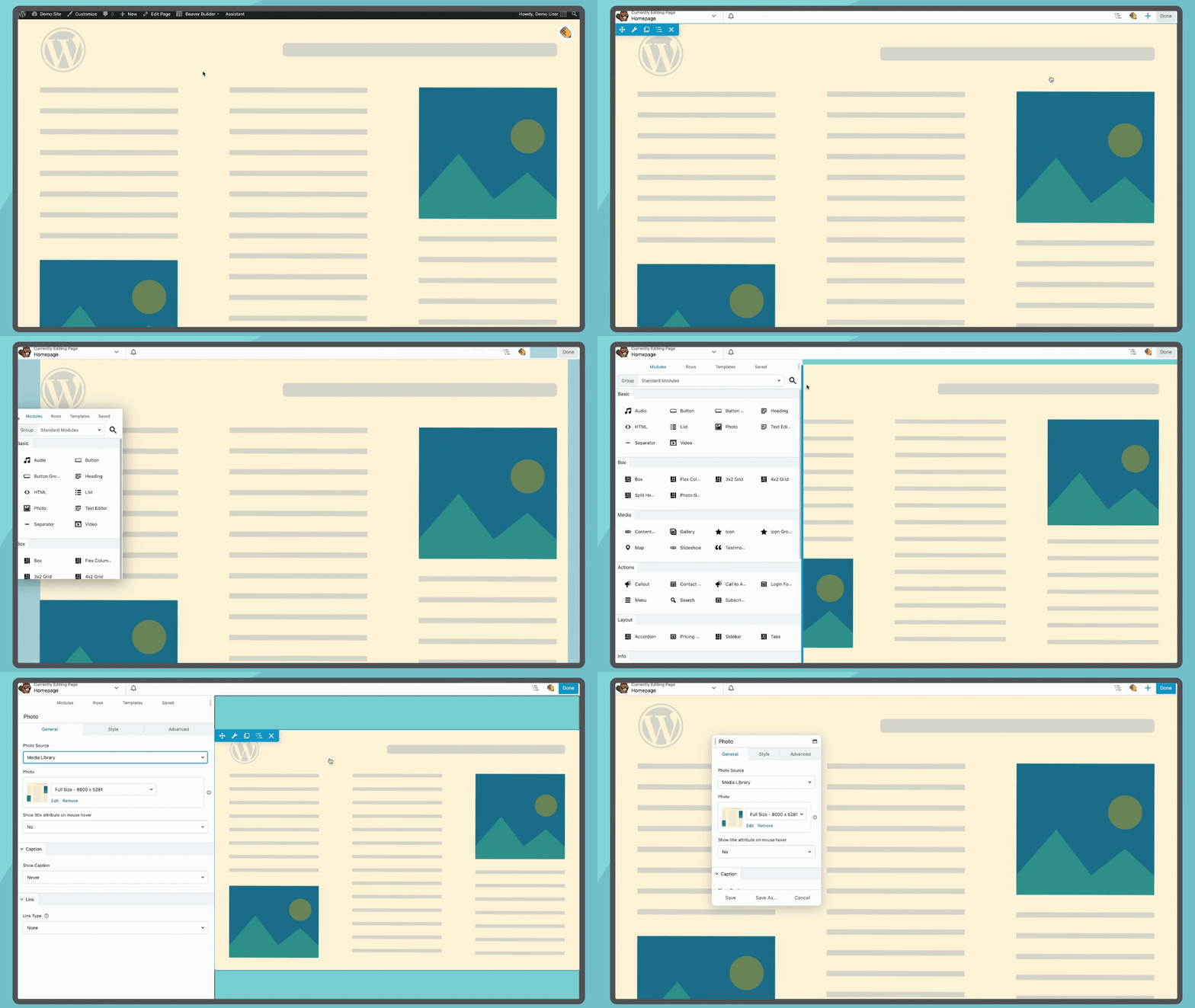
Launch Beaver Builder from the top bar of your pages to open the Beaver Builder Page Builder interface 
Drag and Drop modules rows and columns to build layouts 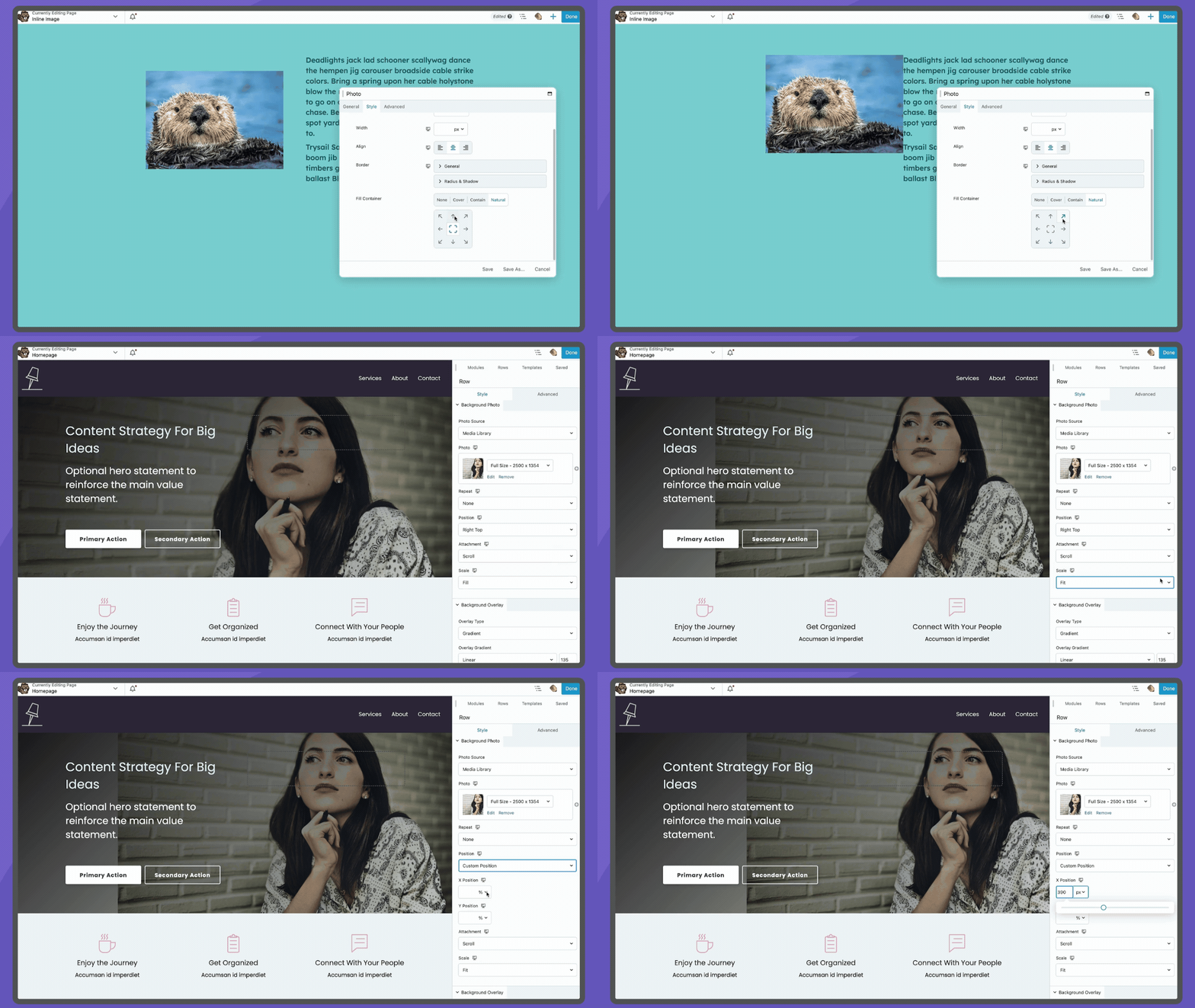
Images can easily be modified to fit your needs, both inline and background 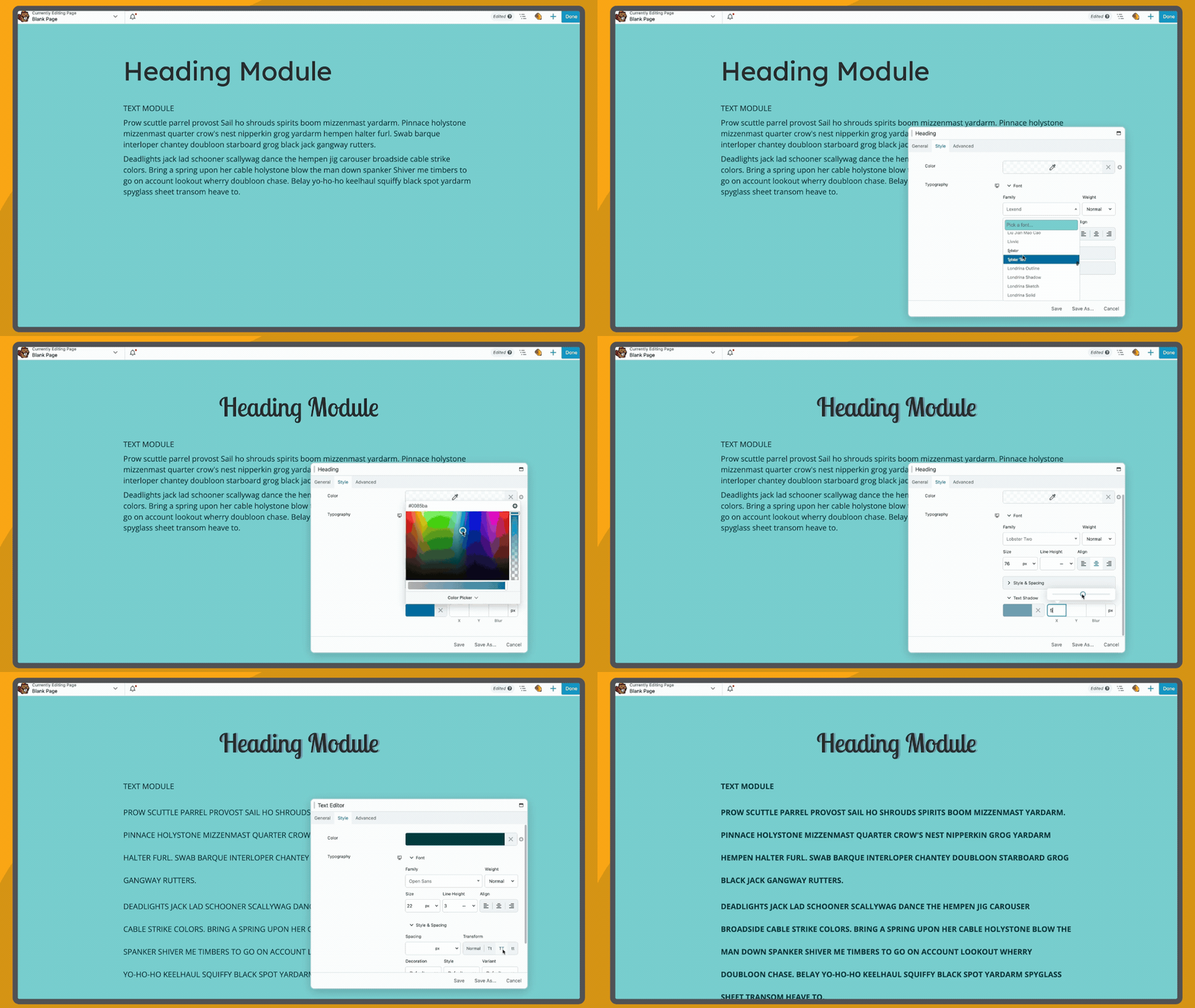
Stylize heading and paragraph text using module settings 
You’ll love our ready made responsive design features and straightforward responsive editor 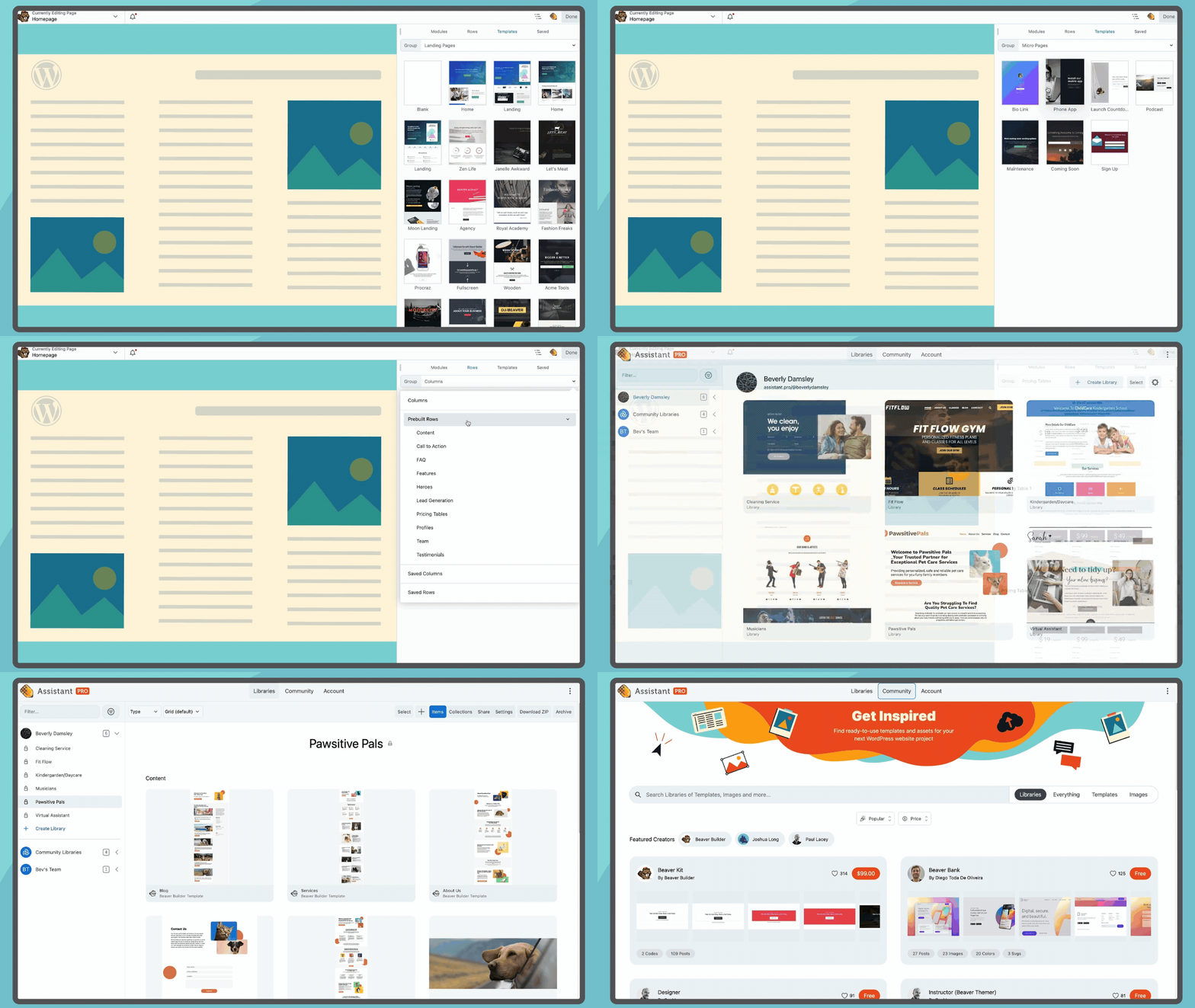
Access templates from the Beaver Builder interface and find more on Assistant.Pro


Installazione
-
Installa Beaver Builder attraverso la directory dei plugin WordPress, o caricando i files sul tuo server in wp-content/plugins.
-
Dopo l’attivazione di Beaver Builder, vai alla pagina di impostazioni su Impostazioni > Beaver Builder per configurare i tipi di contenuto sui quali vuoi che sia attivo.
-
Un pulsante Beaver Builder apparirà nell’area modifica pagina/articolo. Inoltre l’opzione Beaver Builder apparirà nella barra di amministrazione nel frontend del tuo sito.
Per maggiori informazioni visita la nostra documentazione Tieni a mente che non tutte le funzionalità descritte nella documentazione sono disponibili in questa versione del plugin Beaver Builder.
FAQ
Per informazioni sull’uso di Beaver Builder, visita la nostra documentazione.
Recensioni


Contributi e sviluppo
“Beaver Builder Page Builder – Drag and Drop Website Builder” è un software open source. Le persone che hanno contribuito allo sviluppo di questo plugin sono indicate di seguito.
Collaboratori


“Beaver Builder Page Builder – Drag and Drop Website Builder” è stato tradotto in 21 lingue. Grazie a chi traduce per il contributo.
Traduci “Beaver Builder Page Builder – Drag and Drop Website Builder” nella tua lingua.
Ti interessa lo sviluppo?
Esplora il codice segui il repository SVN, segui il log delle modifiche tramite RSS.
Changelog
Visita la nostra pagina di riepilogo dei cambiamenti per informazioni aggiornate sugli ultimi sviluppi di Beaver Builder.