koboldai/koboldcpp
KoboldCpp is a lightweight but powerful AI backend, bundled with KoboldAI Lite frontend.
100K+
koboldai/koboldcpp repository overview
KoboldCpp - Official Docker
This is the official Docker for KoboldCpp, get your own AI server within minutes!
This docker automatically downloads the latest KoboldCpp, we only update the image when there is a docker change. Even if the image is months old KoboldCpp will be new, it just means we did not have to change the docker.
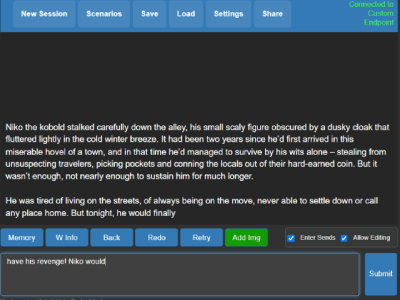
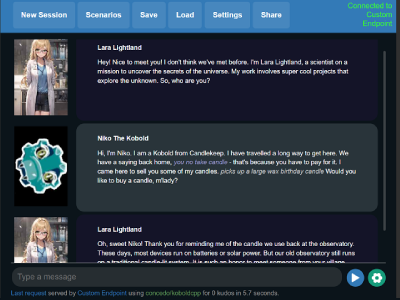
By default this template comes with the Tiefighter 13B model, you can easily customize the GGUF link in the template argument settings by replacing the link before loading the pod. Keep in mind the web UI and API will not work until your model has been fully (down)loaded, you can monitor your progress in the Runpod Log. This is also the place you will be able to find your API links if you need them.
Features:
- KoboldAI Lite UI - Flexible UI with a focus on fiction, no matter if you wish to use it for Instruct, Chat or Co-Writing this UI can do it all. Complete with support for KoboldAI saves and Character Cards with powerful tools to manage your story or chat.
- Fully documented API available when the KoboldAI API link is accessed at the browser (/api).
- OpenAI / Ollama Emulation compatible with your favorite frontend.
- Load models in a variety of bit rates depending on the GGUF file you download allowing you to save on GPU costs.
- Fast speeds, the default model has speeds as high as 50t/s on a single 3090.
- Scales as you do, this docker automatically detects and uses additional GPU's but can be customized for partial offloads if you wish to save on funding.
- Additional sampling options and better context handling compared to other llamacpp based engines.
- Always up to date with the latest release of KoboldCpp.
Arguments / Usage:
- KCPP_MODEL: This argument can handle your GGUF models download link (You can use split models if you seperate the links with a comma). To use local models without a download with files that you pass trough to the docker you instead add --model with the path to the arguments manually.
- KCPP_IMGMODEL: Same as the above, but for Image Models (Accepts Stable Diffusion and GGUF)
- KCPP_MMPROJ: Same as the above, but for Llava Projectors.
- KCPP_ARGS: Launch arguments for Koboldcpp
Need an example for Docker Compose? Run: docker run --rm -it koboldai/koboldcpp compose-example
Optionally use the following to extract docker-compose.yml to the current directory : docker run --rm -v .:/workspace -it koboldai/koboldcpp compose-example
Questions? Reach out to us on https://koboldai.org/discord for one on one support
Tag summary
Content type
Image
Digest
sha256:ea48b74a5…
Size
405.3 MB
Last updated
9 days ago
docker pull koboldai/koboldcpp