AI Picks Outfits With Abandon

Most of us choose our own outfits on a daily basis. [NeuroForge] decided that he’d instead offload this duty to artificial intelligence — perhaps more for the sake of a class project than outright fashion.

The concept involved first using an AI model to predict the weather. Those predictions would then be fed to a large language model (LLM), which would recommend an appropriate outfit for the conditions. The output from the LLM would be passed to a simple alarm clock which would wake [NeuroForge] and indicate what he should wear for the day. Amazon’s Chronos forecasting model was used for weather prediction based on past weather data, while Meta’s Llama3.1 LLM was used to make the clothing recommendations. [NeuroForge] notes that it was possible to set all this up to work without having to query external services once the historical weather data had been sourced.

While the AI choices often involved strange clashes and were not weather appropriate, [NeuroForge] nonetheless followed through and wore what he was told. This got tough when the outfit on a particularly cold day was a T-shirt and shorts, though the LLM did at least suggest a winter hat and gloves be part of the ensemble. Small wins, right?

We’ve seen machine learning systems applied to wardrobe-related tasks before. One wonders if a more advanced model could be trained to pick not just seasonally-appropriate clothes, but to also assemble actually fashionable outfits to boot. If you manage to whip that up, let us know on the tipsline. Bonus points if your ML system gets a gig on the reboot of America’s Next Top Model.
Continue reading “AI Picks Outfits With Abandon”

Why Push A Button When A Machine Can Do It For You

Remote control is a wonder of the age, we press a button, and something happens as if by magic. But what happens if there is no remote control, and instead a real physical button must be pressed? [What Up TK Here], who regular Hackaday readers might just recognize, had just this problem, and made a remote control button presser.

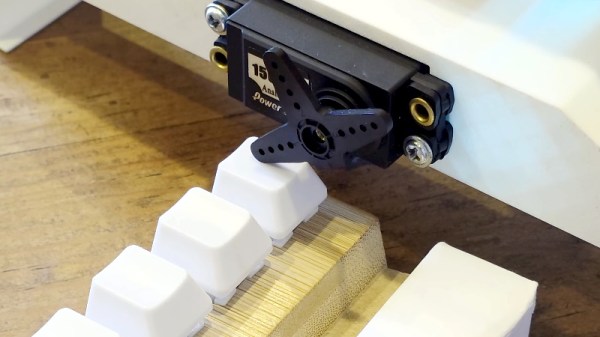
It’s a 3D printed frame which we’re told is designed for a specific item, on top of which is mounted a hobby servo. Rotating the servo brings the lever down on the button, and the job is done. At the user end there’s a button in a printed enclosure that’s definitely not a knock-off of a well-known franchise from a notoriously litigious console company.

This is all good, but the interest for other projects lies in how it works. It’s using a pair of ESP32 microcontrollers, and instead of connecting to an existing WiFi network it’s using ESP-NOW for simplicity and low latency. This is a good application for the protocol, but as we’ve seen, it’s useful for a lot more than just button pressing.

Continue reading “Why Push A Button When A Machine Can Do It For You”

Condensing Diesel Heater Hack Is Dripping With Efficiency

Not a huge percentage of our readers probably get their heat from diesel fuel, but it’s not uncommon in remote areas where other fuels are hard to come-by. If you’re in one of those areas, this latest hack from [Hangin with the Hursts] could save you some change, or keep you  ̶2̶0̶%̶ ̶c̶o̶o̶l̶e̶r̶  25% warmer on the same fuel burn.

It’s bog simple: he takes his off-the-shelf hydronic diesel heater, which is already 71% efficient according to a previous test, and hooks its exhaust to a heat exchanger. Now, you don’t want to restrict the exhaust on one of these units, as that can mess with the air fuel mix, but [Hurst] gets around that with a 3″ intercooler meant for automotive intake. Sure, it’s not made for exhaust gas, but this is a clean-burning heater, and it wouldn’t be a hack if some of the parts weren’t out of spec.

Since it’s a hydronic heater, he’s able to use the exhaust gas to pre-heat the water going into the burner. The intercooler does a very good job of that, sucking enough heat out of the exhaust to turn this into a condensing furnace. That’s great for efficiency — he calculates 95%, a number so good he doesn’t trust it — but not so good for the longevity of the system, since this intercooler isn’t made to deal with the slightly-acidic condensation. The efficiency numbers are combustion efficiency, to be clear. He’s only accounting for the energy in the diesel fuel, not the energy that heats the water in his test, for the record; the electrical power going into the blower is considered free. That’s fair, since that’s how the numbers are calculated in the heating industry in general — the natural gas furnace keeping this author from freezing to death, for example, is a condensing unit that is also 95% efficient.

Another thing you can do to get the most from your diesel heating fuel is add some brains to the operation. Since this is a hydronic system, the cheapest option, long-term, might be to add some solar energy to the water. Sunlight is free, and diesel sure isn’t getting any cheaper.

Continue reading “Condensing Diesel Heater Hack Is Dripping With Efficiency”

Get Statistical About Your Pet With This Cat Tracking Dashboard

Cats can be wonderful companions, but they can also be aloof and boring to hang out with. If you want to get a little more out of the relationship, consider obsessively tracking your cat’s basic statistics with this display from [Matthew Sylvester].

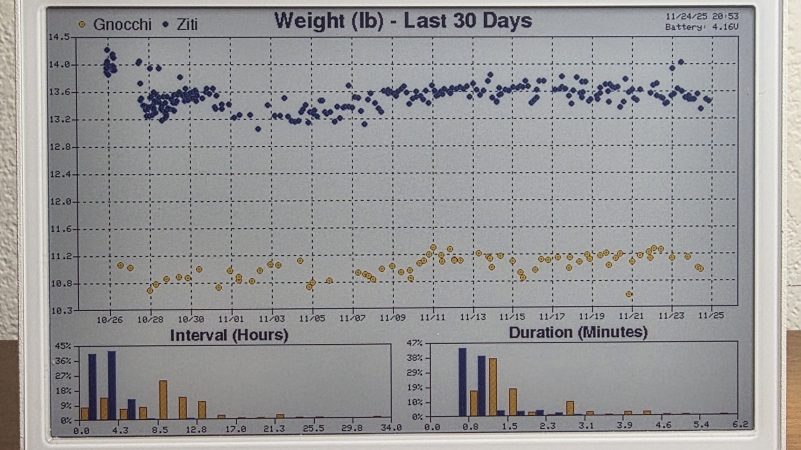
The build is based around the Seeedstudio ReTerminal E1001/E1002 devices—basically an e-paper display with a programmable ESP32-S3 built right in. It’s upon this display that you will see all kinds of feline statistics being logged and graphed. The data itself comes from smart litterboxes, with [Matthew] figuring out how to grab data on weight and litterbox usage via APIs. In particular, he’s got the system working with PetKit gear as well as the Whisker Litter Robot 4. His dashboard can separately track data for four cats and merely needs the right account details to start pulling in data from the relevant cat cloud service.

For [Matthew], the build wasn’t just a bit of fun—it also proved very useful. When one of his cats had a medical issue recently, he was quickly able to pick up that something was wrong and seek the help required. That’s a pretty great result for any homebrew project. It’s unrelated, too, but Gnocci is a great name for a cat, so hats off for that one.

We’ve featured some other fun cat-tracking projects over the years, too. If you’re whipping up your own neat hardware to commune with, entertain, or otherwise interact with your cat, don’t hesitate to let us know on the tipsline.

User Serviceable Parts

Al and I were talking on the podcast about the Home Assistant home automation hub software. In particular, about how devilishly well designed it is for extensibility. It’s designed to be added on to, and that makes all of the difference.
That doesn’t mean that it’s trivial to add your own wacky control or sensor elements to the system, but that it’s relatively straightforward, and that it accommodates you. If your use case isn’t already covered, there is probably good documentation available to help guide you in the right direction, and that’s all a hacker really needs. As evidence for why you might care, take the RTL-HAOS project that we covered this week, which adds nearly arbitrary software-defined radio functionality to your setup.

And contrast this with many commercial systems that are hard to hack on because they are instead focused on making sure that the least-common-denominator user is able to get stuff working without even reading a single page of documentation. They are so focused on making everything that’s in-scope easy that they spend no thought on expansion, or worse they actively prevent it.

Of course, it’s not trivial to make a system that’s both extremely flexible and relatively easy to use. We all know examples where the configuration of even the most basic cases is a nightmare simply because the designer wanted to accommodate everything. Somehow, Home Assistant has managed to walk the fine line in the middle, where it’s easy enough to use that you don’t have to be a wizard, but that you can make it do what you want if you are, and hence it got spontaneous hat-tips from both Al and myself. Food for thought if you’re working on a complex system that’s aimed at the DIY / hacker crowd.

Bridging RTL-433 To Home Assistant

If you’ve got an RTL-SDR compatible receiver, you’ve probably used it for picking up signals from all kinds of weird things. Now, [Jaron McDaniel] has built a tool to integrate many such devices into the world of Home Assistant.

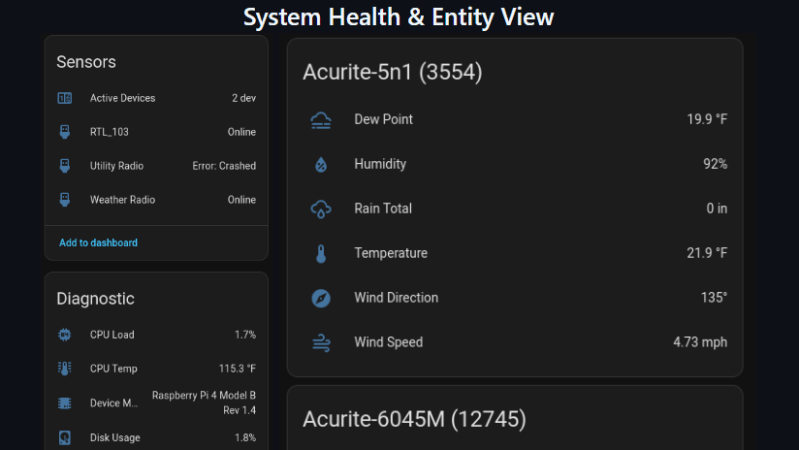
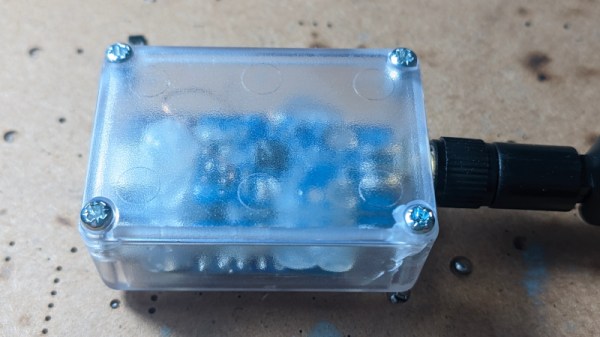
It’s called RTL-HAOS, and it’s intended to act as a bridge. Whatever you can pick up using the RTL_433 tool, you can set up with Home Assistant using RTL-HAOS. If you’re unfamiliar with RTL_433, it’s a multitalented data receiver for picking up all sorts of stuff on a range of bands using RTL-SDR receivers, as well as a range of other hardware. While it’s most closely associated with products that communicate in the 433 MHz band, it can also work with products that talk in 868 MHz, 315 MHz, 345 MHz, and 915 MHz, assuming your hardware supports it. Out of the box, it’s capable of working with everything from keyless entry systems to thermostats, weather stations, and energy monitors. You can even use it to listen to the tire pressure monitors in your Fiat Abarth 124 Spider, if you’re so inclined.

[Jaron’s] tool integrates these devices nicely into Home Assistant, where they’ll appear automatically thanks to MQTT discovery. It also offers nice signal metrics like RSSI and SNR, so you can determine whether a given link is stable. You can even use multiple RTL-SDR dongles if you’re so inclined. If you’re eager to pull some existing environmental sensors into your smart home, this may prove a very easy way to do it.

The cool thing about Home Assistant is that hackers are always working to integrate more gear into the ecosystem. Oftentimes, they’re far faster and more efficient at doing this than big-name corporations. Meanwhile, if you’re working on your own hacks for this popular smart home platform, we’d probably like to know about it. Be sure to hit up the tips line in due time.

Making Quinetic Gear Work With Home Assistant

There are lots of switches that you can use with your smarthome. Some might not be compatible with the wiring in your house, while others are battery powered and need attention on the regular. [Willow Herring] came across some nice self-powered versions that were nonetheless locked to a proprietary hub. Reverse engineering ensued!

[Willow] was using a range of smart home products from Quinetic, including the aforementioned self-powered switches. However, she couldn’t stand using them with the Quinetic hub, which was required to get them functioning with the brand’s relays and in-line switch relays. It all came down to the buggy smartphone app that was supposed to lace everything together, but never worked quite right. Instead, she set about deciphering the language the switches speak so they could be paired with other smarthome systems.

[Cameron Gray] had done some work in this area, which proved a useful starting point, though it didn’t enable the use of the switches with the various types of Quinetic relays. [Willow] decided to try and learn more about the system, starting with a CC1101 radio module hooked up to a ESP8266. Some tinkering around with expected message lengths started bearing fruit, and soon enough the format of the messages became clear.

Before long, [Willow] had figured out how to get the whole system talking to MQTT and Home Assistant, without compromising their ability to operate independently. Code is on Github for those eager to tinker further.

We’ve looked at a number of self-powered switches before, too. If you’ve found your own neat way of interfacing these devices, don’t hesitate to notify the tipsline!

[Thanks to Jess for the tip!]