
વર્ણન
રીઅલ-ટાઇમ પ્રતિસાદ, સ્કીમા અને સ્પષ્ટ માર્ગદર્શન સાથે તમારા SEO ને બહેતર બનાવો. AI ટૂલ્સ, Google ડૉક્સ એકીકરણ અને 24/7 સપોર્ટ માટે અપગ્રેડ કરો, કોઈ છુપી ફી નહીં.
યોઆસ્ટ એસઇઓ: #1 વર્ડપ્રેસ એસઇઓ પ્લગઇન
Since 2008, Yoast SEO has helped millions of websites worldwide improve their visibility and SEO performance.
Our mission is SEO for Everyone — from small local businesses to some of the most visited sites on the web.
Yoast SEO gives you everything you need to manage your on-site SEO effectively.
The Yoast SEO Premium plugin and its extensions unlock even more advanced and AI-powered tools.
Handing you the competitive edge
SEO એ વેબસાઇટ ટ્રાફિકનો સૌથી સુસંગત અને ખર્ચ-અસરકારક સ્ત્રોત છે — પરંતુ તે જટિલ હોઈ શકે છે. ભલે તમે હમણાં જ શરૂઆત કરી રહ્યા હોવ કે એક અદ્યતન વપરાશકર્તા, Yoast SEO તમને SEO ને આત્મવિશ્વાસ અને કાર્યક્ષમ રીતે હેન્ડલ કરવામાં મદદ કરે છે.
શું તમારી પાસે AI શોધ અને શ્રેષ્ઠ પ્રથાઓ વિશે માહિતગાર રહેવા માટે સમય નથી? Yoast SEO ને અપડેટ રાખવાનો અર્થ એ છે કે તમે ચાલુ ટેકનિકલ સુધારાઓ, સ્કીમા અપડેટ્સ અને AI પ્રગતિઓથી આપમેળે લાભ મેળવો છો – આ બધું અમારા સિગ્નેચર ટ્રાફિક લાઇટ અભિગમ દ્વારા સંચાલિત છે.
Schema.org સ્ટ્રક્ચર્ડ ડેટા ઇન્ટિગ્રેશન નો ઉપયોગ કરીને તમારી વેબસાઇટને વધુ સારી રીતે સમજવા માટે સર્ચ એન્જિનને સશક્ત બનાવો, અને ઊંડાણપૂર્વકની સામગ્રી અને વાંચનક્ષમતા વિશ્લેષણ સાધનોને ઍક્સેસ કરો જે તમને શોધમાં સારું પ્રદર્શન કરવા માટે રચાયેલ સામગ્રી બનાવવામાં મદદ કરે છે.
Quick and easy setup
Setting up Yoast SEO is quick and straightforward — no technical background required.
Our step-by-step configuration wizard walks you through essential setup details so Yoast SEO can generate accurate structured data that helps search engines understand your site.
Switching from another SEO plugin like Rank Math or AIOSEO? Migration is seamless.
Import your existing SEO data and settings safely with our built-in import/export tools.
Content and AI features
Yoast SEO ના એડવાન્સ્ડ કન્ટેન્ટ વિશ્લેષણ અને AI-સંચાલિત ટૂલ્સ વડે તમારી કન્ટેન્ટની સંપૂર્ણ સંભાવનાને અનલૉક કરો.
કન્ટેન્ટ ઑપ્ટિમાઇઝેશન સુવિધાઓ:
– કીવર્ડ ટાર્ગેટિંગ અને સાઇટ પ્રદર્શનને માર્ગદર્શન આપવા માટે વિગતવાર SEO વિશ્લેષણ.
– સ્પષ્ટ, આકર્ષક અને વપરાશકર્તા-મૈત્રીપૂર્ણ લેખન માટે વાંચનક્ષમતા વિશ્લેષણ.
– ડેસ્કટોપ અને મોબાઇલ બંને પરિણામો માટે SERP પૂર્વાવલોકનો.
– બિલ્ટ-ઇન સ્કીમા સપોર્ટ સાથે HowTo અને FAQ બ્લોક્સ.
– સુધારેલ નેવિગેશન માટે બ્રેડક્રમ્સ બ્લોક.
– તમારી સામગ્રીને વધુ વિચારશીલ અને સુલભ બનાવવા માટે સમાવિષ્ટ ભાષા વિશ્લેષણ.
– Yoast SEO માં સીધા કીવર્ડ સંશોધન માટે સેમરુશ એકીકરણ.
– તમારા ડેશબોર્ડની અંદર કીવર્ડ પ્રદર્શનને ટ્રૅક કરવા માટે વિન્ચર એકીકરણ.
– તમારા મનપસંદ બિલ્ડરમાં સીમલેસ ઑપ્ટિમાઇઝેશન માટે એલિમેન્ટર એકીકરણ.
AI સુવિધાઓ (પ્રીમિયમમાં સમાવેશિત):
Yoast AI Generate – તાત્કાલિક રીતે પાંચ SEO-મૈત્રીપૂર્ણ શીર્ષકો અને મેટા વર્ણનો બનાવો, વધુ વિકલ્પો માટે એક-ક્લિક પુનઃજનરેશન સાથે.
Yoast AI Optimize – કીફ્રેઝ સ્થાન (પરિચય, વિતરણ, ઘનતા) આપમેળે સુધારો.
Yoast AI Summarize (નવું 2025) – ટૂંકા સારાંશો જનરેટ કરો, જે બ્રિફ્સ અથવા સોશિયલ પોસ્ટ્સ માટે ઉપયોગી છે.
બધી AI ટૂલ્સનો સમાવેશ – કોઈ વધારું એકાઉન્ટ, મર્યાદા અથવા છુપાયેલા ખર્ચ નથી.
આ ટૂલ્સ તમને ઑપ્ટિમાઇઝ્ડ, મદદરૂપ સામગ્રી બનાવવામાં મદદ કરે છે જે વાચકો સાથે પડઘો પાડે છે અને શોધ પ્લેટફોર્મ પર મજબૂત પ્રદર્શન કરે છે.
Taking care of your technical SEO
Yoast SEO આપમેળે તમારી સાઇટના મોટાભાગના ટેકનિકલ SEO ને હેન્ડલ કરે છે, જેનાથી તમે તમારી સામગ્રી પર ધ્યાન કેન્દ્રિત કરી શકો છો.
મુખ્ય ટેકનિકલ SEO સુવિધાઓ:
– સ્વચાલિત મેટા ટેગ ઑપ્ટિમાઇઝેશન સીધા જ બોક્સની બહાર.
– ડુપ્લિકેટ સામગ્રી સમસ્યાઓ અટકાવવા માટે કેનોનિકલ URLs.
– સ્પષ્ટ સાઇટ ઇન્ડેક્સિંગ માટે એડવાન્સ્ડ XML સાઇટમેપ્સ.
– શોધ સમજ અને દેખાવ સુધારવા માટે શ્રેષ્ઠ-ઇન-ક્લાસ Schema.org એકીકરણ.
– મુલાકાતીઓ અને ક્રોલર્સ માટે સંપૂર્ણ બ્રેડક્રમ્બ નિયંત્રણ.
– લોડ સમય ઘટાડવામાં મદદ કરે છે પ્રદર્શન સુધારણા.
– બોટ્સ તમારી સાઇટને કેવી રીતે ઍક્સેસ કરે છે અને પર્યાવરણીય અસર ઘટાડે છે તેનું સંચાલન કરવા માટે ક્રોલ સેટિંગ્સ.
– મોટા ભાષા મોડેલો તમારી સામગ્રી સાથે કેવી રીતે ક્રિયાપ્રતિક્રિયા કરે છે તેનું માર્ગદર્શન આપવા માટે LLMs.txt મેનેજમેન્ટ.
દરેક અપડેટ આપમેળે ચાલુ ટેકનિકલ SEO સુધારાઓ પહોંચાડે છે.
તમારી વેબસાઇટને સંપૂર્ણ સ્થિતિમાં રાખો
ભલે તમે સર્જક, વ્યવસાય માલિક અથવા વિકાસકર્તા હોવ, Yoast SEO તમારી વેબસાઇટના SEO સ્વાસ્થ્યને જાળવવામાં મદદ કરે છે:
- Cornerstone content tools to organize and prioritize key pages.
- Front-end SEO inspector to view and edit titles, descriptions, and schema live.
- SEO roles to delegate plugin access securely across teams.
- Regular 2-week update cycle to ensure compatibility with the latest SEO standards and search engine changes.
Powerful integrations
Yoast SEO તમારા વર્કફ્લો અને પરિણામોને વધારવા માટે લોકપ્રિય WordPress ટૂલ્સ સાથે એકીકૃત રીતે કાર્ય કરે છે:
- Google Site Kit: Access insights from Search Console, Analytics, and PageSpeed directly inside WordPress.
- Advanced Custom Fields (ACF): Combine with ACF Content Analysis for Yoast SEO for advanced field optimization.
- Elementor: Use full Yoast SEO functionality inside Elementor’s editor.
- Algolia: Enhance internal search accuracy and performance.
- Semrush: Discover and optimize for high-value keywords.
- Wincher: Track keyword positions and trends in Google Search.
- Jetpack: Manage SEO and social previews all in one place.
- Easy Digital Downloads (EDD): Improve digital product visibility with integrated schema.
- Mastodon: Verify your website on Mastodon with Yoast SEO Premium.
- WooCommerce: સમર્પિત WooCommerce એક્સટેન્શન સાથે ઈકોમર્સ SEO ને ઑપ્ટિમાઇઝ કરો.
Yoast SEO Premium – AI-powered SEO for WordPress
Yoast SEO Premium enhances everything in Yoast SEO with advanced automation, AI tools, and professional support.
Trusted by millions, it helps you optimize efficiently for both traditional and AI-driven search.
તમારા SEO પડકારોનો સામનો કરો:
– અલ્ગોરિધમ અને AI શોધ અપડેટ્સ સાથે ગતિ રાખો.
– યોગ્ય પ્રેક્ષકોને અસરકારક રીતે લક્ષ્ય બનાવો.
– રીડાયરેક્ટ્સ, ક્રોલ નિયંત્રણો અને આંતરિક લિંકિંગને સ્વચાલિત કરો.
– અનાથ સામગ્રી ઓળખો અને સાઇટ માળખું સુધારો.
– જ્યારે તમને જરૂર હોય ત્યારે સપોર્ટ મેળવો.
પ્રીમિયમ હાઇલાઇટ્સ:
– AI-જનરેટેડ ટાઇટલ અને મેટા વર્ણનો.
– સ્માર્ટ આંતરિક લિંકિંગ સૂચનો.
– Facebook અને X માટે સામાજિક પૂર્વાવલોકનો.
– બલ્ક ટૂલ્સ અને ઓટોમેટિક પ્રોમ્પ્ટ્સ સાથે રીડાયરેક્ટ મેનેજર.
– AI ક્રોલર્સ માટે બોટ બ્લોકર (GPTBot, CCBot, Google-એક્સટેન્ડેડ).
– ઝડપી સામગ્રી અપડેટ્સ માટે ઇન્ડેક્સનાઉ એકીકરણ.
– રીઅલ-ટાઇમ એડિટિંગ માટે ફ્રન્ટ-એન્ડ SEO ઇન્સ્પેક્ટર.
– અનાથ અને કોર્નસ્ટોન સામગ્રીને સુધારવા માટે SEO વર્કઆઉટ્સ.
– ડોક્સમાં સીમલેસ SEO લેખન માટે Google Docs એડ-ઓન.
– SEO નિષ્ણાતો તરફથી 24/7 પ્રીમિયમ સપોર્ટ.
કોઈ વધારાના ખર્ચ વિના શામેલ છે:
– Yoast Local SEO: સ્થાનિક પ્રેક્ષકો અને Google નકશા માટે ઑપ્ટિમાઇઝ કરો.
– Yoast Video SEO: ખાતરી કરો કે Google વિડિઓ સાઇટમેપ અને સ્કીમા સાથે તમારા વિડિઓઝને સમજે છે.
– Yoast News SEO: Google News અને ટોચની વાર્તાઓમાં દૃશ્યતા વધારો.
Yoast WooCommerce SEO – Advanced SEO for Online Stores
Yoast WooCommerce SEO તમારા સ્ટોરની દૃશ્યતા અને રૂપાંતરણ ક્ષમતાને સુધારવા માટે ઈકોમર્સ-વિશિષ્ટ સાધનો સાથે Yoast SEO પ્રીમિયમ પર નિર્માણ કરે છે.
મુખ્ય ઈકોમર્સ SEO સુવિધાઓ:
– WooCommerce-વિશિષ્ટ XML સાઇટમેપ જેમાં શોપિંગ સિવાયની સામગ્રીનો સમાવેશ થાય છે.
– ઉન્નત સમૃદ્ધ પરિણામો (કિંમત, સમીક્ષાઓ, ઉપલબ્ધતા) માટે ઉત્પાદન સંરચિત ડેટા.
– ડુપ્લિકેટ્સને રોકવા માટે કેનોનિકલ URL મેનેજમેન્ટ.
– GTIN, SKU અને ટૂંકા વર્ણનો માટે ઈકોમર્સ-કેન્દ્રિત સામગ્રી વિશ્લેષણ.
– ઈકોમર્સ માટે AI જનરેટ કરો – ઉત્પાદન અને શ્રેણી પૃષ્ઠો માટે તરત જ ઑપ્ટિમાઇઝ કરેલ શીર્ષકો અને મેટા વર્ણનો બનાવો.
લાભ:
– ઓટોમેટેડ સ્ટ્રક્ચર્ડ ડેટા સાથે પ્રોડક્ટ દૃશ્યતામાં સુધારો.
– મોટા કેટલોગ માટે ક્રોલ કાર્યક્ષમતા વધારો.
– મેટાડેટા ટેમ્પ્લેટ્સ અને ઓટોમેશન દ્વારા સમય બચાવો.
– AI-ઓપ્ટિમાઇઝ્ડ ઈકોમર્સ મેટાડેટા સાથે જોડાણ વધારો.
WooCommerce માટે બનાવેલ, વિશ્વભરના હજારો ઓનલાઈન સ્ટોર્સ દ્વારા વિશ્વસનીય.
For Developers
Yoast SEO વિકાસકર્તાઓને ધ્યાનમાં રાખીને બનાવવામાં આવ્યું છે. આધુનિક API, હુક્સ અને એકીકૃત ઇન્ડેક્સેબલ સિસ્ટમ સાથે, તમે કસ્ટમ થીમ્સ, પ્લગઇન્સ અથવા હેડલેસ સેટઅપ્સમાં SEO કાર્યક્ષમતાને વિસ્તૃત અથવા સંકલિત કરી શકો છો.
REST API
Retrieve SEO metadata for any post or URL, including meta tags, Open Graph, Twitter Cards, and Schema.org data.
Learn more about the REST API.
Surfaces API
Access SEO data directly in code via YoastSEO()->meta->for_current_page().
Supports titles, descriptions, canonicals, and schema.
Read the Surfaces API documentation.
Metadata API
wpseo_title, wpseo_metadesc, અને wpseo_canonical જેવા WordPress હુક્સ સાથે મેટા ટૅગ્સને ફિલ્ટર કરવા, ઓવરરાઇડ કરવા અથવા વિસ્તૃત કરવા માટે મેટાડેટા API નો ઉપયોગ કરો.
Schema API
Schema API તમને Schema.org ગ્રાફ ટુકડાઓમાં ફેરફાર કરવા અથવા વિસ્તૃત કરવા દે છે, જેમાં લેખ, સંગઠન, વ્યક્તિ, બ્રેડક્રમ્બ અને વેબપેજ એન્ટિટીનો સમાવેશ થાય છે.
Block Editor compatibility
Yoast SEO integrates directly with the WordPress Block Editor (Gutenberg).
It outputs schema for HowTo and FAQ blocks by default, and developers can extend schema for custom blocks.
Indexables
Yoast SEO ના મૂળમાં indexables સિસ્ટમ રહેલી છે, જે ઝડપી ક્વેરીઝ અને આઉટપુટમાં સુસંગત મેટાડેટા માટે તમામ SEO ડેટાને એકીકૃત કરે છે.
Ongoing support and education
Yoast is powered by expert developers, testers, and SEO specialists who keep improving the plugin.
We’re committed to helping users grow their SEO skills with resources such as:
- યોસ્ટ SEO એકેડેમી: મફત અને પ્રીમિયમ SEO અભ્યાસક્રમો (બધા પેઇડ પ્લાનમાં શામેલ).
- Yoast SEO બ્લોગ, ન્યૂઝલેટર અને વેબિનાર્સ.
- નવીનતમ SEO આંતરદૃષ્ટિ માટે Yoast SEO અપડેટ પોડકાસ્ટ.
- GitHub પર બગ રિપોર્ટ્સ (સમસ્યા ટ્રેકિંગ માટે, સપોર્ટ માટે નહીં).
યોસ્ટ SEO — શોધ ઑપ્ટિમાઇઝેશનને સુલભ, વિશ્વસનીય અને AI શોધના ભવિષ્ય માટે તૈયાર બનાવવા માટે બનાવવામાં આવ્યું છે.
સ્ક્રીનશોટ
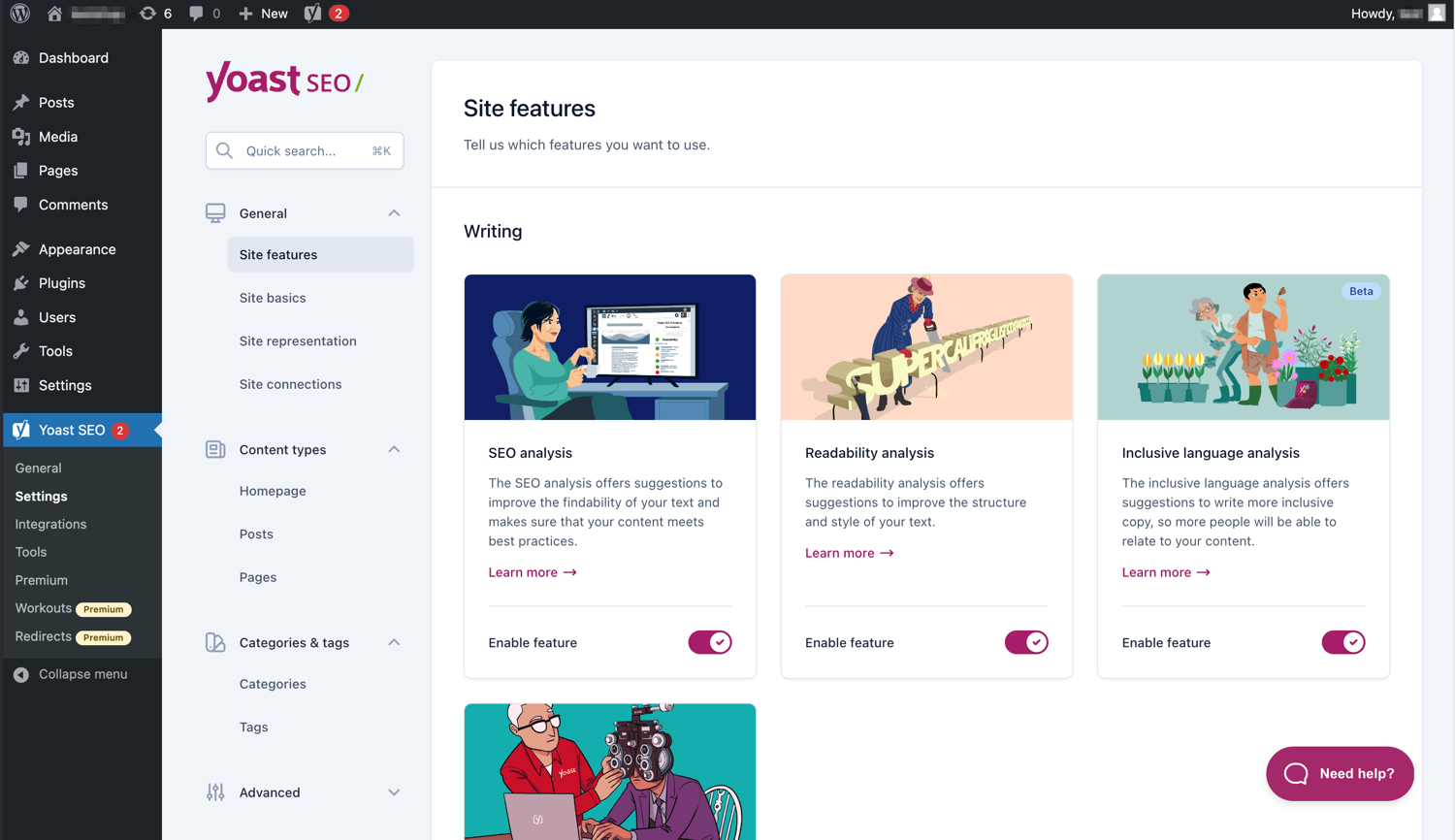
આધુનિક ઈન્ટરફેસ Yoast SEO સાથે કામ કરવાનું સરળ બનાવે છે. 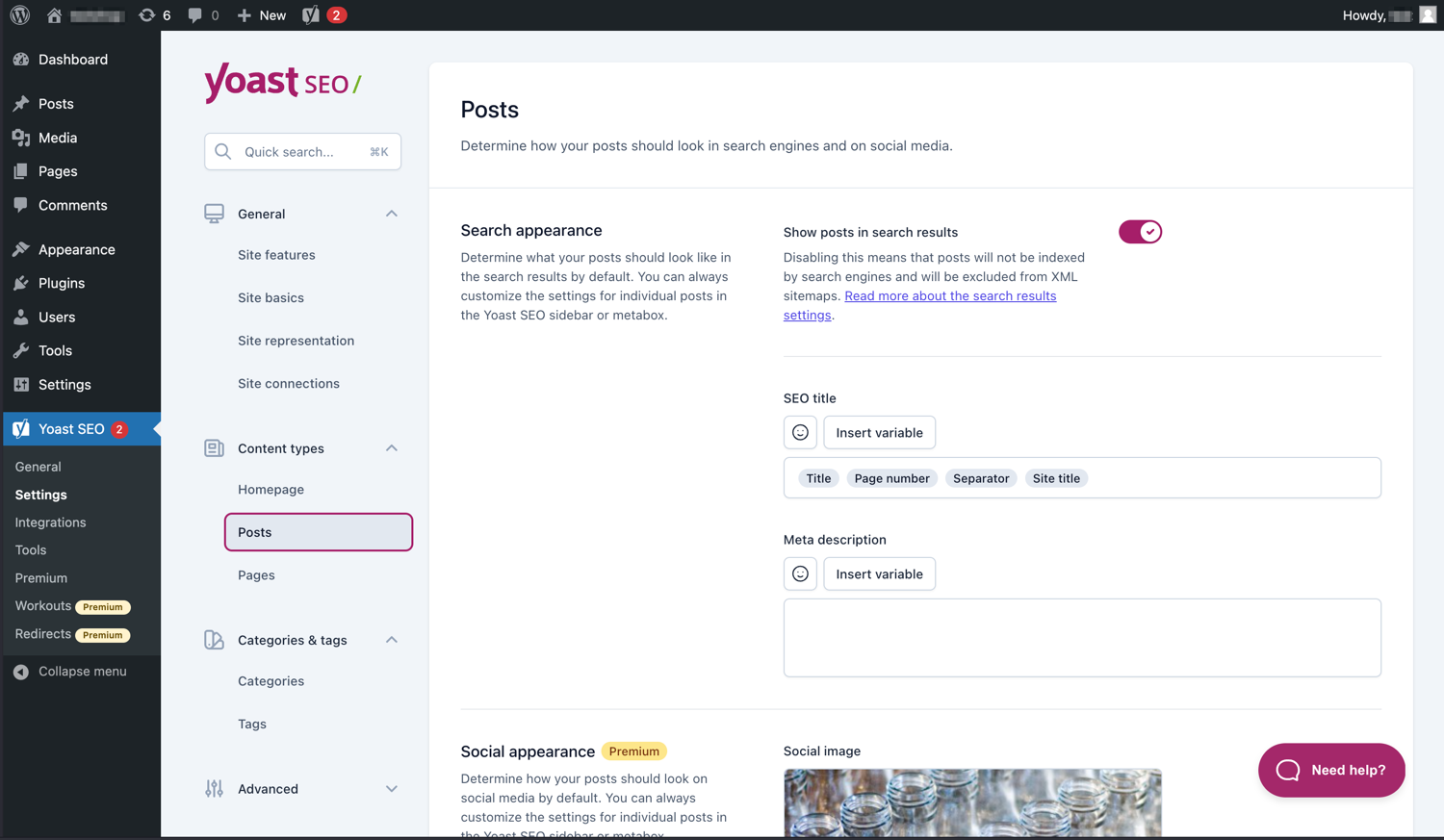
તમારી પોસ્ટ્સ અને પૃષ્ઠો SERPs માં કેવી રીતે દેખાય છે તે સરળતાથી મેનેજ કરો. 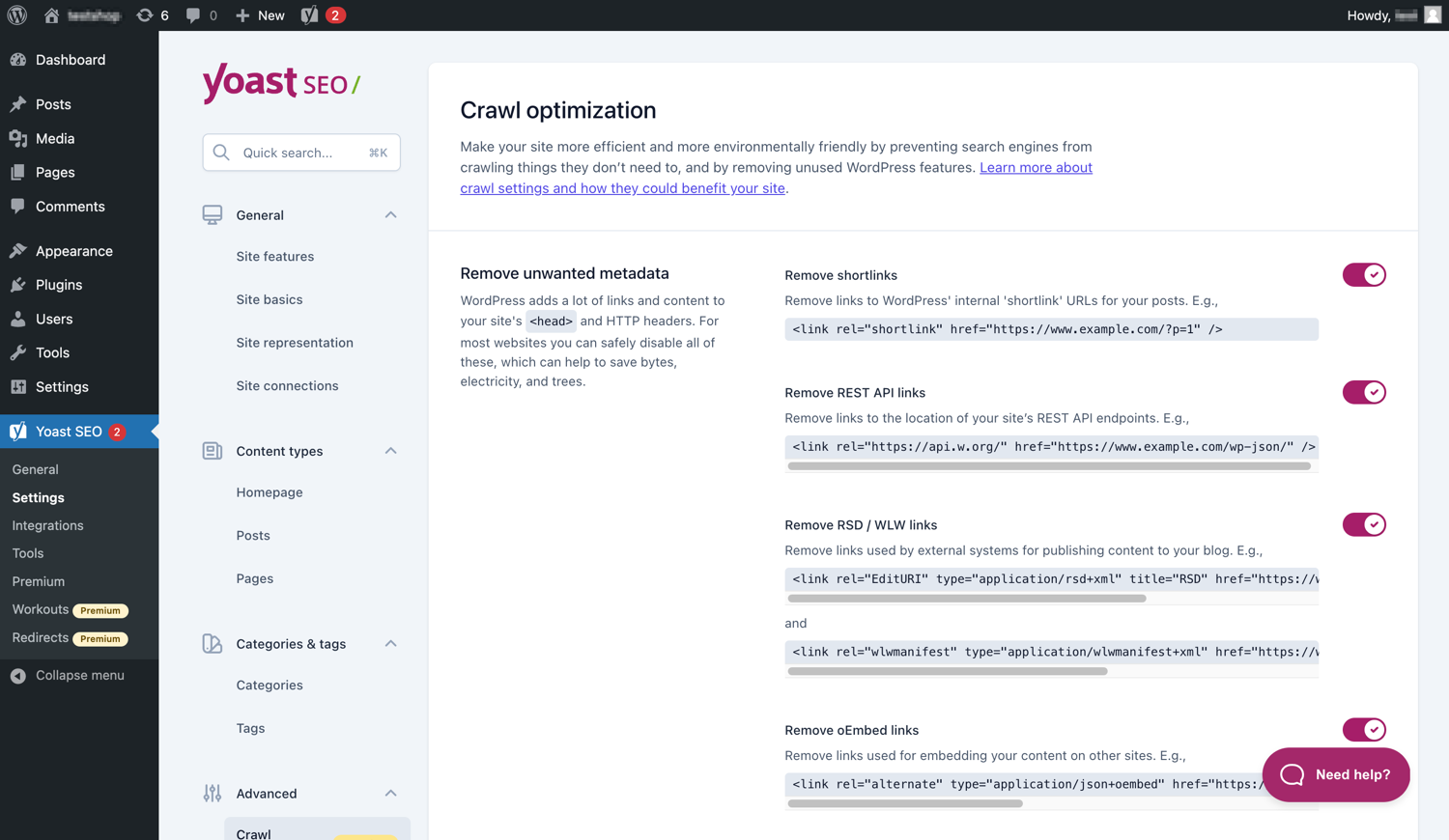
Yoast SEO પ્રીમિયમમાં વધારાના ક્રોલ ઑપ્ટિમાઇઝેશન વિકલ્પો છે. 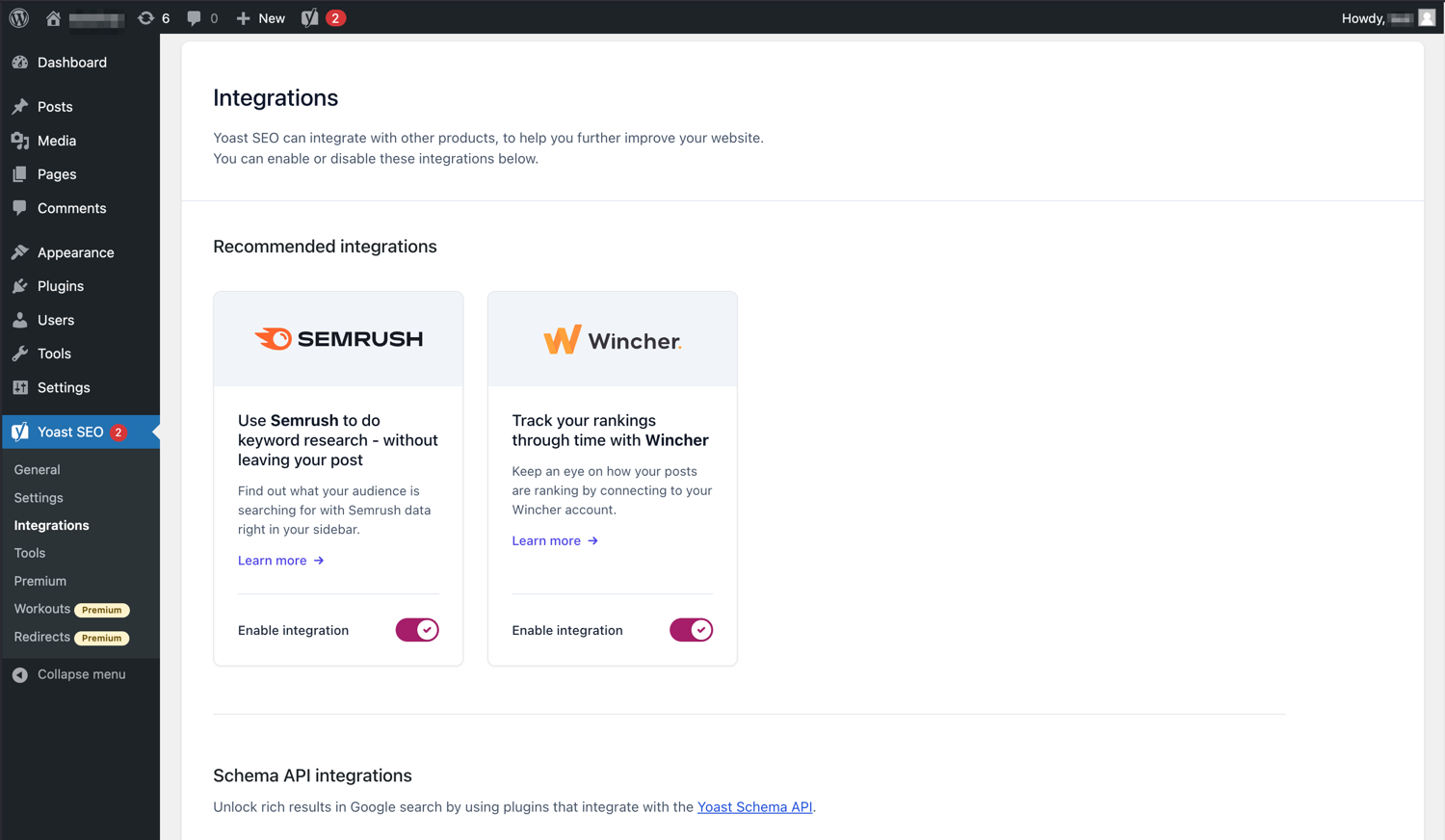
Yoast SEO સેમરુશ અને વિન્ચર જેવા ટૂલ્સ સાથે એકીકૃત થાય છે. 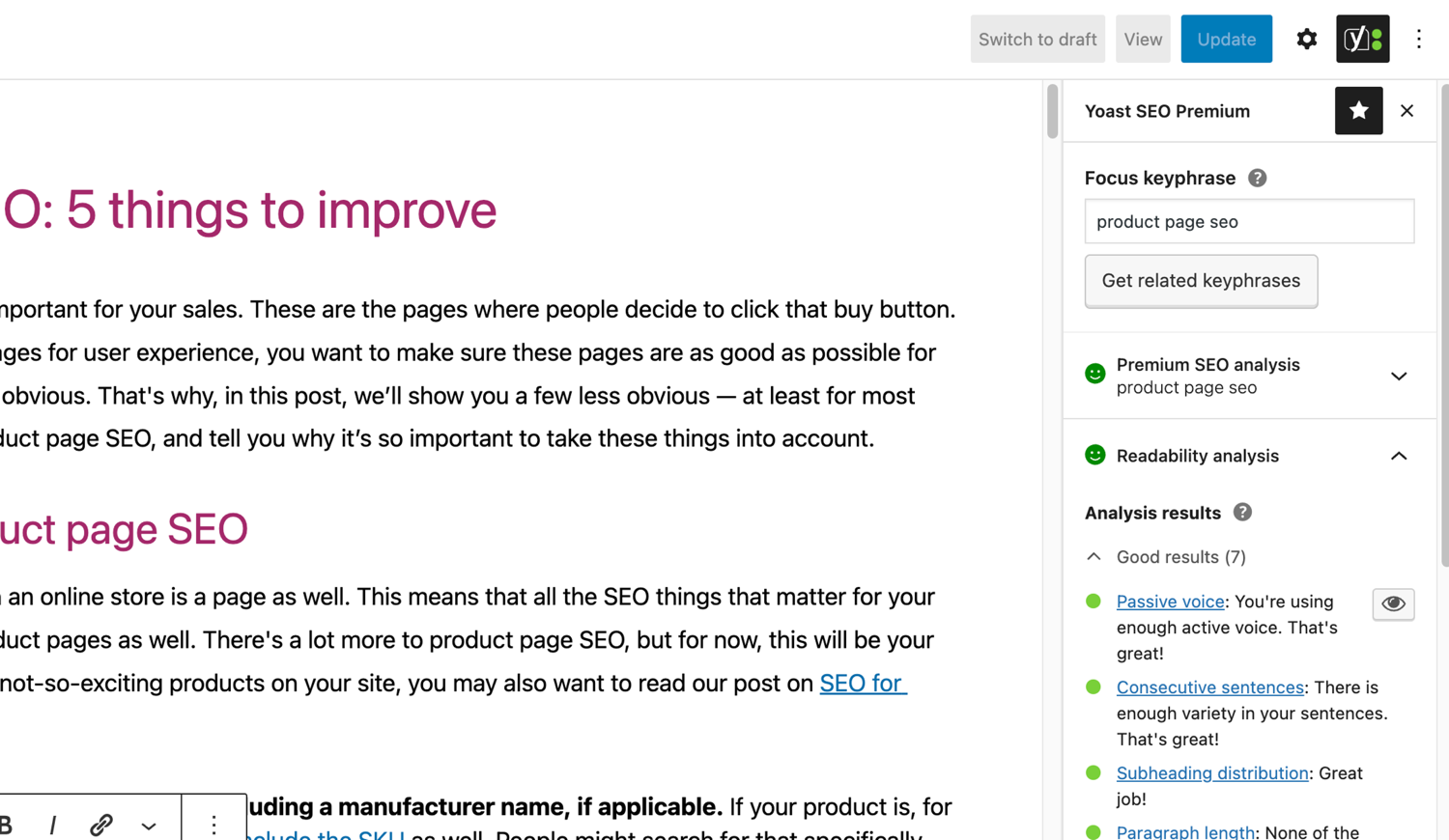
Yoast SEO માં પ્રખ્યાત SEO અને વાંચનક્ષમતા વિશ્લેષણ. 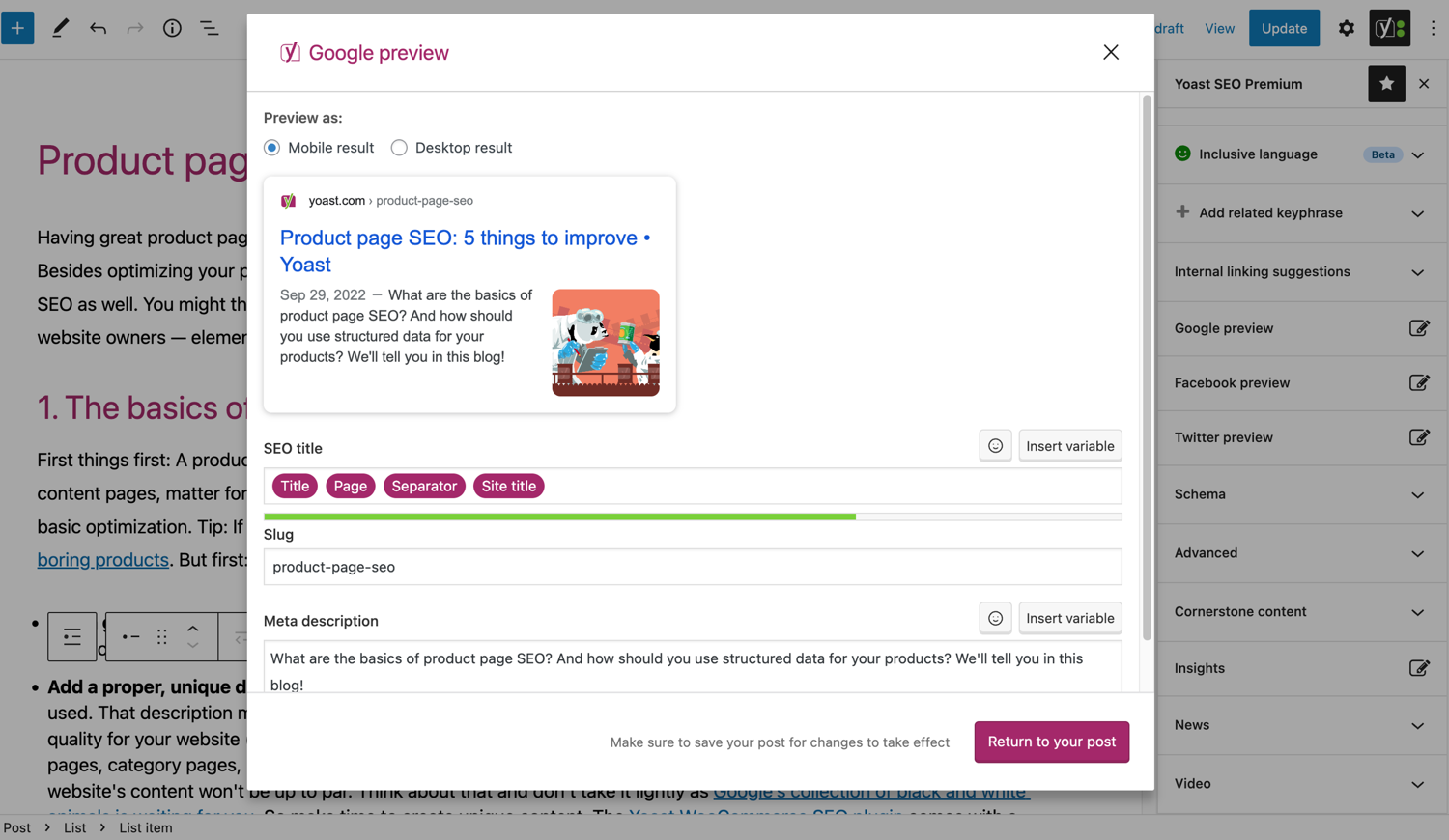
ગુગલમાં તમારી પોસ્ટ કેવી દેખાય છે તે જુઓ. 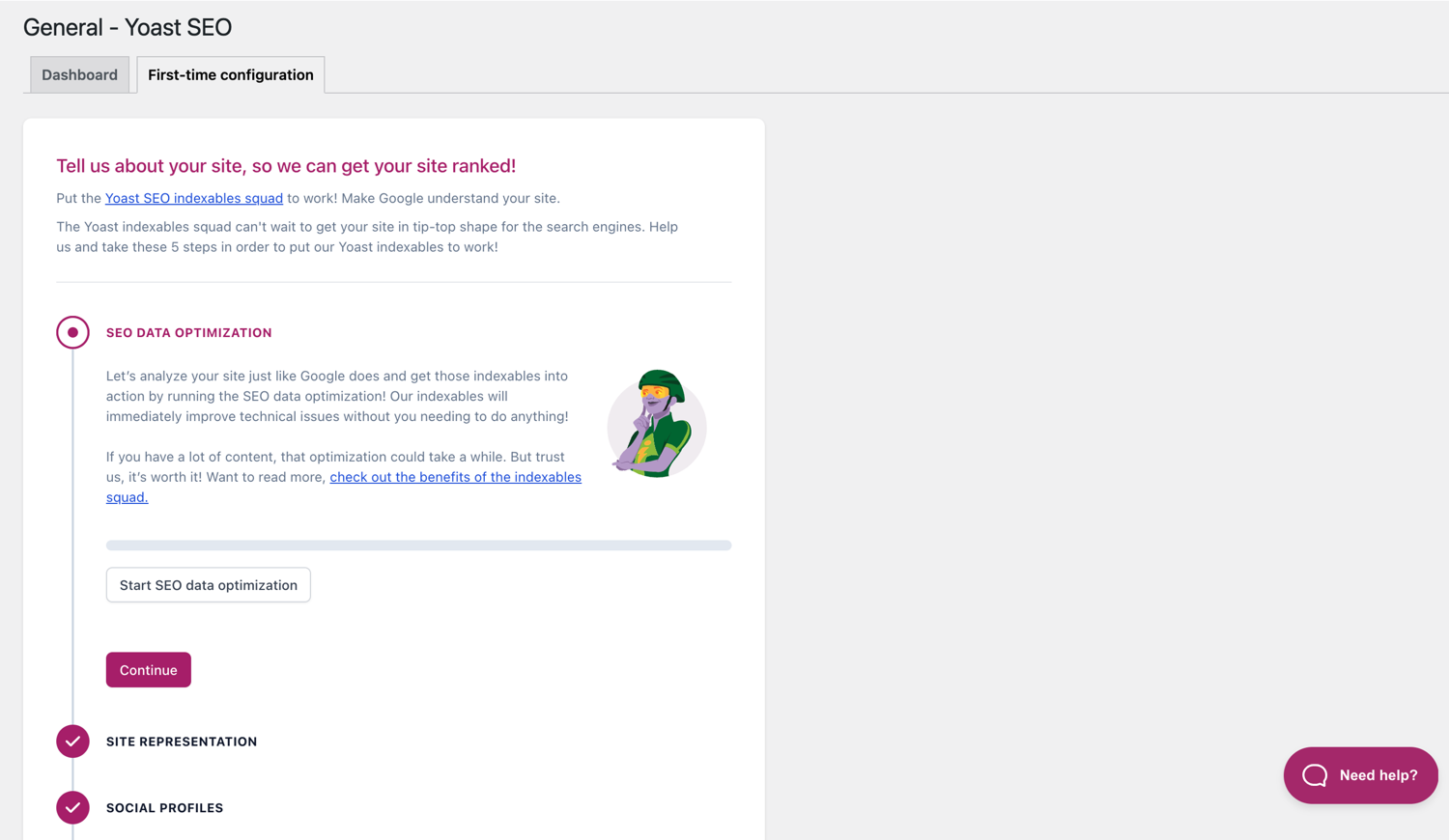
પહેલી વાર ગોઠવણી તમને ઝડપથી શરૂઆત કરવામાં મદદ કરે છે. 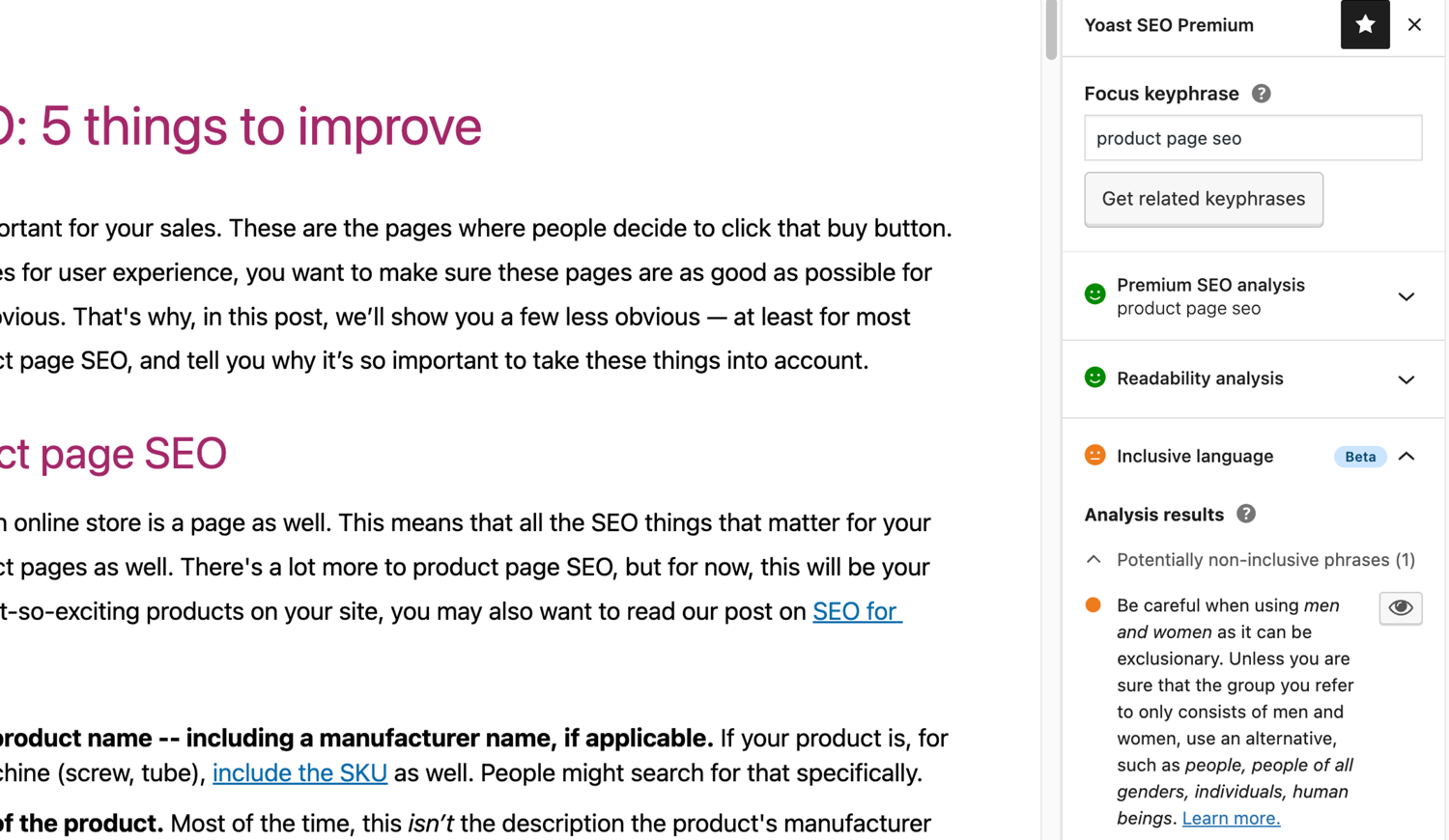
Yoast SEO માં વ્યાપક ભાષા વિશ્લેષણ. 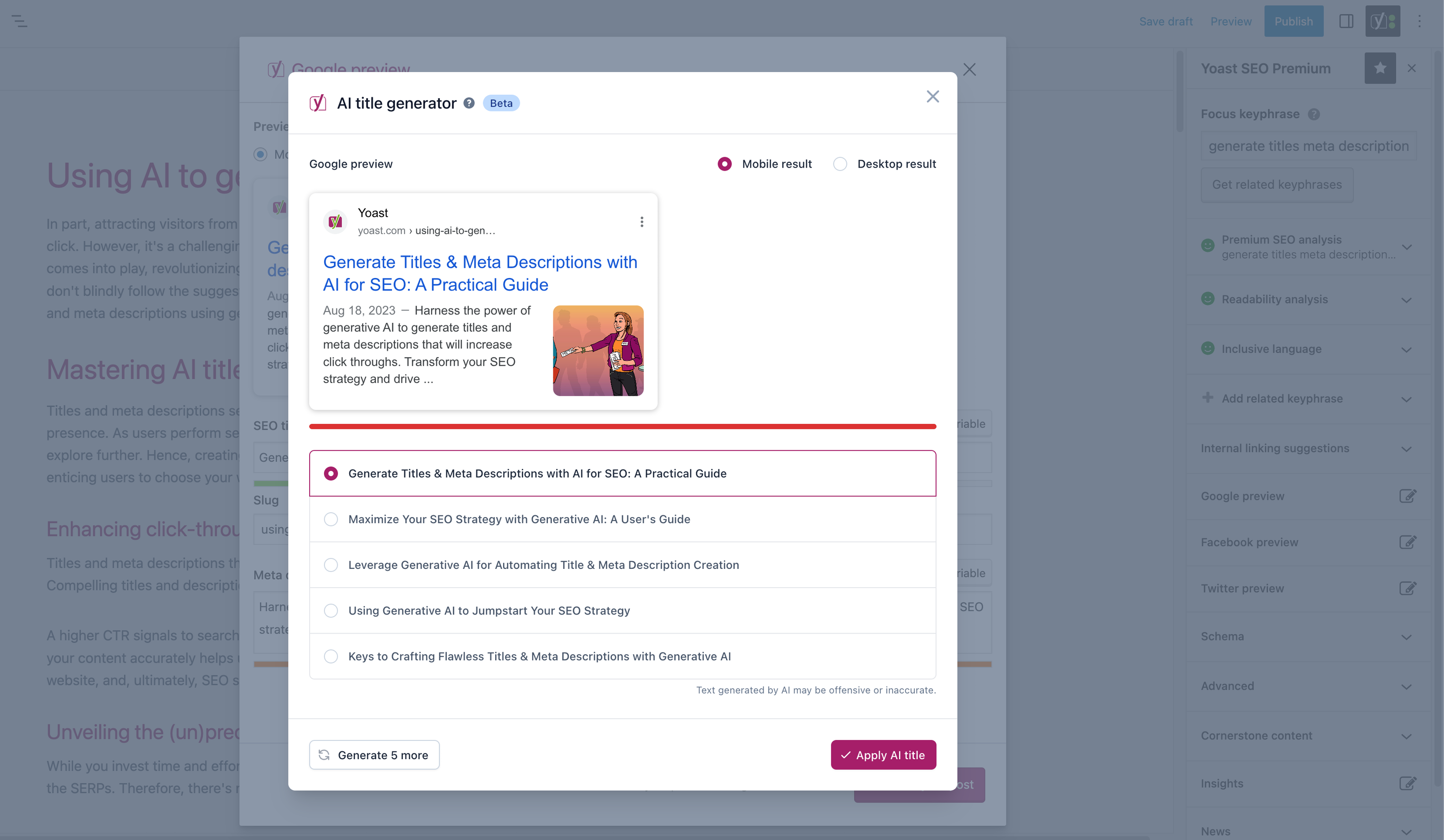


બ્લોક્સ
આ પ્લગિન 2 બ્લોક્સ આપે છે.
- Yoast FAQ List your Frequently Asked Questions in an SEO-friendly way.
- Yoast How-to Create a How-to guide in an SEO-friendly way. You can only use one How-to block per post.
સ્થાપન
Yoast SEO થી શરૂઆત કરવા માટે ફક્ત બે પગલાં છે: પ્લગઇન ઇન્સ્ટોલ કરવું અને સેટ કરવું. Yoast SEO તમારી સાઇટની ચોક્કસ જરૂરિયાતો સાથે કામ કરવા માટે રચાયેલ છે, તેથી ‘સક્રિયકરણ પછી’ પગલામાં સમજાવ્યા મુજબ Yoast SEO ફર્સ્ટ-ટાઇમ ગોઠવણીમાંથી પસાર થવાનું ભૂલશો નહીં! Yoast SEO ઉત્પાદનો કેવી રીતે ઇન્સ્ટોલ કરવા તે અંગેના સૌથી અદ્યતન માર્ગદર્શન માટે, કૃપા કરીને અમારા સહાય કેન્દ્રની મુલાકાત લો.
એફએક્યુ (FAQ)
-
Yoast SEO પ્લગઇનમાં XML સાઇટમેપ્સ કેવી રીતે કાર્ય કરે છે?
-
XML સાઇટમેપ હોવું SEO માટે ફાયદાકારક હોઈ શકે છે, કારણ કે Google વેબસાઇટના આવશ્યક પૃષ્ઠોને ખૂબ જ ઝડપથી મેળવી શકે છે, ભલે સાઇટનું આંતરિક લિંકિંગ દોષરહિત ન હોય.
સાઇટમેપ ઇન્ડેક્સ અને વ્યક્તિગત સાઇટમેપ્સ આપમેળે અપડેટ થાય છે કારણ કે તમે સામગ્રી ઉમેરો છો અથવા દૂર કરો છો અને તેમાં તે પોસ્ટ પ્રકારો શામેલ હશે જે તમે સર્ચ એન્જિનને ઇન્ડેક્સ કરવા માંગો છો. noindex તરીકે ચિહ્નિત પોસ્ટ પ્રકારો સાઇટમેપમાં દેખાશે નહીં. XML સાઇટમેપ્સ વિશે વધુ જાણો. -
હું મારી વેબસાઇટને ગૂગલ સર્ચ કન્સોલમાં કેવી રીતે ઉમેરી શકું?
-
તમારી વેબસાઇટને Google Search Console માં ઉમેરવી સરળ છે.
1. Google Search Console એકાઉન્ટ બનાવો અને તમારા એકાઉન્ટમાં લોગિન કરો.
2. શોધ ડ્રોપ-ડાઉન હેઠળ ‘એક મિલકત ઉમેરો’ પર ક્લિક કરો.
3. બોક્સમાં તમારી વેબસાઇટ URL દાખલ કરો અને ‘ચાલુ રાખો’ પર ક્લિક કરો.
4. વિકલ્પને વિસ્તૃત કરવા માટે ‘HTML ટેગ’ ની બાજુમાં તીર પર ક્લિક કરો.
5. મેટા ટેગની નકલ કરો.
6. તમારી WordPress વેબસાઇટમાં લોગ ઇન કરો.
7. ડેશબોર્ડમાં ‘SEO’ પર ક્લિક કરો.
8. ‘જનરલ’ પર ક્લિક કરો.
9. ‘વેબમાસ્ટર ટૂલ્સ’ ટેબ પર ક્લિક કરો.
10. Google ફીલ્ડમાં કોડ પેસ્ટ કરો અને ‘ચેન્જેસ સેવ કરો’ પર ક્લિક કરો.
11. Google Search Console પર પાછા જાઓ અને ‘વેરિફાઇ’ પર ક્લિક કરો.જો તમને વધુ વિગતવાર પગલાં જોઈતા હોય, તો કૃપા કરીને અમારા સહાય કેન્દ્ર પરના લેખ ની મુલાકાત લો.
-
નીચે આપેલા પગલાં એક કામચલાઉ ઉકેલ છે કારણ કે થીમ ફાઇલોમાં કરવામાં આવેલા મેન્યુઅલ સંપાદનો ભવિષ્યના થીમ અપડેટ્સ સાથે ઓવરરાઇટ થઈ શકે છે. કાયમી ઉકેલ માટે કૃપા કરીને થીમ ડેવલપરનો સંપર્ક કરો. અમે SEO માટે બ્રેડક્રમ્સના મહત્વ વિશે એક લેખ લખ્યો છે.
Yoast SEO માં બ્રેડક્રમ્સ ફંક્શનને અમલમાં મૂકવા માટે, તમારે તમારી થીમને સંપાદિત કરવી પડશે. અમે ભલામણ કરીએ છીએ કે થીમ ફાઇલોના કોઈપણ સંપાદન પહેલાં, બેકઅપ લેવામાં આવે. તમારા હોસ્ટ પ્રદાતા તમને બેકઅપ લેવામાં મદદ કરી શકે છે.
નીચે આપેલા કોડને તમારી થીમમાં કોપી કરો જ્યાં તમે બ્રેડક્રમ્સ રાખવા માંગો છો. જો તમને ખાતરી ન હોય, તો તમારે પ્લેસમેન્ટ સાથે પ્રયોગ કરવાની જરૂર પડશે:<?php if ( function_exists( 'yoast_breadcrumb' ) ) { yoast_breadcrumb( '<p id="breadcrumbs">','</p>' ); } ?>સામાન્ય સ્થાનો જ્યાં તમે તમારા બ્રેડક્રમ્સ મૂકી શકો છો તે તમારી
single.phpઅને/અથવાpage.phpફાઇલની અંદર પેજના શીર્ષકની ઉપર છે. બીજો વિકલ્પ જે કેટલીક થીમ્સમાં તેને ખરેખર સરળ બનાવે છે તે છેheader.phpમાં કોડને ખૂબ જ અંતમાં પેસ્ટ કરીને.મોટાભાગની નોન-WooTheme થીમ્સમાં, આ કોડ સ્નિપેટ તમારી
functions.phpફાઇલમાં ઉમેરવો જોઈએ નહીં.
વૈકલ્પિક રીતે, તમે વ્યક્તિગત પોસ્ટ્સ અથવા પૃષ્ઠોમાં બ્રેડક્રમ્બ શોર્ટકોડ મેન્યુઅલી ઉમેરી શકો છો:[wpseo_breadcrumb]જો તમને વધુ વિગતો અથવા સ્ટેપ બાય સ્ટેપ માર્ગદર્શિકાની જરૂર હોય, તો અમારી Yoast SEO બ્રેડક્રમ્સ માટે અમલીકરણ માર્ગદર્શિકા વાંચો.
-
હું URL ને નોઇન્ડેક્સ કેવી રીતે કરી શકું?
-
Yoast SEO URL અથવા URL ના જૂથને noindex પર સેટ કરવા માટે બહુવિધ વિકલ્પો પૂરા પાડે છે. આ માર્ગદર્શિકામાં આ કેવી રીતે કરવું તે વિશે વધુ વાંચો.
-
Google ખોટું વર્ણન બતાવે છે, હું તેને કેવી રીતે ઠીક કરી શકું?
-
જો તમે તમારી બ્લોગ પોસ્ટ્સ માટે સરસ મેટા વર્ણનો તૈયાર કર્યા છે, તો Google શોધ પરિણામ સ્નિપેટમાં સંપૂર્ણપણે તમારી સાઇટ માટે બીજું વર્ણન દર્શાવે છે તેના કરતાં વધુ હેરાન કરનાર કંઈ નથી.
સંભવિત કારણો આ હોઈ શકે છે:
1. કોડમાં ખોટું વર્ણન
2. Google કેશ જૂની છે
3. શોધ શબ્દ મેનીપ્યુલેશન
4. Google એ મેટા વર્ણનને અવગણ્યુંખોટા વર્ણન સાથે સમસ્યા કેવી રીતે ઉકેલવી તે વિશે તમે અહીં વધુ વાંચી શકો છો.
-
Yoast SEO કેટલી વાર અપડેટ થાય છે?
-
Yoast SEO દર બે અઠવાડિયે અપડેટ થાય છે. જો તમે શા માટે તે જાણવા માંગતા હો, તો કૃપા કરીને આ પોસ્ટ વાંચો કે અમે દર બે અઠવાડિયે શા માટે પ્રકાશિત કરીએ છીએ!
-
હું આધાર કેવી રીતે મેળવી શકું?
-
અમારા મફત પ્લગઇનનો ઉપયોગ વિશ્વભરમાં લાખો લોકો દ્વારા કરવામાં આવે છે, તેથી અમે તમને બધાને એક સાથે સપોર્ટ આપી શકતા નથી. જો તમને Yoast SEO for WordPress પ્લગઇન સાથે સમસ્યા હોય, તો તમે wordpress.org પર સપોર્ટ ફોરમ પર મદદ મેળવી શકો છો અથવા yoast.com/help/ પર અમારા સહાય કેન્દ્રની મુલાકાત લઈને મદદ મેળવી શકો છો.
Yoast પરથી તમે જે પ્લગઇન્સ ખરીદો છો તેને ‘પ્રીમિયમ પ્લગઇન્સ’ કહેવામાં આવે છે (ભલે પ્રીમિયમ તેના નામે ન હોય) અને તેમાં સંપૂર્ણ વર્ષ માટે મફત અપડેટ્સ અને પ્રીમિયમ સપોર્ટનો સમાવેશ થાય છે. આનો અર્થ એ છે કે જો તમને તે પ્લગઇન વિશે કોઈ પ્રશ્નો હોય તો તમે અમારી સપોર્ટ ટીમનો સંપર્ક કરી શકો છો.
-
જો હું વપરાશ ટ્રેકિંગ સક્ષમ કરું તો મારા ડેટાનું શું થશે?
-
yoast.com પરનું આ પેજ સમજાવે છે કે Yoast SEO સુધારવા માટે અમે કયો ડેટા એકત્રિત કરીએ છીએ. અમે ફક્ત ત્યારે જ ડેટા એકત્રિત કરીએ છીએ જ્યારે તમે સ્પષ્ટ રીતે પસંદ કરો છો. અમે તમારા ડેટાને કેવી રીતે હેન્ડલ કરીએ છીએ તે વિશે વધુ વાંચો અમારી ગોપનીયતા નીતિ માં.
-
મારી પાસે અહીં સૂચિબદ્ધ કરતાં અલગ પ્રશ્ન છે
-
તમારા પ્રશ્નનો જવાબ અમારા સહાય કેન્દ્ર પર આપવામાં આવ્યો હોવાની શક્યતા છે: yoast.com/help/.
સમીક્ષાઓ


ફાળો આપનાર & ડેવલપર્સ
આ ઓપન સોર્સ સોફ્ટવેર છે. નીચેના લોકો એ આ પ્લગિન માટે ફાળો આપ્યો છે.
ફાળો આપનારા


“યોઆસ્ટ SEO – રીઅલ-ટાઇમ માર્ગદર્શન અને બિલ્ટ-ઇન AI સાથે એડવાન્સ્ડ SEO” નું 58 ભાષામાં અનુવાદ કરવામાં આવ્યું છે. તેમના યોગદાન માટે અનુવાદકો આપનો આભાર.
“યોઆસ્ટ SEO – રીઅલ-ટાઇમ માર્ગદર્શન અને બિલ્ટ-ઇન AI સાથે એડવાન્સ્ડ SEO” ને તમારી ભાષામાં અનુવાદ કરો.
વિકાસમાં રસ ધરાવો છો?
કોડ બ્રાઉઝ કરો, જોવોઅસ્વીએન રેપોઝિટરીમાંથી,અથવા સબ્સ્ક્રાઇબ કરોડેવલપમેન્ટ દ્વારાઆરઅસઅસ.
ચેન્જલૉગ
27.2
Release date: 2026-03-17
Yoast SEO 27.2 brings more enhancements and bugfixes. Find more information about our software releases and updates here.
Enhancements
- Enhances the task list with tasks about the SEO and readability of recent posts.
- Replaces the Toast with a ModalNotification dialog in the task list opt-in notification for improved accessibility, focus trapping, and keyboard navigation.
- Updates the Google Preview on WooCommerce product pages to show the rating as best out of 5, in line with how SERPs visualize the schema structure generated by Woocommerce. This change only applies when Yoast WooCommerce SEO is installed.
Bugfixes
- Adds sanitization to duration text for the HowTo block.
- Fixes a bug where
ImageObjectid related to Person Schema was not a fully-qualified, absolute URL. - Fixes a bug where structured data broke when
scripttag was used in the step description of the HowTo block. - Fixes a bug where the “Additional CSS class(es)” field was missing from the link popover when Yoast SEO was active. Props to somecodeiwrote.
- Fixes a bug where the Schema aggregator could break if another plugin returns
nullfrom therest_pre_serve_requestfilter. - Fixes a bug where the Schema aggregator response headers processor was called even when the feature was off.
Other
- Adds more loading tasks to the tasks list on the general page.
27.1.1
Release date: 2026-03-03
Bugfixes
- Fixes a bug where Schema aggregator endpoints were returning a fatal error when trying to access response pages other than the first one by using slash syntax.
27.1
Release date: 2026-03-03
New: Introducing the Schema Aggregation feature. Futureproof your website for an agentic future. Read the full release post here.
Enhancements
- Introduces the Schema aggregation feature. Thanks to Syde for helping us with testing it!
- Introduces a more robust HTML processing and highlighting approach for the transition words assessment.
Bugfixes
- Fixes a bug where sentences containing transition words failed to be highlighted in transition words assessment when they contained elements excluded from the analysis such as
<code>. - Fixes a bug where Slovak two-part transition words weren’t recognized when running the readability analysis.
Earlier versions
પહેલાનાં સંસ્કરણોના ચેન્જલોગ માટે, કૃપા કરીને yoast.com પર ચેન્જલોગ નો સંદર્ભ લો.