You signed in with another tab or window. Reload to refresh your session.You signed out in another tab or window. Reload to refresh your session.You switched accounts on another tab or window. Reload to refresh your session.Dismiss alert
Copy file name to clipboardExpand all lines: README.md
+12-12Lines changed: 12 additions & 12 deletions
Display the source diff
Display the rich diff
Original file line number
Diff line number
Diff line change
@@ -14,49 +14,49 @@ utPLSQL for SQL Developer extends Oracle's SQL Developer to
14
14
15
15
In the Connections window, select a connection or one or more packages or package procedures to run utPLSQL tests. Or you can run utPLSQL tests directly from the PL/SQL editor. The test procedures are determined according to the cursor position in the PL/SQL editor.
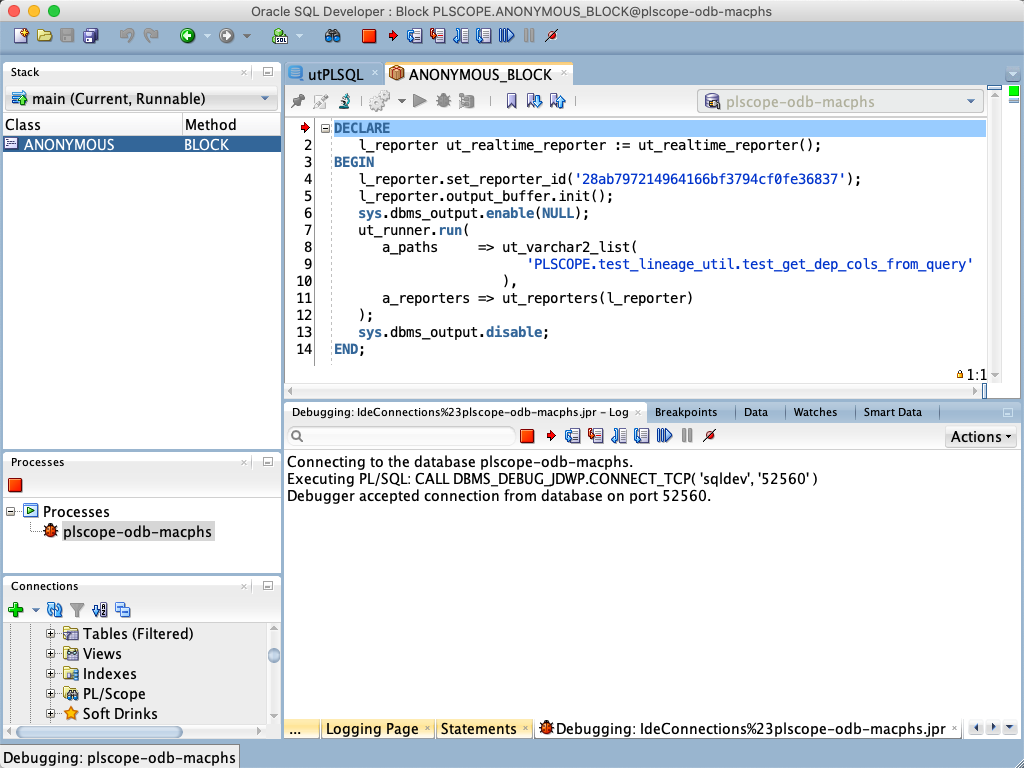
Select the tests to debug, the same way you would if you were just running them, but select `Debug utPLSQL test...` in the context menu.
22
22
23
23
And then the PL/SQL Debugger is called for the generated, anonymous PL/SQL block.
24
24
25
-

25
+
26
26
27
27
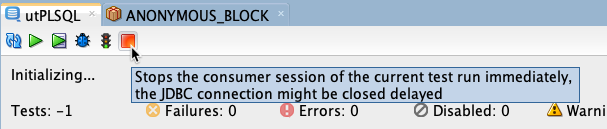
The initialization timeout for the realtime reporter is increased to 1 hour. The overall timeout is left to the default value of 4 hours. So you have enough time to step through the PL/SQL code and analyse it. Press the `Stop` button at any time to cancel the test run.
28
28
29
-

29
+
30
30
31
31
### Code coverage...
32
32
33
33
In the Connections window, select a connection or one or more packages for a code coverage report.
34
34
35
35
In the dialog you can set some parameters. If you run code coverage for a few chosen packages or from the PL/SQL editor the objects to be included are determined according the object dependencies in the Oracle data dictionary.
Select a package, type, function or procedure to build a utPLSQL test package skeleton. The generated package compiles and executes, but still needs some rework.

0 commit comments