Repository navigation
Dropdown "Table" is too small #1965

Description

Details for the issue
What did you do?
Click on Browse data > Table dropdown list
What did you expect to see?
Same sizing as in v3.11.2 or an auto-sized dropdown list:

What did you see instead?

Useful extra information
The info below often helps, please fill it out if you're able to. :)
What operating system are you using?
- Windows: ( version: 10 64bit )
- Linux: ( distro: ___ )
- Mac OS: ( version: ___ )
- Other: ___
What is your DB4S version?
- 3.11.2
- 3.11.1
- 3.10.1
- Other: 3.11.99 (Nightly of 2019-08-11)
Did you also
- Try out the latest nightly version: https://github.com/sqlitebrowser/sqlitebrowser#nightly-builds
- Search for an existing similar issue: https://github.com/sqlitebrowser/sqlitebrowser/issues?utf8=%E2%9C%93&q=is%3Aissue%20
Activity
mgrojo commentedon Aug 12, 2019
It should adjust to the table names. Is there free space at the right end of the toolbar buttons? Another explanation could be that the size calculation is done only with some first elements and it does not reach DBABSCHN. One more: there is a bug in Qt, who calculates a size, which should be enough for DBABSCHN, but the paints it with ellipsis because it wants more margin.
mbraeutigam commentedon Aug 12, 2019
Yes there is plenty of space left. The program window is maximized on the desktop.
That problem seems to be introduced with one of the nightlies.
mgrojo commentedon Aug 12, 2019
Sorry, I don't reproduce it. Can you test with other databases with diferent table names?
mbraeutigam commentedon Aug 12, 2019
That's interesting:
It works and scales the dropdown list as expected.

When creating only a few tables, so that there is no scrollbar inside the dropdown list - everything seems alright:
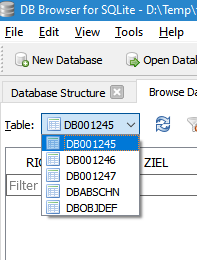
After opening another database in the current application window (File > Open Database) with lots of tables, it will look again like this:
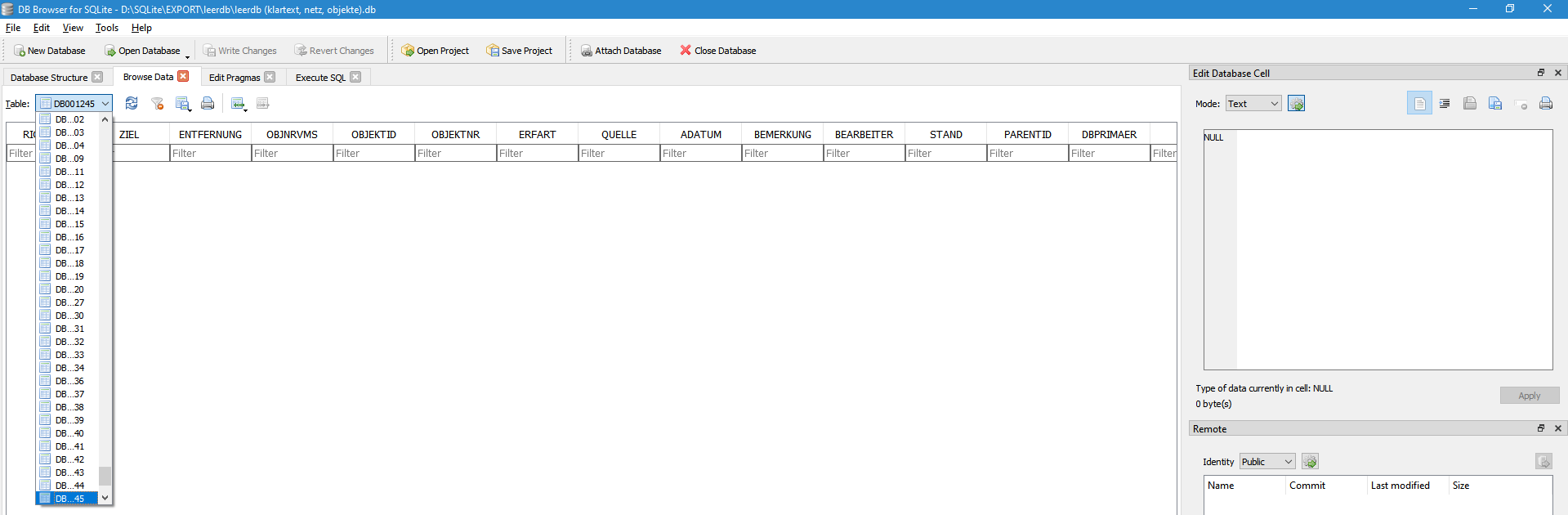
Please have a look at this database, maybe you will get the same weird effect: structures.zip
mbraeutigam commentedon Aug 12, 2019
Maybe another note:
In the last release v3.11.2, the dropdown list had a much bigger startup size and scaled with the window size when resizing, which the ddl in the (latest) nightly doesn't.
Set a minimum size for the Browse Table combo-box
mgrojo commentedon Aug 12, 2019
I tested with your database and it does not behave the same in Linux. The Table dropdown is displayed correctly, but, shockingly, not the Database Structure (it seems a problem related with the great number of tables):
(it happens only in the "Follow desktop" style, not in the "Dark style".)
In any case, I think your case can be improved, but take into account that there are other goals to keep. This change comes from #1684 and #1678. It is needed that the UI displays well in all languages and resolutions. But I think that we can set a bigger minimum width, so the problems, if still present, will only be visible with long table names.
The change will be in the next nightly build. Could you try and report back how good is it?
mbraeutigam commentedon Aug 13, 2019
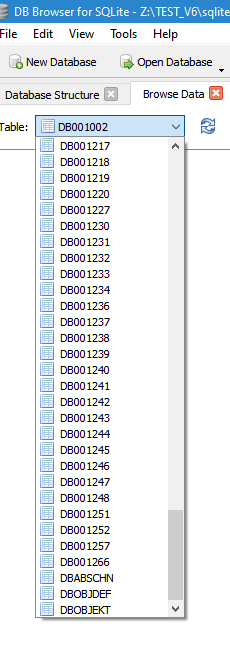
The new minimal size for the dropdown looks good to me.
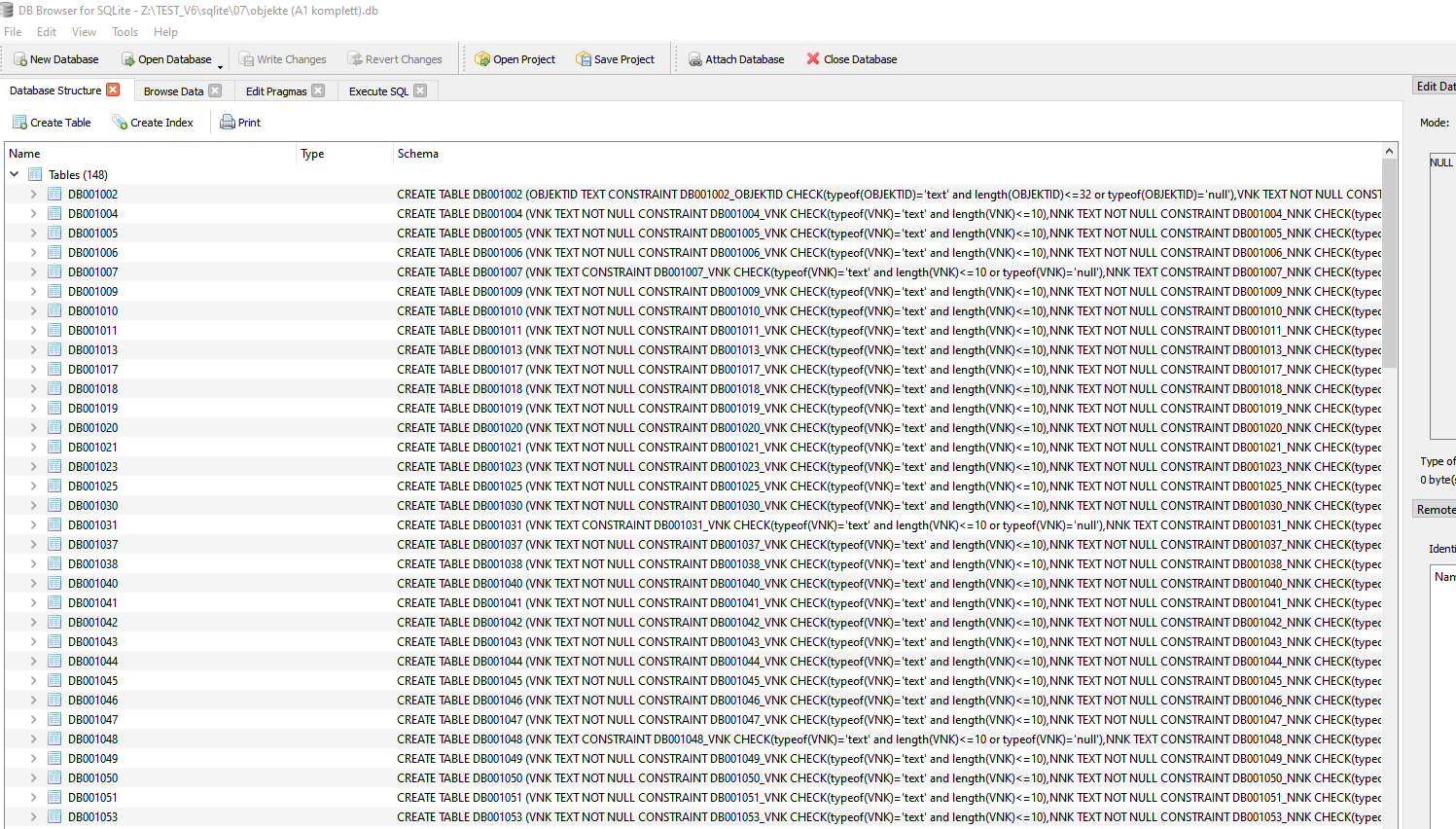
Database structure looks fine in Win10 64bit, too:
mgrojo commentedon Aug 13, 2019
Thanks, @mbraeutigam, we can close this, then. My problem with this database structure is the issue #1001, so I'll comment it there.