In this Shiny app we use the default Bootstrap css provided with Shiny, and we use Firebase's email/password authentication. Additional information available in the blog post.
- download or clone this repository
- Create a Firebase account, and in your new account create a project
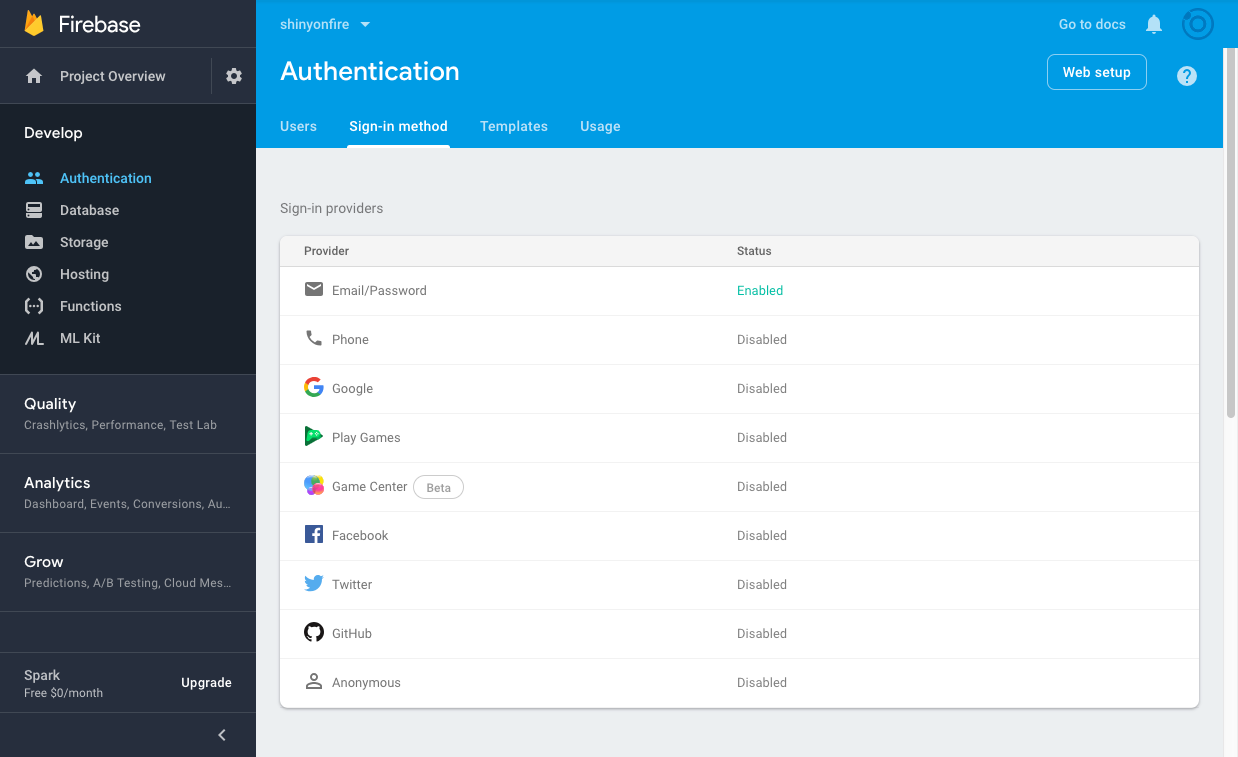
- In your new Firebase project enable the email password authentication provider. This is the screen where you enable authentiation:
- Click the "Web Setup" button (top right in above screenshot) and copy your project's "apiKey", "authDomain", and "projectId" into the object defined in line 3 of the file "www/sof-auth.js"
- Run the Shiny app
This capability has been added to the csv-authorization branch of the repo.
Using this implementation enables authorization for specific users after the e-mail firebase authentication step. The app blocks users which are authenticated but are not authorized, i.e., only users which their e-mail appears in the file authorized_users.csv are allowd to access the app. Unauthorized users will see an error message You are not authorized to use this app (file not-authorized.R in /sof-auth directory).
Edit/add emails to the file authorized_users.csv to authorize users. Note that authorized users will still need to go through the firebase registration process.