🌏 中文版 | English
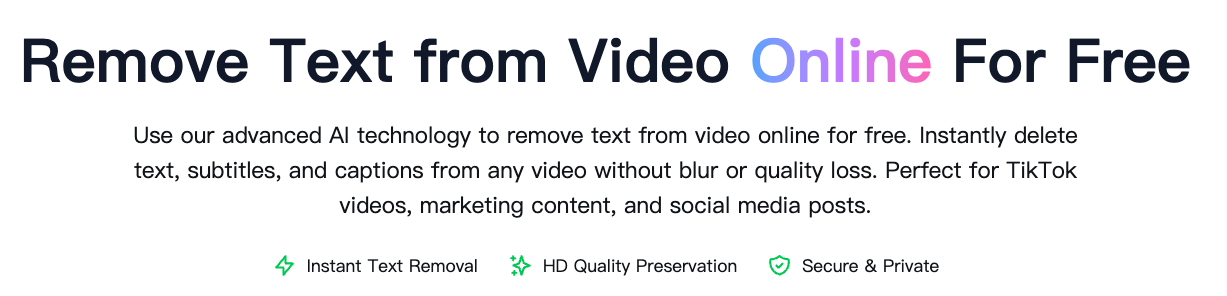
Remove Text from Video is an advanced AI-powered online tool designed to effortlessly remove text, subtitles, captions, and text watermarks from videos. Whether you need to eliminate hardcoded subtitles, remove TikTok text overlays, or clean up promotional text from your videos, our free text remover delivers professional results in minutes.
Our intelligent AI technology automatically detects and removes text from videos while preserving the original video quality and background content. Perfect for content creators, video editors, and anyone looking to create clean, text-free videos without complex editing software.
Try it now: https://sora2watermarkremover.net/remove-text-from-video
- AI-Powered Detection: Automatically identifies and removes text from videos
- Manual Mode Available: Precise control with manual text area selection
- Free to Use: No subscription or hidden fees required
- Fast Processing: Get clean videos in just a few minutes
- HD Quality Preserved: Maintains original video quality up to 1080p
- Privacy Secure: Your videos are encrypted and auto-deleted after 24 hours
- 🤖 Auto Text Detection: AI automatically finds and removes all text in your video
- ✏️ Manual Selection Mode: Draw rectangles to specify exact text areas to remove
- 🎬 Multi-Format Support: Works with MP4, MOV, AVI, and other popular formats
- 📝 Subtitle Removal: Remove hardcoded subtitles and captions
- ⚡ Quick Processing: Most videos processed within 2-5 minutes
- 🔒 Secure & Private: End-to-end encryption protects your content
- 💾 Easy Download: One-click download of processed videos
-
Visit the Website
-
Choose Your Mode
- Auto Mode: AI automatically detects and removes all text
- Manual Mode: Select specific text areas to remove
-
Upload Your Video
- Click "Upload Video" or drag and drop your file
- Supports MP4, MOV, AVI, and other common formats
- Maximum file size: 500MB
-
Mark Text Areas (Manual Mode)
- Use the rectangle tool to mark text positions
- Add multiple rectangles for different text areas
- Adjust selections for precise coverage
-
Process Video
- Click "Start Processing" button
- AI will analyze and remove the text
- Processing time: 2-5 minutes for most videos
-
Download Result
- Preview your text-free video
- Click "Download" to save the result
- Original quality maintained
- Clear Text: Text with clear edges and solid backgrounds is easier to remove
- High Contrast: Text that contrasts with the background produces better results
- Static Text: Fixed-position text is easier to remove than moving text
- Quality Source: Higher input quality leads to better output results
Remove hardcoded foreign language subtitles from videos to add your own localized subtitles or dubbing.
Clean up videos by removing promotional text, timestamps, or platform-specific captions for cross-platform sharing.
Remove distracting text overlays from educational videos to create cleaner learning materials or add updated information.
Remove text from TikTok videos, Instagram Reels, or YouTube Shorts to repurpose content without original captions.
Clean up client footage or stock videos by removing unwanted text elements for presentations and commercial projects.
A: Yes! The basic service is free. Create a free account to access the tool with complimentary processing credits.
A: Most videos are processed within 2-5 minutes. Longer or more complex videos may take 10-15 minutes.
A: Yes, our AI works with most video types. However, results are best with clear, static text on solid backgrounds.
A: No. We preserve the original video quality while removing text. You can expect HD output up to 1080p.
A: Auto mode uses AI to automatically detect and remove all text. Manual mode lets you precisely select which text areas to remove, giving you more control.
A: Yes, but static text produces better results. Moving or animated text may require manual mode for optimal results.
A: We support all popular formats including MP4, MOV, AVI, MKV, WMV, and more.
A: Absolutely. All uploads are encrypted, securely processed, and automatically deleted from our servers after 24 hours.
A: Yes, processed videos can be used commercially. Ensure you have legal rights to edit and use the source videos.
- Official Website: https://sora2watermarkremover.net/remove-text-from-video
- Related Tools:
Built with cutting-edge AI and computer vision:
- Advanced OCR (Optical Character Recognition)
- Deep learning text detection models
- Intelligent video inpainting algorithms
- Cloud-based processing infrastructure
This tool is provided as a free online service. For terms of use, please visit our website.
Keywords: remove text from video, text remover from video, how to remove text from video, remove text from video online free, ai remove text from video, remove text from tiktok video, remove text from video ai free, text removal from video
Made with ❤️ for content creators worldwide