



SDR-RPC is an SDRSharp plugin that adds Discord RPC feature in it
- 🎛Enable / Disable
- ✏Showing frequency, play state and RDS almost in realtime
- 🔌Most of the code is made asynchronous
- 📖Logging for troubleshooting problems
- 🔨Easy to install
📽Video:
📽Video:
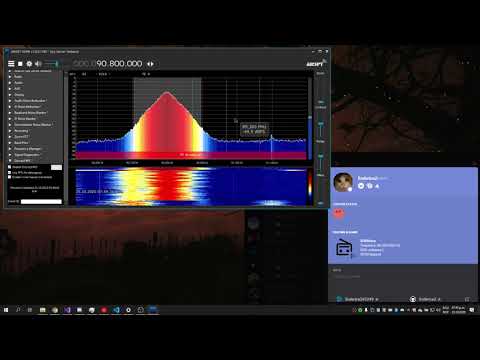
- You need to download this stuff before compiling:
- Visual Studio 2019
- .NET 4.6
- SDRSharp Plugin SDK
- SDRSharp.Common.dll
- SDRSharp.PanView.dll
- SDRSharp.Radio.dll
- Click "Code" and select "Open with Visual Studio" or "Download ZIP"

- If you downloaded as ZIP, unzip the archive and double click on "SDRSharpPlugin.DiscordRPC.sln"
- Build it and move files to SDR# location (if the compile fails try copying Reference files into /bin/Debug or /bin/Release folder)
- Go to https://discord.com/developers/applications and create your own application
- Name it "SDRSharp" or something similar

- Go to Rich Presence > Rich Presence Assets and add your own images with these names:

- Go back to General Information and copy Client ID

- Paste the Client ID you copied earlier in plugin textbox from SDRSharp and press the ENTER key

- Restart the SDRSharp and it should be changed with your custom images
- Invite people to get Spy Server Address or connecting via voice chat system to listen and having the ability to change the frequency
- Change Settings Panel to match SDR# theme
- Show "Listening" instead of "Playing"