Code written by Tenzin Sangpo Choedon, Summer 2024
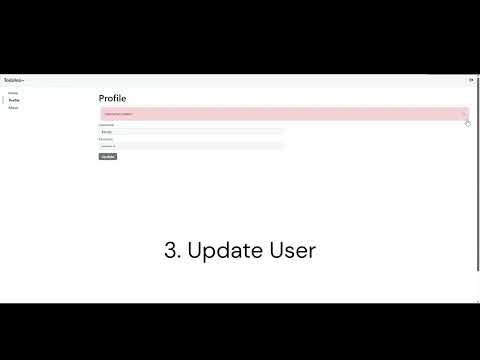
This simple fullstack webapplication has a login, logout, sign-up, profile and home page with menu options. The original vision of this website is to create a fully functional todo-list, integrated with a calendar. Therefore, the database design includes tables for lists, tasks and planned tasks in the calendar. However, the focus shifted to understanding how to utilize and apply the technologies for frontend and backend through Spring Boot and React TypeScript, respectively. Thus, the scope was limited to authentication and home pages. The current fuctionalities includes all CRUD operations for a user instance, which is applied on the postgresSQL database in the docker container.
root/
├── backend/ # Spring boot Maven-based backend
│ ├── demo/
│ │ ├── src/main/
│ │ │ ├── java/com/example/demo
│ │ │ │ ├── user/ # User class, configurations, controller, respository and service layer files
│ │ │ │ └── DemoApplication.java
│ │ │ └── resources/applications.properties
│ │ └── Dockerfile
├── frontend/ # React Vite-based frontend
│ ├── src/
│ │ ├── assets/
│ │ ├── components/ # Reusable typescript components
│ │ ├── pages/ # Typescript pages
│ │ ├── styles/ # CSS styles
│ │ ├── App.css
│ │ ├── App.tsx
│ │ ├── UserContext.tsx
│ │ └── main.tsx
│ ├── index.html
│ └── Dockerfile
├── docs/
│ ├── database-design.png
│ ├── demo.mp4
│ └── Requirements.pdf
├── docker-compose.yml # Multi-container Docker applications (fronent, backend, db)
├── README.md
└── .gitignore
Docker
- Download docker (ubuntu):
sudo apt update
sudo apt install -y docker.io
- Run the application through Docker
docker-compose up --build
- Database (PostgreSQL) runs in docker container locally
- Frontend (React Typescript Vite-based app) runs on port 5173
- Backend (Spring Boot Maven-based app) runs on port 8080
- Test the webapplication on the browser
http://localhost:5173/
http://localhost:8080/api/v1/user
📄 View the frontend design in Figma