Content is truncated if Panel component is used with multiple columns #653


Description

Hey there, I'm using Retype v3.5.0 and I believe I've stumbled upon a minor issue with the Panel component.
When placing two or more columns within a panel and writing more content inside the other columns compared to the first, switching to the other columns results in the content being cut off. The content is only displayed correctly if you collapse and expand the panel again by clicking on its title.
I've replicated the issue with the following example:
==- Panel
+++ Column 1
- Test
- ABC
- 123
- aaaa

+++ Column 2
This \
is \
js \
code
```js
const msg = "Hello, world";

console.log(msg);
```
+++
===
Here's how it appears for me initially:
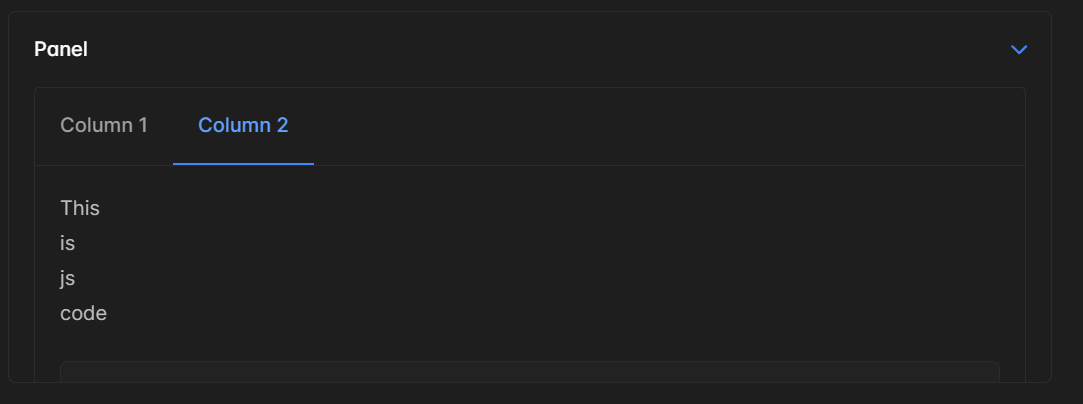
If you collapse and expand the panel, the problem is fixed but it's temporary.