| id | Web-APIs | |||||||
|---|---|---|---|---|---|---|---|---|
| title | Client-side Web APIs | |||||||
| sidebar_label | Web APIs | |||||||
| sidebar_position | 30 | |||||||
| tags |
|
|||||||
| description | this tutorial shows how to create a web apis for clients and how to use it with example of audio APIs. |
Web APIs are a powerful feature in modern web development that allow developers to perform complex tasks with simpler syntax. This guide provides an overview of what APIs are, how they work, their uses, and how to use them in your code.
A basic understanding of HTML, CSS, and JavaScript basics (see first steps, building blocks, JavaScript objects).
To gain familiarity with APIs, understand their capabilities, and learn how to integrate them into your code.
Application Programming Interfaces (APIs) are constructs provided in programming languages that allow developers to create complex functionality more easily. They abstract complex code away from the developer, providing simpler syntax to achieve the same tasks.
Real-world Example: Think of the electricity supply in your house. To use an appliance, you plug it into a socket instead of wiring it directly to the power supply. Similarly, APIs provide a higher-level interface to interact with complex systems.
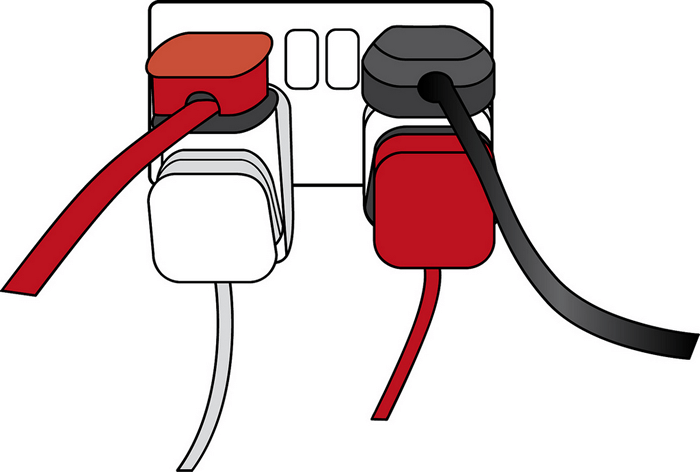
If you want to program 3D graphics, it's easier to use an API written in a high-level language like JavaScript rather than directly writing low-level code that controls the computer's GPU.
Client-side JavaScript has many APIs available that are built on top of the core JavaScript language, providing extra functionality.
These are built into your web browser and can expose data from the browser and the computer environment. For example, the Web Audio API allows you to manipulate audio in the browser.
These are not built into the browser by default and usually need to be retrieved from the web. For example, the Google Maps API allows you to display interactive maps on your website.
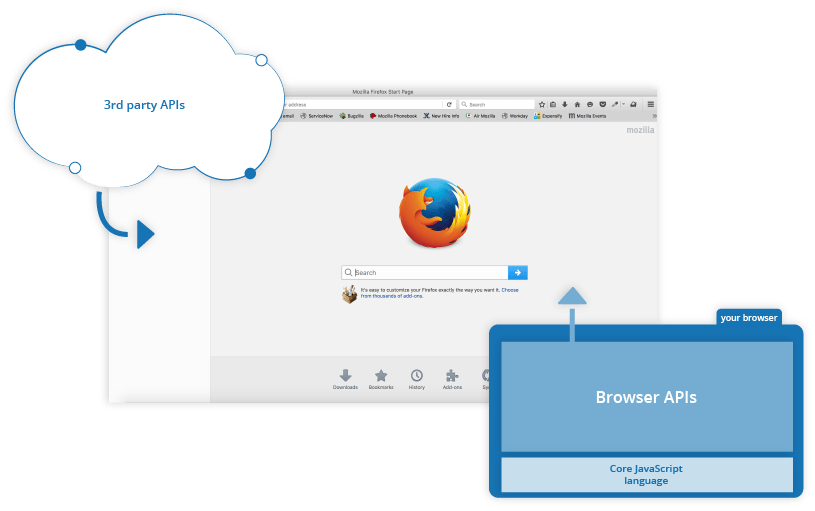
A high-level scripting language built into browsers for implementing functionality on web pages/apps. JavaScript is also available in other environments, such as Node.js.
Constructs built into the browser that allow for easier implementation of functionality.
Constructs built into third-party platforms (e.g., Facebook) that allow you to use some of their functionality in your web pages.
JavaScript files containing custom functions to speed up or enable writing common functionality (e.g., jQuery, React).
Packages of HTML, CSS, JavaScript, and other technologies for writing entire web applications (e.g., Angular, Ember). Frameworks differ from libraries in that they call the developer's code, whereas developers call library methods.
There are many APIs available in modern browsers for various tasks. Common categories include:
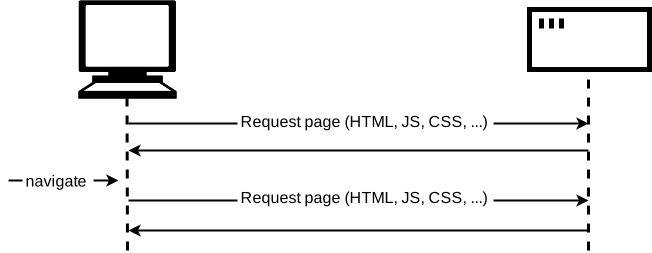
APIs like the DOM (Document Object Model) allow manipulation of HTML and CSS, creating dynamic web pages.
APIs like the Fetch API and XMLHttpRequest allow fetching data from servers to update parts of a webpage without reloading the entire page.
APIs like Canvas and WebGL allow creating 2D and 3D graphics programmatically.
APIs like HTMLMediaElement, Web Audio API, and WebRTC allow manipulation of multimedia, such as playing audio and video or handling web conferencing.
APIs like Geolocation allow interaction with device hardware, such as accessing the GPS.
APIs like Web Storage and IndexedDB allow storing data on the client-side for offline functionality.
- Map APIs: Google Maps API, Mapquest
- Social Media APIs: Facebook API, Twitter API, Telegram API
- Video and Audio APIs: YouTube API, Twilio API
- Commenting Systems: Disqus API
- Automation APIs: IFTTT API
APIs are typically based on JavaScript objects, which serve as containers for the data and functionality the API provides.
APIs often use events to handle changes in state. Event handlers can be used to execute code in response to these events.
Example: Web Audio API
const AudioContext = window.AudioContext || window.webkitAudioContext;
const audioCtx = new AudioContext();

const audioElement = document.querySelector("audio");
const playBtn = document.querySelector("button");
const volumeSlider = document.querySelector(".volume");

const audioSource = audioCtx.createMediaElementSource(audioElement);

playBtn.addEventListener("click", () => {
  if (audioCtx.state === "suspended") {
    audioCtx.resume();
  }

  if (playBtn.getAttribute("class") === "paused") {
    audioElement.play();
    playBtn.setAttribute("class", "playing");
    playBtn.textContent = "Pause";
  } else if (playBtn.getAttribute("class") === "playing") {
    audioElement.pause();
    playBtn.setAttribute("class", "paused");
    playBtn.textContent = "Play";
  }
});

audioElement.addEventListener("ended", () => {
  playBtn.setAttribute("class", "paused");
  playBtn.textContent = "Play";
});You should now have a good understanding of what APIs are, how they work, and how to use them in your JavaScript code. You can now explore specific APIs and start integrating them into your projects. Next, we'll look at manipulating documents with the Document Object Model (DOM).