RF Capture Decoding Guide
Previous Page RF Capture Guide
Next Page Exporting To Video Files
Software decoding simply is just doing what was done on dedicated components, then on dedicated IC's and finally on FPGAs and all in one IC's, its not magic and its not black box hardware either its entirely software emulating the ability's of hardware with an order of magnitude more flexibility.
Do you need to know about programming?
No.
Do you need to know how to use basic command systems on a computer.
Yes.
Do you need to have a basic understanding of a VCR does and what a TBC does?
Yes.
It makes life easier and decoding a thoughtless copy-paste clean, new tape, clean, hit enter and decode workflow after hardware hook-up.
Decoding can be broken into 3 types.
FM Modulated Colour-Under / FM Modulated CVBS / RAW Baseband Composite / CVBS
Composite/CVBS Sources are always 1 CVBS .tbc file.
Colour-Under formats are 2 .tbc files an S-Video (Y+C) TBC Pair.
VHS, SVHS, Betamax, Umatic, Umatic SP, EIAJ, Video8, Hi8, Philips VCR, Video2000 - Colour Under
SMPTE-A, SMPTE-B, SMPTE-C, 2" Quadruplex, LaserDisc - Composite Modulated
Betacam, Betacam SP, W-VHS - Duel Channel Component (Support not yet implemented)
LaserDisc HDVS, Hi-Vision are MUSE system that we need more samples of baseband and direct RF really.
vhs-decode (tape decoding) creates a 4fsc sampled Composite .tbc or S-Video .tbc & _chroma.tbc file pair Y/C or S-Video style.
This 4fsc file allows inspection or dedicated selection of what channels are used in video export if the Luma or Y channel has something usable but the colour is so bad as to destroy the image you can just export the luma data for example before its combined with colour information to make a standard colourised video frame.
ld-decode (LaserDisc Decoding) produces only a Composite .tbc and .pcm for stereo/mono analogue audio.
.efm Produced by ld-decode for digital data.
Audio data is decoded to .dts or .ac3 with ld-efm-decoder, but there can also be outher data such as in the case of the Domesday 86 discs.
cvbs-decode (RAW Composite decoding) produces only a Composite .tbc it basically just re-samples and TBC's the input file as its not actually "decoding" the signal to anything just cleaning and reformatting it to decode standard .tbc for use with the toolchain.
Note
All 3 decoders produce a critical .log & .json metadata file that contains format, SNR, Timecode, TV System and more it should always be saved.
Tip
During decoding, ld-analyse can be used to view the state of progress visually and to see the current statistics data of your decode such as bSNR (black signal to noise ratio) values.
After inital decoding, the black & white video levels & chroma decoder settings can be adjusted inside of ld-analyse.
Caution
chroma-decoder settings are not saved into the metadata, these values will have to be manually set on tbc-video-export or ld-chroma-decoder.
The main thing users needs to check and adjust is the horizontal output adjustment i.g where the left and right start/end of the active image area from the decoded .tbc files begins allowing you to correct left/right bias offsets which is very common on tape or some CVBS sources.
So your final chroma-decoded and encoded video file is nice and properly centred, this "centering" metadata is then passed to the export end of things.
Linear audio in FLAC or WAV PCM format assumed captured from a clockgen or MISRC setup should only require passing to auto audio align after the video decoding has finished so it can be re-timed to the decoded picture frames and not have any synchronisation issues.
HiFi-Decode decodes your FM RF HiFi audio captures to a PCM sampled audio stream it can be direct PCM .wav files or 2:1 compressed with FLAC so a .flac with 48khz 24-bit default for the sampling.
RTLSDR-Decode is a real-time GNURadio based decoder/encode script that creates a 8msps .u8 RF file, a 48khz .flac audio file and decodes the signal live with a 1-3sec delay, this is more useful as a probe testing tool to find and test HiFi signal test points then it is as a capture method. this is due to the issue of not using a shared clock source with the video capture, it will not have a common time base to use for off-set calculations.
The final export is mainly automated with tbc-video-export it will use said adjusted values applyed to the metadata with ld-analyse associated with the input .tbc when generating your final video file.
Chroma-Decoder can use around 20GB+ of system memory (RAM) with FFmpeg if a high thread queue size is used.
The decoders are CPU bound and will use normally less then 500MB of ram, and up to 4~6 threads, the bias is for single core & cache speed.
There are 4 decoders & 1 tool are bundled inside vhs-decode repository and binary versions, please familierise yourself with the call command for your installation type.
-
TV System i.g
--system palorntsc,palm,ntscj(PAL-M - Brazil / NTSC-J - Japan),MESECAM(Consumer recorded SECAM) -
Input Sample Rate
-for--frequencythis is the sampling rate of your RF capture file. (40msps is the assumed/internal rate-f 40) -
Input file & Out file Name.
-
Tape Format i.g
--tape_format VHSorSVHS,UMATIC,UMATIC_HI,Hi8,Video8,BETAMAX,BETAMAX_HIFI,EIAJ,TYPEC,VCR. -
Tape Speed i.g
--tape_speed LPorSPorELPthis can make a large difference on some tapes so it is always good to note and use the correct speed config orSPwill be assumed.
Note
HiFi-Decode only has NTSC/PAL speed rates (VHS & 8mm), and only a single 8mm mode for Video8/Hi8.
Ctrl+C Will kill the current process, use this to stop the decode manually.
Press Ctrl+C to copy then Ctrl+P to past the command use <+> to move edit position on the command line to edit the name or command and Enter to run the command.
There is 2 ways to write commands, long hand and short hand such as
-
--tape_format&--tfor-f&--frequency
Each version is documented together in the command list master doc.
--debug for a slight speed hit gives more logging and better error reporting.
Example Long: vhs-decode --debug --tape_format vhs --frequency 40 --system pal --ire0_adjust --recheck_phase --threads 4 --recheck_phase my-tape.u8 my-tape-decoded
Example Short: decode.exe vhs --debug -p -t 4 --tf vhs -f 40 --ire0_adjust --recheck_phase --recheck_phase my-tape.u8 my-tape-decoded
Important
NTSC AC3 Audio discs need --AC3 enabled to decode that data to a .efm.
ld-process-efm also needs a dedicated flag but for DTS audio, but AC3 is automatic as its flagged on the initial decode.
Example Long: ld-decode --system pal --threads 4 DdD_8.5_Gain.ldf First_Decoded_LD
Example Short: decode.exe ld -p -t 4 DdD_8.5_Gain.ldf First_Decoded_LD
EFM Decoder `ld-process-efm First_Decoded_LD.efm
CVBS-Decode, decodes raw RF captured composite signals, you capture the normal composite video signal out of a device, in raw RF values then save it to file.
Warning
-A - Automatic is mandatory for decoding ot work currently.
Example Long: cvbs-decode --debug --threads 4 --system pal -A --frequency 40 CX_White_Level_0db_6db_off.flac CX_Blue_Level_0db_6db_off_CXADC
Example Short: decode.exe cvbs --debug -t 4 -p -A -f 40 CX_Blue_Level_0db_6db_off.flac CX_White_Level_0db_6db_off
You have full control over the baseband processing, fine control over how colour is processed with virtual vector scope and scan-line oscilloscope with the chroma-decoder in ld-analyse, you have a full 625/525 lines of image information to work with.
HiFi-Decode provides the FM audio decoding for VHS, SVHS, BetaMax, Video8, Hi8
A single command decoder for HiFi RF to make playable FLAC files
Example Long: HiFi-decode --system pal -t 8 --audio_rate 48000 HiFi_Capture_40msps.s16 Tape-name_HiFi_Decode.flac
Example Short: decode.exe hifi -p -t 8 --audio_rate 48000 HiFi_Capture_40msps.s16 Tape-name_HiFi_Decode.flac
Warning
Unlike video decoding, hifi-decode has full multi-threading support
Primitive version of HiFi-Decode using a GNURadio script, open GNUradio load script, set output names, plug and play an RTLSDR device, hit run.
Ideal for testing HiFi tap points or tracking/physical calibration, and capture for DdD users.
Warning
This will require manual sync alinement, not recommended for full captures without a reference capture.
Note
This tool is only useful for 8mm single cahnnel captures and outher formats if they have Video & HiFi captured via shared clock source i.g MISRC, CX Card Clockgen Mod etc.
Auto Audio Align can be used to sync audio based on your json metadata, if the audio is captured in sync.
AAA takes your following files:
tbc-media.json / HiFi-Decode-48khz.wav / Linear-Baseband.wav
Then trims the files based off missing fields/frames in the video based off logged frame information inside your .JSON file produced by the video decoders.
These are the warning and automatic notes you will see genarated during the decoding process.
File Frame 1234: VHS
File Frame 1235: VHS
Vsync arbitrage failed (vsyncserration.py:363)
WARNING - Unexpected vsync arbitrage
→ Clean heads, adjust tracking.
Field drop (core.py:2214, field.py:1327)
ERROR - Unable to determine start of field - dropping field
→ RF dropout or tape deadspace, field lost (~16.7ms NTSC / 20ms PAL)
Missing field detected
ERROR - Possibly skipped field (Two fields with same isFirstField in a row),
        duplicating the last field to compensate...
→ Gap detected, duplicate previous field
Overlapping fields
ERROR - Possibly skipped field (Two fields with same isFirstField in a row),
        dropping the last field to compensate...
→ Remove duplicate field
Progressive content
ERROR - Detected progressive video content..., manually flipping the field
        order to compensate
→ 240p or 288p frames detected (3+ same-order fields)
The following commands are your key commands for speeding things up with vhs-decode.
--no_resample for example can speed up tape decodes drastically for non 40msps captures i.e 20msps as it skips internal re-sampling to 40msps.
--level_detect_divisor Currently, 1-6 value, 1 every sample, 2 every other sample and so on, changes vsync serration code only use every nth sample when determining sync/blank levels higher value lower accuracy. - set to 6 for speed.
--use_saved_levels Experimental Skips doing most of the level detect code on each frame and only does it at the start or if there are issues detecting syncs. Provides a speedup in decoding and seems to work okay on captures that only have one single recording of media.
Tip
Always backup your .json file by making a quick zip/rar archive after decoding and processing.
Vertical Blanking Interval Data.
| VBI Data Type | Support Level | Workflow Support Level |
|---|---|---|
| CC - Closed Captions | Supported | Export Supported |
| VITC - Vertical Interval Timecode | Supported | Export Supported |
| WSS - Wide Screen Signalling | Not Supported | Manually Supported |
| VITS - Vertical Interval Test Signals | Supported | |
| Teletext | Supported | Supported by 3rd party |
| XDS - Extended Data Services | Basic Support | |
| VIDEO ID (IEC 61880) | Supported | |
| 40-bit FM Codes (LaserDisc) | Supported | |
| Philips Codes "White Flags" | Supported |
Note
VITC timecode does not yet have full data stream embedded into video files, nor chapter marking based off resets.
There is 3 tools for processing VBI data currently:
There is VHS-Teletext for decoding Teletext data.
The Standard VBI Processor
ld-process-vbi input.tbc
The Test Signals VBI Processor
ld-prcoess-vits input.tbc
This data is decoded and stored in the updated .json file.
TBC-Video-Export automatically runs vbi processing and embeds the .json into mkv files for safety.
Your available frames will update as the data is written to the JSON file during decoding.
You can open it as a standard GUI application or call it with ld-analyse in the terminal.

There is 2 ways to assess the quality of a decode.

(Open window & screenshot it currently)
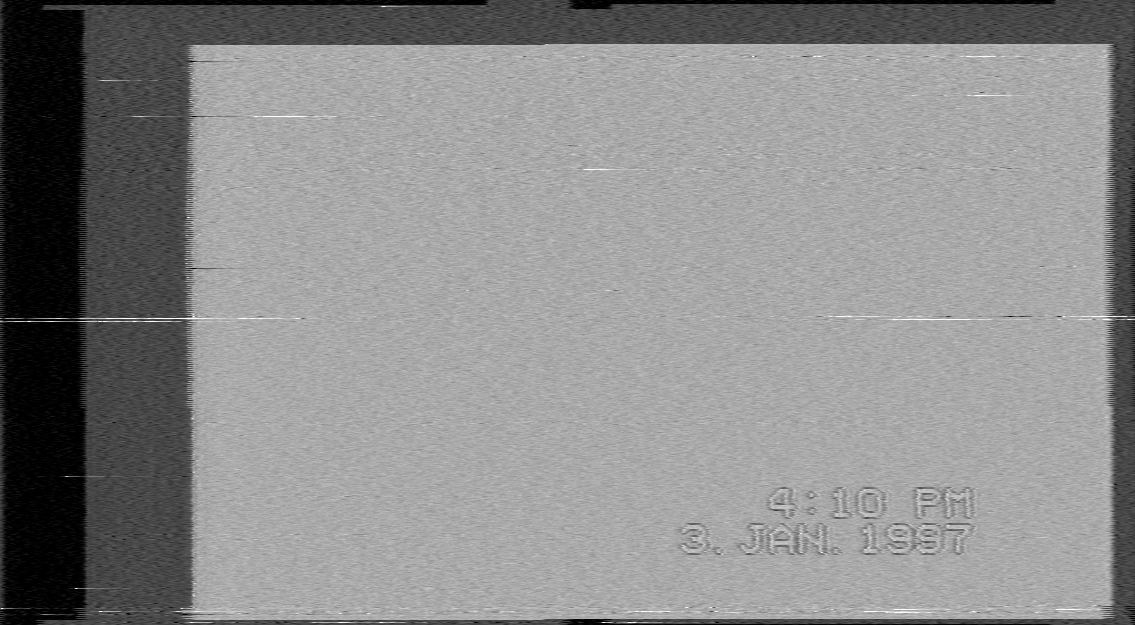
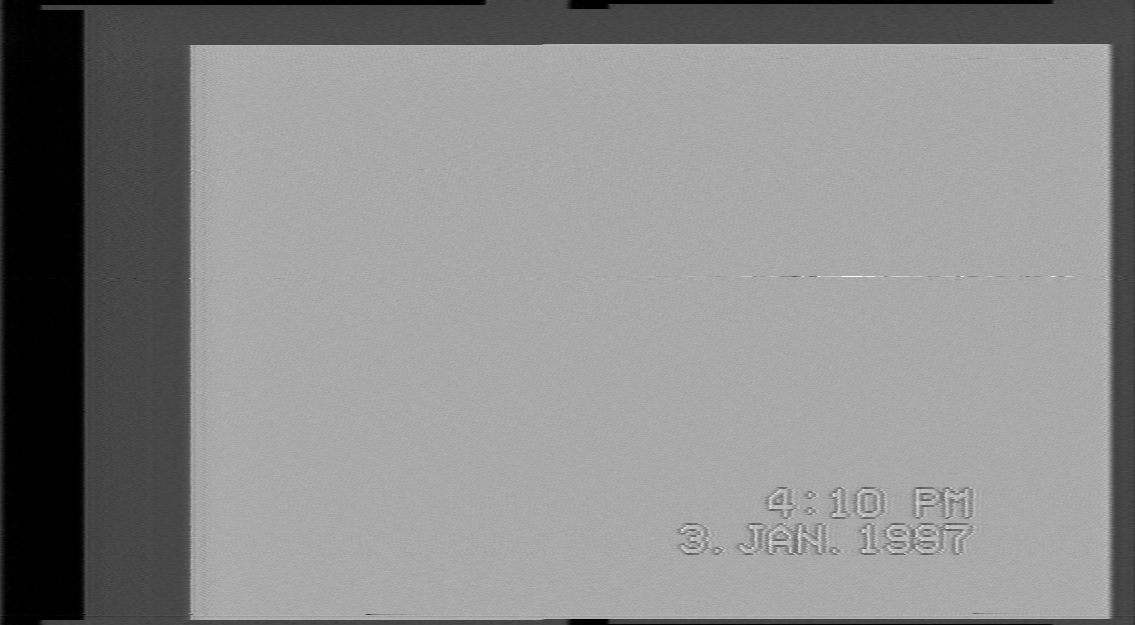
Visually you can tell how noisy the signal is by how black the VBI space is if its a clear grey colour this means a high SNR.
LaserDiscs will normally have a curve to the graph ware as tape will mostly be level per each recorded segment.
Sudden dips in the graph are ware there are dropouts, interference or weak signal.
60~70 dB - Live Composite
40~50 dB - Great Signal
30~40 dB - Good Signal
20~30 dB - Weak Signal
10~20 dB - Poor Signal
Caution
The SNR measurement is relative and can be highly affected by format, and is only sampled based off a single line in the VBI space as its code is still from ld-decode directy and does not avarage the whole black area of the VBI and or sync signal spaces.
(Open window & screenshot it currently)

Visual Video Errors Doc / VBI Data Identification Doc
Very Bad Signal Example
Normal Good Signal Example
Note
This example contains a dropout.
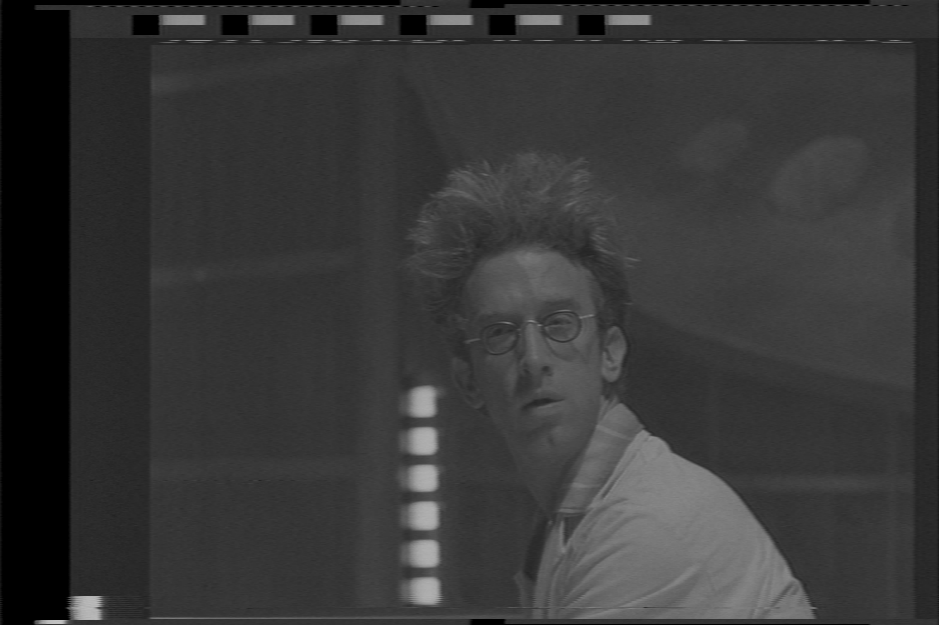
Clean Macrovision Example
As ld-analyse reads the .tbc & _chroma.tbc (& JSON) files and combines them together in real-time with the ld-chroma-decoder this allows you to play with different chroma decoders and filtering settings on a basic level.
With ld-analyse can adjust JSON metadata alongside reading it, you can ignore this step however it is useful to learn to make better finer adjusted exports.
- PAL Transform 2D & Simple PAL 2D for Tape
- PAL Transform 3D for CVBS sources for example.
This is to the same effect as SoX combining commands on some media consider it good enough for checking but make a short video export with tbc-video-export --length 300 input-tbc-name script to see the real media result.
-
Black Level Adjust
-
White Level Adjust
You can adjust these sliders and save an updated .json with these values that the tbc-video-export tool will read.
You can manually set the 16:9 Flag for widescreen content (iswidescreen inside the .json)

ld-analyse-re-framing-active-image-area.mp4
Note
Final output will be determined by fully running the chroma-decoder so run a 10sec test export.
For media with test bar signals you can select 75% or 100% bars you can adjust your image with the chroma-decoder.

| EBU 75% Colour Bars | EBU 100% Colour Bars | SMPTE 75% Color Bars | SMPTE 100% HDTV Color Bars |
|---|---|---|---|
 |
 |
 |
 |


-
Chroma Gain (Intensity)
-
Chroma Phase (Hue Control)
-
Luma Noise Reduction (PAL/NTSC)
-
Chroma Noise Reduction (NTSC Only)
FM Audio decoding has been normal for decades if you ever have used a car you know it has a radio and it picks up and decodes FM audio signals from local stations.
HiFi decode allows you to have full control over the de-modulation and noise filtering process this can remove and improve on sound quality drastically in some cases and or save you money if you don't have the best amplifiers or a decent audio interface capture solution, if you have good hearing you will notice the difference quickly with even 15USD Behringer ''studio'' headphones.
You can use an cheep RTLSDR or the DdD & CX Cards for HiFi capture, it does not require very high bandwidth.
Linear Audio will have to be captured via standard ADC solutions, such as the clockgen mod.
As decent quality conventional capture workflow hardware is mandatory on the linear audio front, this can range from an GV2-USB to an Blackmagic Analog to SDI setup or Zoom F3 field recorders for example, but modern 24-bit ADCs in basic recorders are very affordable and higher SNR then linear tape audio in most cases.
Previous Page RF Capture Guide
Next Page Video Export Guide
- FAQ - Frequently Asked Questions
- Diagram Breakdowns
- Visual-Comparisons
- VCR Reports / RF Tap Examples
- Download & Contribute Data
- Speed Testing


- Capture Setup Guide
- MISRC
- CX Cards & CXADC
- CX Cards - Clockgen Mod
- DdD - Domesday Duplicator
- RTL-SDR
- Hardware Installation Guide
- Finding RF Tap Locations
- Amplifier Setup Guide
- The Tap List Example VCR's
- Visual VBI Data Guide
- Closed Captioning
- Teletext
- WSS Wide - Screen Signalling
- VITC Timecode
- VITS Signals
- XDS Data (PBS)
- Video ID IEC 61880
- Auto Audio Align
- Vapoursynth TBC Median Stacking Guide
- Ruxpin-Decode & TV Teddy Tapes
- Tony's GNU Radio For Dummies Guide
- Tony's GNU Radio Scripts
- DomesDay Duplicator Utilities
- ld-decode Utilities