Repository navigation
How to set the *.argfile encoding type ? #1112

Description

[provide a description of the issue]
Environment
- Operating System:
- JDK version:
- Visual Studio Code version:
- Java extension version:
- Java Debugger extension version:
Steps To Reproduce
- .vscode/settings.ison as follows:
"[java]": {
"files.encoding": "utf8"
},
The command line is shown below:
java @*.argfile com.example.demo.MainApp
错误: 无法初始化主类 com.example.demo.MainApp
原因: java.lang.NoClassDefFoundError: org/springframework/context/ApplicationContext - The encoding of the file *.argfile is utf-8 ,java couldn't identify it correctly
- I want to set the encoding of the file to GBK ,what should I do ?
The following settings are not valid:
"[bat]": {
"files.encoding": "gbk"
},
"files.associations": {
"*.argfile": "bat"
}
[attach a sample project reproducing the error]
attach logs
Activity
aewnfin commentedon Jan 20, 2022
My maven repository contains Chinese path "D:\备份\LocalRepository\apache-maven"
testforstephen commentedon Jan 21, 2022
*.argfile is auto generated by Java debugger, you cannot change its encoding through settings.json.
From my experiment, it seems the encoding of *.argfile is not important. On Windows, I add Chinese string to the classpath, then run the app with *.argfile, it works well for me.Based on my experience, if you want to use Chinese file path or input/output Chinese characters in Java, the best way is to change your current system locale to Chinese.
Update:

The program will report "java.lang.NoClassDefFoundError" if it accesses the class from the Chinese classpath.
testforstephen commentedon Jan 21, 2022
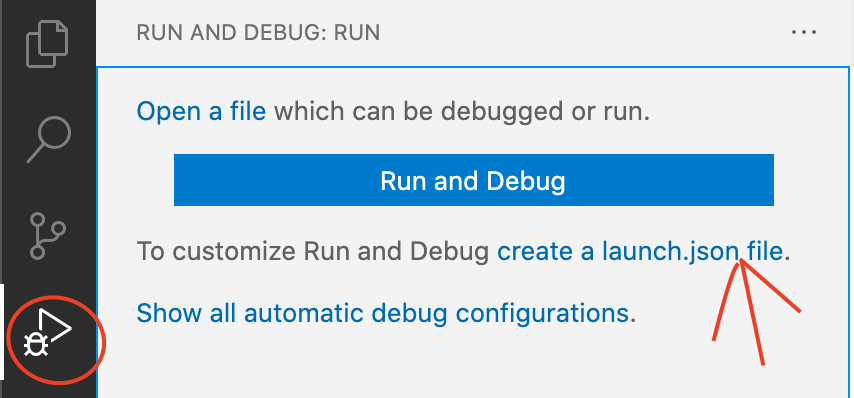
Current workaround is to disable *.argfile. Go to .vscode/launch.json, change the launch setting to
"shortenCommandLine": "none".If launch.json doesn't exist, use the following approach to generate one first.