Repository navigation
Tiles seem to overlap in zoomed out hexbin #7841

Description

When looking at a zoomed out hexbin plot, the tiles seem to overlap, with the right-most tiles lying on top of the left-most tiles. This is present on master (see http://matplotlib.org/devdocs/_images/hexbin_demo.png), and here is an example (it helps to zoom into the .png image):

Reacted by Andreas Mueller
Metadata
Metadata
Assignees
Labels
No labels
Activity
tacaswell commentedon Jan 16, 2017
This also happen in 2.0.0rc2
http://matplotlib.org/2.0.0rc2/_images/hexbin_demo.png
However this is not a regression, it has been like this for a long time: http://matplotlib.org/1.2.1/_images/hexbin_demo.png
efiring commentedon Jan 16, 2017
This is the ever-present problem of filling adjacent patches--the same as the problems with contourf. If the edges are not stroked at all, there are light artifacts. If the edges are stroked, as has always been the choice in hexbin, then the patches overlap, which is what is we see here. Turning anti-aliasing on or off modifies the artifacts, and their behavior also changes depending on alpha, but the upshot is that we have never found a solution for this problem. It seems to be a general problem with renderers. For hexbin, using a thin edgewidth helps.
anntzer commentedon Jun 29, 2017
https://lists.cairographics.org/archives/cairo/2007-July/011098.html may be relevant (to explain the issue, not to solve it).
anntzer commentedon Jul 10, 2017
It may be possible to fix this issue by drawing the hexbin as a quadmesh rather than a polycollection.
efiring commentedon Jul 10, 2017
I don't think so. First, hexagons are not quadrilaterals. Second, the quadmesh is not immune to the adjacent patch rendering problems.
anntzer commentedon Jul 10, 2017
efiring commentedon Jul 10, 2017
efiring commentedon Jul 10, 2017
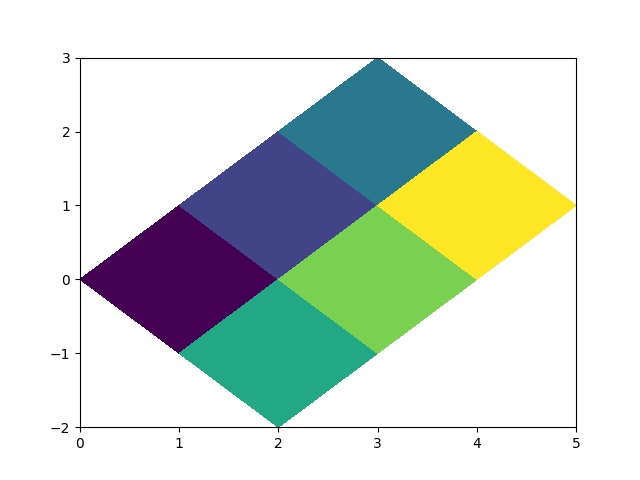
It seems there is an inaccuracy in agg quadmesh, though:
All of the corners are slightly chopped off, with the top corner being the most obvious.
QuLogic commentedon Mar 4, 2023
Closing as duplicate of #1188.