Repository navigation
[Bug]: Crashes trying to use QtAgg backend #23131
Description

Bug summary
I tried doing pip install pyside6 and using matplotlib and a chart window appears, but just hangs.
Code for reproduction
import matplotlib as mpl
import matplotlib.pyplot as plt

mpl.use('QtAgg') # 'QT5Agg' also fails, 'TkAgg' works.

plt.plot([1, 2, 3, 2, 3, 4])

plt.show()
Actual outcome
Chart window opens and hangs.

Expected outcome
Should work the same as when the backend is TkAgg.
Additional information
I'm running the code in IntelliJ and everything worked fine before I installed Qt.
I'm a newbie and a bit confused as to what exactly I need to do to use Qt as a backend. Note that I'm just exploring/learning, I don't have a reason to want to use Qt over Tk or anything else.
I've read this page on Qt bindings (the text on this page doesn't show up in the actual docs)
And also saw #19255 that seems to add support and was merged and I'm using a later version 3.5.2.
And I've read this page in the docs and it seems to imply (but not say) that all I need to do is install PySide6 and it should work.
Weirdly, if I just use the code:
import matplotlib.pyplot as plt

plt.plot([1, 2, 3, 2, 3, 4])

plt.show()
It works, which is weird for two reasons:
- This means that just importing matplotlib invokes different behaviour to importing
matplotlib.pyplot. - Not importing matplotlib directly (only
pyplot) results in the message "Backend MacOSX is interactive backend. Turning interactive mode on.". Weird as I'm on Windows, and if I then runplt.get_backend()it saysQtAgg. It's all so confusing!
Operating system
Windows 11
Matplotlib Version
3.5.2
Matplotlib Backend
QtAgg, Qt5Agg
Python version
3.10.2
Jupyter version
No response
Installation
pip
Activity
jklymak commentedon May 25, 2022
import matplotlib.pyplottries to figure out what backend to use, and then starts that backend. If you issuempl.useafter the pyplot import, it may not work. Put theusebefore.davidgilbertson commentedon May 25, 2022
I tried but same issue:
And if I
.use('Qt5Agg')I get the error:ImportError: cannot import name 'QtCore' from 'PyQt5' (unknown location).Are there instructions somewhere with a minimal set of steps required to use Qt? Or even something telling me what the difference is between Tk and Qt (assuming I'm not embedding). If it's the case that there's no difference in behaviour and this is a somewhat flaky area then I won't spend any more time exploring and cluttering up the issues.
jklymak commentedon May 25, 2022
When installing on a platform that doesn't have qt libraries by default I strongly suggest you use conda.
tacaswell commentedon May 25, 2022
The wheels have self-consistent Qt distribution, there should be no issues install via pip. The version of Qt that is in the defaults conda channel is extremely old, I think you will better hi-dpi support from the wheels (or from conda-forge).
We have put in a bunch of work to make the actual backend selection lazy. As of 3.5.2 we do not do it until you actually make a figure. In very old versions of Matplotlib the order should not matter.
That makes sense if you have install
pyside6there is no Qt5 (either PyQt5 or pyside2) binding so we fail.I think this is the key to the problem. See https://matplotlib.org/devdocs/users/explain/interactive_guide.html#command-prompt-integration for a whole lot of detail, but the short version is:
A feel a bit bad playing hot-potato, but I think this is actually an issue in either intellij or pyside6 (I do not know enough about either to speculate which one is a better bet....but I would start with intelliJ (but they may ask why you are not using pycharm)). You could also try switching to
PyQt6rather thanpyside6(unless you have a licensing reason).We support a bunch of GUI toolkits (tk, wx, gtk3, gtk4, qt5 (2 bindings), qt6 (2 bindings), and osx native), to some degree which one you use is a matter of personal taste (but the Qt one has a few extra bell-and-whistles in the UI).
davidgilbertson commentedon May 26, 2022
Thanks for the info @tacaswell, very useful. I see now that running my script from a terminal works where from IntelliJ it fails. But the interesting thing is, this code works (IntelliJ or terminal):
And gets me this chart:
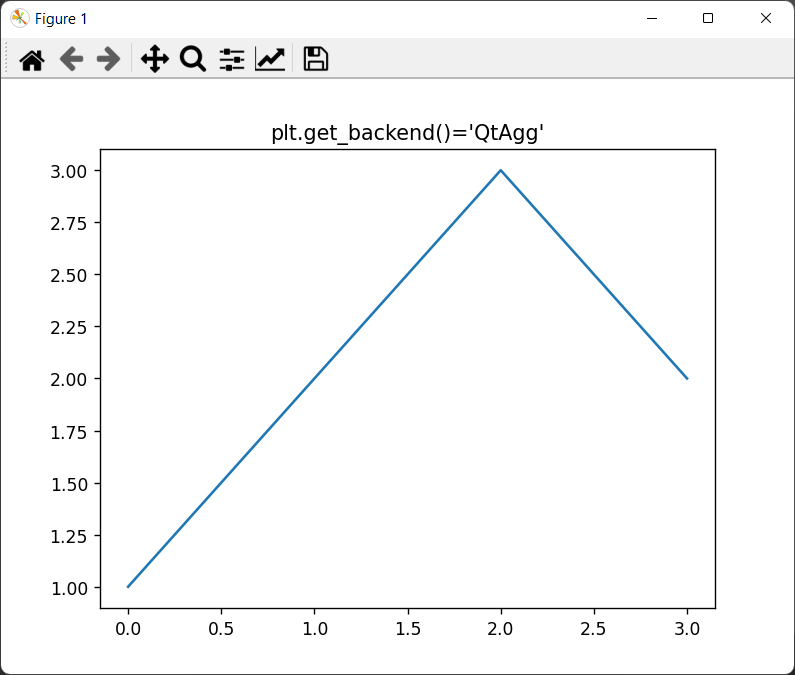
(And a bunch of errors in the IntelliJ console)
So it's using
QtAgg. But if I modify the code to tell it to use QtAgg (which one might expect to have no impact)...That crashes in IntelliJ (fine in the terminal).
Digging a little deeper, IntelliJ has a check of
QT_APIthat allows the valuepyside(in\helpers\pydev\pydev_ipython\qt.py), thenmatplotlibhas a check that allowspyside2orpyside6. An impossible gauntlet :)Anyway, I think I've spent enough time on this, I don't see any need to use Qt for now so happy for you to close this.
tacaswell commentedon May 26, 2022
I agree and will close. I suspect that the bug is on the intellij side. If I recall correctly, we used the string
'pyside'to select the originalpysidewhich was a Qt4 binding and is no longer supported so I would be 👎 on re-adding that as an alias for (not sure which) one of the currently support ones). From Matplotlib's point of view we think the best way to pick your Qt binding library is to import it before you import us and we will adapt.If someone were to keep digging into this I would suggest unsetting
QT_API.Update Touchstone_AutoPlot.py
Update Touchstone_AutoPlot.py