Repository navigation
Automatic title placement wrong if parent axes is off the page #18283
Description

Bug report
Bug summary
When calculating the extent of a subplot axes, its contents depend on whether title has been set in the axes below, i. e. the unrelated title bleeds into the extent and gets exported when saving while specifying the bbox_inches.
The extent itself doesn't seem to be the problem, but the inclusion of artefacts that should not be included in the plot, and aren't visible in the full figure (in the bounding box) are included and saved when giving an explicit bounding box to fig.savefig.
Code for reproduction
import matplotlib.pyplot as plt
fig, axs = plt.subplots(2, 1)
axs[0].plot([1,2], [3,4])
extent = axs[0].get_window_extent().transformed(fig.dpi_scale_trans.inverted())
fig.savefig('/tmp/expected.png', bbox_inches=extent)
axs[1].set_title('pls ignore me')
# extents are actually unchanged
extent2 = axs[0].get_window_extent().transformed(fig.dpi_scale_trans.inverted())
fig.savefig('/tmp/actual.png', bbox_inches=extent2)
fig.savefig('/tmp/full.png')
Actual outcome
The title of axs[1] is shown.

Expected outcome
It should not be included, as visible in the full picture.


Matplotlib version
- Operating system:
- Matplotlib version: 3.2.1
- Matplotlib backend (
print(matplotlib.get_backend())): Qt5Agg - Python version: 3.8.2
Environment has been installed with the default conda channel.
Activity
jklymak commentedon Aug 18, 2020
I can take a look at this. OTOH can you make sure you've got the right code for the pictures. The code doesn't have a plot command but the images do. Further I don't understand why the axis labels etc are being trimmed.
jnboehm commentedon Aug 18, 2020
Thanks for the reply. I forgot to paste the
plotcommand, I edited the snippet above accordingly.As per #12716, the behavior of the labels being trimmed is expected (and what I wanted). Using
ax.get_tightbbox(renderer)results in a similar issue as can be seen in the example, where the title should not be shown either (due toconstrained_layout=True):with the actual out come looking like
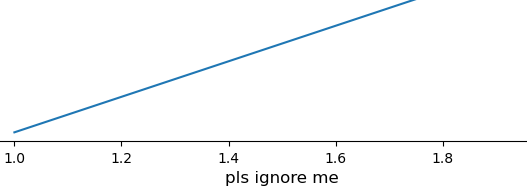
jklymak commentedon Aug 18, 2020
Sorry how does constrained_layout come into this? Did you use constrained_layout in the original?
jnboehm commentedon Aug 18, 2020
My bad, I thought it made a difference for
get_tightbboxbut it doesn't seem to. Without it, I get the following codeWith slightly different placements of the axis text, with the cropped figure showing
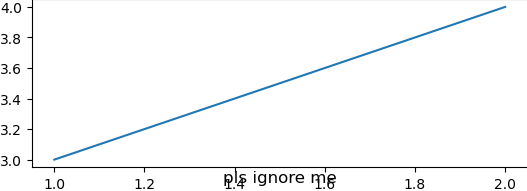
whereas the full figure shows that the title is placed elsewhere:
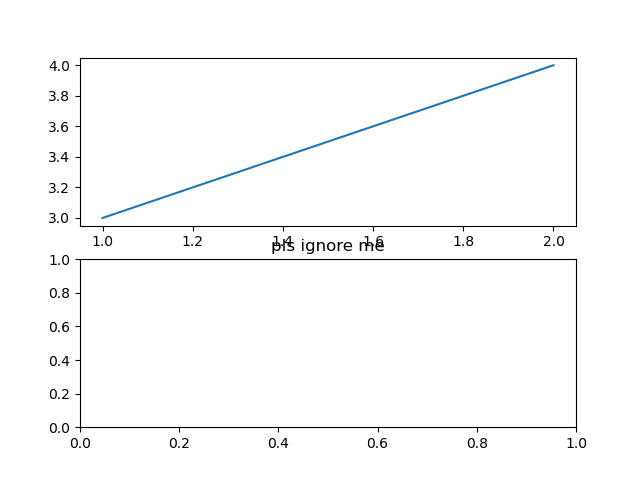
In any case, the issue I have relates more directly to
get_window_extent(), where the title should not be in the cropped output at all. Sorry for the confusion.jklymak commentedon Aug 18, 2020
Thanks, so the issue is not with
get_window_extentsits with the automatic title repositioning. We reposition the title to avoid all decorators on the axis, but we start at y=0. Since you cut the whole axes out, the title gets left at 0.set_title('boo', y=1)[-]ax.get_window_extent() returns "wrong" extent when titles are used in other axes[/-][+]Automatic title placement wrong if parent axes is off the page[/+]jnboehm commentedon Aug 18, 2020
For the example above, specifying
axs[1].set_title('bla', y=1)does not change the outcome of the script. I've worked around this for now by just not specifying the title before using it (if someone else stumbles upon this).Thanks for looking into it!
jklymak commentedon Aug 18, 2020
OK, maybe you need a slightly more recent Matplotlib.
y=1.000001should work with 3.2.1?jnboehm commentedon Aug 18, 2020
That also did not help with 3.2.1. I have updated to 3.3.1 now and there it works with either of the values. Thank you.