|
| 1 | +# AVIS Engine Python API |
| 2 | +A Python API Implemented for AVIS Engine(Autonomous Vehicles Intelligent simulation Software). |
| 3 | + |
| 4 | +# Changelog (Simulator) |
| 5 | +### - 1.2.0 |
| 6 | +- Added localization and multilingual support. (English, Persian, Russian, France, German, Chinese, Italian, Spanish, Japanese, Korean, Turkish) |
| 7 | +- Visual Improvements. |
| 8 | +- Performance Improvements. |
| 9 | +- Main Menu redesign. |
| 10 | +- Added "About this simulator". |
| 11 | +- Added "Terms of use". |
| 12 | + |
| 13 | +### - 1.0.7 |
| 14 | +- Improved Performance. |
| 15 | +- Added TopSpeed Slider. |
| 16 | +- Added "Right lane Only" Toggle. |
| 17 | +- Added "Visible Sensor detection lines" Toggle. |
| 18 | +- Added a Slider to set the angle between sensors. |
| 19 | +- UI/UX Improvements and Updates on Top Panel for better experience. (Headers in each section) |
| 20 | +- Improved lighting |
| 21 | +- Replaced the vehicle's 3d model with a low-poly version of it to Improve the performance. |
| 22 | +- New method of counting checkpoints and laps. No order-sensitive counting system in this new version. |
| 23 | +- New Skyboxes on each map. |
| 24 | +- New Terrain map on each map. |
| 25 | +- Updated Textures. |
| 26 | + |
| 27 | +### - 1.0.6 |
| 28 | +- Changed the Tags material contrast to make it easier to read (Urban). |
| 29 | +- Added a border to signs and tags (Urban). |
| 30 | + |
| 31 | +### - 1.0.5 |
| 32 | +- Fixed Raycast hit on the second checkpoint in "Race Track 1" |
| 33 | +- Added Camera Calibration Checkerboard. |
| 34 | +- Added an Urban Track. |
| 35 | + |
| 36 | +# Installation |
| 37 | +## Simulator |
| 38 | +The Simulator is accessible from AVIS Engine Website. |
| 39 | +| Simulator | |
| 40 | +|---| |
| 41 | +|[Download Version 1.2.0](https://AVISEngine.com) | |
| 42 | + |
| 43 | +## Packages |
| 44 | +### Python |
| 45 | +####   I) Using git |
| 46 | +    Open up your terminal and clone the python repository using git. |
| 47 | +```bash |
| 48 | +git clone https://github.com/AvisEngine/AVIS-Engine-Python-API |
| 49 | +``` |
| 50 | +Everything is ready to drive your simulated car. |
| 51 | + |
| 52 | +## Requirements |
| 53 | +install requirements using the command below |
| 54 | + |
| 55 | + pip install -r requirements.txt |
| 56 | + |
| 57 | +## Simulator |
| 58 | +Actually the most important thing you have to install is the simulator. It's your car and you have to drive it. |
| 59 | +The Simulator is the *'Server'* part of the Communication. |
| 60 | + |
| 61 | +# Drive! |
| 62 | +Open up the simulator and make sure it's running correctly as you run it. |
| 63 | +- 1. Choose a Track |
| 64 | +- 2. Click on "Open Info Panel" |
| 65 | +- 3. Type in the local ip you want the simulator to run on. (Default : 127.0.0.1) |
| 66 | +- 4. Type in the port you want the simulator to run on. (Default : 25001) |
| 67 | +- 5. Click on "Start Server" |
| 68 | + |
| 69 | +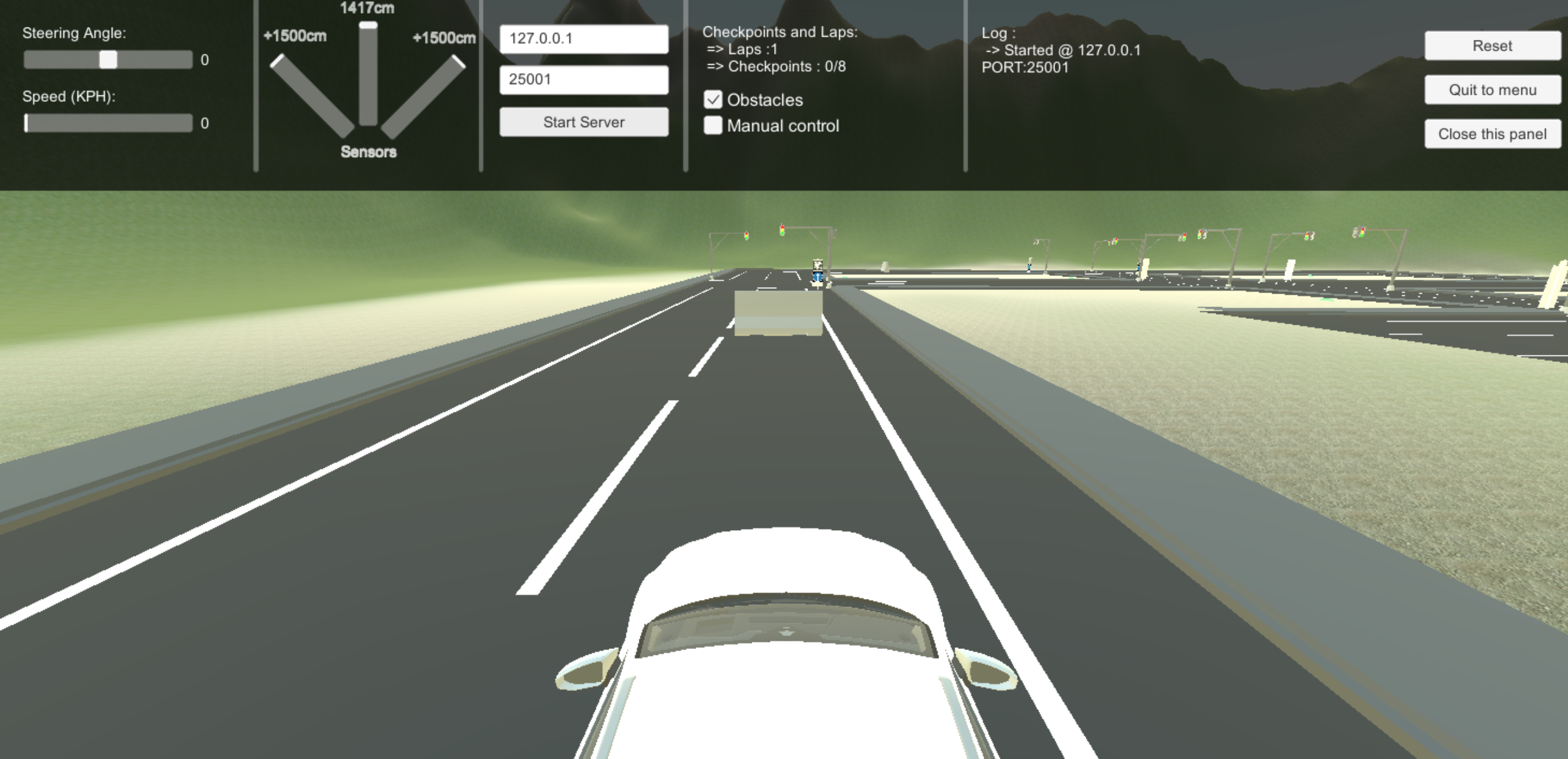 |
| 70 | + |
| 71 | +### Python |
| 72 | +Go to the files you downloaded before. Open up Example.py |
| 73 | + |
| 74 | +``` python |
| 75 | +# Compatible with AVIS Engine version 1.0.3 or higher |
| 76 | +import AVISEngine |
| 77 | +import time |
| 78 | +import cv2 |
| 79 | + |
| 80 | +#Calling the class |
| 81 | +car = AVISEngine.car() |
| 82 | + |
| 83 | +#connecting to the server (Simulator) |
| 84 | +car.connect("127.0.0.1", 25001) |
| 85 | + |
| 86 | +#Counter variable |
| 87 | +counter = 0 |
| 88 | + |
| 89 | +debug_mode = True |
| 90 | +#sleep for 2 second to make sure that client connected to the simulator |
| 91 | +time.sleep(2) |
| 92 | +try: |
| 93 | + while(True): |
| 94 | + #Counting the loops |
| 95 | + |
| 96 | + counter = counter + 1 |
| 97 | + |
| 98 | + #Set the power of the engine of the car to 20, Negative number for reverse movement, Range [-100,100] |
| 99 | + car.setSpeed(50) |
| 100 | + |
| 101 | + #Set the Steering of the car -10 degree from center |
| 102 | + car.setSteering(-10) |
| 103 | + |
| 104 | + #Get the data. Need to call it every time getting image and sensor data |
| 105 | + car.getData() |
| 106 | + |
| 107 | + #Start getting image and sensor data after 4 loops. for unclear some reason it's really important |
| 108 | + if(counter > 4): |
| 109 | + #returns a list with three items which the 1st one is Left sensor data, the 2nd one is the Middle Sensor data, and the 3rd is the Right one. |
| 110 | + sensors = car.getSensors() |
| 111 | + #EX) sensors[0] returns an int for left sensor data in cm |
| 112 | + |
| 113 | + #returns an opencv image type array. if you use PIL you need to invert the color channels. |
| 114 | + image = car.getImage() |
| 115 | + |
| 116 | + #returns an integer which is the real time car speed in KMH |
| 117 | + carSpeed = car.getSpeed() |
| 118 | + |
| 119 | + #Don't print data for better performance |
| 120 | + if(debug_mode): |
| 121 | + print("Speed : ",carSpeed) |
| 122 | + #currently the angle between the sensors is 30 degree TODO : be able to change that from conf.py |
| 123 | + print("Left : " + str(sensors[0]) + " | " + "Left : " + str(sensors[1]) +" | " + "Left : " + str(sensors[2])) |
| 124 | + |
| 125 | + #Showing the opencv type image |
| 126 | + cv2.imshow('frames', image) |
| 127 | + #break the loop when q pressed |
| 128 | + if cv2.waitKey(10) == ord('q'): |
| 129 | + break |
| 130 | + time.sleep(0.001) |
| 131 | + #A brief sleep to make sure everything |
| 132 | + |
| 133 | +finally: |
| 134 | + car.stop() |
| 135 | +``` |
| 136 | + |
| 137 | +#### Getting Started |
| 138 | +Import the AVISEngine Class |
| 139 | +``` python |
| 140 | +import AVISEngine |
| 141 | +``` |
| 142 | + |
| 143 | +Call the class |
| 144 | +``` python |
| 145 | +car = AVISEngine.car() |
| 146 | +``` |
| 147 | + |
| 148 | + |
| 149 | +Replace the server "Server IP" and "port" with yours here. and Now you're connected to the Simulator. |
| 150 | + |
| 151 | +``` python |
| 152 | +car.connect("127.0.0.1", 25001) |
| 153 | + |
| 154 | +``` |
| 155 | + |
| 156 | +#### Controlling the Car |
| 157 | +Set the thottle and steering of the car by adding |
| 158 | +>1. Speed value Range : [-100,100] - "0 turns off the engine" |
| 159 | +>2. Steering value Range : [-100,100] - "0 is Center" |
| 160 | +
|
| 161 | +``` python |
| 162 | +#Set the speed of the car |
| 163 | +car.setSpeed(50) |
| 164 | + |
| 165 | +#Set the steering of the car |
| 166 | +car.setSteering(0) |
| 167 | +``` |
| 168 | + |
| 169 | +#### Getting the Data |
| 170 | +You Can get access to the data such as "Sensors", "Current Speed" and "Image" by adding these lines. |
| 171 | +>1. car.getSensors() : returns a list with three items which the 1st one is Left sensor data, the 2nd one is the Middle Sensor data, and the 3rd is the Right one. the values are in cm. |
| 172 | +>2. car.getImage() : returns an opencv image type array. if you are using PIL you'll need to invert the color channels. |
| 173 | +>3. car.getSpeed() : returns an integer which is the real time car speed in KMH |
| 174 | +
|
| 175 | +``` python |
| 176 | +sensors = car.getSensors() |
| 177 | +#EX) sensors[0] returns an int for left sensor data in cm |
| 178 | + |
| 179 | +image = car.getImage() |
| 180 | + |
| 181 | +carSpeed = car.getSpeed() |
| 182 | +``` |
| 183 | + |
| 184 | +warning "It's highly recommended to add your Algorithms to the Example.py Code." |
| 185 | + |
| 186 | +# Calibrate your Camera (Version 1.0.5 or higher). |
| 187 | +You can calibrate your camera with a Simulated Checkerboard. |
| 188 | + |
| 189 | +Camera Calibration Test 1 | Camera Calibration Test 2 |
| 190 | +------------ | ------------- |
| 191 | +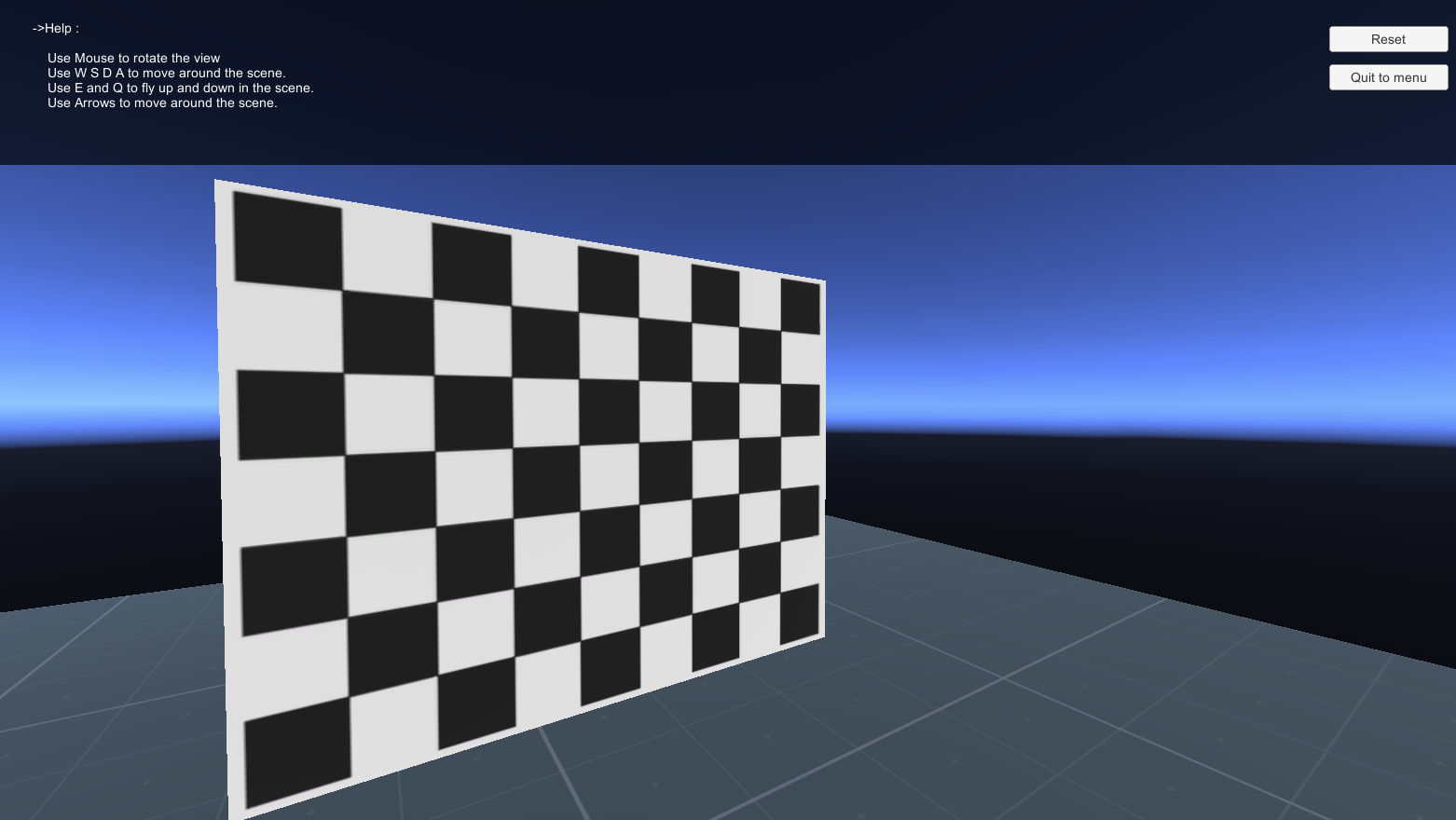 | 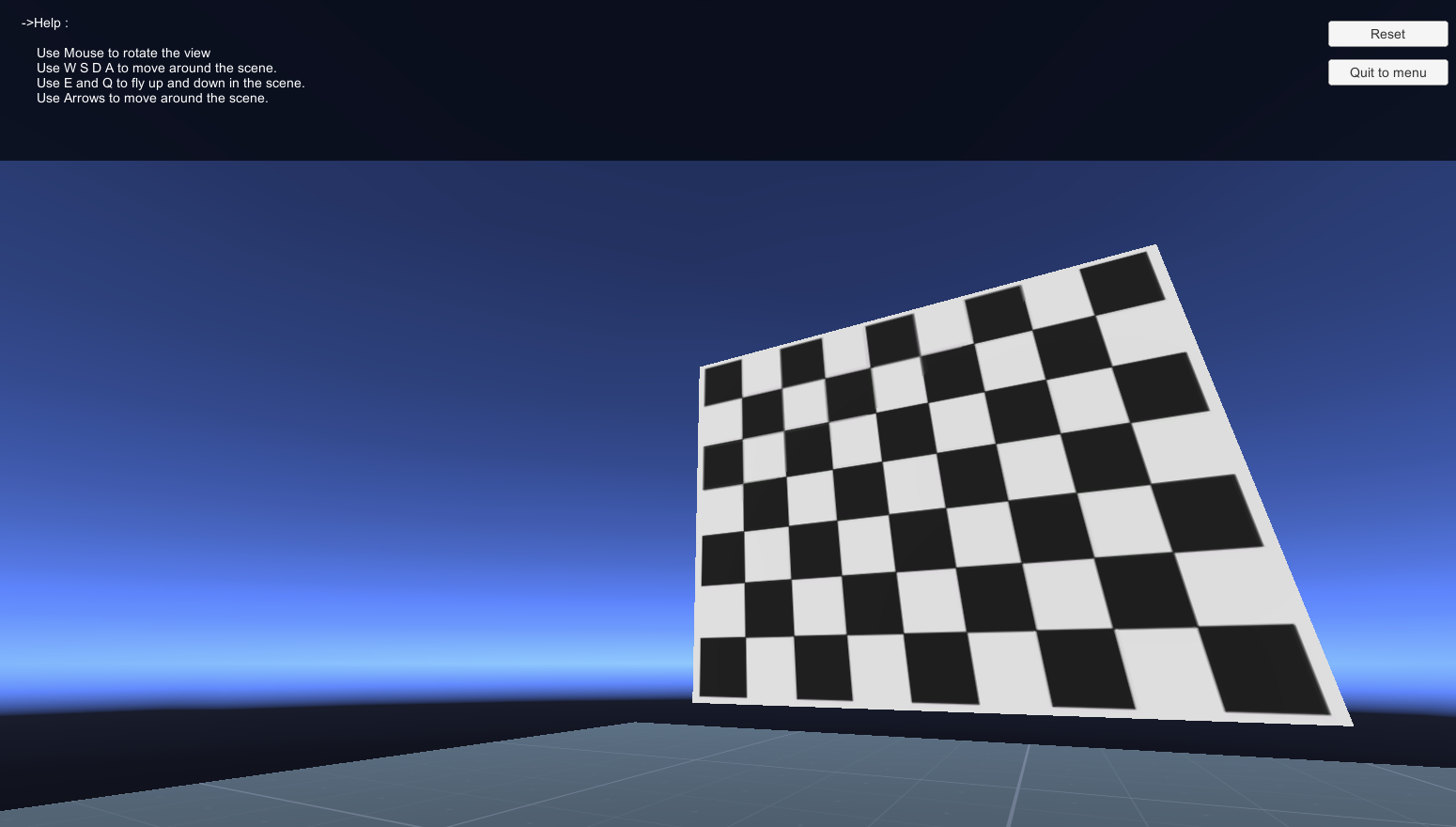 |
| 192 | + |
| 193 | + |
| 194 | +last update : January 25, 2021 |

0 commit comments