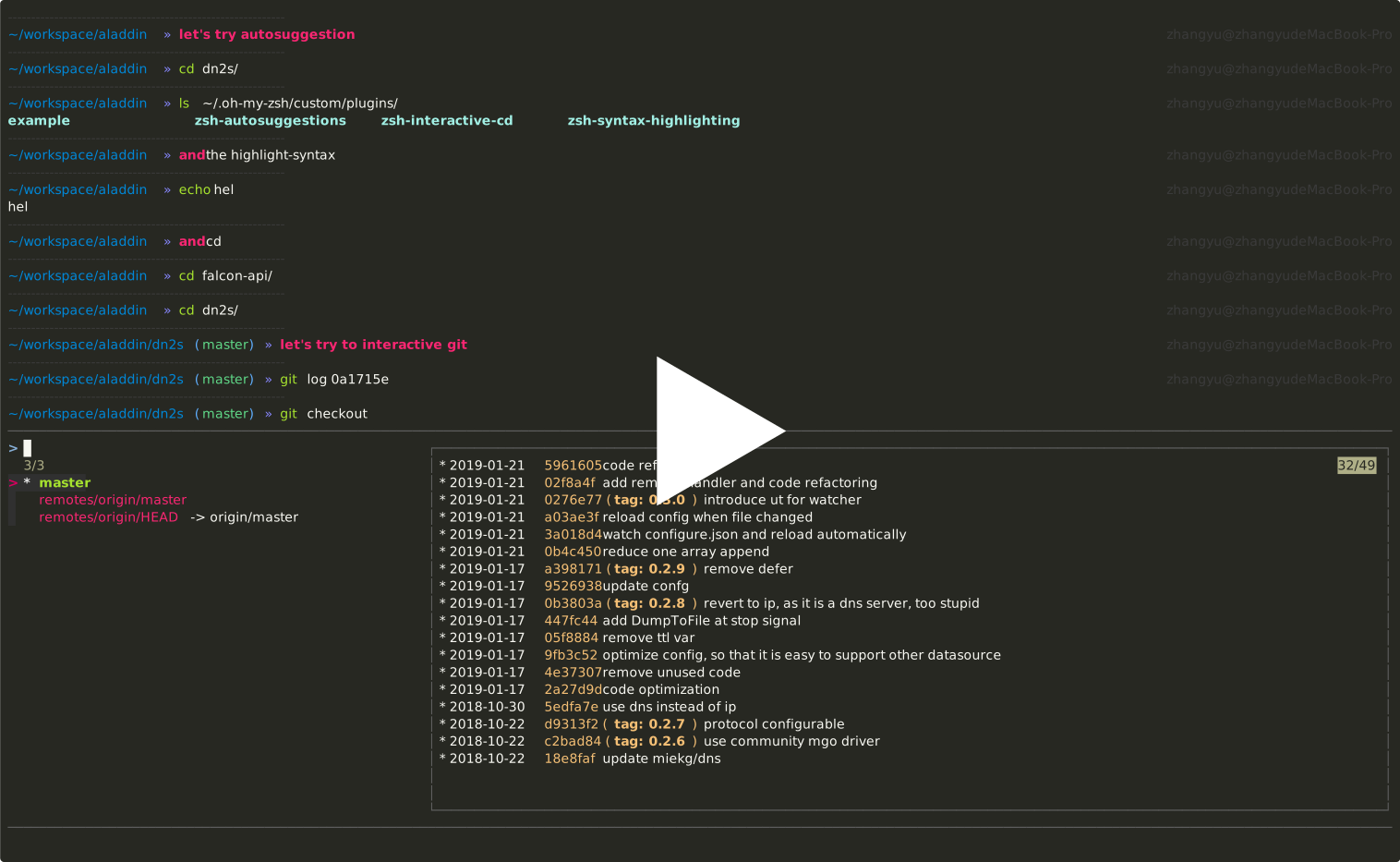
This repository contains five configuration files:
- vimrc
- neovim
- zshrc
- tmux.conf
- fzf-git.zsh
- It works fine on Mac OSX with VIM 8.0+ and Neovim 0.3.7.
- It should be OK for Linux with same version.
# fzf, bat, ripgrep, fd
brew install fzf
brew install bat
brew install ripgrep
brew install fd-
Clone
vim.dgit clone https://github.com/feiyuw/vim.d.git ~/workspace/vim.d -
Create
~/.vimrcln -s ~/workspace/vim.d/vimrc ~/.vimrc # vim mkdir -p ~/.config/nvim; ln -s ~/workspace/vim.d/nvim/init.vim ~/.config/nvim/init.vim # neovim -
Open
nvim, execute:PlugInstall -
Patch
powerlinefontmkdir ~/.fonts git clone https://github.com/powerline/fonts.git ~/.fonts/powerline-fonts cd ~/.fonts/powerline-fonts ./install.sh
-
Install coc extensions like:
:CocInstall coc-go
:CocInstall coc-rls
:CocInstall coc-python
:CocInstall coc-tsserver
:CocInstall coc-json
-
Create
~/.config/nvim/coc-settings.jsonln -s ~/workspace/vim.d/coc-settings.json ~/.config/nvim/coc-settings.json
-
Open
nvimagain, enjoy!
- Update vim.d
    cd ~/workspace/vim.d
git pull- Open
nvim, execute:PlugClean - Open
nvim, execute:PlugUpdate
The plugins I used are:
- tomasr/molokai
- scrooloose/nerdtree
- vim-scripts/NERD_tree-Project
- scrooloose/nerdcommenter
- majutsushi/tagbar
- vim-airline/vim-airline
- vim-airline/vim-airline-themes
- tpope/vim-fugitive
- feiyuw/robotframework-vim
- ntpeters/vim-better-whitespace
- elzr/vim-json
- pangloss/vim-javascript
- mxw/vim-jsx
- leafgarland/typescript-vim
- peitalin/vim-jsx-typescript
- othree/html5.vim
- airblade/vim-gitgutter
- jiangmiao/auto-pairs
- ekalinin/Dockerfile.vim
- christoomey/vim-tmux-navigator
- rust-lang/rust.vim
- neoclide/coc.nvim
- tpope/vim-sleuth
- /usr/local/opt/fzf
- junegunn/fzf.vim
- godlygeek/tabular
- plasticboy/vim-markdown
- mhinz/vim-startify
- jjo/vim-cue
-
,eopen file
-
,sopen file in split window
-
,vsopen file in vertical split window
-
,mcomment/uncomment code
-
,fopen function list of current file, like
Ctrl-Rin sublime -
<F4>open/close tag bar on the right panel
-
<F12>open/close project browser on the left panel
-
<Ctrl-Tab>in
normalmode, switch files in minibuffer; ininsertmode, used to select code snippet -
<Ctrl-p>in
insertmode, used to open specified file quickly -
<Ctrl-g>in
insertmode, used to search content of current project -
<Ctrl-e>in
insertmode, used to search content of buffers -
,ccopy to system clipboard
-
,vpaste from system clipboard
- in
normalmode,<Ctrl-v>start to select column,<Shift-v>to select multiple lines - after select several columns,
Iused to add content before cursor columnAused to add content after cursor columnrused to modify content under cursorxused to delete content under cursor
<Ctrl-o>move to previous edit position<Ctrl-i>move to forward edit positionbmove to previous word,wmove to next word- try
BandW, and see what's the difference
- try
{move to previous block,}move to next block0move to start of the line,$move to end of the line^move to first char of the line
ggmove to the start of the file,Gmove to the end of the file<Ctrl-]>jump to the definition of content under cursor, while<Ctrl-t>jump back
uundo,<Ctrl-r>redo.report last stepdi'delete content in'dt'delete content from current position to'cwmodify the current wordcawmodify the current wordc0modify from start to current positionc$modify from current position to end of this lineRupdate the content until gotESC
qastart to record macroa- execute some steps
qstop to record@aexecute the macro@@execute the last executed macro
- Try tmux and zsh on iTerm2
ln -s ~/workspace/vim.d/tmux.conf ~/.tmux.conf
# clone tmux plugin manager
git clone https://github.com/tmux-plugins/tpm ~/.tmux/plugins/tpm
# open tmux
tmux
# Execute <C-b>I
# wait until all plugins installed
# enjoy# install zsh
brew install zsh
# install oh-my-zsh
sh -c "$(curl -fsSL https://raw.github.com/robbyrussell/oh-my-zsh/master/tools/install.sh)"
ln -s ~/workspace/vim.d/zshrc ~/.zshrc
git clone https://github.com/zsh-users/zsh-autosuggestions ${ZSH_CUSTOM:-~/.oh-my-zsh/custom}/plugins/zsh-autosuggestions
git clone https://github.com/zsh-users/zsh-syntax-highlighting.git ${ZSH_CUSTOM:-~/.oh-my-zsh/custom}/plugins/zsh-syntax-highlighting
ln -s ~/workspace/vim.d/fzf-git.zsh ~/.oh-my-zsh/custom/fzf-git.zshReopen terminal, and enjoy!