
This only works on Blender 2.8
- Download the latest .zip file from the releases page
- Open Blender and go to Edit > Preferences > Install Add-on from File... Then navigate to the .zip file you downloaded and select it
- Check the box that appears next to "Grease Writer"
- Create a new Grease Pencil object in the 3D view (Shift + A > Grease Pencil > Blank)
- With the Grease Pencil object selected, go to the data section of the Properties window where you will find the Grease Writer panel.
- Create a text file with the desired text
- Right-click at the edge of a window and split the area
- Change the Window's view to the Text Editor
- click the "New" button to start editing a text file
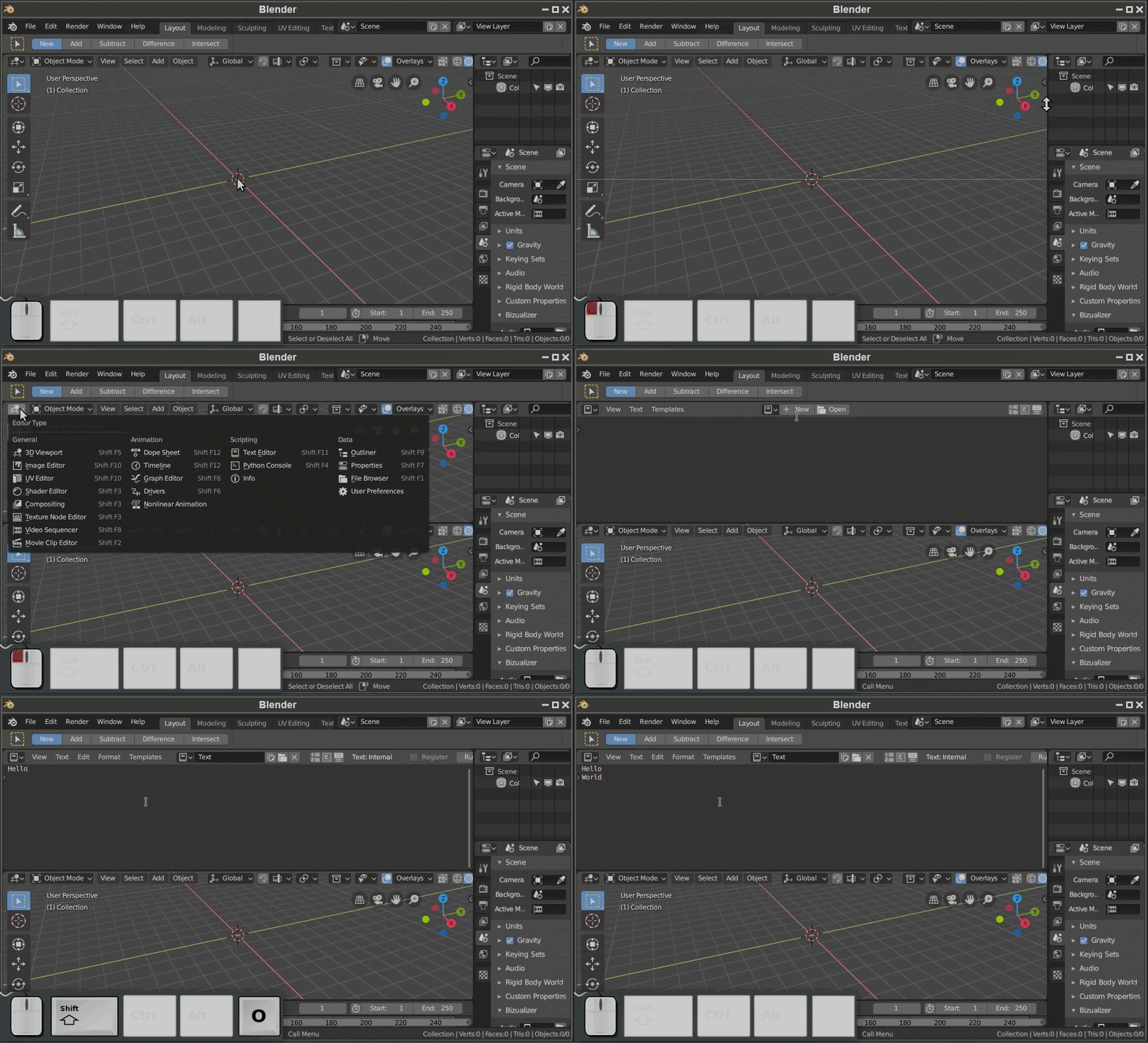

- Enter the name of the Text file in the source text property in the Grease Writer panel
- Adjust settings and click the "Write" button
- Optionally add a decorator to the added text

If you draw on a grease pencil object, you can automatically animate it by clicking the "Reanimate" button. Strokes will be drawn in the order they were created.
Select a tracer object and click trace. The tracer object's X and Y position will change to keep up with the animated grease pencil as it is being drawn.
