Repository navigation
scheduling: advanced scheduling controls #6047

Description

Currently, workspace schedules are only a recommendation and there is no way for admins to enforce a particular shutdown behavior on workspaces. #3630, #5600.
We have seen a decent amount of feedback that warrants us supporting both "max" and "default" TTL as they serve different use cases. For example, max TTL to enforce security patches, but default TTL to ensure workspaces quickly shut down when inactive.
Let's re-introduce the "max TTL" while also keeping the "default TTL" behavior for workspaces. This will allow workspaces to have the following behavior:
- Workspaces will auto-shutdown after 2 hours of inactivity (default TTL), but cannot be alive for over 72 hours (max TTL).
Also, some admins may not want users to change the default TTL behavior of their workspaces. For example,
- All workspaces on
template xwill auto shut down after 2 hours of inactivity. Users cannot change this behavior.
To summarize:
- Introduce max lifetime value in template settings (while keeping default TTL): scheduling: add max lifetime #6496
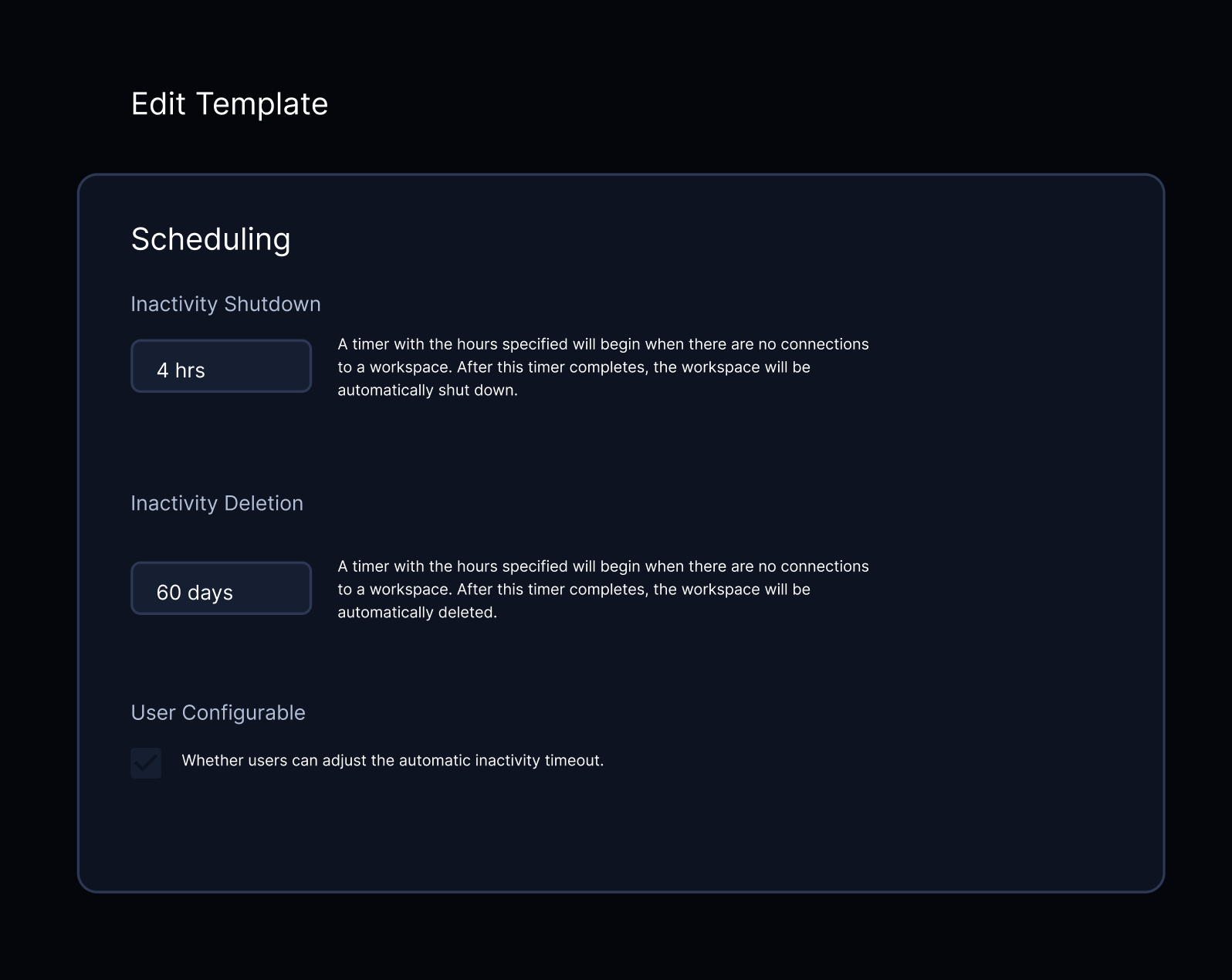
- Add a toggle in template settings to disable user-controlled shutdown behavior: scheduling: Add a toggle in template settings to disable user-controlled shutdown behavior #6497
Activity
bpmct commentedon Feb 6, 2023
This does make the scheduling behavior a bit more complex, so perhaps we could add an "advanced" tab for users who specifically want these controls. This will also be an enterprise feature as it is related to managing workspaces at scale and enforcing policies.
kylecarbs commentedon Feb 6, 2023
Adding on to this, I think be cool if the screen was something like this:
[-]Advanced scheduling controls[/-][+]scheduling: advanced scheduling controls[/+]bpmct commentedon Mar 7, 2023
Reopening, since the user-controlled scheduling controls hasn't been done