Repository navigation
Integrate new template version plan endpoint into frontend create workspace form #1872
Description

What is your suggestion?
Before creating the workspace after the user clicks submit on the workspace create form, we should post the parameters to the backend's /templateversions/:id/plan endpoint
Why do you want this feature?
This allows parameters to be validated before trying to create the workspace.
Are there any workarounds to get this functionality today?
Are you interested in submitting a PR for this?
50/50, it seems difficult because we'd have to show terminal output for the plan progress. We might need to overhaul the form a bit to integrate this :/
Activity
[-]Feat: integrate new template version plan endpoint into frontend create workspace form[/-][+]Integrate new template version plan endpoint into frontend create workspace form[/+]deansheather commentedon Jun 16, 2022
Maybe we could do something like this:
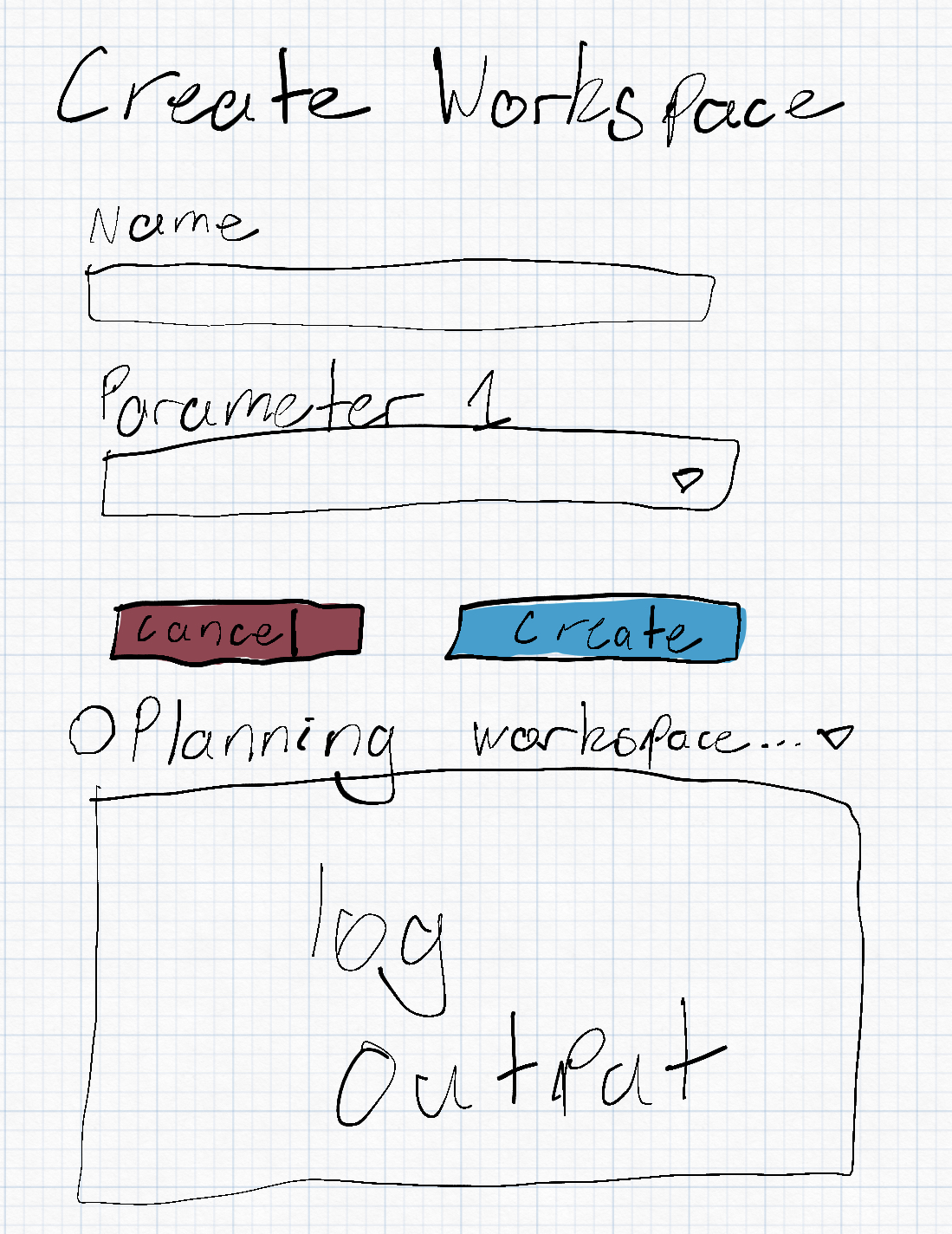
Once users have clicked the "Create" button on the form, we disable the button and show a spinner underneath that says "Planning workspace" with a timer and a caret to indicate it's expandable. Users can click the text to expand the planning output and see the progress.
Once the plan is finished successfully, if the user did not expand the workspace plan section we immediately create the workspace. If the user did expand it, we will prompt them again to create the workspace with a new button.
If the plan fails, we will force expand the plan section and tell the user there was an issue planning with the given parameters
github-actions commentedon Aug 16, 2022
This issue is becoming stale. In order to keep the tracker readable and actionable, I'm going close to this issue in 7 days if there isn't more activity.