WebSerial on Chromebooks - #47863
Conversation





|
Hey Erin -- since its especially tricky for others to manually test here (ie, I don't have a Chromebook), could you add some information to the description about the manual testing you did? |

| @@ -79,6 +80,9 @@ function listSerialDevices() { | |||
| SerialPortType = SerialPort; | |||
| return SerialPortType.list(); | |||
| } else { | |||
There was a problem hiding this comment.
Separately, what does it mean for this function to return a resolved promise (not sure I totally understand method signature, seems like it should return a promise that resolves to an array?)
There was a problem hiding this comment.
Can I ask the motivation behind the 'else if'? One thing I like about the way it is, is that it captures that at its core, this is a "chromebook or not" situation. Once we roll this out feature out, we will actually remove everything below the nested 'if'. Curious how that ways against the simplicity of if/elseif/else.
There was a problem hiding this comment.
Wait . . . I just realized we skip this whole function in the WebSerial path. Deleting in upcoming PR.
| } | ||
| }); | ||
| }) | ||
| .catch(error => Promise.reject('Failure to open port: ' + error)); |
There was a problem hiding this comment.
Is this (and the other catch) being added to handle a specific case, or just a general improvement?
There was a problem hiding this comment.
Mostly a general improvement. When I was debugging an issue with this, I realized that not having these .catch attributes made it harder to debug. Added them now to benefit ourselves in the future.

|
@bencodeorg PTAL! Thanks! |
 bencodeorg
left a comment
bencodeorg
left a comment
bencodeorg
left a comment
There was a problem hiding this comment.
Looks good, thanks for the screenshots/video!

2 participants


Supports the WebSerial connection in the ChromeOS browser. Continue to be behind the 'webserial' flag. This was mostly already supported by our work to get WebSerial set-up in Chrome. We had to make some UI changes to accommodate both sides of the flag and some error handling in the WebSerialWrapper.
Testing:
I tested the
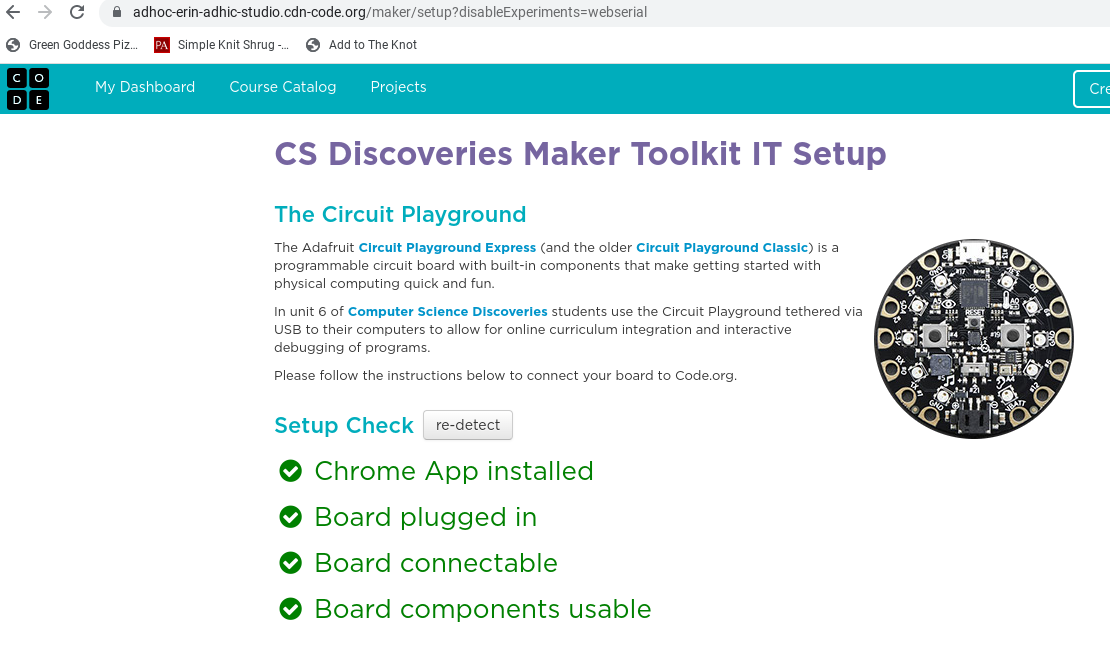
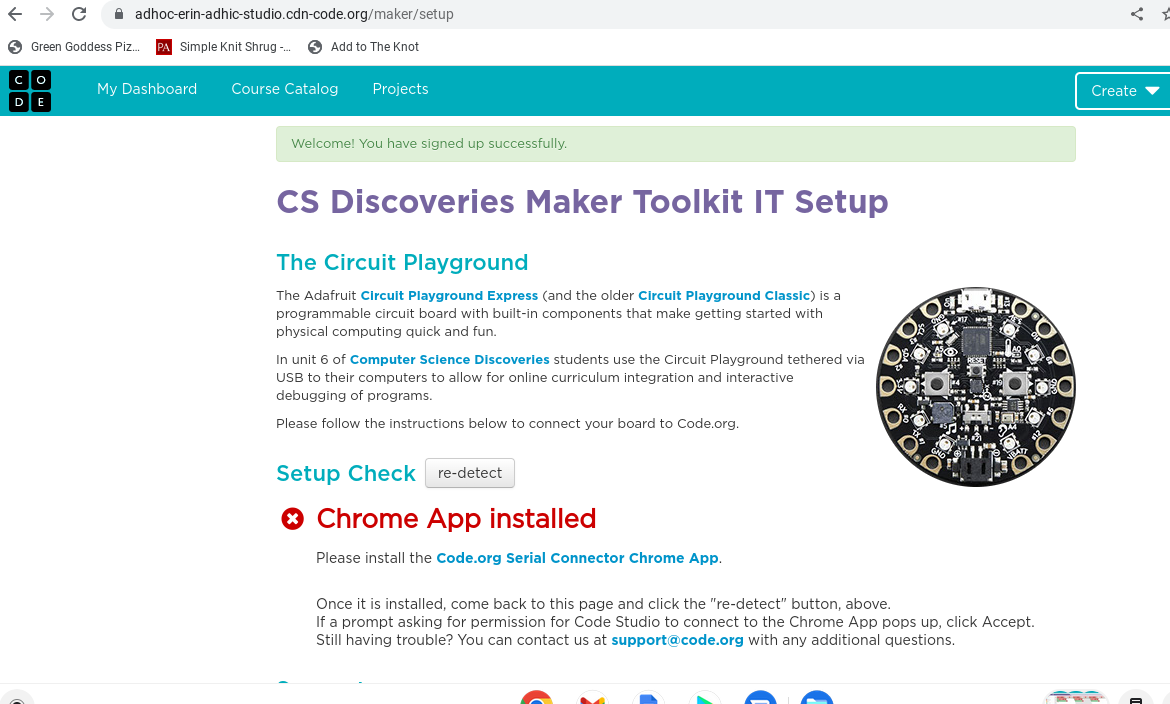
maker/setuppage and an Applab project both with the flag and without. Images and screenshots below. Without the flag and with no chrome app installed, the setup and Applab project failed as expected. With the flag and with no chrome app installed (so using WebSerial), the setup page and the project succeeded. I also tested that this doesn't affect the behavior of the /maker/setup and Applab project pages with the flag off and the Chrome App installed (the current behavior).Media:
Screenshot - Flag disabled. No Chrome App installed. Expected Failure.
MP4 - Flag enabled. No Chrome App installed. Expected success.
https://user-images.githubusercontent.com/2959170/188954023-248e7a7e-bd5e-4ed8-989f-538a475f7d28.mp4
MP4 - Flag Disabled. No Chrome App Installed. Expected Failure with console error.
https://user-images.githubusercontent.com/2959170/188953259-f9352c95-9560-4bb8-93f1-bbc4808e14b4.mp4
MP4 - Flag Enabled. No Chrome App Installed. Expected Success with no console error.
https://user-images.githubusercontent.com/2959170/188953261-be78e231-bf10-4c24-b3b8-1135d7ead8b1.mp4
Screenshot - Flag Disabled. Chrome App Installed. Expected Success.
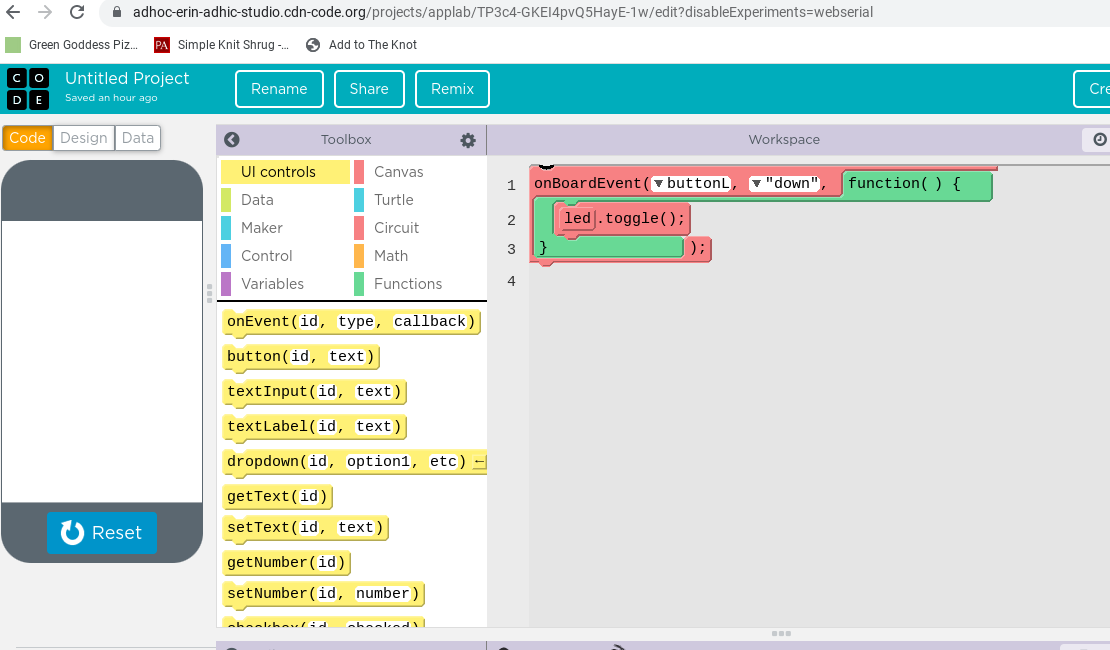
Screenshot - Flag Disabled. Chrome App Installed. Expected Success.