ui: instance settings visibility#3244
Merged
DaanHoogland merged 1 commit intoMay 24, 2019
Merged
Conversation


Loading
Sign up for free
to join this conversation on GitHub.
Already have an account?
Sign in to comment
7 participants


Add this suggestion to a batch that can be applied as a single commit.This suggestion is invalid because no changes were made to the code.Suggestions cannot be applied while the pull request is closed.Suggestions cannot be applied while viewing a subset of changes.Only one suggestion per line can be applied in a batch.Add this suggestion to a batch that can be applied as a single commit.Applying suggestions on deleted lines is not supported.You must change the existing code in this line in order to create a valid suggestion.Outdated suggestions cannot be applied.This suggestion has been applied or marked resolved.Suggestions cannot be applied from pending reviews.Suggestions cannot be applied on multi-line comments.Suggestions cannot be applied while the pull request is queued to merge.Suggestion cannot be applied right now. Please check back later.
Description
Problem: Instance settings tab is visible only for stopped VMs but hidden otherwise. This creates confusion as users may not know that VMs need to be stopped to access settings page. Some VM details need to be read-only for the user.
Root Cause: The UI Code hides the settings tab for VMs that are not in stopped state. Instance setting tab should always be visible, but only changeable when VM is stopped. Required instance details are not read-only for the user.
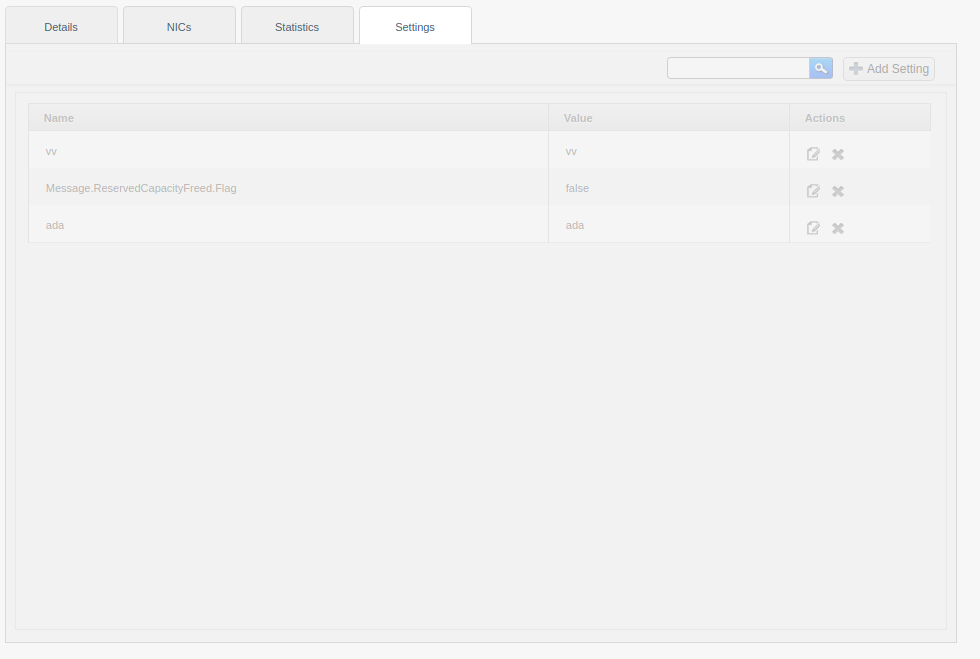
Solution: The settings tab is now always visible for VMs. If VM is not in the stopped state, no interactions are allowed in the settings tab view by greying out its content and a popup is shown to advise users for stopping the VM. VM details can be made read-only in UI for the user using “user.vm.readonly.ui.details” which accepts a comma-separated list of details. For user, read-only details will be shown in the settings tab in UI but the action button for them will be disabled and greyed out. Admin can still update such details.
Types of changes
Screenshots (if appropriate):
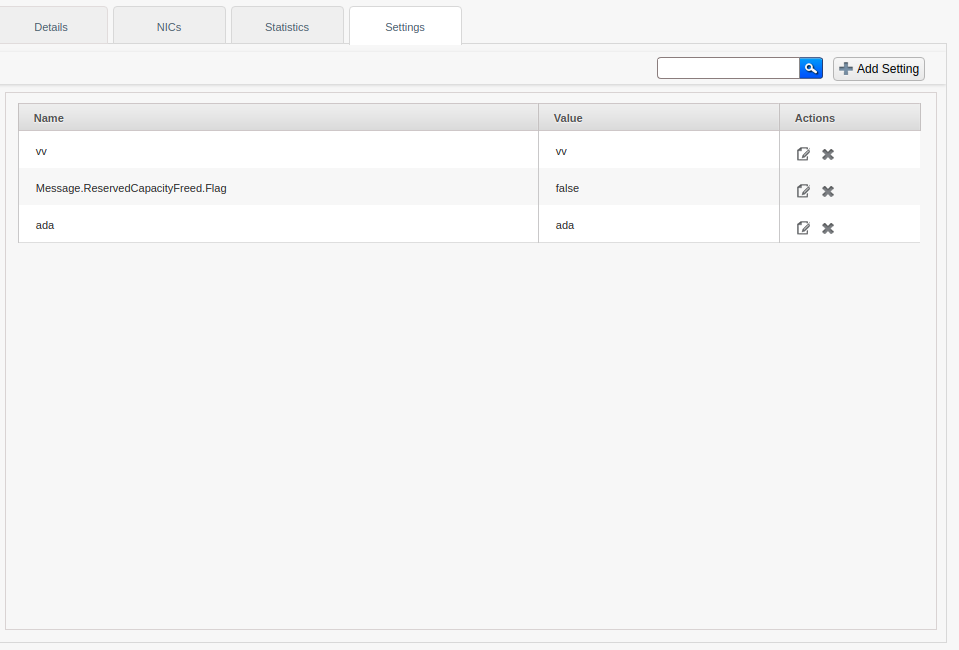
Snapshot when VM is stopped.
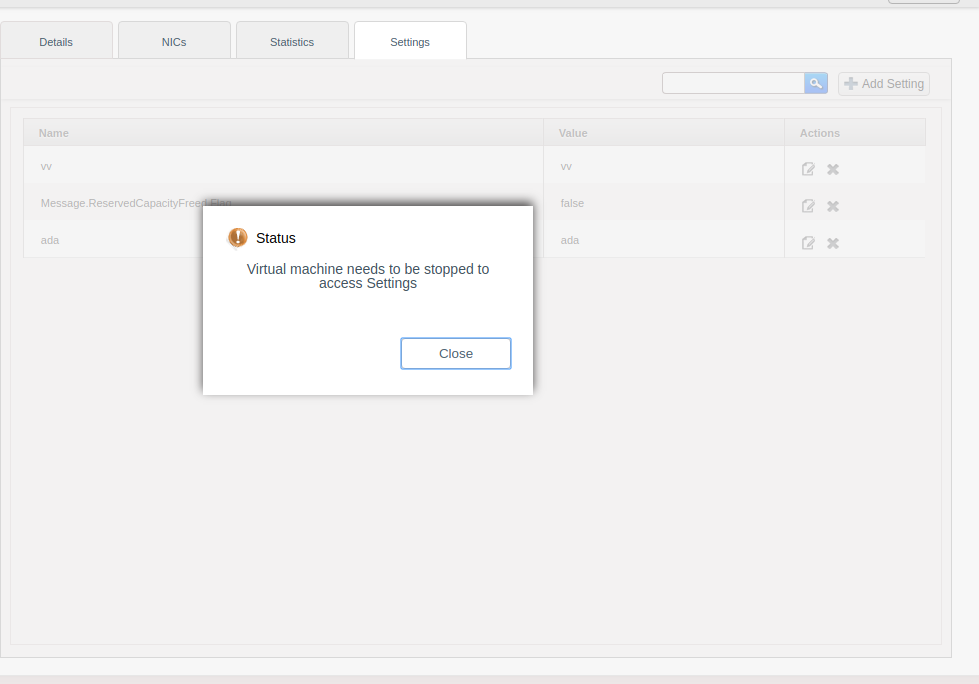
Snapshot when VM is not stopped but Settings tab is clicked and Popup appears
When popup is dismissed
VM setting/detail made read-only

How Has This Been Tested?