Repository navigation
WARNING in Duplicated path in loadChildren detected during a rebuild #8722
Description

Versions
Angular CLI: 1.5.0
Node: 8.9.1
OS: win32 x64
Angular: 5.0.5
... animations, common, compiler, compiler-cli, core, forms
... http, language-service, platform-browser
... platform-browser-dynamic, router

@angular/cli: 1.5.0
@angular-devkit/build-optimizer: 0.0.34
@angular-devkit/core: 0.0.22
@angular-devkit/schematics: 0.0.38
@ngtools/json-schema: 1.1.0
@ngtools/webpack: 1.8.0
@schematics/angular: 0.1.8
typescript: 2.4.2
webpack: 3.8.1
Repro steps
- Checkout the project : https://github.com/arnaudoisel/lazy-loading-routes-bug
- > yarn (or npm install)
- > ng serve
- Modify the "routes.ts" file (by adding a comment for example)
- Save the file
=> The warning will be displayed in the console
Observed behavior
With Angular CLI, if a project contains a module that is lazy loaded, when we modify the file containing the routes, after the automatic rebuild by Angular CLI, the following warning message is displayed in the console :
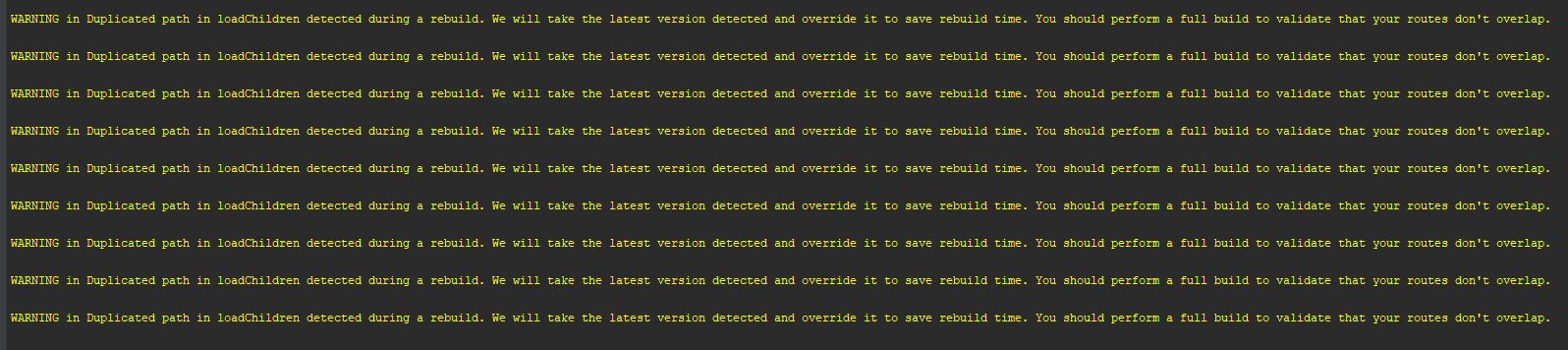
WARNING in Duplicated path in loadChildren detected during a rebuild. We will take the latest version detected and override it to save rebuild time. You should perform a full build to validate that your routes don't overlap.
Desired behavior
Desired : No warning message displayed in console.
Otherwise it might cause bugs while developping. And even without any real issue, the warning message is a bit scary and could prevent from acknowledging real bugs in the application.
Reacted by Tom Makin, mfahlen, Swati Swoboda, Ben Elliott, Aleksei Lebedev, Dylan McDonald, Andrei Ivanov, Erik Murphy, Yoosif Sherif, jesben and 18 more
Activity
wkylin commentedon Dec 5, 2017
node 9.1.0 angular-cli 1.5.5 loadChildren.....
aciccarello commentedon Dec 11, 2017
I find this warning confusing. It does not specify which routes were overlapping or for which paths. It is also unclear to me what the CLI is doing to save rebuild time. I appreciate that this warning his here but I'm not sure what to do about it or how likely it is a problem.
I'm seeing this warning twice per build, probably because it is checked by two systems:
angular-cli/packages/@ngtools/webpack/src/angular_compiler_plugin.ts
Lines 448 to 455 in 4b0c7a3
angular-cli/packages/@ngtools/webpack/src/plugin.ts
Lines 319 to 325 in 6984cc2
elvisbegovic commentedon Dec 12, 2017
same error here:
JuliaRakitina commentedon Dec 12, 2017
same issue
dylanjmcdonald commentedon Dec 13, 2017
Warnings also exist in Angular CLI: 1.6.0
Fiontan commentedon Dec 14, 2017
Yep, same issue, project builds and runs but it would be nice to understand why (no routes overlap in my config), very yellow and annoying
pbrink231 commentedon Dec 15, 2017
I also get a lot of yellow warnings but I think I found my issue.
In my layout routes:
If I add a , after the last one like this
{ path: 'threed', loadChildren: './threed/threed.module#ThreedModule'},then it will dump several lines of yellow saying duplicates just like @istiti.
Make sure you stop ng serve and start it again. Once the yellow is there it will still show if you make the change without stopping ng serve.
zngong commentedon Dec 21, 2017
Warnings also exist in Angular CLI: 1.6.1
MiroKov commentedon Dec 21, 2017
And in
"@angular/cli": "1.6.2",
RainingNight commentedon Jan 3, 2018
And in
"@angular/cli": "1.6.3",
prvn3294 commentedon Jan 12, 2018
Hi, I am also facing the same, Is there any solution you guys found or any workaround ?
kotpal commentedon Jan 12, 2018
This warning seems to be a red herring. Stopping and restarting "ng serve" seems to fix the warning almost all the time.
I really dislike this indeterminism because I don't know if there is something wrong with my app (in this case routes - which might be serious if the warning is real).
I noticed some errors also disappear after I restart 'ng serve' especially when I reorganize my code in modules, I see tonnes of errors - which disappear after a restart of 'ng serve'
Restarting "ng serve" not showing the warnings and errors anymore makes Angular look flaky. I hope things get better in future revisions
Rory-Gaddin commentedon Jan 22, 2018
Solution suggested by @pbrink231 worked for me. I also had a rogue comma at the end of my last route and removing it fixed the issue.
2 remaining items
repertory commentedon Feb 1, 2018
batdelger commentedon Feb 5, 2018
I put log in
@ngtools/webpack@1.9.7/src/angular_compiler_plugin.js. Here is an issue:if (this._lazyRoutes[moduleKey] !== modulePath). It seems path separator slashes don't match each other. _lazyRoutes uses/and modulePath uses\.lazyRouter:
D:/products/nes-web3/nes-web-beta/apps/nes/src/app/login/login.module.tsmodulePath:
D:\products\nes-web3\nes-web-beta\apps\nes\src\app\login\login.module.tsfrederikocmr commentedon Feb 15, 2018
About the error: "WARNING in Duplicated path in loadChildren detected during a rebuild"...
I managed to fix this by adding the full path to the loadChildren string.
I changed the string
'./orders/orders.module#OrdersModule'to'app/orders/orders.module#OrdersModule'.Now the error has gone, I think that this occurs because of the atribute string having the same 'initial' path of the loadChildren...
Before (with error):
{ path: 'orders', loadChildren: './orders/orders.module#OrdersModule'}Now:
{ path: 'orders', loadChildren: 'app/orders/orders.module#OrdersModule'}patrickgdl commentedon Feb 20, 2018
I did the same as @frederikocmr did and it works like a charm! One must use the absolute path.
zinderud commentedon Feb 25, 2018
@frederikocmr it works thanks .
edcline commentedon Mar 2, 2018
full path worked great!
lakerko commentedon Mar 21, 2018
@frederikocmr thank you very much
dreamdevil00 commentedon Mar 27, 2018
@frederikocmr Thanks very a lot .
raphaelfruneaux commentedon Apr 4, 2018
thanks @frederikocmr!! 👍
kingkassem commentedon Apr 7, 2018
@frederikocmr it works thanks .
eagor commentedon May 21, 2018
changing from
./employees/employees.moduletoapp/employees/employees.moduleresults in browser console errorError: Cannot find module 'app/employees/employees.module'.ng buildbundles fine though.both the
app-routing.module.tsandemployeesfolder are immediate children of theappfolderangular-automatic-lock-bot commentedon Sep 8, 2019
This issue has been automatically locked due to inactivity.
Please file a new issue if you are encountering a similar or related problem.
Read more about our automatic conversation locking policy.
This action has been performed automatically by a bot.