Repository navigation
Weird GPU usage spike on the jetson nano ? #719
Description

Sample code
using System;
using Tensorflow;
using NetCoreAudio;
using NumSharp;
using System.Threading.Tasks;
using OpenCvSharp;
using NumSharp.Backends.Unmanaged;
using NumSharp.Backends;
using System.Runtime.CompilerServices;
using System.Diagnostics;

namespace ConsoleApp1
{
    class Program
    {
        static void Main(string[] args)
        {
            Graph g = new Graph();
            g.Import("dosau.pb");
            var conf = new ConfigProto()
            {
                GpuOptions = new GPUOptions()
                {
                    //AllowGrowth = true,
                    PerProcessGpuMemoryFraction = 0.1
                }

            };
            Tensor inTensor = g.OperationByName("im0");
            Tensor outTensor = g.OperationByName("truediv");
            var session = new Session(g, conf);
            VideoCapture v = new("vid2.mp4");
            Mat input = new();
            Mat mat = new();
            Stopwatch s = new();
            while(true)
            {
                s.Start();
                v.Read(input);
                NDArray output = session.run(outTensor, (inTensor, PrepData(input)));
                mat = new Mat(384, 640, MatType.CV_32FC1, output.ToMuliDimArray<float>());
                /*Cv2.ImShow("1", mat);
                Cv2.ImShow("2", input);
                Cv2.WaitKey(1);*/
                s.Stop();
                Console.WriteLine($"{s.ElapsedMilliseconds}");
                s.Reset();
            }
        }
        public static NDArray PrepData(Mat input)
        {
            Cv2.Resize(input, input, new Size(640, 384));
            NDArray nd = OpenCvSharpToNDArray(input);
            nd = nd[np.newaxis];
            nd /= 255f;
            return nd;
        }
        public static unsafe NDArray OpenCvSharpToNDArray(Mat input, int channels = 3)
        {
            Shape shape = new Shape(new int[] { input.Height, input.Width, channels });
            if (input.Type() == MatType.CV_32SC1 || input.Type() == MatType.CV_32SC2)
            {
                int* ptr = (int*)input.DataPointer;
                var block = new UnmanagedMemoryBlock<int>(ptr, shape.Size, () => DoNothing(input.CvPtr));
                var storage = new UnmanagedStorage(new ArraySlice<int>(block), shape);
                return new NDArray(storage);
            }
            else if (input.Type() == MatType.CV_32FC1)
            {
                float* ptr = (float*)input.DataPointer;
                var block = new UnmanagedMemoryBlock<float>(ptr, shape.Size, () => DoNothing(input.CvPtr));
                var storage = new UnmanagedStorage(new ArraySlice<float>(block), shape);
                return new NDArray(storage);
            }
            else if (input.Type() == MatType.CV_8UC1 || input.Type() == MatType.CV_8UC3)
            {
                byte* ptr = (byte*)input.DataPointer;
                var block = new UnmanagedMemoryBlock<byte>(ptr, shape.Size, () => DoNothing(input.CvPtr));
                var storage = new UnmanagedStorage(new ArraySlice<byte>(block), shape);
                return new NDArray(storage);
            }
            else
                throw new NotImplementedException($"Can't find type: {input.Type()}");

        }
        [MethodImpl(MethodImplOptions.NoOptimization)]
        private static void DoNothing(IntPtr ptr)
        {
            var p = ptr;
        }
    }
}
Performance on my laptop
- Window 10
- 4800H (8c/16t)
- 1660ti
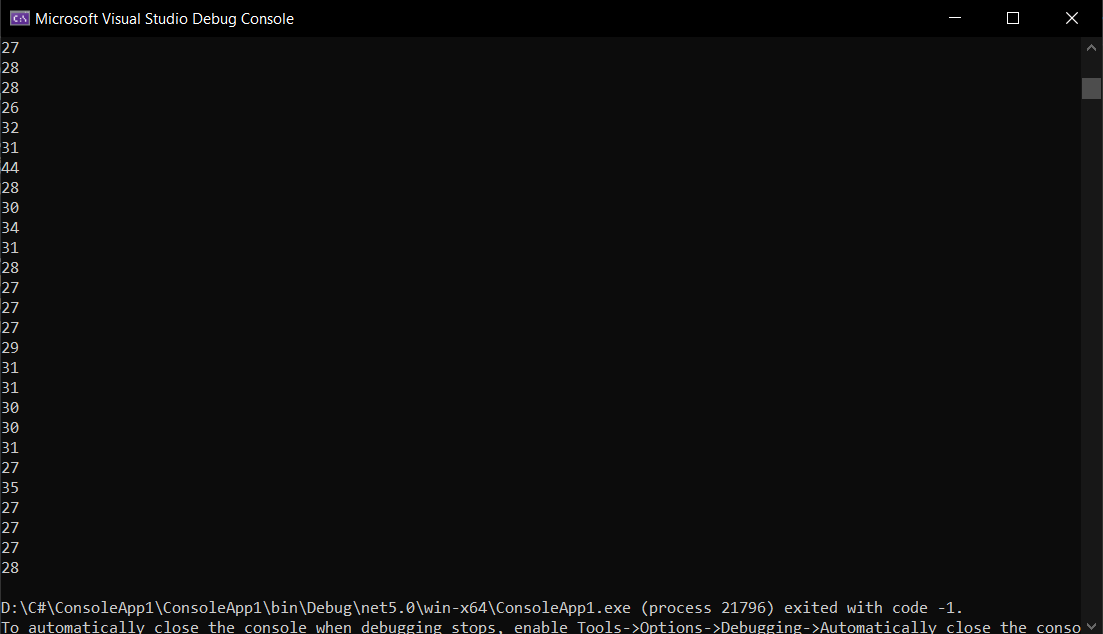
30ms average

Performance on the jetson nano (5W mode)

400ms average
WAIT wait i know what are u thinking "Bruh this dude think a jetson nano can match the performance of a goddamn gaming laptop ???" But here is the problem
The CPU just sit there chilling

And the GPU just behave "weird"

So if the CPU just shit itself running at 100% all the time then the GPU spike seeming more "reasonable". I also disable PerProcessGpuMemoryFraction and run the test again but the result still the same. Any ideas ?
Activity
minhduc66532 commentedon Jan 26, 2021
It's basically GPU data starvation as mentioned here #729. I will close this issue and will post the solution on the other issue