




Easy Image Classification with TensorFlow
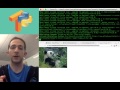
(Watch the 2-minute tutorial on YouTube)
Now runs much faster since video released!
You can use TensorPy to classify images by simply passing a URL on the command line, or by using TensorPy in your Python programs. TensorFlow does all the real work. TensorPy also simplifies TensorFlow installation by automating several setup steps into a single script (See install.sh and python3_install.sh for details).
(Read how_tensorpy_works for a detailed explanation of how TensorPy works.)
(Windows & Docker users: See the Docker ReadMe for running on a Docker machine. Windows requires Docker to run TensorFlow.)
If you're not sure how to create a virtual environment, follow these instructions to learn how.
git clone https://github.com/TensorPy/TensorPy.git
cd TensorPyFor Python 2.7 users, use install.sh to install everything you need.
./install.shFor Python 3 users, use python3_install.sh to install everything you need.
./python3_install.shClassify a single image from a URL:
classify "http://cdn2.hubspot.net/hubfs/100006/happy_animal.jpg"Classify all images on a web page:
classify "https://github.com/TensorPy/TensorPy/tree/master/examples/images"Classify a single image URL from a Python script: (See test_python_classify.py for details.)
python examples/test_python_classify.pyClassify an image from a local file path:
classify examples/images/cat_animal.jpgClassify all images from a local folder:
classify examples/images/(NOTE: If you're using Python 3 instead of Python 2.7, replace "python" with "python3" on the command line.)
Classify an image from a local file path using a Python script: (See test_python_file_classify.py for details.)
cd examples
python test_python_file_classify.py
Classify all images in a local folder using a Python script (Output = LIST): (See test_python_folder_classify.py for details.)
cd examples
python test_python_folder_classify.py
Classify all images in a local folder using a Python script (Output = DICTIONARY): (See test_python_folder_classify_dict.py for details.)
cd examples
python test_python_folder_classify_dict.pyEventually, the headline will change from "Image Classification with TensorFlow made easy!" to "Machine Learning with TensorFlow made easy!" once I expand on TensorPy to make other features of TensorFlow easier too. Stay tuned for updates!