Repository navigation
smtpServer requires secure connection or client was not authenticated. the server response was: 5.7.0 must issue STARTTLS command first #8987

Description

when i try the send mail using powershell mail server. thus send-mailmessage with commands like this
send-mailmessage -From "XXXXX" -Subject "hello world" -To "xxxx" -Body "hello world and welcome" -SmtpServer "smtp.gmail.com" -Port "587" and when i run this command. I get this issue
smtpServer requires secure connection or client was not authenticated. the server response was: 5.7.0 must issue STARTTLS command first.
any help will be much appreciated. thanks
Activity
TravisEz13 commentedon Feb 26, 2019
eben562012 Please add the
-UseSslparameter and try this again.eben562012 commentedon Feb 28, 2019
TravisEz13 commentedon Mar 1, 2019
Looking at what the error means
Meaning the port is meant for insecure connections.
Looking at the google docs it looks like
465is the actual secure port.ThreeFive-O commentedon Mar 2, 2019
Send-MailMessagecmdlet uses .NET CoreSystem.Net.SmtpClientclass, which only supports STARTTLS connections (Port 587) and not SMTPS connections (Port 465). So eben562012 should be right using Port 587.Here is the description of
System.Net.SmtpClientclass with theEnableSslproperty:The last sentence is the important one. Implicit SSL over 465 is not supported for
System.Net.SmtpClientand therefore also not supported for theSend-MailMessagecmdlet.Still STARTTLS switch from an unsecure connection to secure connection on Port 587 should be supported. Also the documentation of Google shows that STARTTLS is supported on Port 587.
Requires SSL: Yes
Requires TLS: Yes (if available)
Requires Authentication: Yes
Port for SSL: 465
Port for TLS/STARTTLS: 587
Travis Plunk (@TravisEz13) and eben562012 If you agree and give me a couple of days, I would be willing to investigate further.
ThreeFive-O commentedon Mar 2, 2019
Well, didn't take days only a couple of minutes 😀
Google, as well as other mail providers these days are not allowing unsecure connections per default. Since the STARTTLS connection initiation allows starts with an unsecure connection and later switching to a secure connection, those client connections are blocked by mail providers with best practice security guidelines.
Once I tried the example of eben562012 I immediately got a notification from Google that someone tried to authenticate with an unsecure device.
Actually the problem is easy to solve, though NOT recommended at all. One could modify in the Google account settings to allow "less secure app access":

And voila, the mail was sent without any error or any alert mail from Google. BUT, from a security perspective this is NOT recommended at all! Google will warn you in the user account settings about it multiple times. Most prominently with this one:
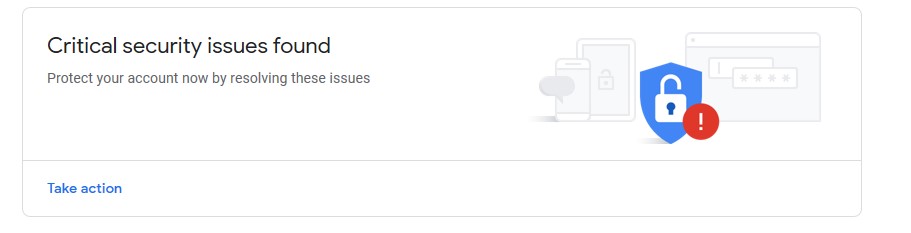
So the resolution for this issue is EXTERNAL. Either by modifying your Google account settings as shown above or by enhancing
System.Net.SmtpClientclass in the .NET CoreFX repo.Later one will be highly unlikely since the class is flagged as deprecated or not recommended for new projects, since a lot of modern mail functionality is missing.
Just for the sake of completeness: The example of eben562012 was TESTED on
PowerShell 6.2.0-preview.4andWindows PowerShell 5.1.18346.1and works fine when the Google account settings are modified accordingly.eben562012 Is it ok for you, if Travis Plunk (@TravisEz13) would close the issue, since not much can be done here at the PowerShell source level?
ThreeFive-O commentedon Mar 2, 2019
Sorry I missed that you already have the Google account option enabled
One possibility that it doesn't even work with "Less secure app access" enabled is, that the unsecure device is still blocked by Google. You might want to review "Your devices" in the account settings:

Here is the code I used:
TravisEz13 commentedon Mar 2, 2019
ThreeFive-O Thanks, for your investigation. I filed #9031 based on the results of his issue. I agree that this issue is answered and should be closed.
jaril-valsalakrishnan commentedon Oct 16, 2019
I have used the following command and successfully sent the email;
Send-MailMessage -To "" -Subject "Tes Email Powershell" -SmtpServer "smtp.office365.com" -Port "587" -Credential "" -From "" -UseSsl "STARTTLS"