Repository navigation
Improve authoring experience for Format.ps1xml and Types.ps1xml files #7749
Description

The Format.ps1xml and Types.ps1xml system in PowerShell is incredibly powerful. It's awesome how we can output objects, then totally separate from that define how these should be displayed in similar ways to how UIs are declared in XAML or JSX. Some really cool things are possible with it:
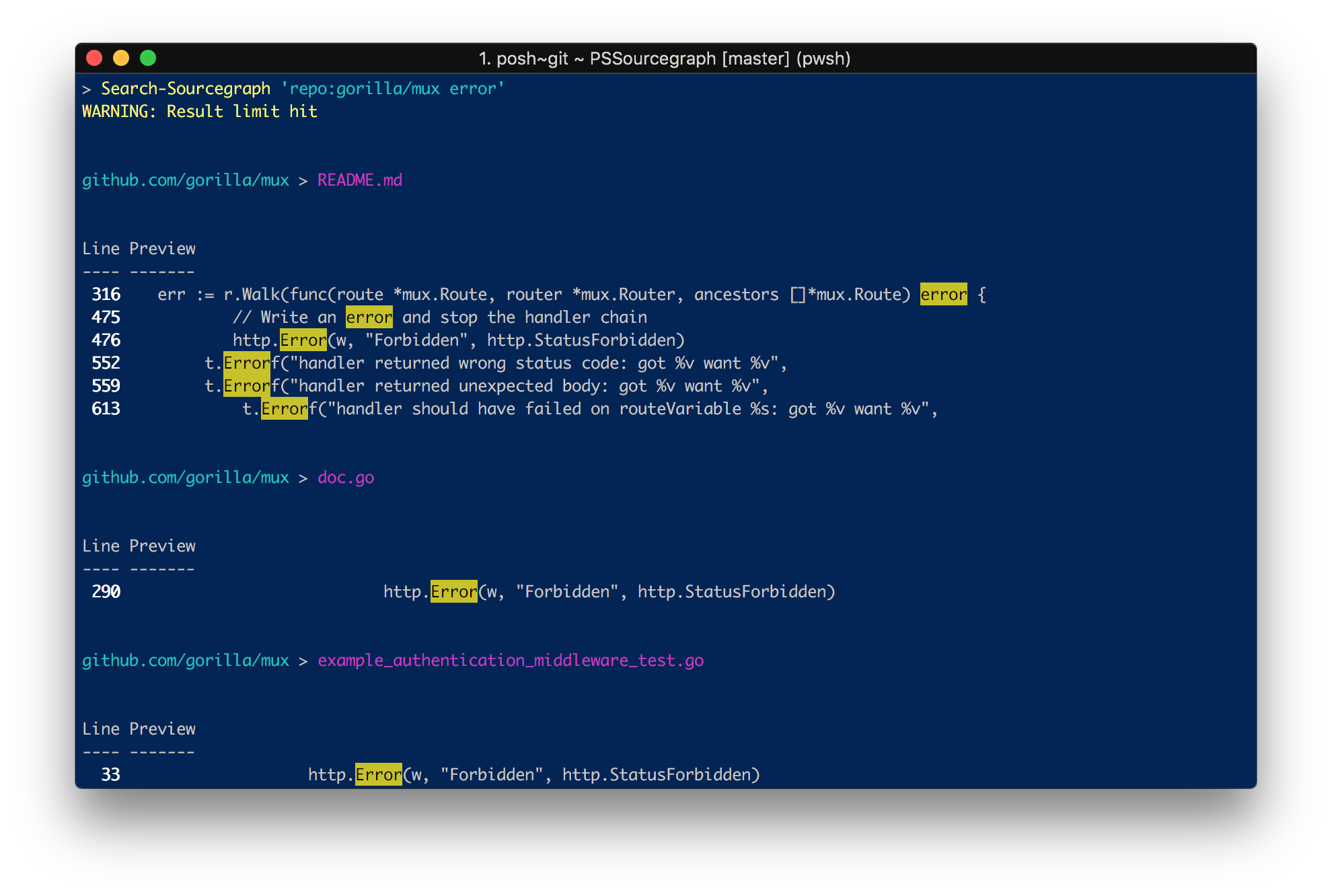
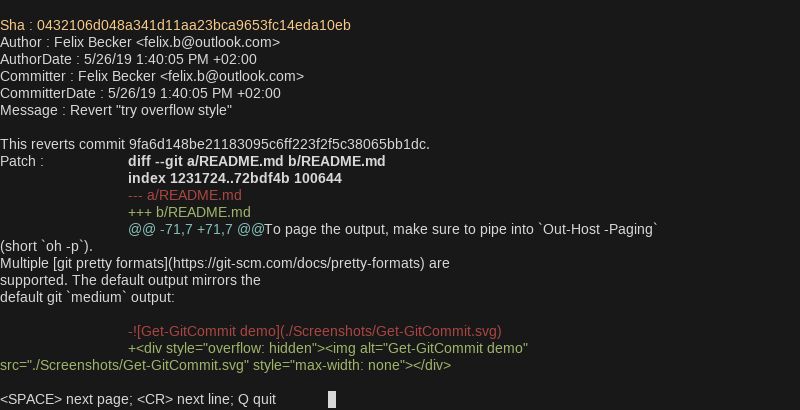
However, authoring these files is incredibly frustrating. There is no autocompletion, hovers or validation for these files in your editor. The reference documentation is incredibly hard to find, browse and search (a bunch of duplicate element Foo for Bar for Baz for Quz (Format). Error messages are often very confusing.
The way this could be improved a lot would be with an XSD for these files, which would allow validation, hovers and autocompletion. I started working on this:

This is with the vscode-xml extension.
Schemas are here: https://github.com/felixfbecker/PowerShellXSD
I currently just autogenerated this schema from the Format file in that repo.
I will investigate writing a script that parses the official schema markdown reference here and converts it into an XSD (probably with manual edits afterwards).
I couldn't find reference docs for Types.ps1xml files unfortunately, but they also seem simpler.
What's in the way of using this is that any attribute declaration on the root Configuration element will cause an error:
Update-FormatData : Errors occurred while loading the format data file:
Format.ps1xml, Error at XPath  in file Format.ps1xml: The XML element Configuration does not allow attributes.
Which means the schema instance attributes need to be removed again before loading the Format file. It would be great if PowerShell could instead just ignore attributes on the root element:
<?xml version="1.0" encoding="utf-8"?>
<Configuration xsi:noNamespaceSchemaLocation="https://raw.githubusercontent.com/felixfbecker/PowerShellXSD/master/Format.xsd"
               xmlns:xsi="http://www.w3.org/2001/XMLSchema-instance">
Another unfortunate thing to mention is that schema validation won't work if you want to use ANSI color codes in Format files because of #7526
I am posting this here in case someone wants to help out and because it would be great if eventually these schemas would be versioned in the PowerShell repo and hosted by Microsoft.
Activity
felixfbecker commentedon Sep 11, 2018
The schema for Format.ps1xml files is complete and autogenerated from the reference documentation: https://github.com/felixfbecker/PowerShellXSD/blob/master/Format.xsd
lzybkr commentedon Sep 12, 2018
Many years ago we produced xsd files for both format and types ps1xml, I've shared them here, and we should probably include them in this repo. I encourage you to compare to what you've produced to check correctness,
These xsd files were used to help automate the conversion of some ps1xml files to the C#, see examples like TypesV3_Ps1Xml.cs and FileSystem_format_ps1xml.cs.
I'm reasonably confident the types.xsd I've shared is complete because the current types ps1xml parser is based off of that xsd.
I'm not as confident about the format.xsd file - it was sufficient for converting the core ps1xml format files, but the format ps1xml parser is not based on any xsd file, so there may be missing elements.
felixfbecker commentedon Sep 12, 2018
Damn, I wished I had seen those earlier. Thanks for sharing. The Format types do look more detailed because they specify things that are not mentioned in the reference docs - like when elements can appear multiple times or just once, and what elements are mutually exclusive. What it misses is documentation.
I'll diff the number of elements and test if they are complete.
felixfbecker commentedon Sep 12, 2018
So I compared the schemas and found that
ItemSelectionConditionxs:sequencein many places, even though I am pretty sure the order of elements is not significant for any element in Format/Types.ps1xml files. I assume this is because the schema was autogenerated from XML data, and the generator can't infer this.xs:allaccuratelytrue,falseor no content to meantrueExpressiongroup to makePropertyNameandScriptBlockmutually exclusive (but was missingFormatString)xs:complexTypes for every element so onlyConfigurationis valid top-level, I was using top-levelxs:elementConsidering all points, I decided it would be best to continue with my generation script and extended it with all the advantages listed above (while keeping advantages like documentation and guarantee of completeness).
lzybkr commentedon Sep 12, 2018
Cool, I'm glad to have provided you with a reference and to know you're doing one better. I do think you're right - it was probably generated from sample data.
Note that
types.xsdthat I shared was used to generate the current parser, so it should be considered complete. I did make a bunch of manual changes to the tool generated parser for better performance, but I don't recall any logical/semantic changes.felixfbecker commentedon Sep 12, 2018
The Types schema looks complete, but it lacks documentation and uses
xs:sequenceeverywhere, while the order of elements doesn't matter in Types file (confirmed this by trying it out). I'll look at improving it manually or generating that fromabout_Typestoo (although those docs are not nearly as structured as the Format reference).One thing I found in the Format schema that is not documented anywhere:
What do these attributes mean? Are they actually supported?
lzybkr commentedon Sep 12, 2018
Those attributes are used to support localized text in the ps1xml via a resource in an assembly.
To the best of my knowledge, those attributes were only used by the PowerShell engine. Today they are probably not used because those format files are now written as C# and can access the resource strings directly.
felixfbecker commentedon Sep 12, 2018
Okay, after a lot of research it turns out it's actually impossible to allow arbitrary ordering of elements in XSD while still validating how often they occur.
So I need to decide between
lzybkr commentedon Sep 12, 2018
I think the pragmatic option is to impose a fixed ordering.
Writing format ps1xml is uncommon, and imposing an ordering that follows existing conventions seems acceptable.
At some point it would be nice to replace PowerShell's format ps1xml parser (it's slow and error messages are sometimes hard to diagnose) - and I'd suggest anyone doing so start with the xsd, so if that xsd is too permissive (e.g. allowing duplicates where it shouldn't), that seems like the wrong starting point.
SteveL-MSFT commentedon Sep 12, 2018
@PowerShell/powershell-committee reviewed this and would appreciate any contribution of xsd for format and types ps1xml
1 remaining item
SteveL-MSFT commentedon Sep 22, 2018
Let's have @PowerShell/powershell-committee discuss the limits
SteveL-MSFT commentedon Oct 3, 2018
@PowerShell/powershell-committee reviewed this and agree on doing loose validation rather than strict validation so for the first item, we should ignore unknown attributes. For the second item, it should be ok to support 1.1.
felixfbecker commentedon Oct 10, 2018
I made a PR to the VS Code docs on how to set this up: microsoft/vscode-docs#1965
SteveL-MSFT commentedon Oct 10, 2018
Felix Becker (@felixfbecker) unfortunately, the best I can tell, the .NET XmlDocument type only supports XML 1.0. I'll have a PR to allow attributes on the
<Configuration>node, however.microsoft-github-policy-service commentedon Nov 16, 2023
This issue has not had any activity in 6 months, if this is a bug please try to reproduce on the latest version of PowerShell and reopen a new issue and reference this issue if this is still a blocker for you.
microsoft-github-policy-service commentedon Nov 16, 2023
This issue has not had any activity in 6 months, if this is a bug please try to reproduce on the latest version of PowerShell and reopen a new issue and reference this issue if this is still a blocker for you.
microsoft-github-policy-service commentedon Nov 16, 2023
This issue has not had any activity in 6 months, if this is a bug please try to reproduce on the latest version of PowerShell and reopen a new issue and reference this issue if this is still a blocker for you.
microsoft-github-policy-service commentedon Nov 23, 2023
This issue has been marked as "No Activity" as there has been no activity for 6 months. It has been closed for housekeeping purposes.