Build Angular meetings, webinars, broadcasts, chat rooms, classrooms, live-sales experiences, operator workspaces, and other real-time products. MediaSFU manages signaling, WebRTC transports, room state, and media lifecycle; your application chooses the supplied UI, targeted overrides, or a fully app-owned interface.
mediasfu-angular is an Angular WebRTC SDK for video conferencing, video
calls, webinars, interactive live streaming, screen sharing, recording,
whiteboards, polls, breakout rooms, chat, translation-aware rooms, AI-assisted
experiences, component overrides, and fully headless custom UI.
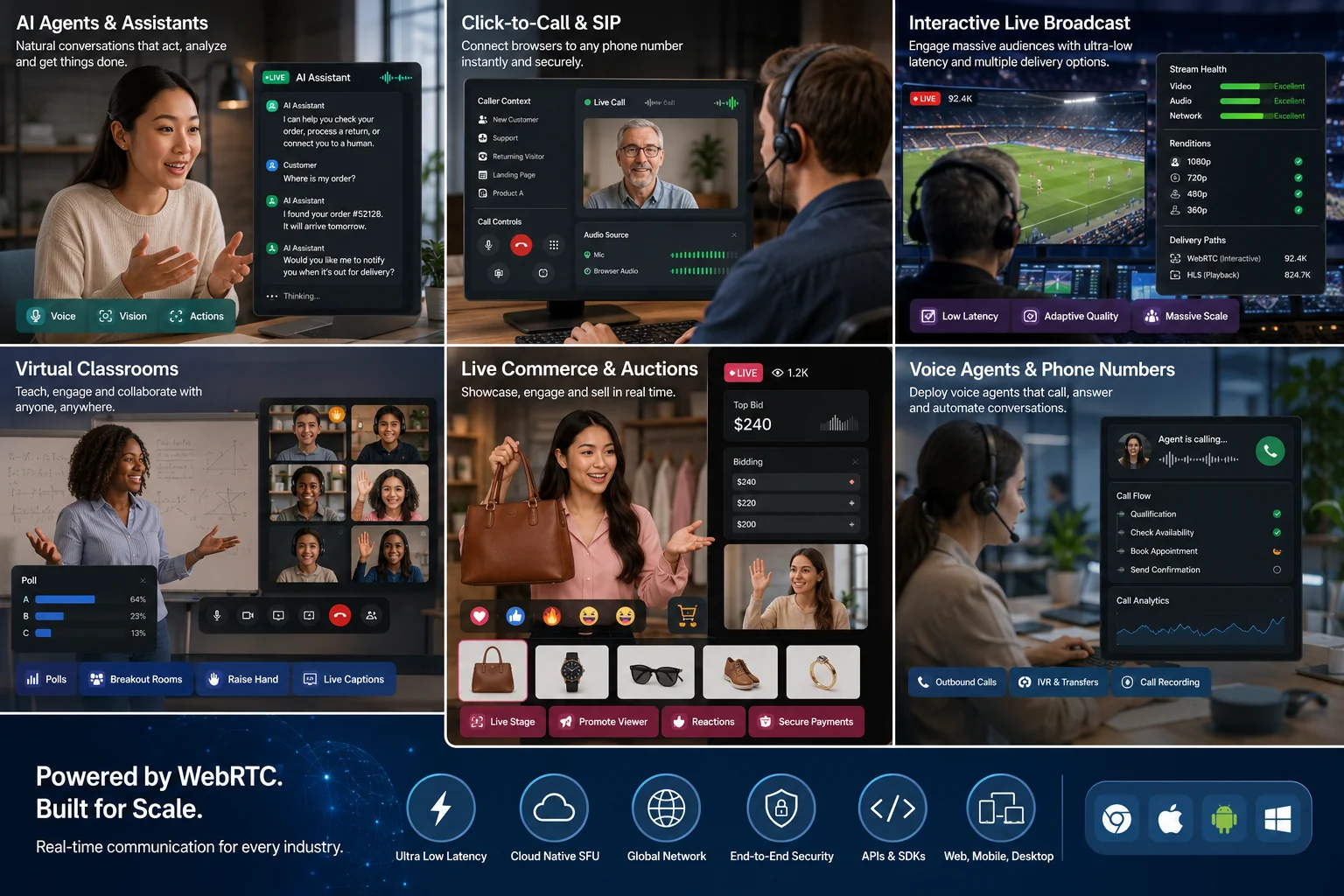
Preview the MediaSFU room experience →
npm install mediasfu-angular| Goal | Start with |
|---|---|
| Ship a complete room quickly | MediasfuGeneric, MediasfuConference, MediasfuWebinar, MediasfuBroadcast, or MediasfuChat |
| Brand selected cards, controls, or modals | uiOverrides, customVideoCard, customAudioCard, and customMiniCard |
| Replace the visible workspace | customMainComponent |
| Own rendering, state, and controls | [returnUI]="false" with MediasfuHeadlessService |
The SDK includes microphone, camera, screen sharing, remote audio/video, participants, chat, waiting and request flows, moderation, recording, whiteboard, polls, breakout rooms, captions, and translation-aware room surfaces. The backend and participant role still determine availability.
import { Component } from '@angular/core';
import { MediasfuGeneric } from 'mediasfu-angular';

@Component({
  selector: 'app-room',
  standalone: true,
  imports: [MediasfuGeneric],
  template: `
    <app-mediasfu-generic
      [credentials]="credentials"
      [connectMediaSFU]="true">
    </app-mediasfu-generic>
  `,
})
export class RoomComponent {
  readonly credentials = {
    apiUserName: 'your-api-username',
    apiKey: 'your-api-key',
  };
}
Use component-side credentials only for fast local or private development. For
MediaSFU Open, pass localLink.
MediaSFU Open is your own running media server. You deploy and operate it,
then point localLink at that server's reachable URL. The input does not start
a server; localhost works only when the Angular app and MediaSFU Open are
reached from the same machine.
For a public app, configure syntactically valid placeholders and inject both room callbacks. The callbacks post only the room payload to your authenticated backend; the backend authorizes the user and substitutes real MediaSFU credentials from private environment variables.
import type {
  CreateRoomOnMediaSFUType,
  JoinRoomOnMediaSFUType,
} from 'mediasfu-angular';

type RoomResult = Awaited<ReturnType<CreateRoomOnMediaSFUType>>;

export class RoomProxy {
  readonly clientPlaceholderCredentials = {
    apiUserName: 'client00',
    apiKey: '0'.repeat(64),
  };

  private async post(path: 'create' | 'join', payload: unknown): Promise<RoomResult> {
    const response = await fetch(`/api/rooms/${path}`, {
      method: 'POST',
      credentials: 'include',
      headers: { 'Content-Type': 'application/json' },
      body: JSON.stringify(payload),
    });
    const body = await response.json().catch(() => ({}));
    if (!response.ok || body.success === false) {
      return {
        success: false,
        data: { error: body.error ?? `Room ${path} failed (${response.status}).` },
      };
    }
    return { success: true, data: body.data };
  }

  readonly createMediaSFURoom: CreateRoomOnMediaSFUType = ({ payload }) =>
    this.post('create', payload);
  readonly joinMediaSFURoom: JoinRoomOnMediaSFUType = ({ payload }) =>
    this.post('join', payload);
}<app-mediasfu-generic
[credentials]="proxy.clientPlaceholderCredentials"
[createMediaSFURoom]="proxy.createMediaSFURoom"
[joinMediaSFURoom]="proxy.joinMediaSFURoom">
</app-mediasfu-generic>The placeholders are not authentication. The server must authenticate the app
user, allowlist the payload, enforce duration/capacity/role policy, rate-limit
requests, call MediaSFU with server-only credentials, and return
{ success, data }. Inject both callbacks so no path can fall back to a
default credential-bearing request.
For embedded layouts, set containerWidthFraction and
containerHeightFraction between 0 and 1; the room then fills its parent
instead of claiming the viewport.
import { Component } from '@angular/core';
import {
  MediasfuConference,
  type MediasfuUICustomOverrides,
} from 'mediasfu-angular';
import { BrandedMessagesComponent } from './branded-messages.component';
import { ProductControlsComponent } from './product-controls.component';

@Component({
  selector: 'app-branded-room',
  standalone: true,
  imports: [MediasfuConference],
  template: `
    <app-mediasfu-conference
      localLink="https://media.example.test"
      [uiOverrides]="uiOverrides">
    </app-mediasfu-conference>
  `,
})
export class BrandedRoomComponent {
  readonly uiOverrides: MediasfuUICustomOverrides = {
    messagesModal: { component: BrandedMessagesComponent },
    controlButtons: { component: ProductControlsComponent },
  };
}
Use customMainComponent for a completely different visible workspace while
the room component keeps lifecycle ownership. Use the headless service when
you also want a typed observable/action interface.
Headless mode can combine your application layout with exported SDK controls.
Keep the room engine mounted with [returnUI]="false", receive its parameter
publications, and pass the latest room parameters to the panel you import.
Keep modal visibility connected to the room:
- Open the panel through the room's matching updater, such as
updateIsRecordingModalVisible(true). - Bind the component's
isRecordingModalVisibleinput ([isRecordingModalVisible]) to the current room value, and make itsonClosecallback callupdateIsRecordingModalVisible(false). - Pass the current room parameters and the component's required callbacks, including recording confirmation and start actions.
- Customize supported styles, wrappers, or overrides without replacing the underlying room callbacks.
Visibility props differ between components; use the exported component's
contract, not a generic isVisible prop for every panel. Do not maintain a
second independent visibility flag. With headless mode, built-in sidebar
navigation is not your application's navigation.
Opening a panel does not start recording or grant media permission. Keep confirmation, permission checks, and teardown under the room engine's control.
Use ModernMediasfuGenericHeadComponent when your page needs the complete
MediaSFU room UI at a different point in its layout without mounting a second
room engine. The engine remains the only owner of sockets, tracks, room state,
modal visibility, and sidebar navigation; the head instantiates its exact
declared UI template.
import { AsyncPipe, NgIf } from '@angular/common';
import { Component } from '@angular/core';
import {
  MediasfuGeneric,
  MediasfuHeadlessService,
  ModernMediasfuGenericHeadComponent,
} from 'mediasfu-angular';

@Component({
  standalone: true,
  imports: [AsyncPipe, NgIf, MediasfuGeneric, ModernMediasfuGenericHeadComponent],
  providers: [MediasfuHeadlessService],
  template: `
    <app-modern-mediasfu-generic-head
      *ngIf="room.parameters$ | async as parameters"
      [parameters]="parameters">
    </app-modern-mediasfu-generic-head>

    <app-mediasfu-generic
      [returnUI]="false"
      [renderUIExternally]="true"
      [sourceParameters]="room.sourceParameters"
      [updateSourceParameters]="room.updateSourceParameters">
    </app-mediasfu-generic>
  `,
})
export class HostedRoomComponent {
  constructor(readonly room: MediasfuHeadlessService) {}
}
Do not mount another MediasfuGeneric inside the head. Keep modal actions on
the room's published updaters so the standard close, sidebar, and teardown
behavior remains intact.
Provide MediasfuHeadlessService at the room-screen level so each active room
gets one stable parameter bridge. This example consumes the primary stream,
mounts every remote-audio renderer, publishes controls, and displays failures.
import { AsyncPipe, NgIf } from '@angular/common';
import { Component } from '@angular/core';
import { combineLatest, map } from 'rxjs';
import {
  AudioGrid,
  MediasfuGeneric,
  MediasfuHeadlessService,
} from 'mediasfu-angular';

@Component({
  selector: 'app-headless-room',
  standalone: true,
  imports: [AsyncPipe, NgIf, MediasfuGeneric, AudioGrid],
  providers: [MediasfuHeadlessService],
  templateUrl: './headless-room.component.html',
})
export class HeadlessRoomComponent {
  notice = '';

  readonly primary$ = combineLatest([
    this.room.screenShare$,
    this.room.remoteVideos$,
    this.room.localVideo$,
  ]).pipe(
    map(([share, remotes, local]) =>
      share.stream
        ? { stream: share.stream, muted: share.isLocal }
        : remotes[0]?.stream
          ? { stream: remotes[0].stream, muted: false }
          : local
            ? { stream: local, muted: true }
            : null
    )
  );

  constructor(public readonly room: MediasfuHeadlessService) {}

  async run(action: () => Promise<{ ok: boolean; error: string }>) {
    const result = await action();
    this.notice = result.ok ? '' : result.error;
  }
}<app-mediasfu-generic
localLink="https://media.example.test"
[connectMediaSFU]="true"
[returnUI]="false"
[sourceParameters]="room.sourceParameters"
[updateSourceParameters]="room.updateSourceParameters"
(mediaChanged)="room.onMediaChanged($event)">
</app-mediasfu-generic>
<p *ngIf="room.readiness$ | async as readiness">
{{ readiness.ready ? 'Room ready' : readiness.reason }}
</p>
<p>{{ (room.participants$ | async)?.length ?? 0 }} participants</p>
<ng-container *ngIf="primary$ | async as primary">
<video [srcObject]="primary.stream" [muted]="primary.muted" autoplay playsinline></video>
</ng-container>
<button [disabled]="!(room.ready$ | async)" (click)="run(room.controls.toggleMic)">
{{ (room.micOn$ | async) ? 'Mute' : 'Unmute' }}
</button>
<button [disabled]="!(room.ready$ | async)" (click)="run(room.controls.toggleCamera)">
{{ (room.cameraOn$ | async) ? 'Camera off' : 'Camera on' }}
</button>
<button [disabled]="!(room.ready$ | async)" (click)="run(room.controls.toggleScreenShare)">
Share screen
</button>
<button (click)="run(room.controls.leave)">Leave</button>
<p *ngIf="notice" role="alert">{{ notice }}</p>
<!-- Audio is independent of the visible video page; mount every entry. -->
<app-audio-grid
class="remote-audio"
[componentsToRender]="(room.audioComponents$ | async) ?? []">
</app-audio-grid>.remote-audio {
position: absolute;
width: 1px;
height: 1px;
overflow: hidden;
opacity: 0;
}The service exposes the complete high-level surface:
- consume with
localVideo$,remoteVideos$,screenShare$,audioComponents$, andparticipants$; - publish or switch normal devices with
controls, including microphone, camera, screen share, device selection, camera flip, chat, and leave; - publish app-created media with
produce.media,produce.canvas,produce.element, orproduce.display, then usereplaceTrackorstop; - build permission-aware host/co-host tools with
permissions$andmoderation; - build recording, whiteboard, poll, and breakout UI with the session state
observables and
sessionactions.
Every action returns { ok, error }; make error visible. Subscribe with
async, keep sourceParameters stable, accept every publication, and bind
mediaChanged. Never call getUpdatedAllParams() from a template, getter,
timer, or change-detection path because it republishes. Pure reads use
getCurrentParams().
- Test microphone/camera denial, no-device state, autoplay policy, device switching, network loss, rejoin, and screen-share ending.
- Mount every prepared audio component, not only the visible video page.
- Gate moderation and session controls on permissions and current room state.
- Stop app-created tracks and await Leave before destroying the room screen.
- Keep reusable Cloud credentials and privileged operations on your server.
- Detailed repository guide
- Usage cookbook
- SDK guides and generated API references
- Complete headless guide
- REST API Sandbox — run GET/POST requests and copy code
- Create and manage MediaSFU API keys
- Developer Console and room API guide
- MediaSFU Open — deploy your own media server
Keep the SDK dialog connected to the latest parameter publication; the room's
visibility flag and matching updater must remain the single source of truth.
For local preview, bind to MediasfuHeadlessService.localVideo$. It already
resolves an active virtualStream ahead of the raw camera, matching what remote
participants receive.
For breakout rooms, reuse BreakoutRoomsModal with the current room parameters
when you want the built-in planner. Save assignments before Start and render a
visible validation message in your page. A custom breakout view must perform
the SDK room transition; merely filtering participant cards does not move a
participant or pause and resume the correct consumers.
- MediaSFU QuickStart Apps — runnable Cloud, MediaSFU Open, custom-prejoin, backend-proxy, and custom-UI examples across SDKs.
- SpacesTek Initial → Final → Advanced — a staged path from a starter room to a product-owned Spaces-style experience.
- MediaSFU Agents — multimodal voice/vision agent starters across supported frameworks.
- MediaSFU VOIP — telephony, dialer, room-lifecycle, and agent/human handoff reference clients.
Hosts now see Leave room and End for everyone. The first keeps the room active and allows rejoin. Programmatic callers pass endRoomOnHostExit: false; existing calls default to true.
MIT. See LICENSE.