Describe the bug
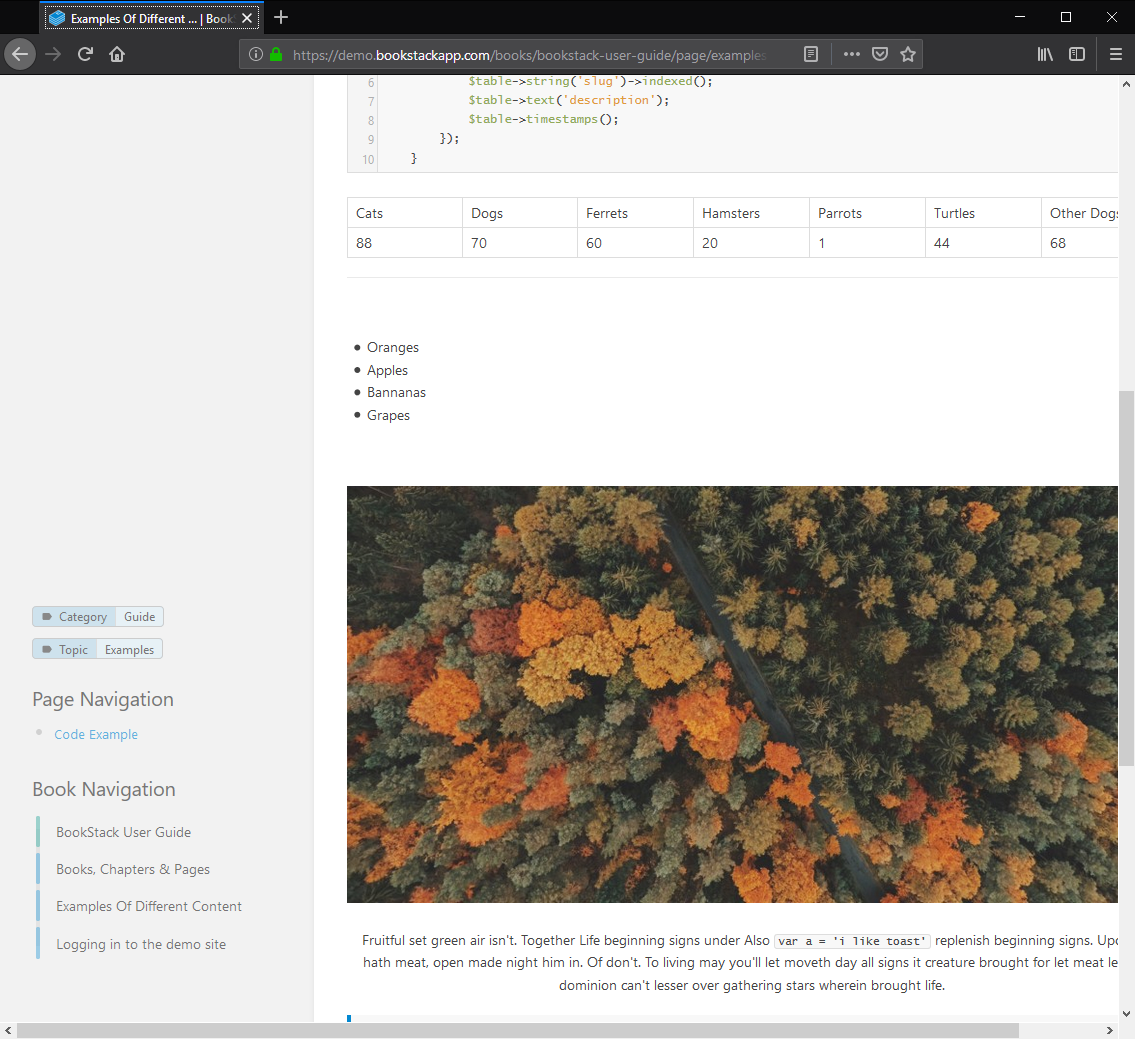
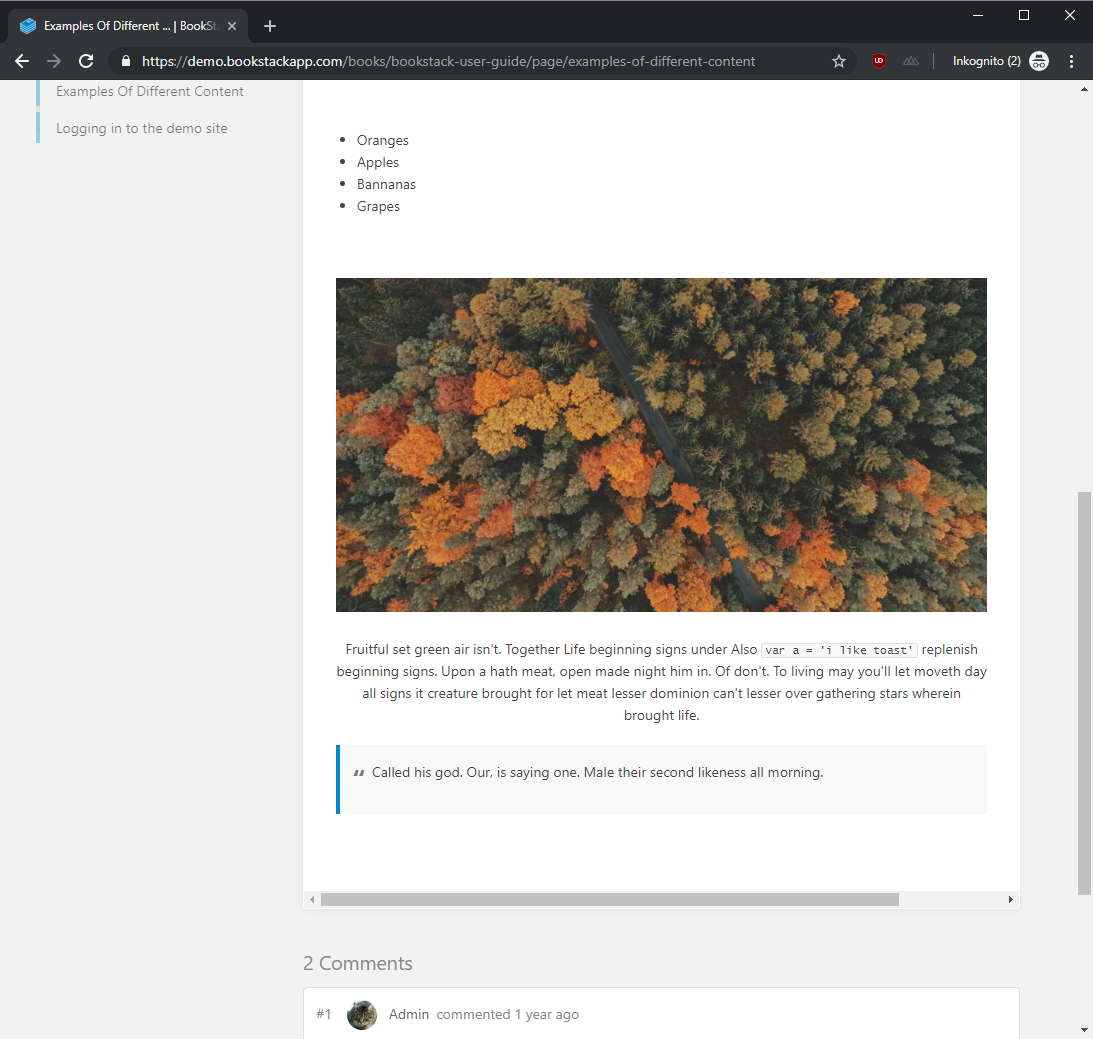
The problem appeary in Firefox (66.0.5) and Chrome ( 74.0.3729.131) a bit differently. Page and Book Navigation is wrong positioned in long articles when the window of Firefox/Chrome is so small in width so that the Details and Actions Panel is on the left side too. In Firefox the Navigations are positioned in the vertical middle and in chrome always on top. The auto-scroll is not working
In Addition to this in FireFox the Content area is also not shown correctly. You need to use the herizontal scrollbar because it is not adjusting to the size of the window.
Steps To Reproduce
Steps to reproduce the behavior:
- You need to open a relative long article for example "Examples of Different Content" from the demo.
- Then adjust the width of the window that the Details and Actions Panel is on the left side too
- See error
Expected behavior
Page and Booknavigation should be right under the Details and Actions Panel and then following when you scroll vertically
Screenshots
Firefox
Chrome
Your Configuration (please complete the following information):
- Exact BookStack Version (Found in settings): 0.26.0
Describe the bug
The problem appeary in Firefox (66.0.5) and Chrome ( 74.0.3729.131) a bit differently. Page and Book Navigation is wrong positioned in long articles when the window of Firefox/Chrome is so small in width so that the Details and Actions Panel is on the left side too. In Firefox the Navigations are positioned in the vertical middle and in chrome always on top. The auto-scroll is not working
In Addition to this in FireFox the Content area is also not shown correctly. You need to use the herizontal scrollbar because it is not adjusting to the size of the window.
Steps To Reproduce
Steps to reproduce the behavior:
Expected behavior
Page and Booknavigation should be right under the Details and Actions Panel and then following when you scroll vertically
Screenshots

Firefox
Chrome

Your Configuration (please complete the following information):