
Using the sandbox
Learn how to create a sandbox environment and use it to test your API calls
You can create a sandbox environment to mimic the characteristics of a production environment and test your API calls.
About the sandbox
Keep these points in mind when using the sandbox environment:
- The sandbox environment doesn't send emails. You won't receive any email notification when using it.
- It's not possible to invite additional users to a sandbox account. If more than one person needs access, share the sandbox credentials within your team.
URLs
The following table lists the URLs used for the sandbox environment.
| Environment | URL | Description |
|---|---|---|
| Sandbox UI | https://demo.letsdeel.com | Use this to log into the sandbox environment UI |
| Sandbox API | api-sandbox.demo.deel.com | Use this to make API calls to the sandbox environment |
Before you begin
- Sandbox accounts are created from production accounts. If you don't have one, you can create it at https://app.deel.com/signup.
The step-by-step instructions are available in our Help Center.
Step 1. Create a sandbox
To create a sandbox:
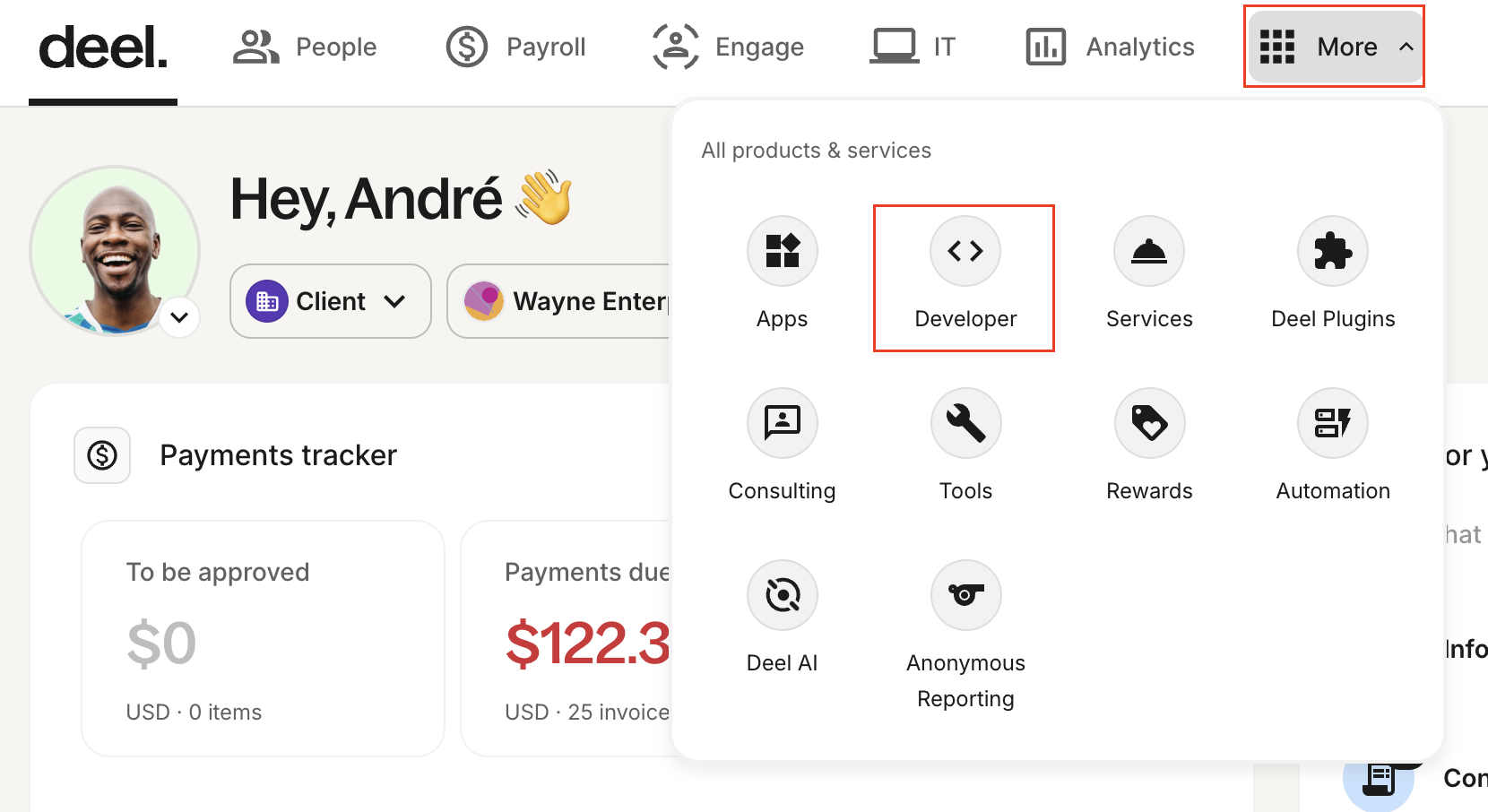
- Go to More > Developer.
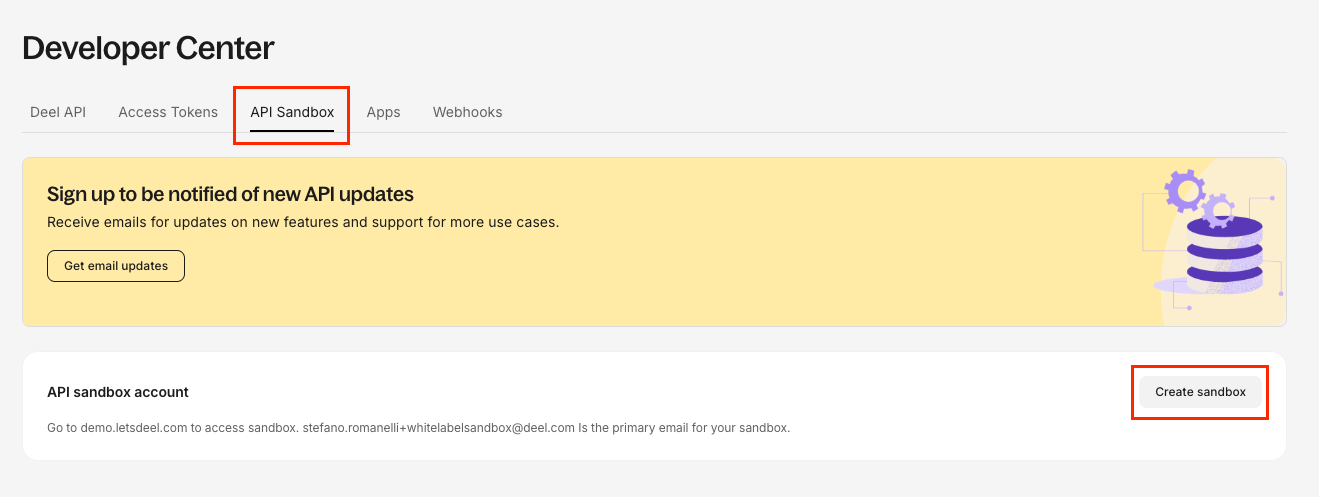
- On the Developer Center page, go to the API Sandbox tab, then click Create Sandbox.
- Enter an email and password for your sandbox account, then click Confirm.
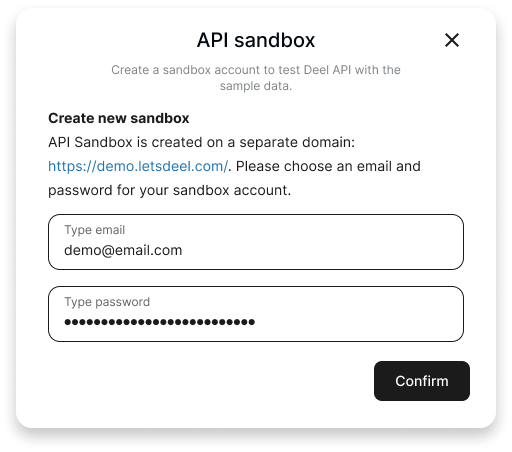
Make sure to note the email and password down, you'll need them to log in to the sandbox.
The sandbox is created. You can now access it.
Step 2. Access the sandbox
There are 2 ways to access the sandbox:
Access the sandbox from the production UI
To access the sandbox from the production UI:
- Go to More > Developer.
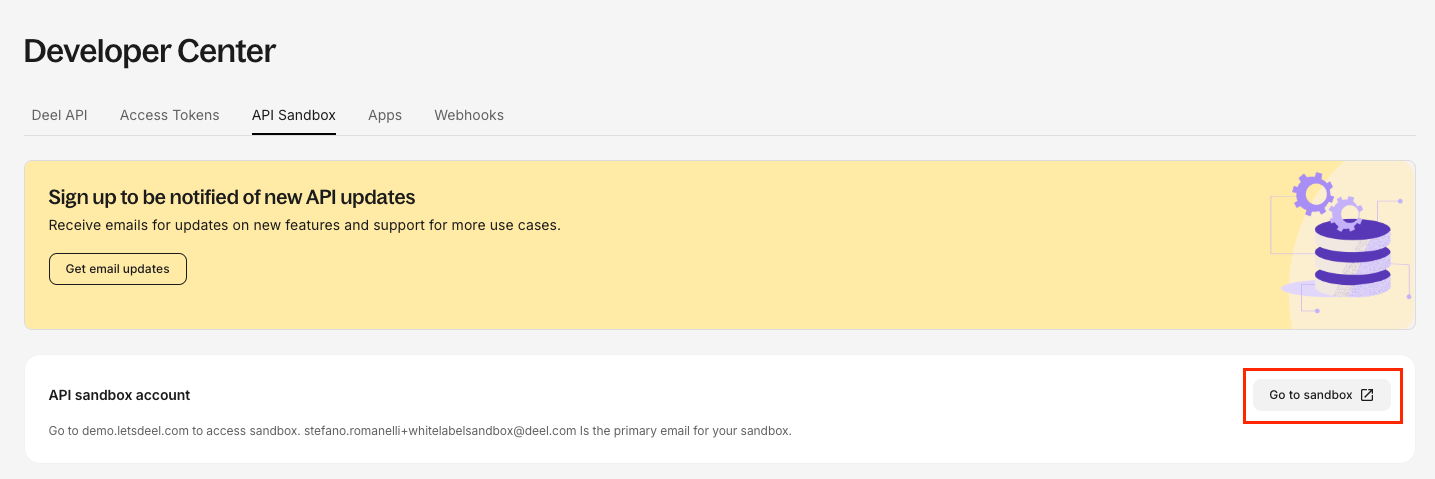
- On the Developer Center page, go to the API Sandbox tab, then click Go to sandbox.
- Log in using the email and password you chose when you created the sandbox.
Access the sandbox from the sandbox URL
To access the sandbox from the sandbox URL:
- Go to the sandbox URL:
https://api-sandbox.demo.deel.com. - Log in using the email and password you chose when you created the sandbox.
Next steps
Now that you created and accessed the sandbox, you can learn how to generate API tokens to authenticate your API calls.
Updated 22 days ago