
API Tokens
Deel API uses API tokens to authenticate requests. A bearer token is required to authenticate all API requests.
All API requests must be made over HTTPS. Calls made over plain HTTP will fail. API requests without authentication will also fail.
curl -X GET 'api.letsdeel.com/rest/v2/contracts' \
-H 'Authorization: Bearer YOUR-TOKEN-HERE'
Generating access tokens
-
Go to More > Developer.
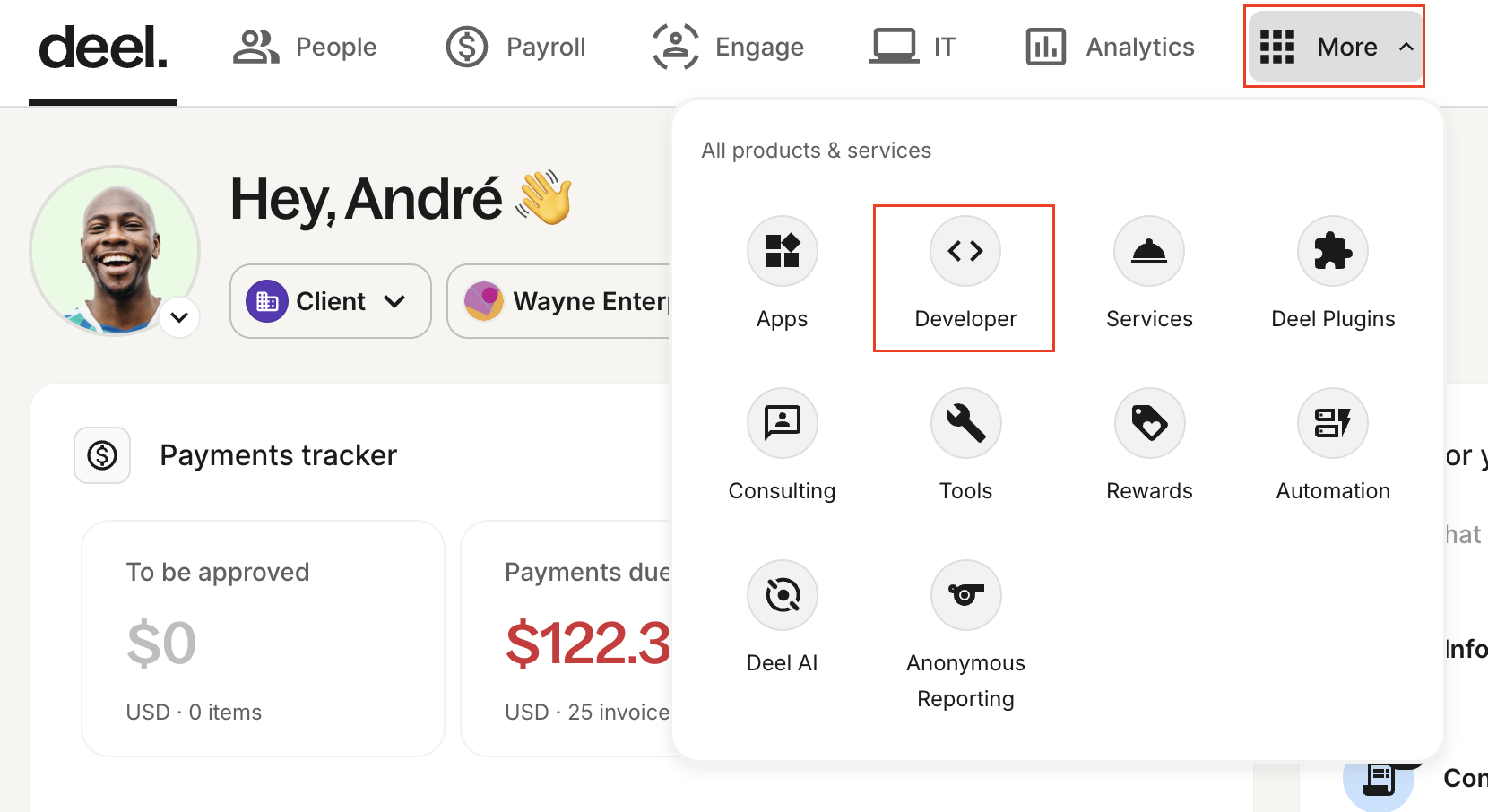
Screenshot showing how to navigate to the Developer Center
-
Go to the Access Tokens tab and click Generate new token.
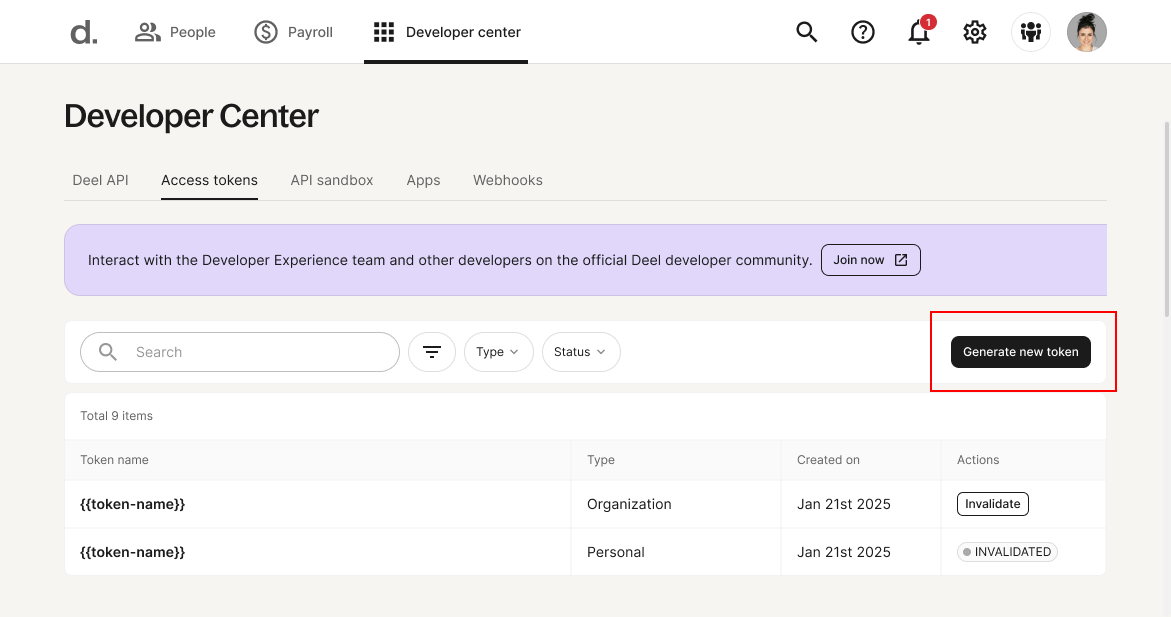
Screenshot highlighting the Generate new token button
-
On the first step of the Generate access token wizard, enter a label, select the token type, then click Next.
- Organization token grants access to every resource in the organization.
- Personal token grants access to the resources of the user who creates the token.
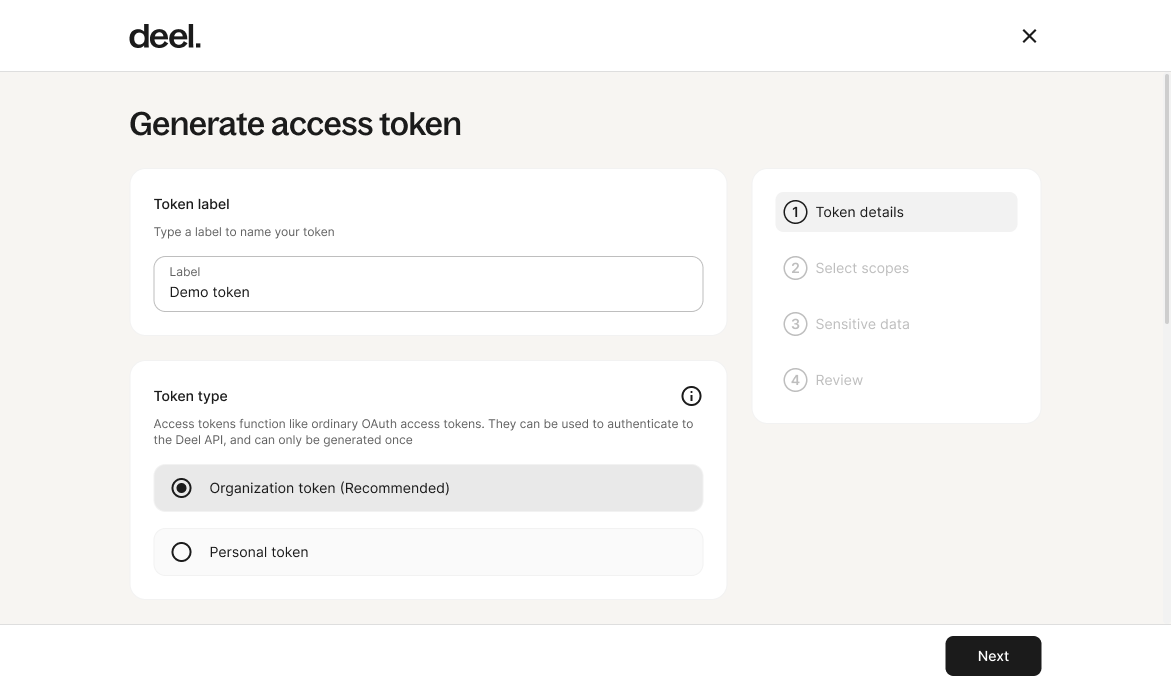
Screenshot showing the step where the token label and type are defined
-
On the next step of the wizard, select the scopes for the token, then click Next.
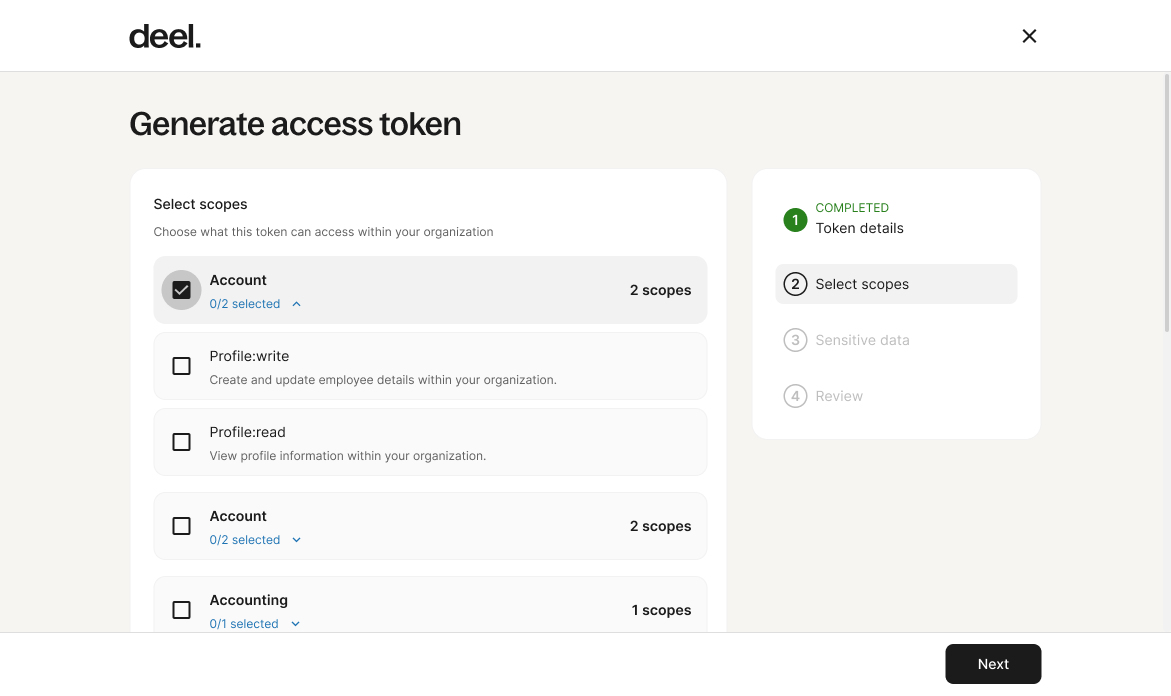
Screenshot showing the step where the token scopes are defined
-
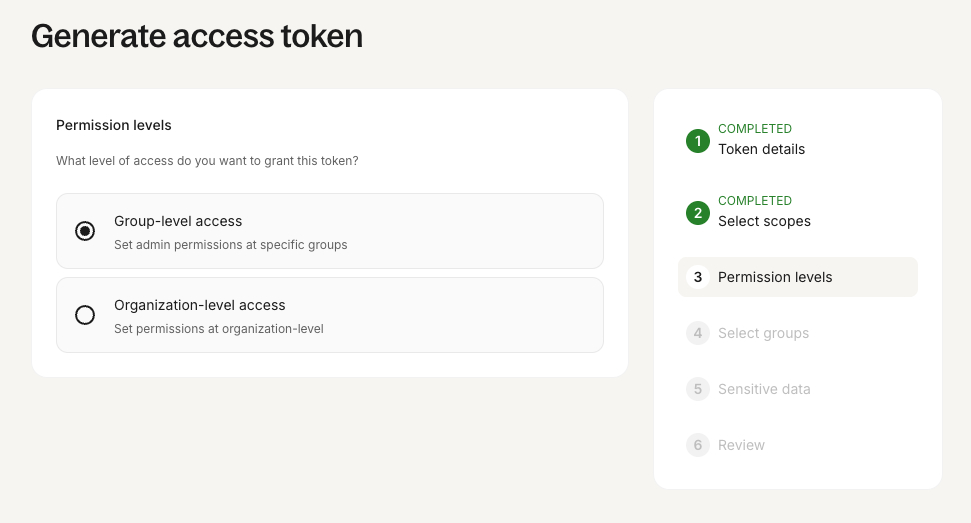
If you selected an organization token, choose how the access should be limited, then click Next. If you selected a personal token, this step is skipped.
- Organization-level token grants access to all resources in the organization, based on the scopes selected in the previous step.
- Group-level token grants access only to the members of specific organization groups. You can select one or multiple groups. This option is useful when access must be limited to specific teams rather than the entire organization.
-
At the next step of the wizard, customize the access level of the token to sensitive data, then click Next.
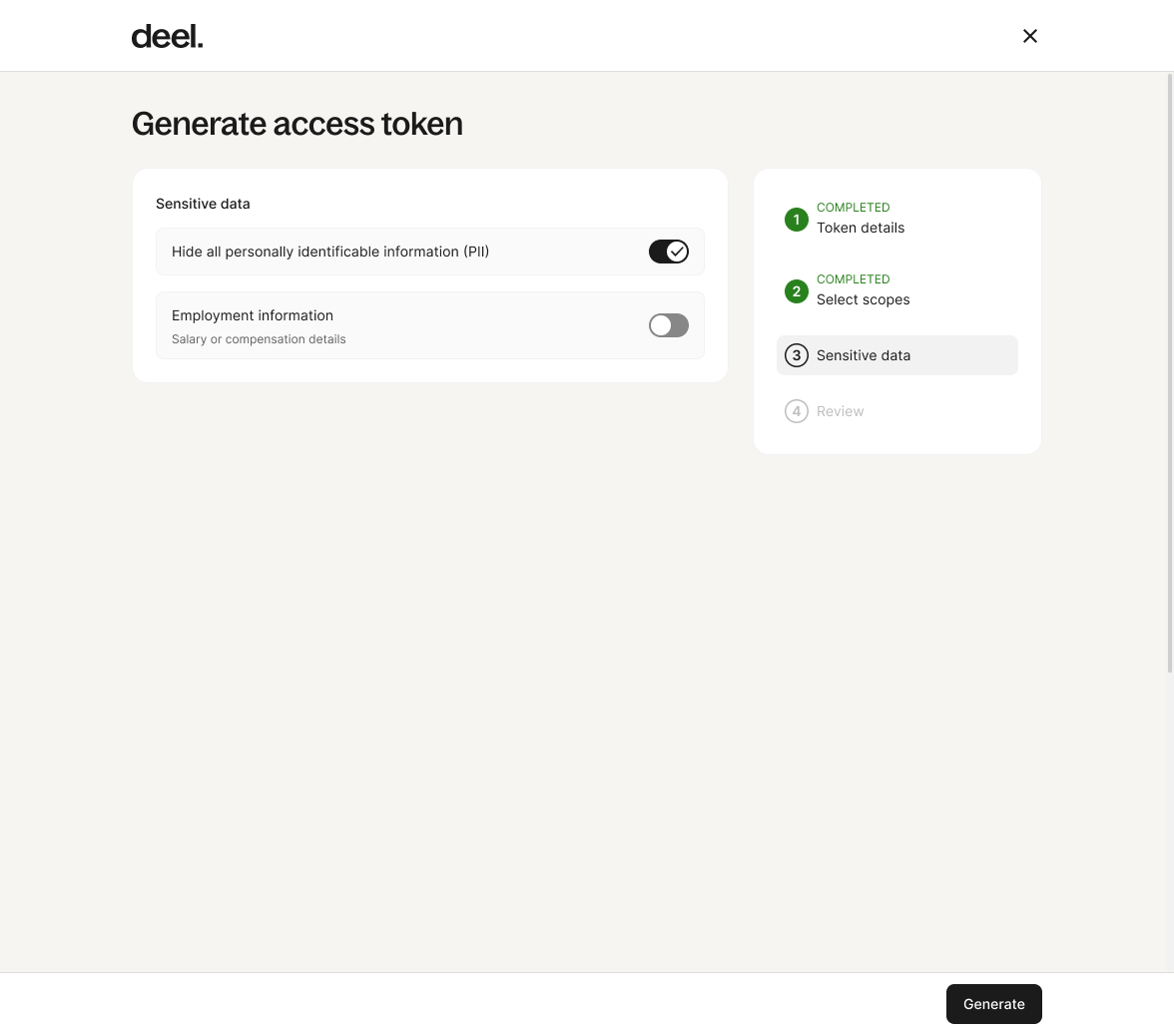
Screenshot showing the step where access to sensitive data is defined
-
On the last step of the wizard, review your settings, then click Generate.
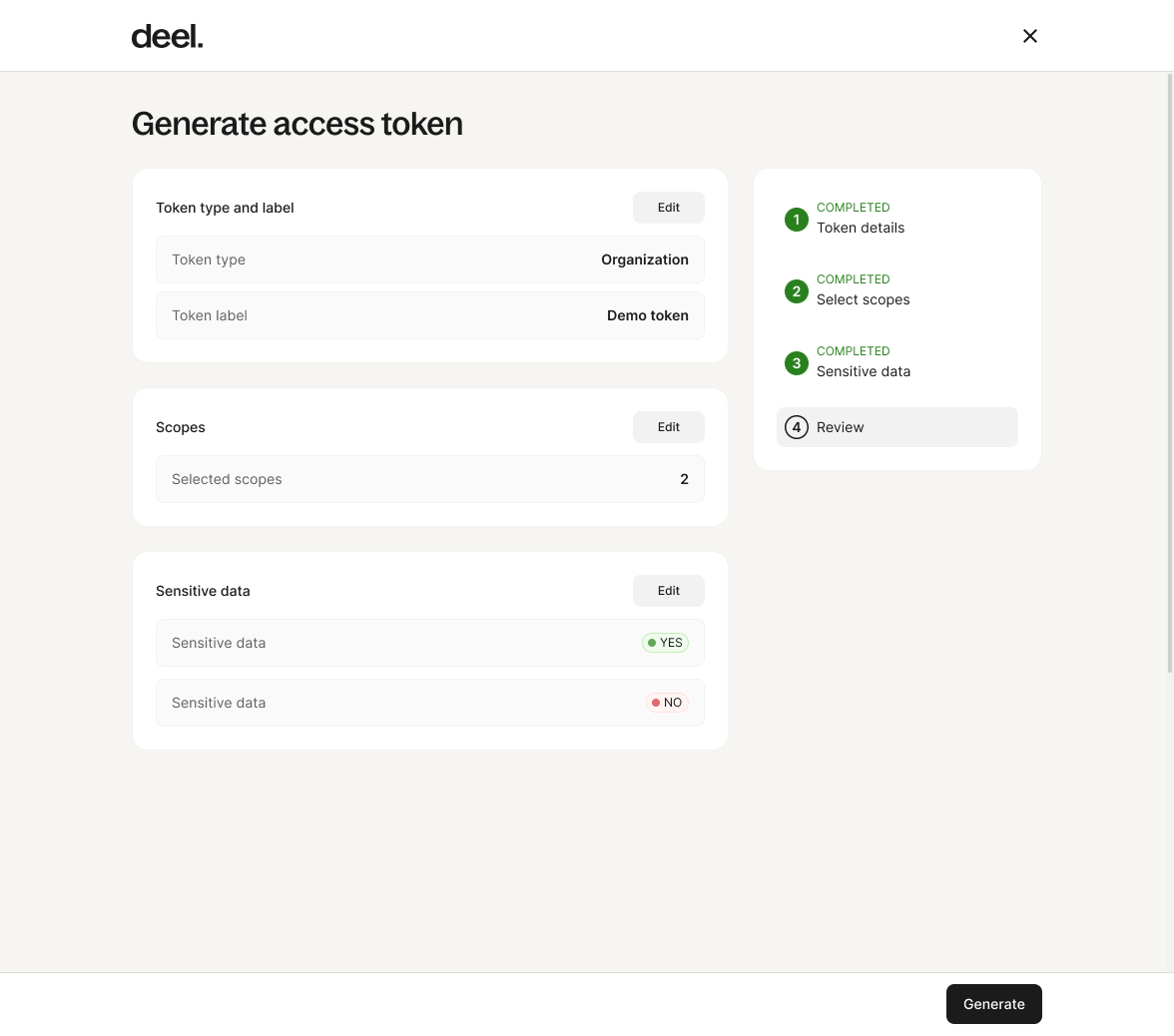
Screenshot showing the step where the token details are reviewed and the token is generated
The token is generated, copy it somewhere safe because it won't be possible to display it again.
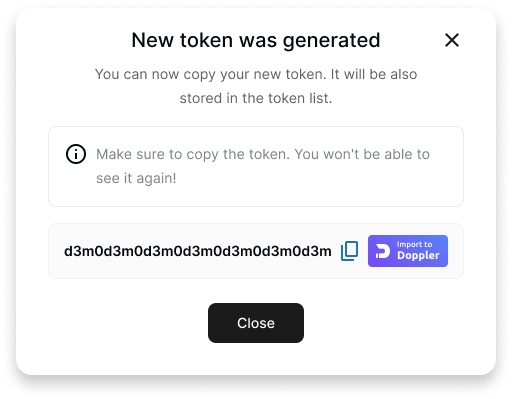
Screenshot showing a message with the successfully generated token
Updated 8 days ago