
Beschreibung
Mit diesem Plugin kannst du Beiträge eines jeden Typs duplizieren oder sie als neuen Entwurf für die weitere Bearbeitung anlegen.
So funktioniert es:
-
In ‚Edit Posts’/’Edit Pages‘, you can click on ‚Clone‘ link below the post/page title: this will immediately create a copy and return to the list.
-
In „Beiträge bearbeiten“/„Seiten bearbeiten“ kannst du ein oder mehrere Elemente auswählen und dann „Klonen“ im „Massenaktionen“-Drop-down auswählen, um sie alle auf einmal zu kopieren.
-
Unter „Beiträge bearbeiten“/„Seiten bearbeiten“ kannst du auf den Link „Neuer Entwurf“ unterhalb des Beitrags-/Seitentitels klicken.
-
On the post edit screen, you can click on ‚Copy to a new draft‘ above „Cancel“/“Move to trash“ or in the admin bar.
-
Bei der Anzeige eines Beitrags als angemeldeter Benutzer kannst du auf „Als neuen Entwurf kopieren“ in der Adminleiste klicken.
3, 4 und 5 führen zur Bearbeitungsseite des neuen Entwurfs: Ändere, was du willst, klicke auf „Veröffentlichen“ und das war’s.
There is also a template tag, so you can put it in your templates and clone your posts/pages from the front-end. Clicking on the link will lead you to the edit page for the new draft, just like the admin bar link.
Duplicate Post hat viele hilfreiche Einstellungen, die das Plugin anpassen und seine Verwendung auf bestimmte Rollen oder Inhaltstypen beschränken. Es gibt eine umfangreiche Dokumentation auf yoast.com und unsere Dokumentation für Entwickler.
Mitwirken
Wenn du dieses Plugin nützlich findest und mitmachen möchtest, gibt es dafür zwei Möglichkeiten:
- Reiche deine Fehlerberichte, Vorschläge und Wünsche für Features auf GitHub ein;
- Wenn du es in deine Sprache übersetzen möchtest (es sind nur ein paar Zeilen!), kannst du das Übersetzungs-Projekt benutzen;
Screenshots
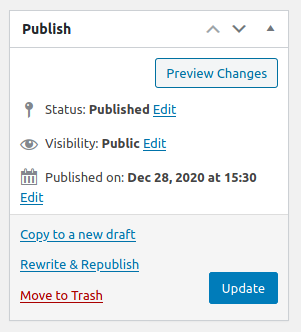
Classic Editor. 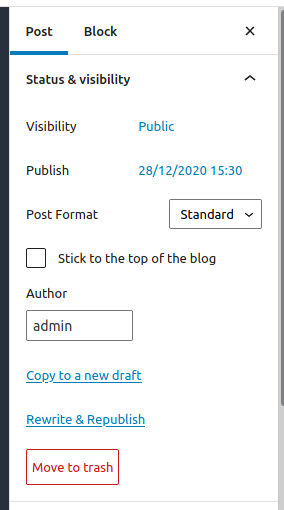
Block-Editor. 
Beitragsliste. 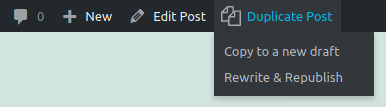
Admin-Bar-Menü. 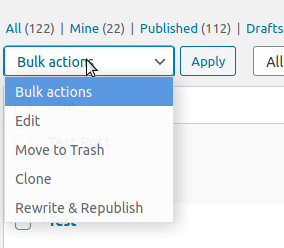
Mehrfachaktionen. 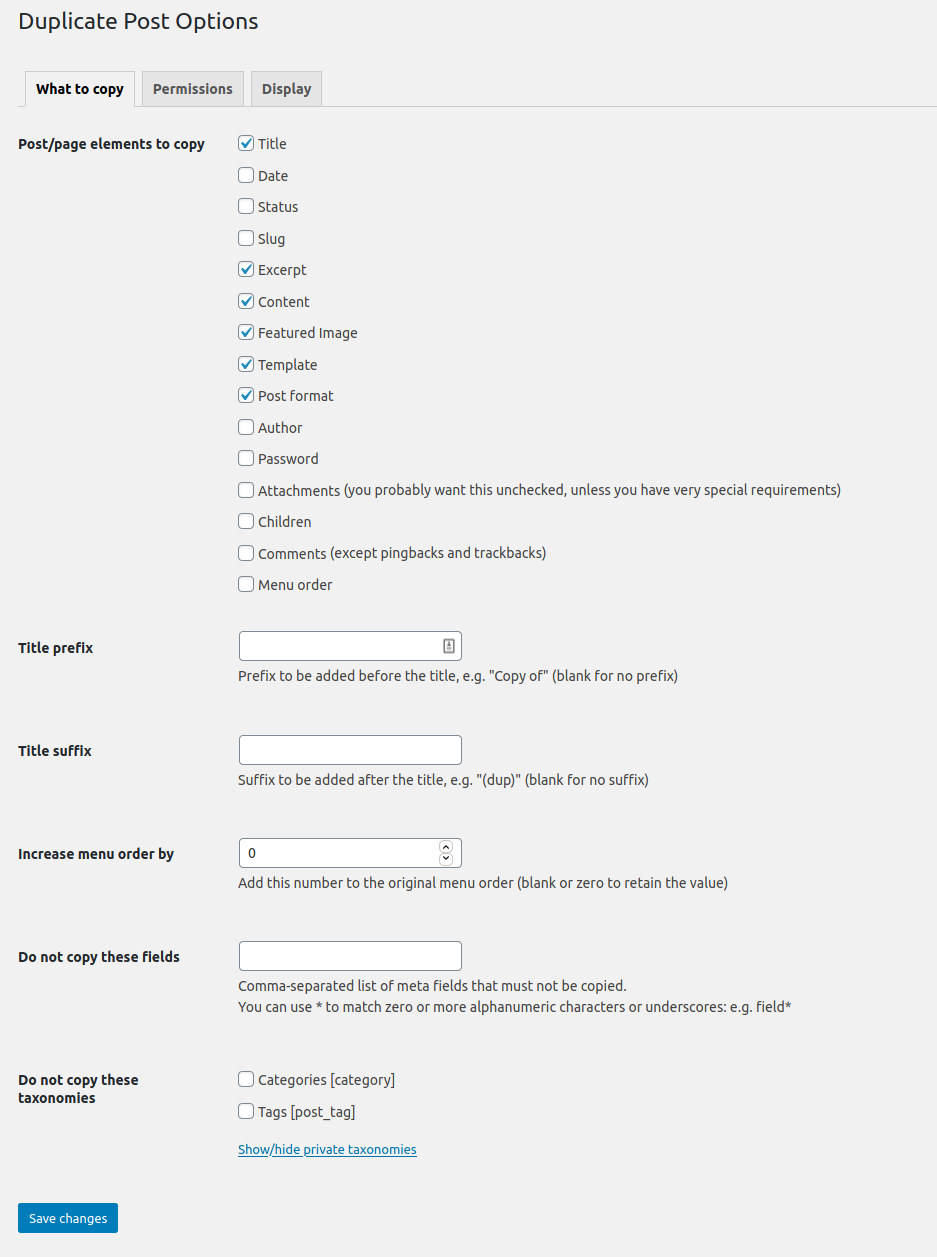
Die Optionen-Seite.


Installation
Verwende die WordPress-Funktion „Plugin installieren“ und suche nach „Duplicate Post“, oder lade das Archiv herunter und:
- Entpacke das Archiv auf deinem Computer.
- Lade den Ordner
duplicate-postin das Verzeichnis/wp-content/plugins/hoch. - Aktiviere das Plugin in WordPress über das Menü „Plugins“
- Gehe zu Einstellungen -> Duplicate Post und passe das Verhalten nach Bedarf an.
FAQ
-
Das Plugin funktioniert nicht. Warum?
-
Überprüfe zuerst deine Version von WordPress: Das Plugin soll nicht mehr mit alten Versionen funktionieren. Stelle sicher, dass du auch auf die neueste Version des Plugins aktualisierst!
Versuche dann, es zu deaktivieren und wieder zu aktivieren. Einige Benutzer haben berichtet, dass dies einige Probleme behebt.
Achte auch auf den Tab „Berechtigungen“ in den Einstellungen: Stelle sicher, dass das Plugin für die gewünschten Benutzerrollen und Beitragstypen aktiviert ist.
Wenn es immer noch nicht funktioniert, gibt es vielleicht einen Konflikt mit anderen Plugins: Schreibe ins Forum und wir versuchen, eine Lösung zu finden (es wäre wirklich hilfreich, wenn du einmal alle anderen Plugins eins nach dem anderen deaktivierst, um zu sehen, welches Plugin mit meinem kollidiert … Aber mach es nur, wenn du weißt, was du tust, ich übernehme keine Verantwortung für irgendwelche Probleme, die sich daraus ergeben).
-
Das Plugin ist nicht in meine Sprache übersetzt!
-
Ab Version 3.0 werden die Übersetzungen des Plugins von der WordPress.org Plattform verwaltet und das Plugin wird ohne Sprachdateien ausgeliefert, also aktualisiere zunächst die Übersetzungen unter Dashboard->Aktualisierungen.
Falls Duplicate Post noch auf Englisch ist oder es nicht übersetzte Passagen gibt, kannst du helfen, es in deine Sprache zu übersetzen: du brauchst nur ein WordPress.org-Konto.
Rezensionen


Mitwirkende und Entwickler
„Yoast Duplicate Post“ ist Open-Source-Software. Folgende Menschen haben an diesem Plugin mitgewirkt:
Mitwirkende

„Yoast Duplicate Post“ wurde in 51 Sprachen übersetzt. Danke an die Übersetzer für ihre Mitwirkung.
Übersetze „Yoast Duplicate Post“ in deine Sprache.
Interessiert an der Entwicklung?
Durchstöbere den Code, sieh dir das SVN-Repository an oder abonniere das Entwicklungsprotokoll per RSS.
Änderungsprotokoll
4.6
Release date: 2026-03-09
Introduces smoother post duplication, more reliable rewrite workflows, and better compatibility across languages and configurations. Read more here!
Enhancements
- Improves the compatibility with the Block Editor.
- Improves the style of the Copy to a new draft and Rewrite & Republish actions in the Block Editor.
- Replaces the metabox with a sidebar panel in the Block Editor.
Bugfixes
- Fixes a bug where cloning an attachment did not copy its caption as expected. Props to @masteradhoc.
- Fixes a bug where cloning an attachment did not copy its description as expected.
- Fixes a bug where notices would not be appearing in the block editor, throwing console errors, with some locales.
- Fixes a bug where Rewrite & Republish copies could remain orphaned, blocking editors from creating a new Rewrite & Republish copy for the original post.
- Fixes a bug where the block editor button were not styled if the admin bar links where not present.
- Fixes a bug where translations where missing in the buttons and the notices in the Block Editor. Props to @petitphp.
Other
- Improves security of the Bulk Clone action and the republishing of a copy.
- Adds
duplicate_post_before_republishandduplicate_post_after_republishaction hooks fired before and after republishing. Props to @piscis. - Deprecates the
dp_duplicate_postanddp_duplicate_pagehooks and introduces a new unifiedduplicate_post_after_duplicatedaction hook that replaces them. The new hook includes the post type as a fourth parameter for flexible filtering. - Sets the minimum supported WordPress version to 6.8.
- Sets the WordPress tested up to version to 6.9.
- Drops compatibility with PHP < 7.4.
- Verified compatibility with PHP up to version 8.5.
- Fixes the Developer Guide link that was leading to a non-existent page. Props to @masteradhoc.
- Fixes the documentation link to use a shortlink. Props to @masteradhoc.
- Improves how the translations are loaded by relying on the WordPress mechanism for that. Props to @swissspidy.
- Improves discoverability of security policy in Packagist.
- Users requiring this package via [WP]Packagist can now use the
composer/installersv2.
4.5
Release date: 2022-06-28
Enhancements
- Verbessert die Auswirkung des Plugins auf die Leistung der Website, indem unnötige Aufrufe des
gettext-Filters vermieden werden.
Bugfixes
- Fixes a bug where a section in the Classic Editor’s submitbox would be displayed with incorrect margins.
Other
- Setzt „WordPress getestet bis zu Version“ auf 6.0.
Earlier versions
For the changelog of earlier versions, please refer to the changelog on yoast.com.