Popis
Tutor LMS Elementor Addons is a WordPress plugin that works with Tutor LMS and Elementor. It helps you to design eLearning course sites any way you want.
Create your own custom layout and styling for Tutor LMS courses, bring different designs to specific courses, create course carousels and listings, and do much more.
What you can do with Tutor LMS Elementor Addons
Tutor LMS Elementor Addons helps you create visually stunning eLearning sites with Tutor LMS and then customize the site further with Elementor page builder. Here are a few things you can do with Tutor LMS Elementor Addons:
- Create a course page template from scratch.
- Customize each course page design individually.
- 35+ widgets to take care of the linear aspects of the design.
- Insert course carousels in any page you want.
- Choose templates from 4 different course carousel styles.
Prerequisites
Tutor LMS Elementor Addons will ask you to install the following plugins to make sure everything works perfectly.
After installing and activating all of these plugins, you will be able to design course pages with Elementor using all the available widgets. For a more in-depth look at the integration and all it’s nitty-gritty details, please visit our documentation on Tutor LMS – Elementor integration.
Also, please make sure you are using the latest version of all these plugins.
Instructions
✅ Allow Elementor to edit and create courses in the Settings
First, you need to enable editing capability from the Elementor settings.
Go to Dashboard > Elementor > Editor > Settings > General, check the mark on the Post Types you want to edit and create with Elementor. Make sure you’ve selected the following options:
- Courses
- Lessons
- Quizzes
- Assignments
- Bundle
✅ Create a custom course template
To use Elementor to build a custom course template, you need to create your own course template first.
You can do that by heading to your WordPress admin page, and then from the dashboard panel, head to Elementor > Editor > Templates and click on the Add New Template button.
Give the template a name and also make sure to select Tutor LMS Single Course Template and create your custom course page from scratch.
✅ Edit individual course pages differently
If you want to edit each course’s layout separately, navigate to Tutor LMS > Courses and then open any course in editing mode.
Then, from the default editing panel, click on Edit With Elementor to start the Elementor Page builder interface. You will find all the necessary addons to create a single course page from the left sidebar’s Tutor LMS section.
Widgets Inside Tutor LMS Elementor Addons Plugin
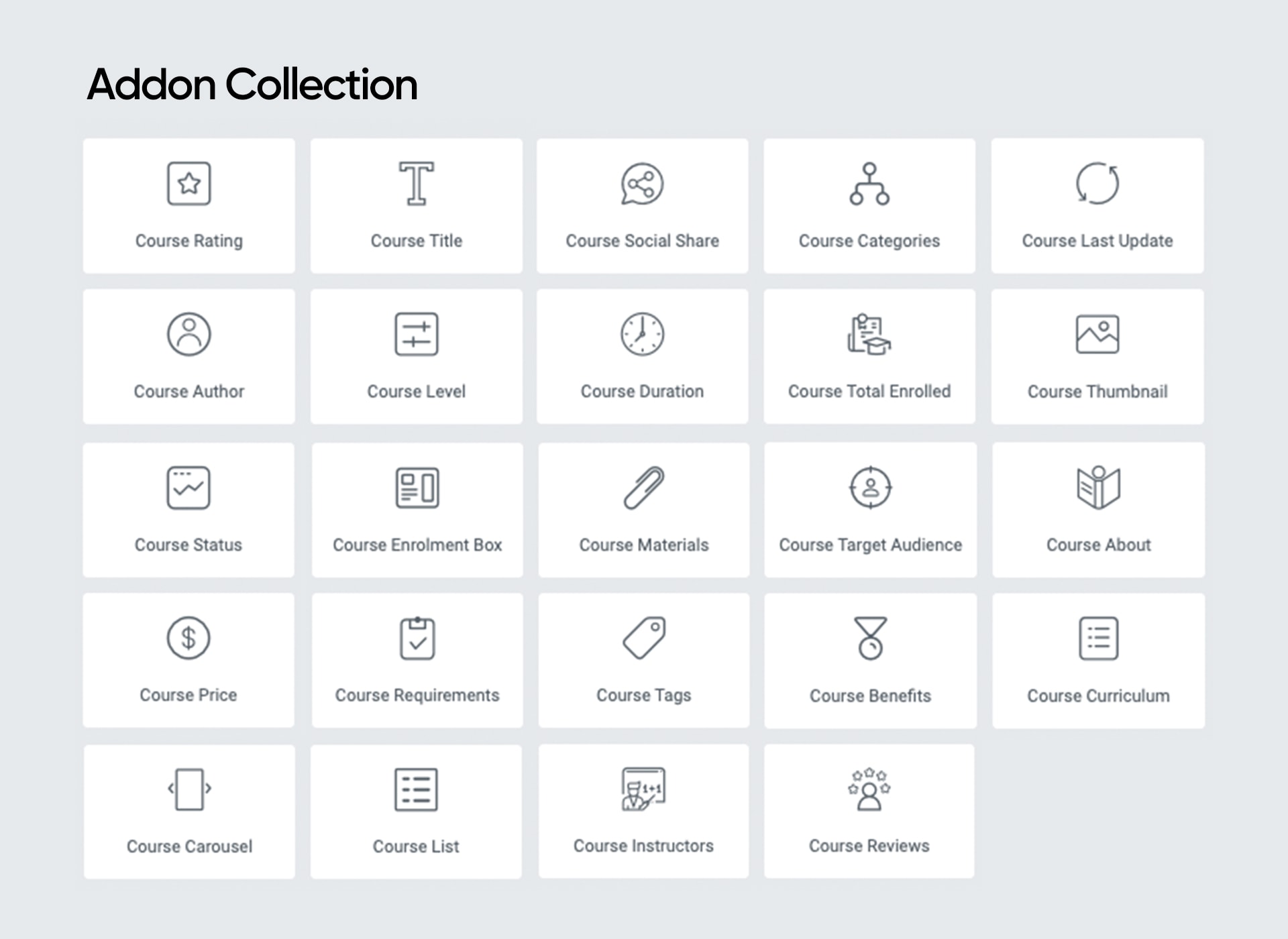
Tutor LMS Elementor Addons currently offers the following Elementor widgets to take control over your eLearning site designs:
- Course Rating
- Course Title
- Course Author
- Course Level
- Course Social Share
- Course Categories
- Course Duration
- Course Total Enrolled
- Course Last Update
- Course Status
- Course Thumbnail
- Course Price
- Course Enrolment Box
- Course Purchase
- Course Materials
- Course Requirements
- Course Tags
- Course Target Audience
- Course About
- Course Description
- Course Benefits
- Course Content
- Course Curriculum
- Course Instructors
- Course Reviews
- Course Carousel
- Course List
- Course Wishlist
- Bundle Title
- Bundle Thumbnail
- Bundle Categories
- Bundle Overview
- Bundle Tags
- Bundle Author
- Bundle Courses
- Bundle Benefits
Snímky obrazovky
Create Astonishing Course List 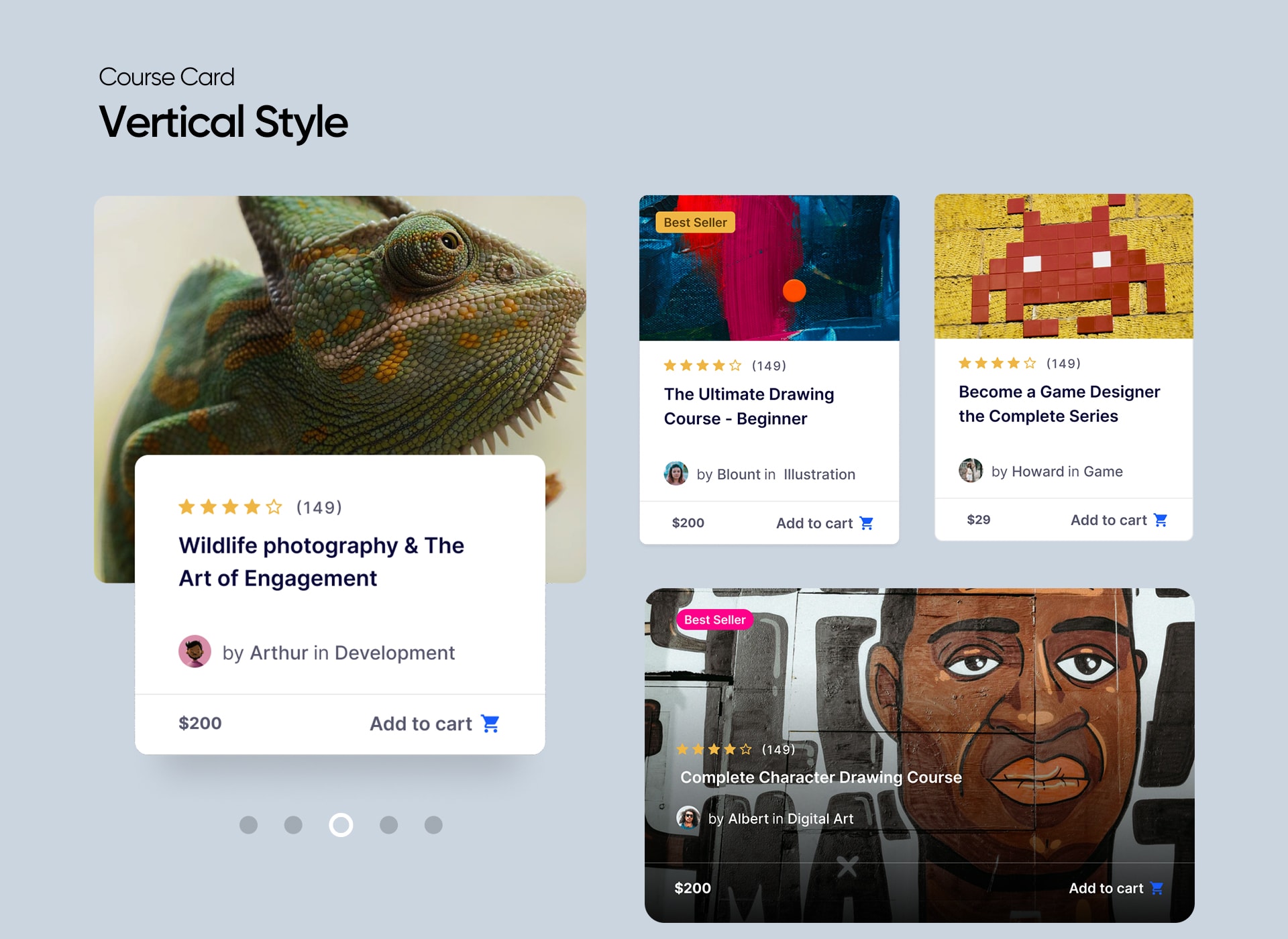
35+ Tutor LMS Elementor widgets 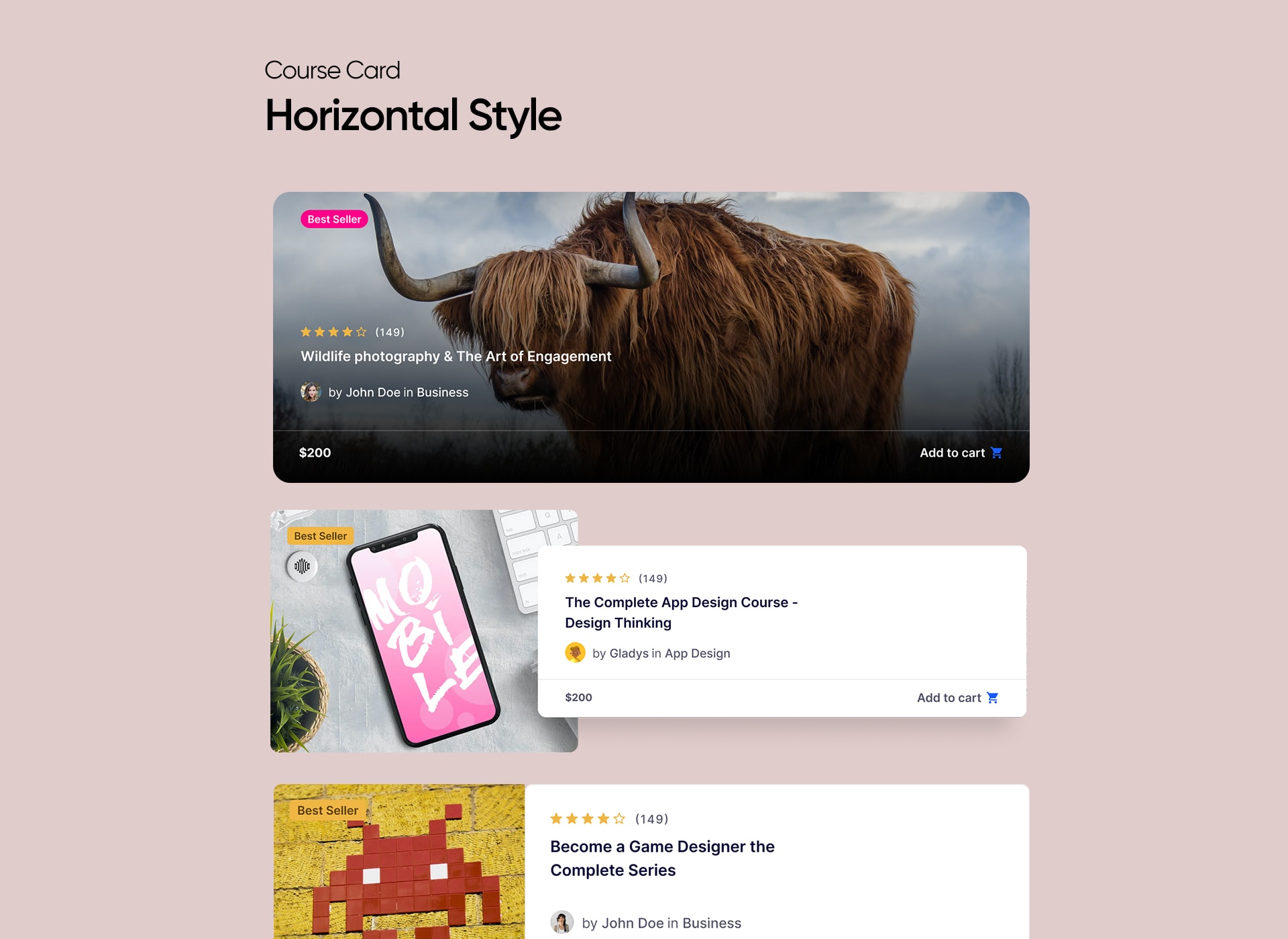
Vertical Style For Course Cards 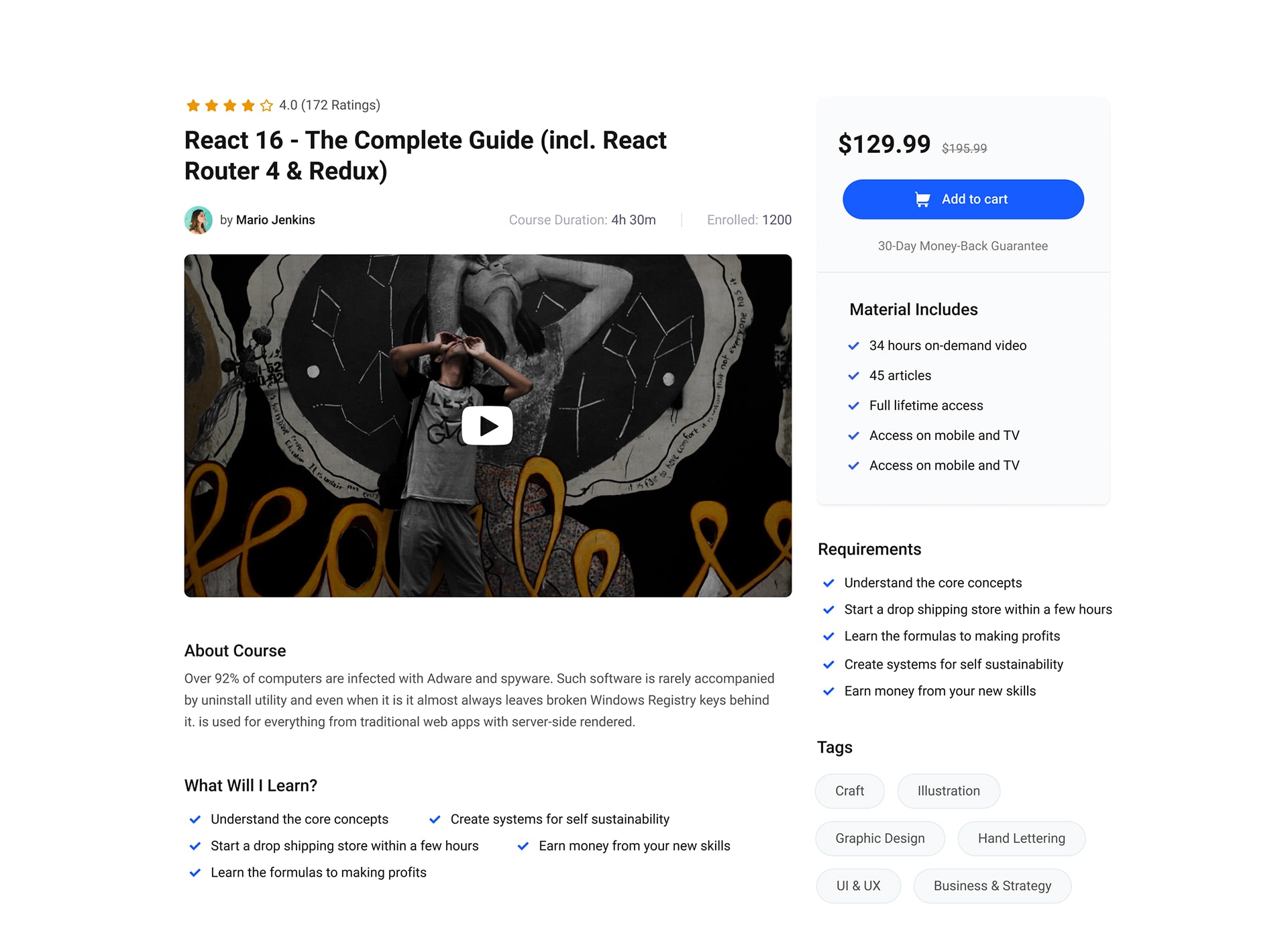
Horizontal Style For Course Cards 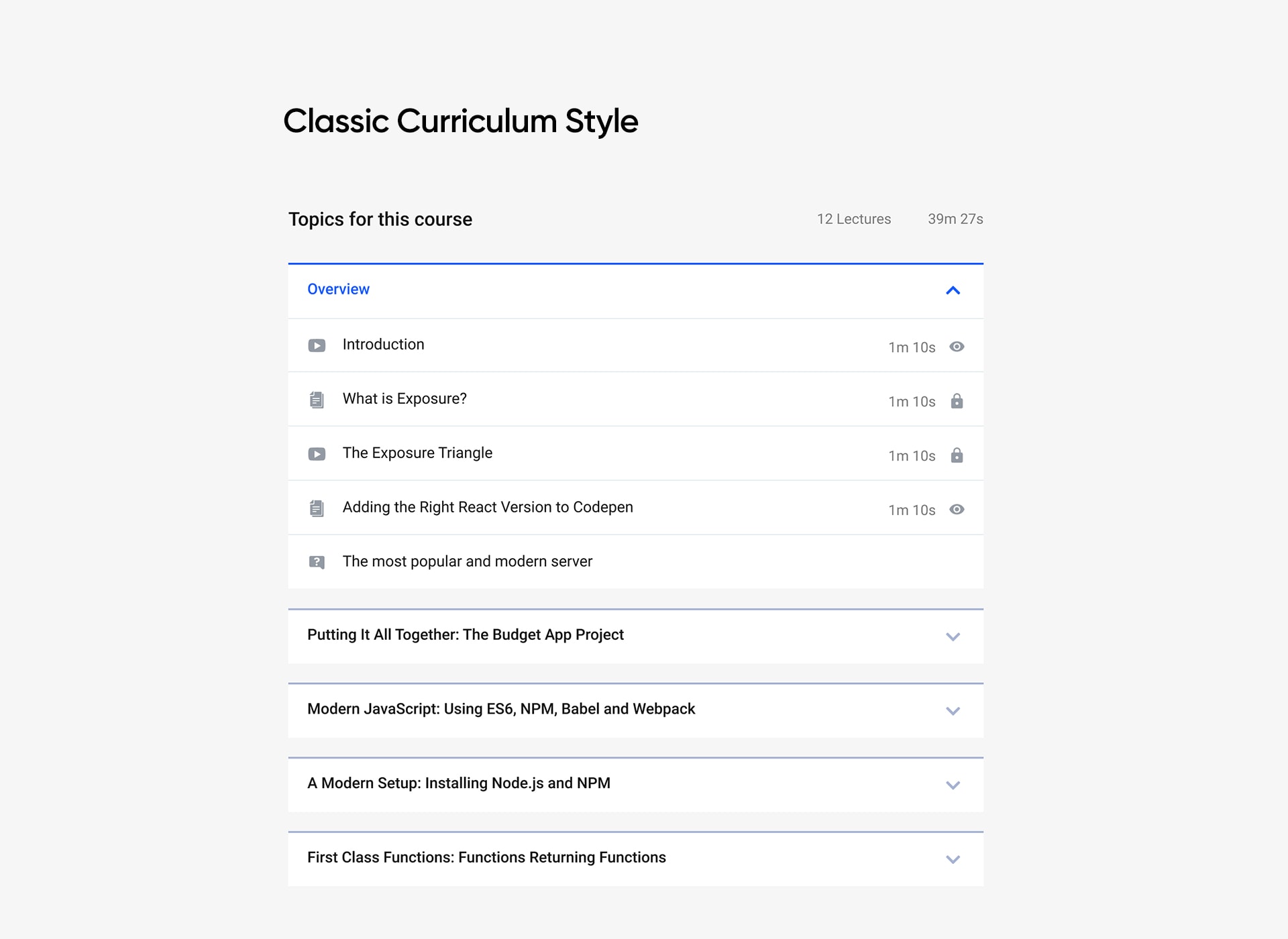
Default Single Course Layout 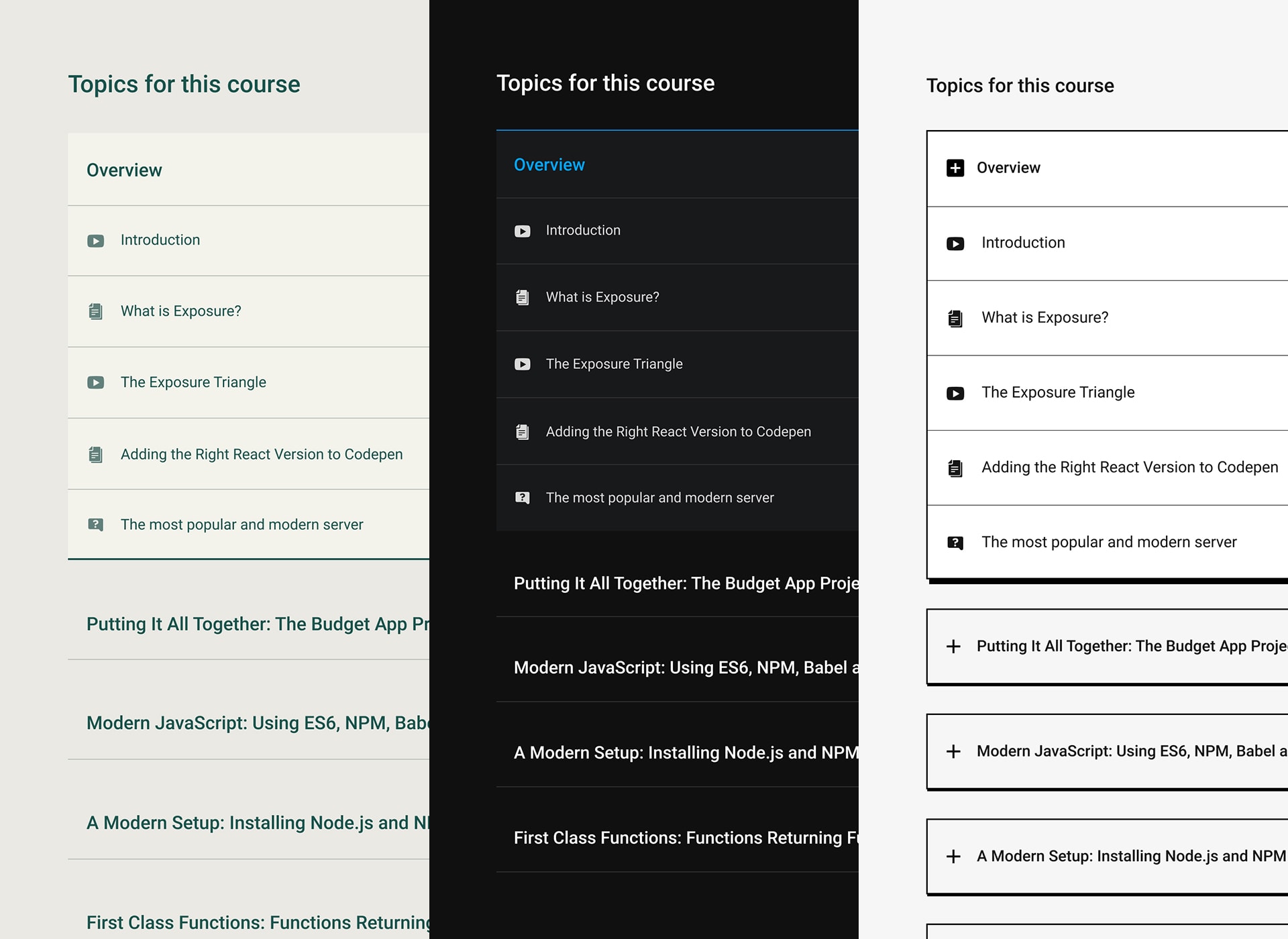
Classic Style For Course Curriculum 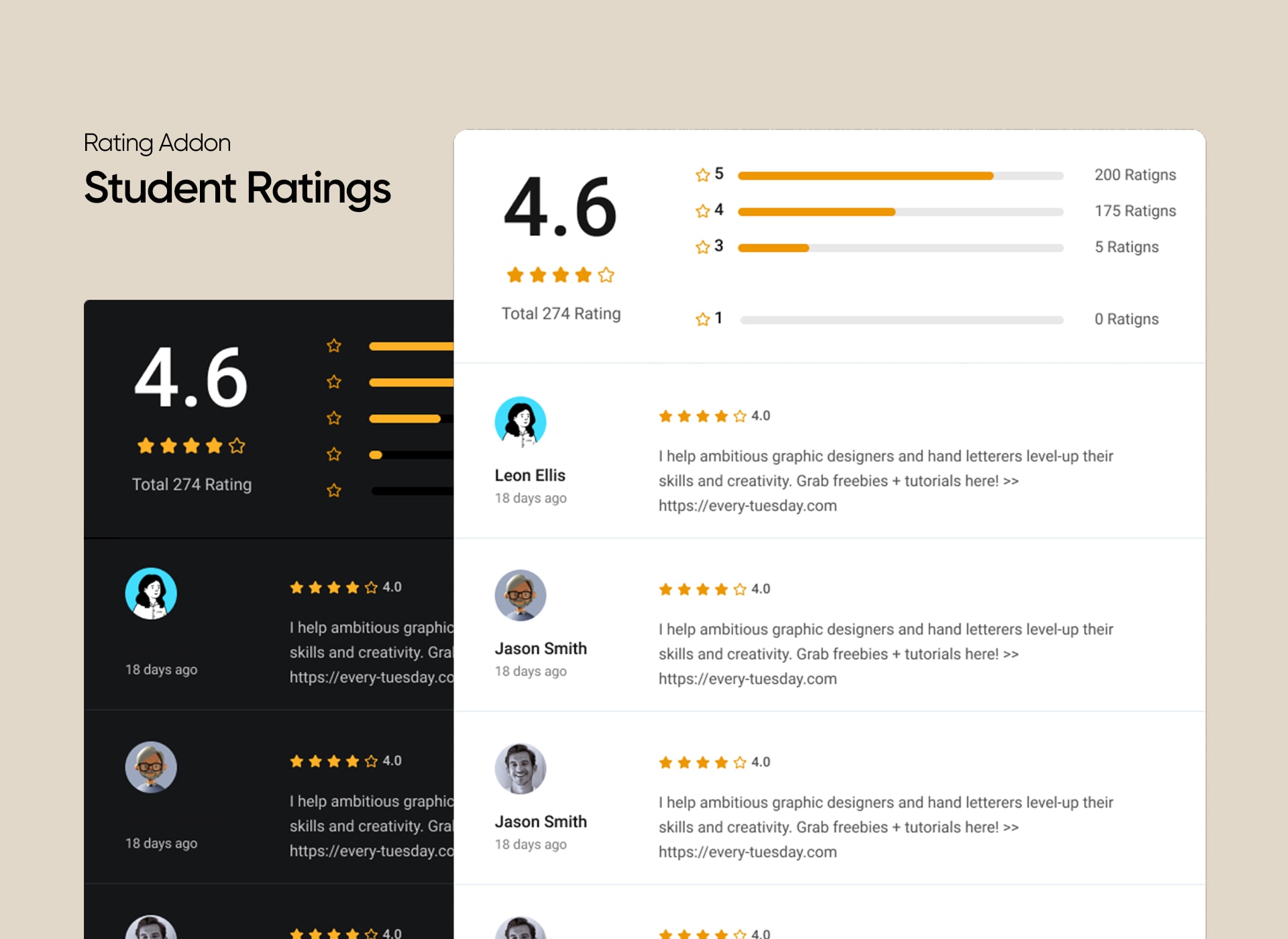
Stylish Course Topic Display 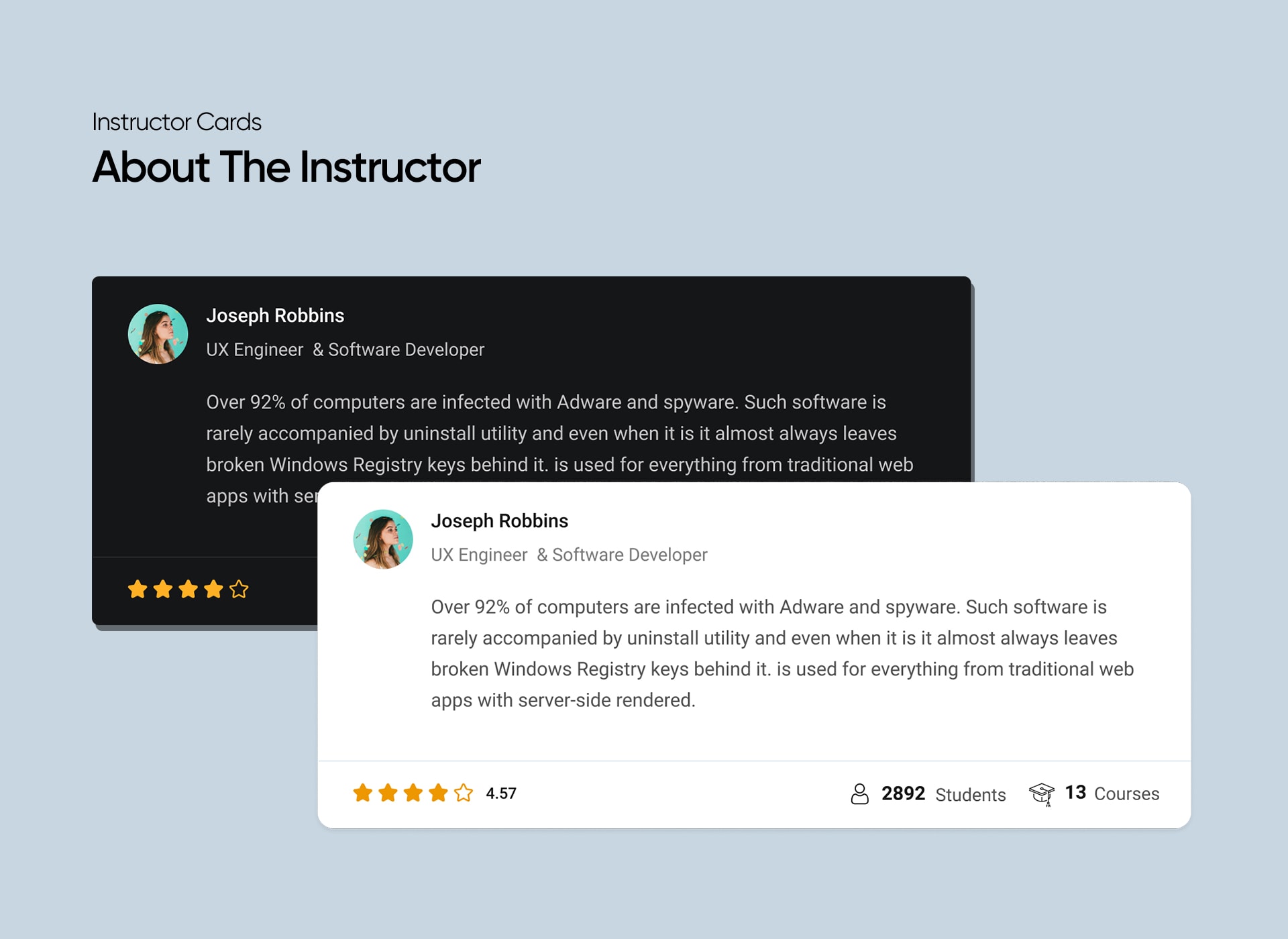
Display Ratings Stylishly 
Different Card Designs For Instructors


Instalace
Minimum Requirements
- PHP version 5.6.0 or greater (PHP 7.2 or greater is recommended)
- MySQL version 5.0 or greater (MySQL 5.6 or greater is recommended)
Automatic installation
The automatic installation is the easiest way to install any plugin in WordPress.
- Log in to your WordPress dashboard
- Go to Plugins and click Add New
- In the search box, type Tutor LMS Elementor Addons
- Click Install Now to install the plugin and activate the plugin
Manual installation
To install Tutor LMS Elementor Addons manually, you need to download the plugin and upload it to your webserver via any FTP application.
The WordPress codex contains instructions on how to do this here.
Nejčastější dotazy
-
Can I use Elementor with my existing Tutor LMS courses?
-
Yes! You can use Elementor for your existing courses.
-
Do I need the Pro version of Elementor to use this plugin?
-
No, you can use this integration with the free version. Pro version of Elementor is not required.
-
Do I need the Pro version of Tutor LMS to use this plugin?
-
No, you can use Tutor LMS Elementor Addons with the free version of Tutor LMS.
-
Where can I get support?
-
You can get support by posting your issues on the support section of this plugin or use the contact form on our website.
-
Is this plugin free?
-
Yes! This plugin is absolutely free. However, the plugin requires Tutor LMS and Elementor to function.
-
Can I use this with my theme?
-
We have tested the compatibility with almost all the popular themes, and it works completely fine. If you find a conflict or problem with your theme, please inform us, and we’ll resolve this issue for you.
-
How can I request more features?
-
You can post on the support section of this plugin or use the contact form on our website.
Recenze


Autoři
Tutor LMS Elementor Addons je otevřený software. Následující lidé přispěli k vývoji tohoto pluginu.
Spolupracovníci
Plugin „Tutor LMS Elementor Addons“ byl přeložen do 7 jazyků. Děkujeme všem překladatelům za jejich pomoc.
Přeložte “Tutor LMS Elementor Addons” do svého jazyka.
Zajímá vás vývoj?
Prohledejte kód, podívejte se do SVN repozitáře, nebo se přihlaste k odběru protokolu vývoje pomocí RSS.
Přehled změn
= 3.0.2 – 24 February, 2026
Update: Added compatibility with WordPress 6.9.
Fix: Fixed the scheduled course display issue in the course list and carousel addon.
Fix: Fixed lesson content not updating from the course builder after editing in Elementor.
Fix: Patched a reported security vulnerability.
= 3.0.1 – 29 January, 2025
Update: Updated social share popup settings and styles to align with the new popup design.
Fix: Fixed an issue where the course card displayed duration and enrolled students even when it’s disabled.
Fix: Resolved „template not found“ error for paid courses.
Fix: Resolved the issue where bundle categories were not displayed.
Fix: Fixed icon rendering issue in the Course Bundle benefit list.
Fix: Resolved the sale price ribbon error.
= 3.0.0 – 20 November, 2024
Update: Introduced compatibility with Tutor LMS 3.0
Fix: Resolved multiple security vulnerabilities.
Fix: Adjusted icon sizes across all course modules.
= 2.1.5 – 16 August, 2024
Fix: Security vulnerabilities
= 2.1.4 – 24 January, 2024
Update: More security improvement is introduced
Update: WordPress 6.4 compatibility added
Update: PHP 8.1, 8.2 support added
= 2.1.3 – 18 October, 2023
Update: Added compatibility with the latest version of Tutor LMS
Fix: Course Carousel arrows weren’t visible on the frontend
Fix: Addressed certain translation issues
= 2.1.2 – 22 September, 2023
*Update: Added compatibility with the latest version of Elementor
*Fix: Resolved toggle settings issue for course list hover animations
= 2.1.1 – 17 August, 2023
Fix: Resolved issue with multiple Course List on a single page
Fix: Course Bundle not displaying correctly within the Course Carousel addon
= 2.1.0 – 9 August, 2023
*New: The Course Bundle page is customizable by Elementor
*New: Added Bundle Title Elementor widget
*New: Added Bundle Thumbnail Elementor widget
*New: Added Bundle Categories Elementor widget
*New: Added Bundle Overview Elementor widget
*New: Added Bundle Tags Elementor widget
*New: Added Bundle Courses Elementor widget
*New: Added Bundle Author Elementor widget
*New: Added Bundle Benefits Elementor widget
*New: Added option to make the sidebar sticky on the course bundle and course details page
*New: Introducing compatibility with WordPress 6.3
*Fix: Bundled courses weren’t showing on the default course list page
= 2.0.9 – 2 August, 2023
*Update: Compatibility with the latest Elementor is introduced
= 2.0.8 – 6 June, 2023
*Fix: Fixed Lesson edit issue, ensuring smooth editing functionality.
*Fix: Resolved Add to Cart issue.
*Fix: Addressed WPML conflicting issue.
*Fix: Resolved language Translation issue.
= 2.0.7 – 25 January, 2023
- Update: Compatibility with the latest Elementor is introduced
- Fix: Reviews were appearing twice on the Review widget
= 2.0.6 – 20 December, 2022
- Fix: Course Price style update was not working
- Fix: The Documentation & Support Link was wrong on the Plugin’s List page
- Fix: Social Share was not working on the Course Details page
- Fix: The Course Benefit section Layout Settings was not working in Editor Mode
- Fix: The review section style was not working on the Course Details page
- Fix: Course Progress was not appearing on the Course Details page
- Fix: Course Enrollment Box style was not working
- Fix: Course Enrolled Box style was not working
- Fix: Course Review Widget Stars were not selectable on the Course Details page when it is used as a Widget
= 2.0.5 – 1 September, 2022
- Update: More security improvement is introduced
= 2.0.4 – 28 July, 2022
- Fix: The Resources tab on the Course Details page was not showing any content if the Page is edited with Elementor
- Fix: On the Lesson page the Attachment tab was not showing any content if the Course Details Page is edited with Elementor
- Fix: The Review widget was not appearing on the Front-site when editing the Course Details page with Elementor
- Fix: The Author Add-on was showing the wrong URL for Instructor Profile
- Fix: From the Design settings the Author section is disabled but still, it was appearing in the Front-site
- Fix: From the Design settings the Course Benefits section is disabled but still, it was appearing in the Front-site
- Fix: The „Benefits“ section (What Will You Learn?) on the Course Details page was not matching with the present design of Tutor LMS
= 2.0.3 – 24 June, 2022
- Fix: Sidebar was not appearing while using the Course Curriculum addon
- Fix: Course prerequisite was not appearing on the Single Course page
= 2.0.2 – 02 June, 2022
- Update: “Course Curriculum” widget has been re-designed and improved for the Single Course page
- Update: Instructor” widget has been redesigned and improved for the Single Course page
- Update: Elementor Compatibility is brought for the “Purchase” button of the EDD plugin
- Fix: In the “Course List” widget the Login Modal was not appearing for Visitors while the Guest Mode is disabled
- Fix: The color of “hours” and “minutes” text of “Duration” in the “Enrollment” widget could not be changed
- Fix: The “Prerequisite” section was not appearing while editing a Course with Elementor
= 2.0.1 – 28 April, 2022
- New: Course enrolment add-on now comes with a new toggle button to show/hide the enrolment box
- New: Course purchase add-on now comes with a new toggle button to show/hide the purchase box
- New: Instructor Bio show/hide control is added on the Course Content & Course Instructor add-ons
- New: Button style support is added for the „Add to Cart“ button of the EDD Plugin
- Update: Price compatibility is added for EDD and WooCommerce plugin
- Update: Course Curriculum add-on is now compatible with Tutor 2.0
- Update: Course Content styling control is now compatible with Tutor 2.0
- Update: Class Selector updated, tab-body-item to tutor-tab-item
- Update: Add to Cart selector is updated
- Update: Course List Addon design is improved
- Update: Course Carousel Addon design improved
- Fix: Social Share icon style was showing up in the wrong style
- Fix: Text was showing wrong for Add to Cart
- Fix: The course Purchase button style was not appearing properly
- Fix: Course Carousel style had a design issue
- Fix: On the Course Carousel, the Wishlist icon had a design issue
- Fix: The course Details Page Wishlist icon had a design issue
- Fix: _register_controls was showing a deprecated warning
- Fix: The course Curriculum header title style was not working
- Fix: About Course content style was not working
- Fix: Wishlist was not clickable on overlay Skin
- Fix: Guest checkout was not working
= 2.0.0 – 15 March, 2022
- New: Introducing compatibility with WordPress 5.9
- New: Full compatibility with Tutor LMS 2.0
- New: New Tutor LMS Elementor add-on for course content
- New: New Tutor LMS Elementor add-on for course wishlist
- New: New Tutor LMS Elementor add-on for course purchase
- Update: Course requirement title doesn’t show up now without description
- Update: Course materials title doesn’t show up now without description
- Update: Target audience title doesn’t show up now without description
- Fix: Pagination on course listing page redirected to course archive page issue
1.0.3 – 27 May, 2021
- Fix: Course attachment not showing
- Fix: Deprecated: Elementor\Scheme_Typography is deprecated since version 2.8.0! Use Elementor\Core\Schemes\Typography instead.
1.0.2 – 23 March, 2021
- Fix: Addon layout and alignment issue on mobile view
- Fix: Now you can add the same addon multiple times on a page
- Fix: Course carousel addon were not working in RTL mode
- Fix: Course about addon duplicate echo issue
1.0.1 – 08 January, 2021
- New: Query Filters on the Course List and Carousel Addons
1.0.0 – 04 January, 2021
- Initial Release