

Popis
Experience a better way to translate your WordPress site and go multilingual, directly from the front-end using a visual translation interface.
TranslatePress je plugin pro překlad pro WordPress, který může použít kdokoli.
The interface allows you to easily translate the entire page at once, including output from shortcodes, forms and page builders. It also works out of the box with WooCommerce.
Built the WordPress way, TranslatePress – Multilingual is a GPL and self hosted translation plugin, meaning you’ll own all your translations, forever. It’s the fastest way to create a bilingual or multilingual site.
Multijazykové & Překladatelské Funkce
- Translate all your website content directly from the front-end, in a friendly user interface (translations are displayed in real-time).
- Plně kompatibilní se všemi šablonami a pluginy
- Live preview of your translated pages, as you edit them.
- Automatic translation support through TranslatePress AI Free, with a 2.000 AI words limit.
- Integrates with Google Translate, allowing you to set up unlimited automatic translations using your own Google API key.
- Fully customizable language switcher that you can display as a menu item, a floating dropdown, or place anywhere else using the Language Switcher block, or the [language-switcher] shortcode.
- Podpora překladu obrázků pro překlad obrázků, posuvníků a ostatních médií.
- Support for both manual and automatic translation
- Ability to translate dynamic strings (gettext) added by WordPress, plugins and themes.
- Translate larger html blocks by merging strings into translation blocks.
- Editorial control allowing you to publish your language only when all your translations are done
- Conditional display content shortcode based on language [trp_language language=“en_US“] English content only [/trp_language]
- Possibility to edit gettext strings from themes and plugins from English to English, without adding another language. Basically a string-replace functionality.
- Translate only certain paths and exclude content from being translated
- Translation Block feature in which you can translate multiple html elements together
- Native Gutenberg support, so you can easily translate Gutenberg blocks
- Out of the box WooCommerce compatibility
- Use our FREE Website Translation tool/widget to browse any website into your own language.
Note: this plugin uses the Google Translation API to translate the strings on your site. This feature can be enabled or disabled according to your preferences.
Uživatelé s administrátorským oprávněním mají přístup k následujícím nastavením:
- vybrat výchozí jazyk webu a jeden překladový jazyk pro dvojjazyčné weby
- zvolit, zda má přepínač jazyků zobrazit jazyky ve svých nativních nebo anglických názvech
- force custom links to open in current language
- povolit nebo zakázat podadresář url pro výchozí jazyk
- povolit automatický překlad přes Google Translate
Powerful Translation Add-ons
TranslatePress – Multilingual has a range of premium Add-ons that allow you to extend the power of this WordPress translation plugin:
Pro Add-ons (available in the premium versions only)
- Full TranslatePress AI access – automatically translate your entire website without extra platforms to sign up for, API keys, and additional translation costs. Each premium version includes a set number of AI translated words you can use to instantly translate your site, saving you both time and money.
- Extra jazyky – umožňuje přidat neomezený počet překladatelských jazyků s možností publikovat jazyky později po dokončení překladu
- SEO Pack – lets you translate meta information (like page title, description, url slug, image alt tag, Twitter and Facebook Social Graph tags & more) for boosting your multilingual SEO and increase traffic. Works with all popular SEO plugins.
- Different Domain per Language – assign a different domain to each language you add (e.g. domain.de, domain.es) and improve international SEO by creating a fully local experience for your visitors
- Účty překladatele – vytvořit nebo umožnit stávajícím uživatelům překládat web bez administrátorských práv
- Procházet podle uživatelské role – zobrazit a překládat obsah, který je viditelný pouze pro určitou uživatelskou roli
- Navigace na základě jazyka – konfigurovat a zobrazovat různé položky nabídky pro různé jazyky
- Automatická detekce jazyka uživatele – přesměrovat první návštěvníky na jejich preferovaný jazyk na základě nastavení prohlížeče nebo IP adresy
- DeepL Automatic Translation – The DeepL Automatic Translation add-on lets you automatically translate your website through the DeepL API
Klávesové zkratky
- CTRL ( ⌘ ) + S – Uložit překlad pro aktuálně upravující řetězce
- CTRL ( ⌘ ) + ALT + Z – Zahodit všechny změny pro aktuálně upravující řetězce
- CTRL ( ⌘ ) + ALT + (Šipka vpravo) – Přejděte na následující řetězec
- CTRL ( ⌘ ) + ALT + (Šipka vlevo) – Přejděte na předchozí řetězec
Webová stránka
Dokumentace
Visit TranslatePress WordPress Translation plugin documentation page
Doplňky
Ukázkový web
You can test out TranslatePress – Multilingual plugin by visiting our demo site
Snímky obrazovky

TranslatePress front-end visual translation editor in action 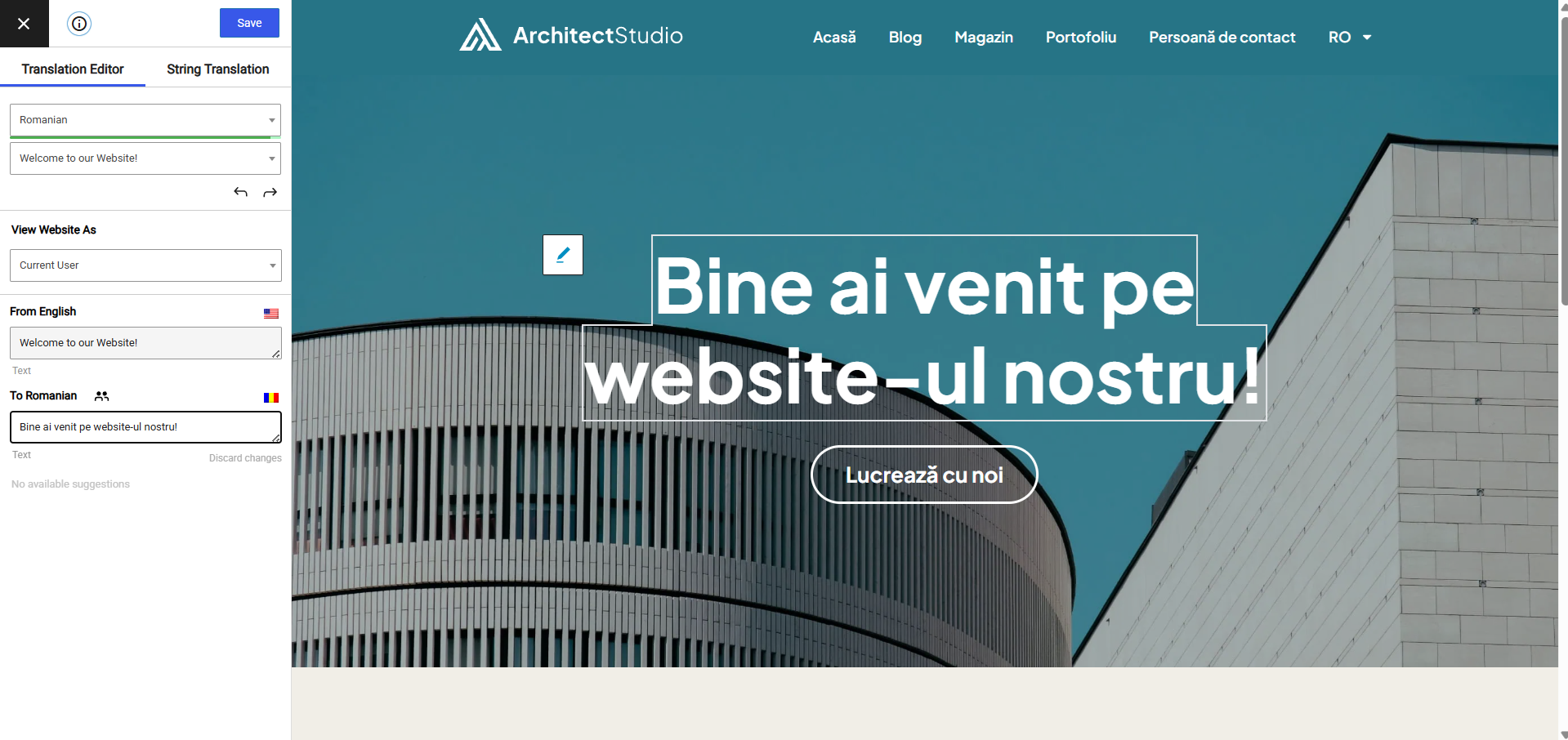
Front-end translation editor used to translate the entire page content 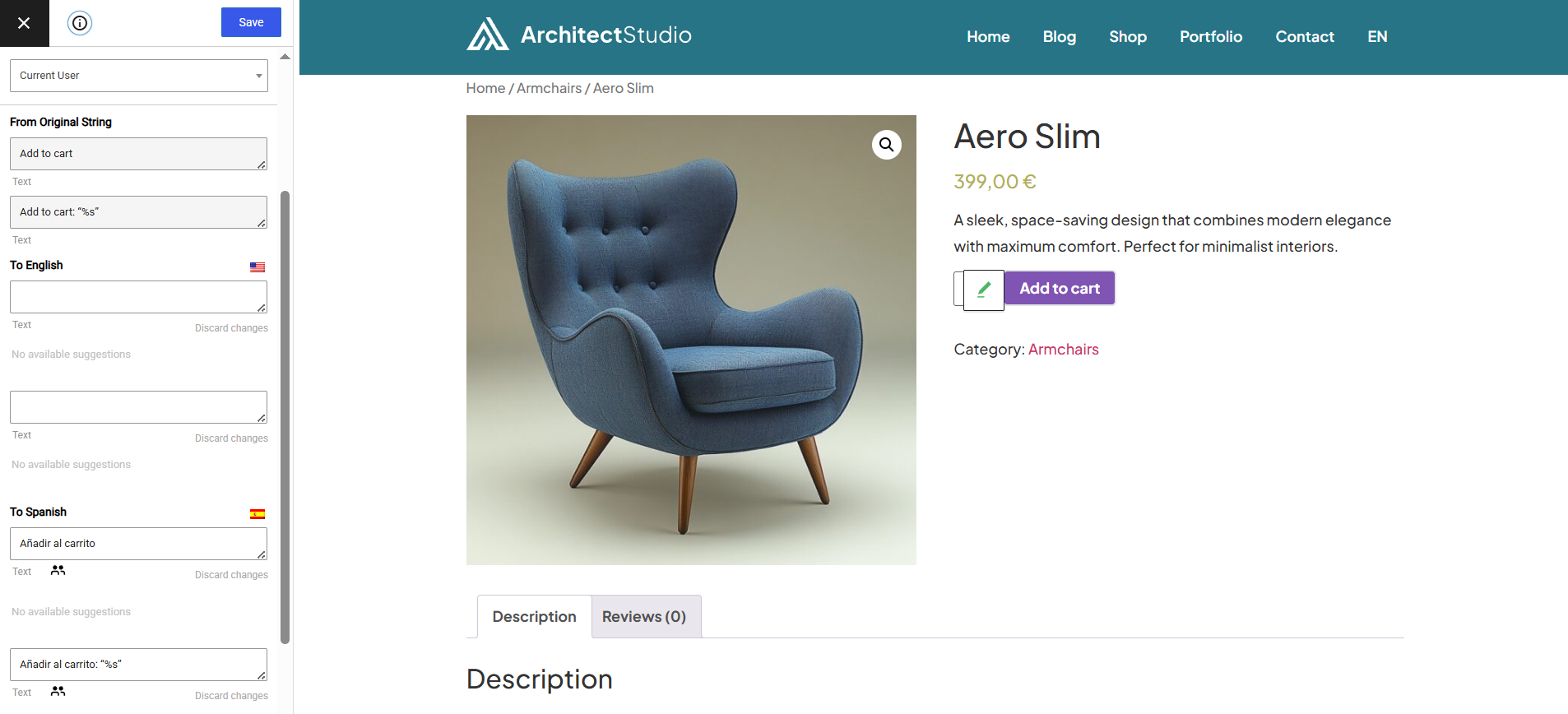
How to translate a dynamic string (gettext) 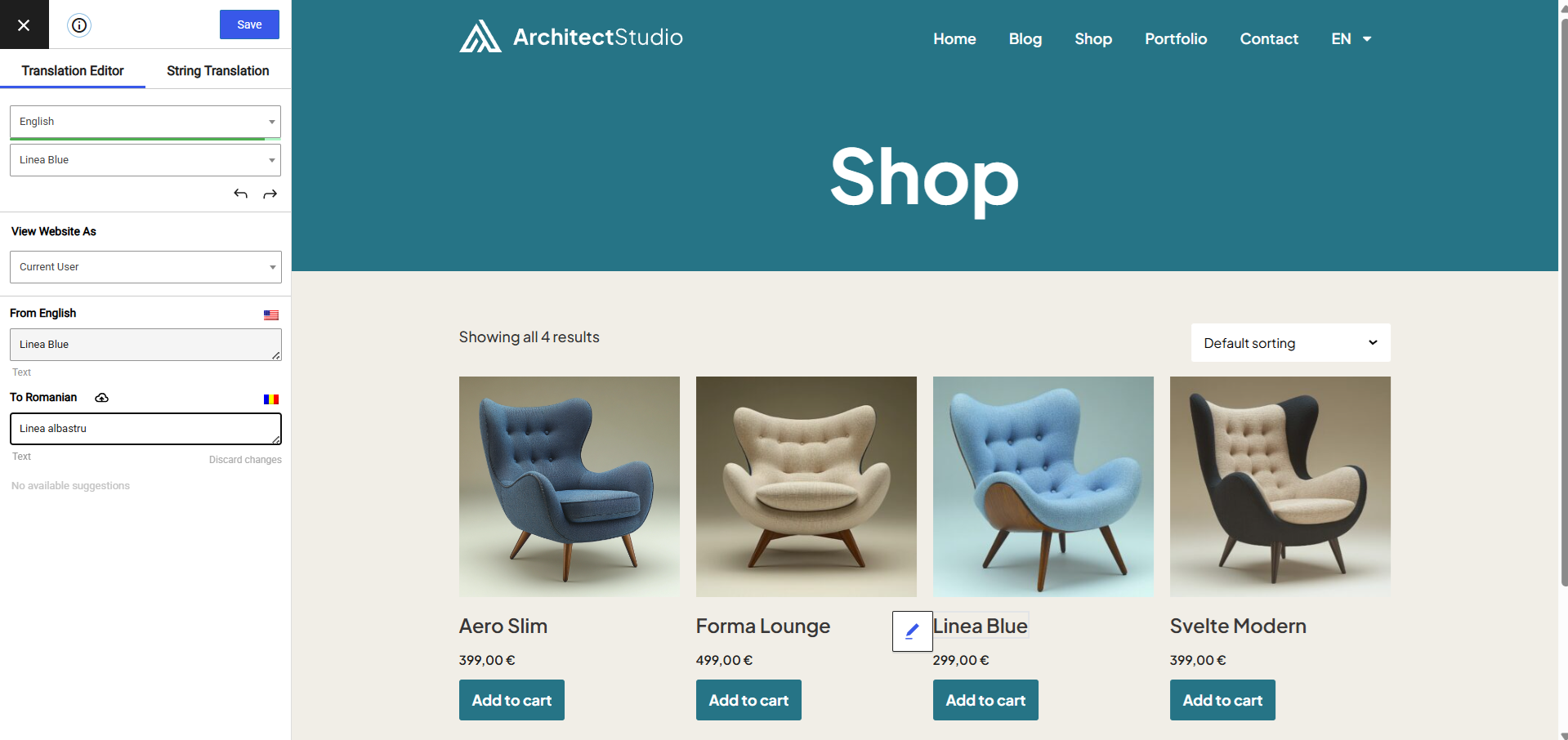
Translating WooCommerce Products for your multilingual store 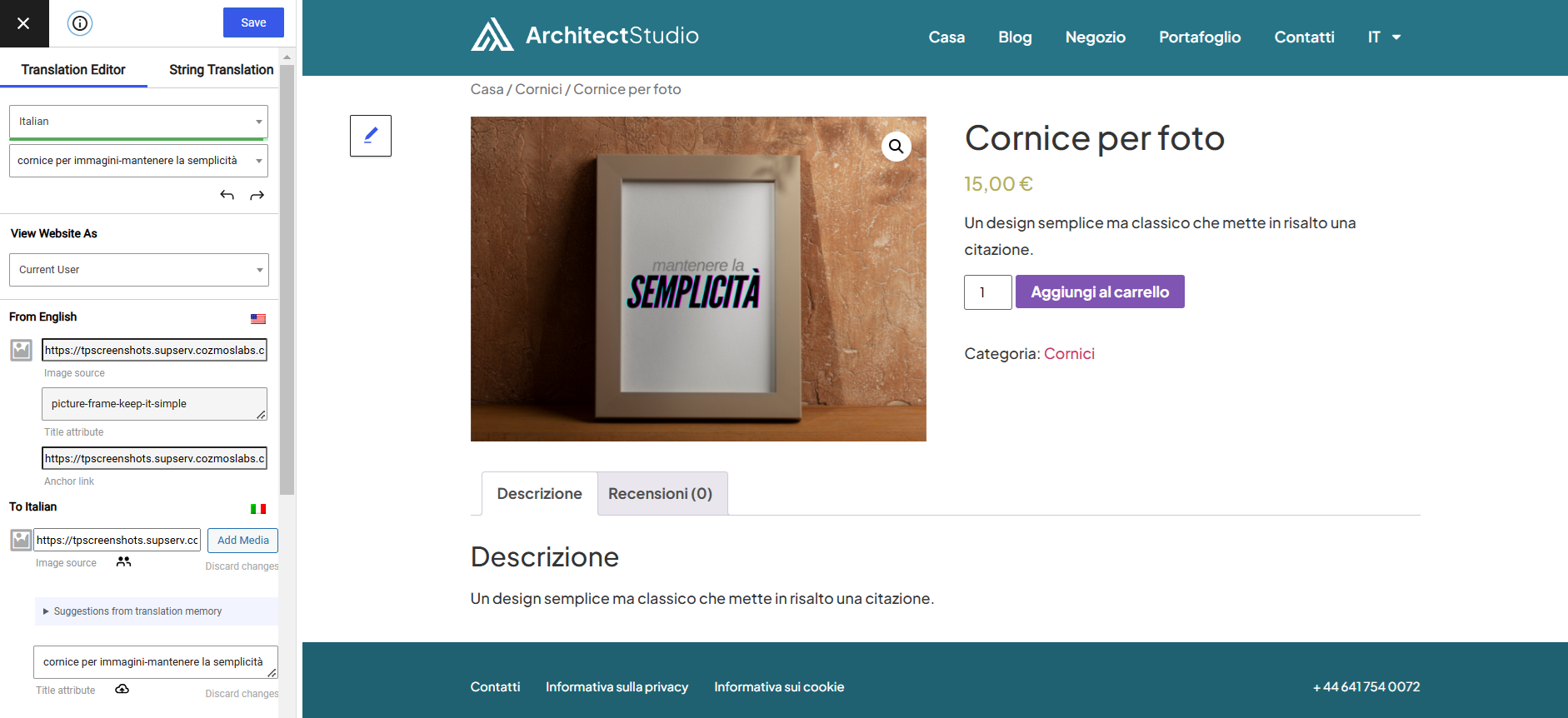
Translate Images and Image Sliders 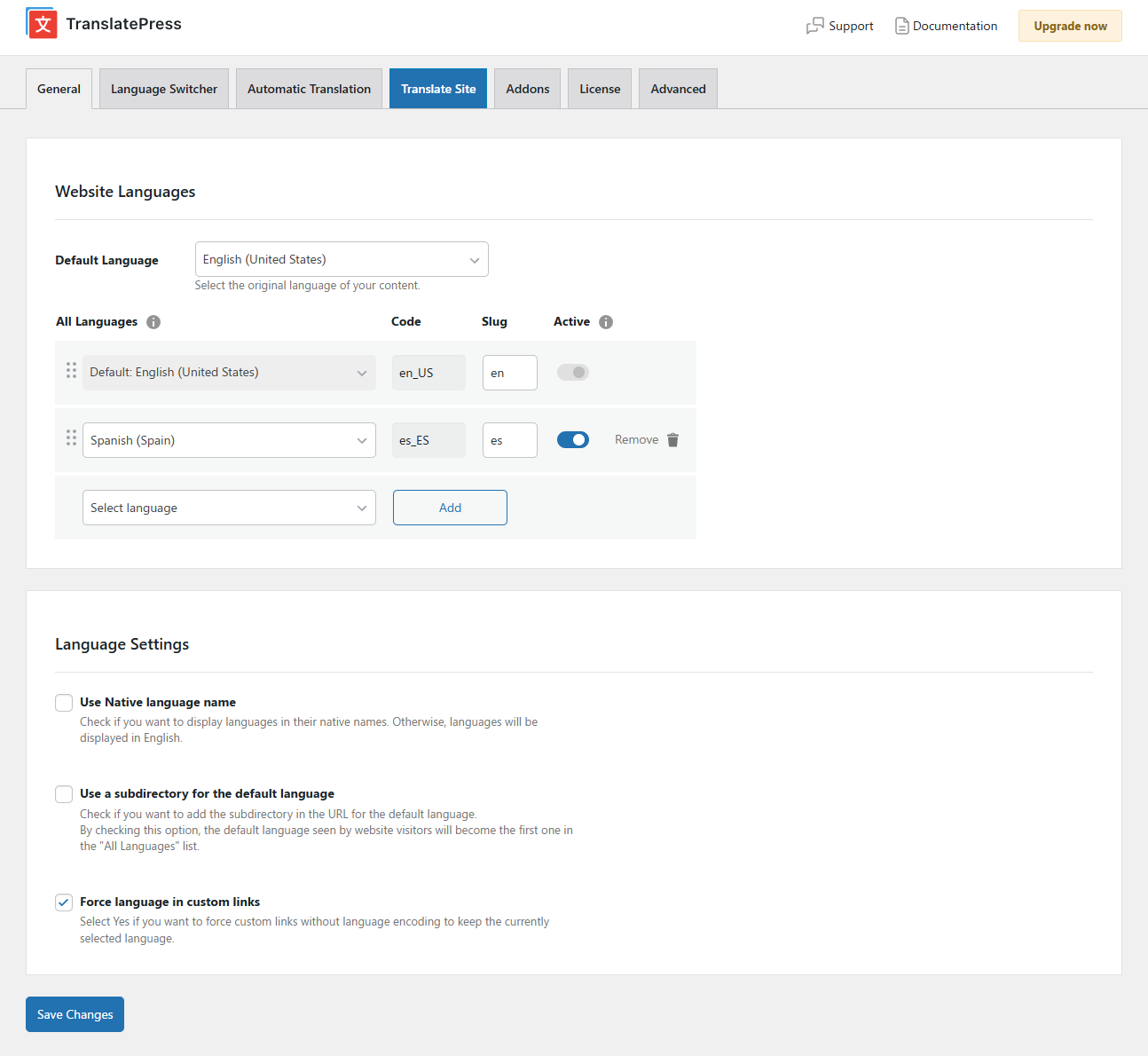
Stránka nastavení 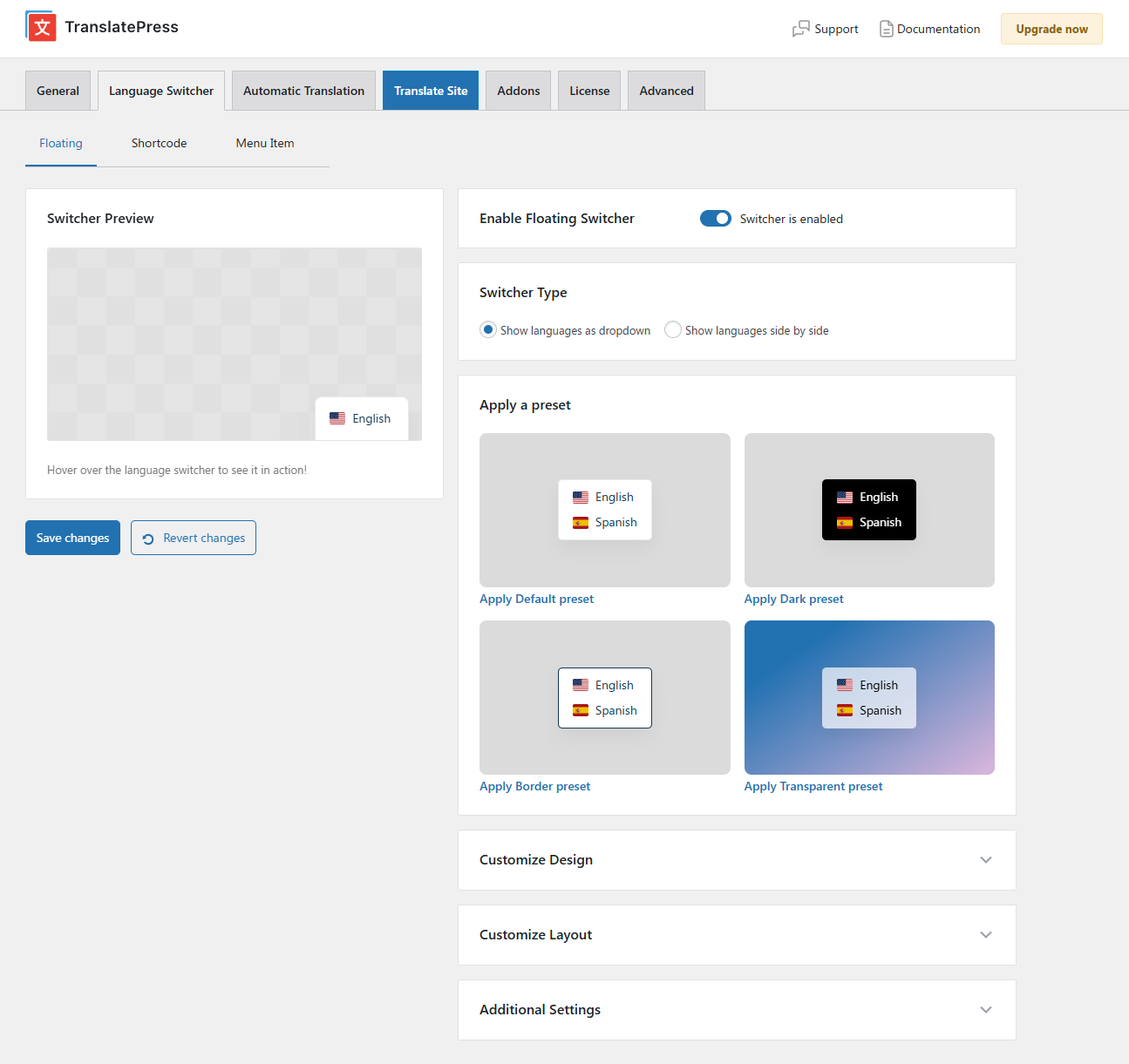
Plovoucí přepínač jazyka 
Menu Language Switcher 


Bloky
Tento plugin poskytuje 1 blok.
- Language Switcher Displays the Language Switcher.
Instalace
- Nahrajte složku translatepress do adresáře ‚/wp-content/plugins/‘
- Activate the plugin through the ‚Plugins‘ menu in WordPress
- Go to Settings -> TranslatePress and choose a translation language.
- Open the front-end translation editor from the admin bar to translate your site.
Nejčastější dotazy
-
Kde jsou uloženy mé překlady?
-
All the translation are stored locally in your server’s database.
-
Jaké typy obsahu mohu překládat?
-
TranslatePress – Multilingual plugin works out of the box with WooCommerce, custom post types, complex themes and site builders, so you’ll be able to translate any type of content.
-
Jak se liší od jiných multijazykových & překladatelských pluginů, jako je WPML nebo Polylang?
-
TranslatePress is easier to use and more intuitive altogether. No more switching between the editor, string translation interfaces or badly translated plugins. You can now translate the full page content directly from the front-end. This makes TranslatePress a great alternative to plugins like Polylang and WPML. For more details check out this WordPress Translation Plugin Comparison: TranslatePress vs WPML vs Polylang vs Gtranslate.
-
Jak začnu překládat svůj web WordPress?
-
After installing the plugin, select your secondary language and click „Translate Site“ to start translating your entire site exactly as it looks in the front-end.
-
Zpomalí to můj web?
-
TranslatePress will have little impact on your site speed. For more details see Top WordPress Translation Plugins Compared Based on Page Load Time
-
Can you translate your WooCommerce store?
-
Ano, TranslatePress funguje s WooCommerce hned po vybalení. Můžete jej použít k vytvoření vícejazyčného obchodu WooCommerce.
-
Kde najdu další informace?
-
For more information please check out our documentation.
Recenze


Autoři
Translate Multilingual sites – TranslatePress je otevřený software. Následující lidé přispěli k vývoji tohoto pluginu.
Spolupracovníci


Plugin „Translate Multilingual sites – TranslatePress“ byl přeložen do 13 jazyků. Děkujeme všem překladatelům za jejich pomoc.
Přeložte “Translate Multilingual sites – TranslatePress” do svého jazyka.
Zajímá vás vývoj?
Prohledejte kód, podívejte se do SVN repozitáře, nebo se přihlaste k odběru protokolu vývoje pomocí RSS.
Přehled změn
3.1.4
- Fixed some cases where recent translations generated using TranslatePress AI have been incorrectly set to OPENROUTER_FAILED
- Fixed WooCommerce Layered Nav dropdown „Any %s“ label untranslatable in visual editor
- Added extra machine translation data to license check requests
Older versions
Click Here to view the full changelog, or you can find it in the changelog.txt file in the plugin folder.