
Popis
Image Hover Effects Ultimate is the most powerful image hover effects plugin for WordPress. Whether you want a clean caption reveal, a dramatic flip card, a side-by-side image comparison, or a magnifier zoom — you’ll find exactly what you need from 500+ CSS3 animations and 1500+ ready-to-use layouts.
✨ No coding. No jQuery. Just beautiful hover effects that work everywhere.
Trusted by 20,000+ WordPress users, the plugin is lightweight, fully responsive, and compatible with Elementor, Gutenberg, WPBakery, Divi, Beaver Builder, and SiteOrigin.
🎬 Live Demos | ⭐ Upgrade to Pro | 📖 Documentation | 🆘 Support
Hover effects are one of the easiest ways to make your WordPress site feel polished and professional. With Image Hover Effects Ultimate, you choose a style from the template library, upload your images, paste a shortcode — and you’re done.
Every image hover animation is built in pure CSS3, so effects are silky smooth without adding any JavaScript weight to your pages.
🚀 Key Features
- 🎨 500+ CSS3 hover animations — fades, slides, flips, zooms, overlays, caption reveals, and more
- 🖼️ 1500+ pre-designed layouts — professionally crafted templates ready to customize
- 📦 10 powerful effect modules — General, Caption, Flipbox, Button, Square, Lightbox, Comparison, Magnifier, Carousel, and Filter
- 👁️ Live preview — see every change in real time without leaving the editor
- 📱 Fully responsive — independent layout controls for desktop, tablet, and mobile
- 👆 Touch-friendly — smooth interactions on iOS and Android devices
- 🔤 650+ Google Fonts — full typography control for headings, descriptions, and buttons
- ⚡ Pure CSS3, no jQuery — fast-loading animations that don’t slow your site down
- 🔁 Clone any style — duplicate an effect and customize it without starting from scratch
- 🛠️ Custom CSS editor — add your own CSS for total creative control
- ♻️ Built-in cache system — optimized loading even on pages with many images
- 🧩 Works with every major page builder — Elementor, Gutenberg, WPBakery, Divi, Beaver Builder, SiteOrigin
✨ Free Version Features
The free version is genuinely capable. Here is everything included at no cost:
- ✅ All 10 effect modules available
- ✅ 500+ CSS3 image hover animations
- ✅ 1500+ pre-designed layout templates
- ✅ Live preview admin panel
- ✅ Fully responsive with per-device controls (🖥️ Desktop, 📱 Tablet, 📲 Mobile)
- ✅ Touch and mobile device support
- ✅ One-click style cloning
- ✅ Image alignment, padding, and margin controls
- ✅ Per-item links with optional new-tab support
- ✅ Built-in cache system
- ✅ Custom CSS editor
- ✅ Shortcode-based — works in any post, page, or widget
- ✅ Gutenberg block editor support
- ✅ Elementor, WPBakery, Divi, Beaver Builder, and SiteOrigin support
- ✅ SEO-friendly HTML output with proper alt tag support
🔥 Pro Version Features
Pro unlocks the full creative toolkit and priority support:
- 🔓 Full customization of all 500+ hover effects — control colors, overlays, borders, shadows, and timing on every style
- 🎨 Advanced color pickers — unlimited color control for text, backgrounds, overlays, borders, buttons, and hover states
- 🔤 650+ Google Fonts — independent font selection for headings, descriptions, and button text
- ✏️ Custom font sizes — separate size controls for every text element
- 🖼️ Border and shadow settings — fine-tune border width, radius, and box shadows per element
- ♾️ Unlimited hover items per shortcode
- 🔗 Advanced link options — open links in a new tab on a per-item basis
- 💻 Custom CSS generation — override styles at the individual effect level
- 📹 Video tutorials for every feature
- 🎧 24/7 priority support with responses within 12 hours
👉 See All Free vs Pro Features
🎯 Perfect For
- 🎨 Portfolios and agencies — showcase work with stylish image reveals and hover captions
- 🛍️ eCommerce and WooCommerce — highlight product details, overlays, and buy buttons on hover
- 📸 Photographers — display galleries with elegant hover overlays and lightbox popups
- 👥 Team pages — show staff names, roles, and social links with caption hover effects
- 📰 Blogs and magazines — make featured images more engaging with CSS hover animations
- 🏠 Landing pages — draw attention to key visuals and CTAs with smooth motion
- 🔬 Product detail pages — use the magnifier module to zoom into product images on hover
📈 Why Use This Plugin
There are a few image hover plugins out there, but Image Hover Effects Ultimate is the one that covers every use case in one place.
Here is why 20,000+ users choose it:
- 📦 All modules in one plugin — General Effects, Caption Effects, Flipbox, Lightbox, Comparison, Magnifier, Carousel, and Filter are all built in. No separate add-ons needed.
- 🖱️ No coding required — everything is configured through the visual admin panel with live preview
- ⚡ Lightweight — pure CSS3 output with zero jQuery dependency keeps your pages fast
- 🧩 Builder ready — shortcodes drop into Elementor, Gutenberg, Divi, or any other builder without friction
- 🔒 Actively maintained — regular updates, PHP 8.4 compatibility, and security hardening with every release
- 👨💻 Developer-friendly — custom CSS support, PSR-4 namespacing, and a clean codebase make it easy to extend
Snímky obrazovky
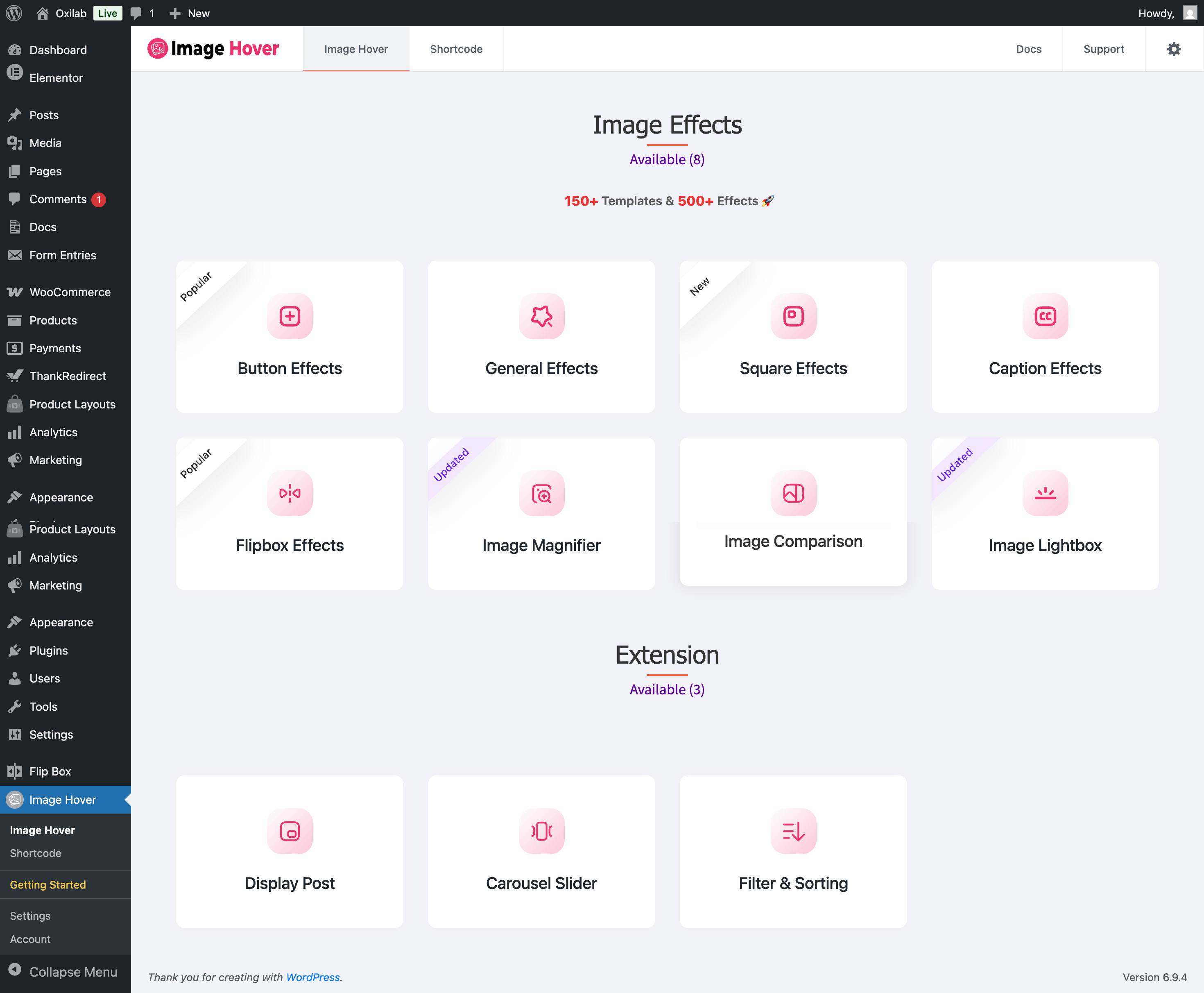
🗂️ Image Hover dashboard showing all effect modules. 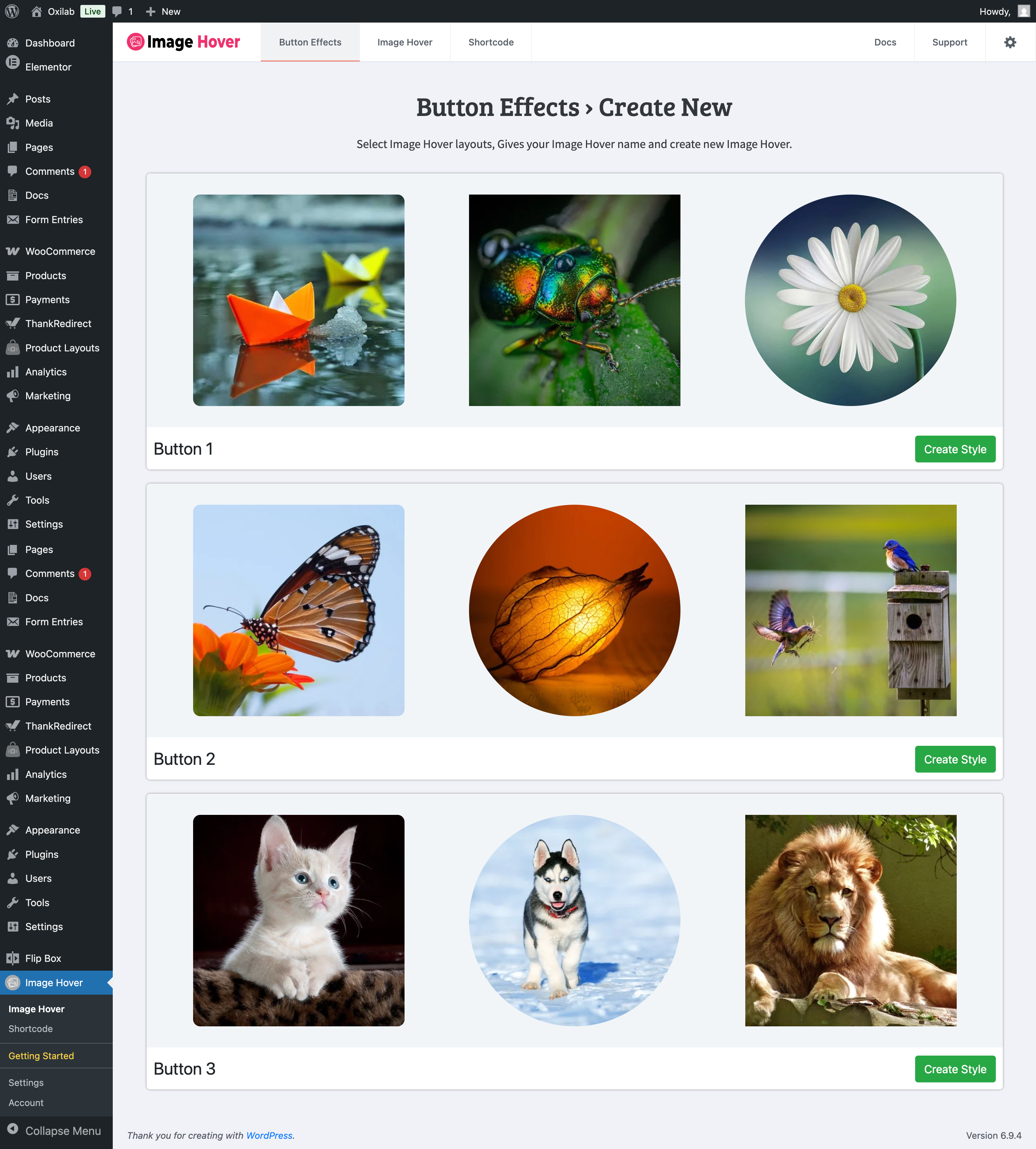
🖼️ Template library — browse and select from 150+ pre-designed layouts. 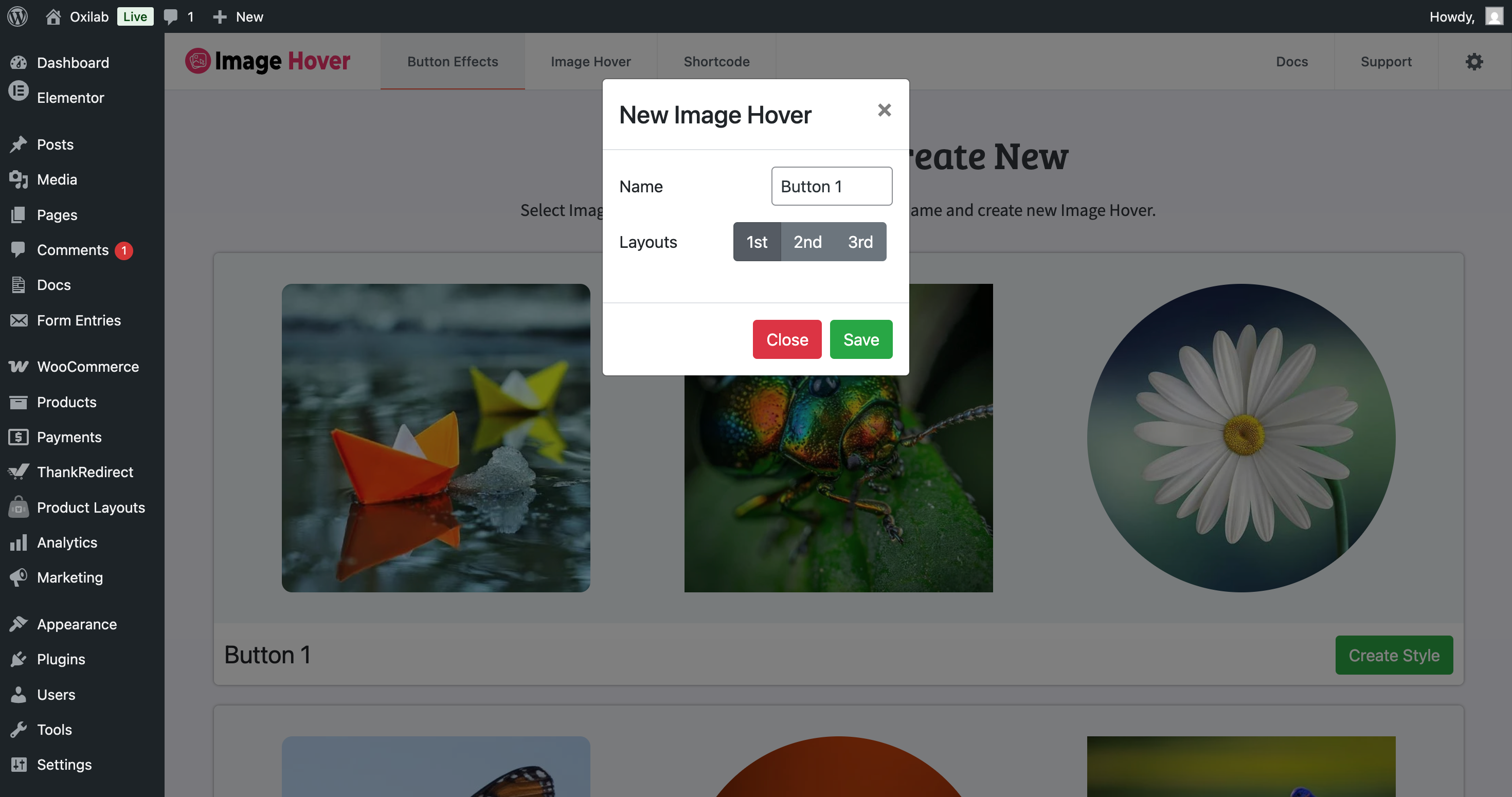
✏️ Naming a new shortcode before customization begins. 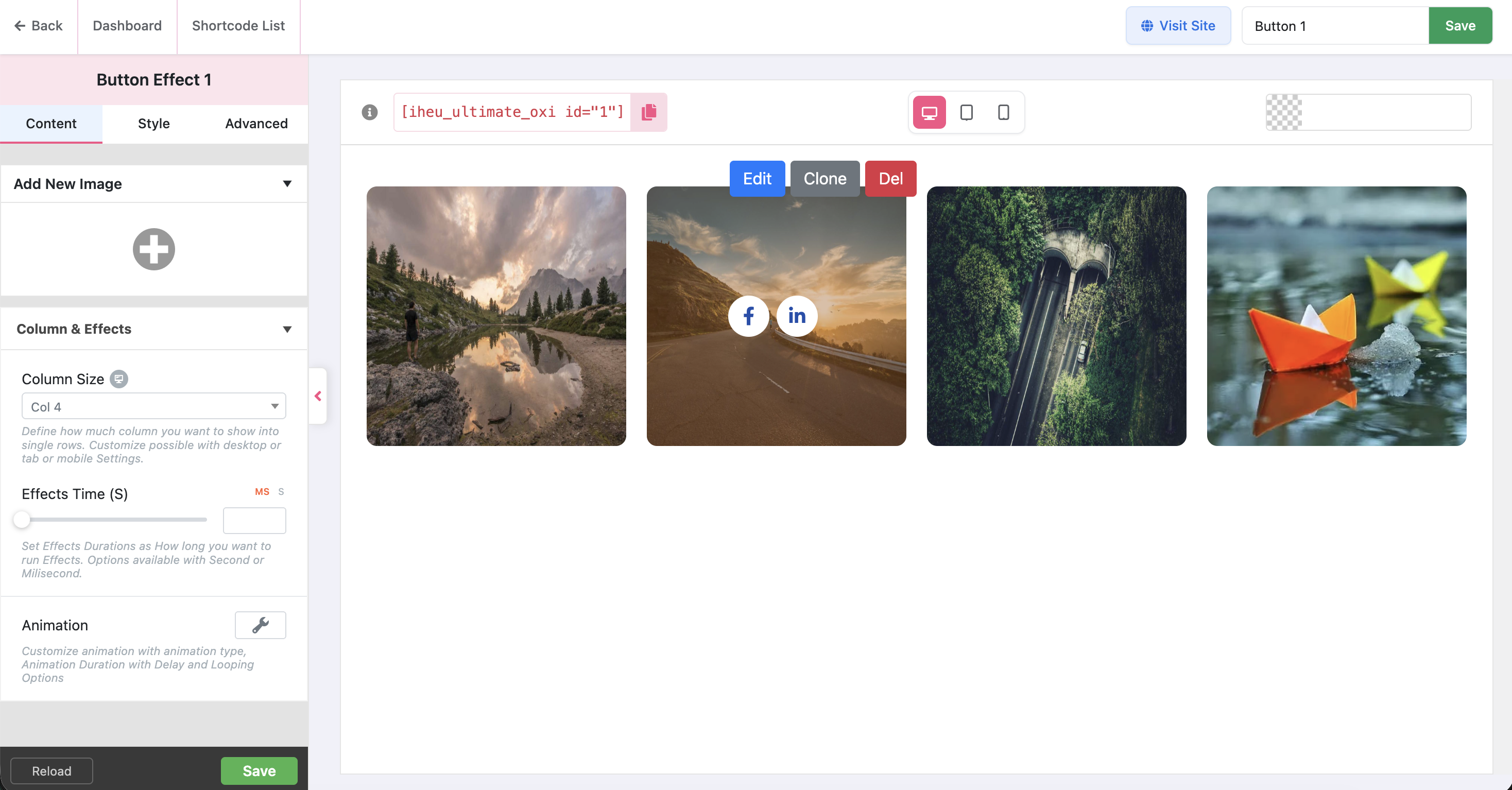
🎛️ Fully customizable admin panel with live preview. 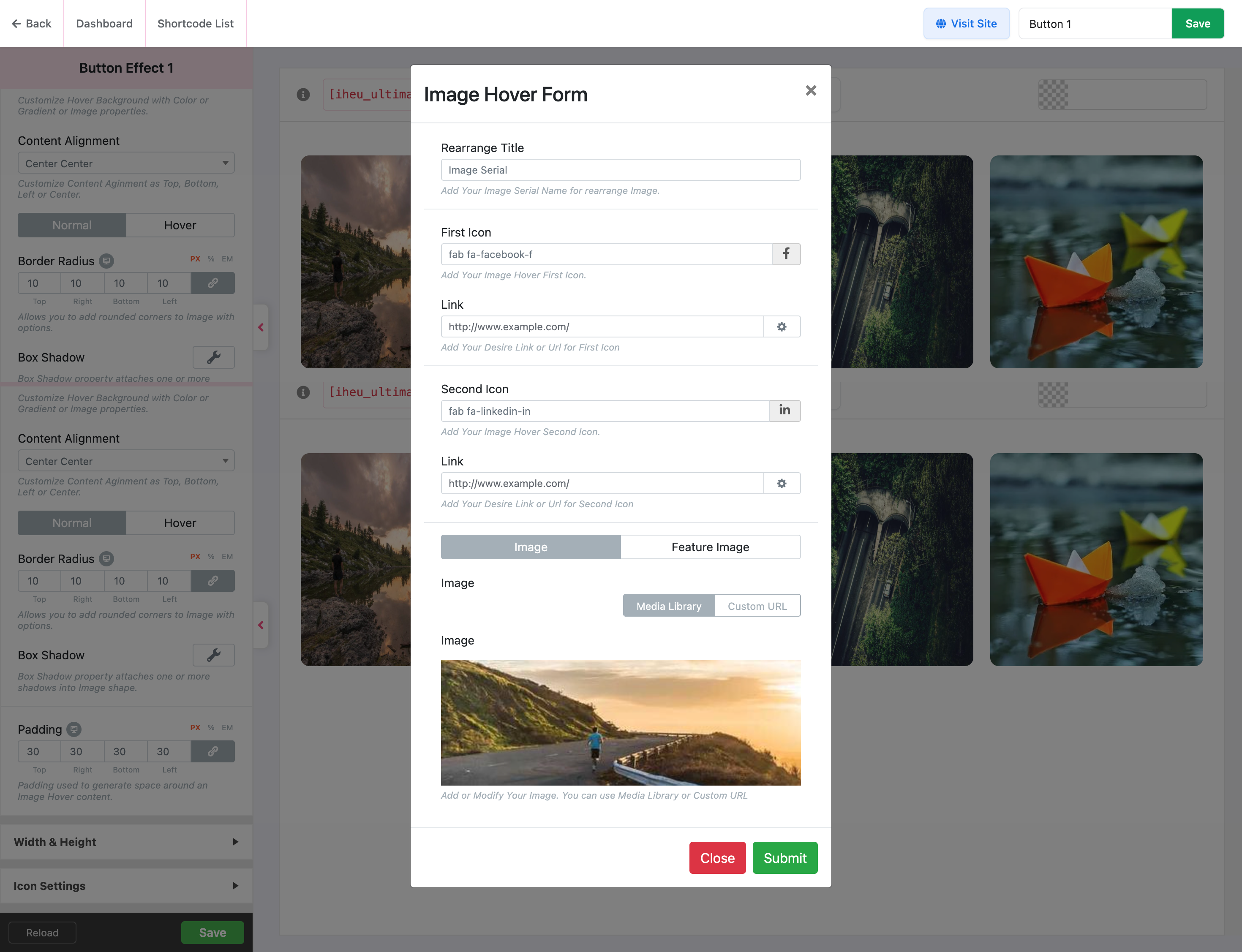
➕ Image upload and content form for individual hover items. 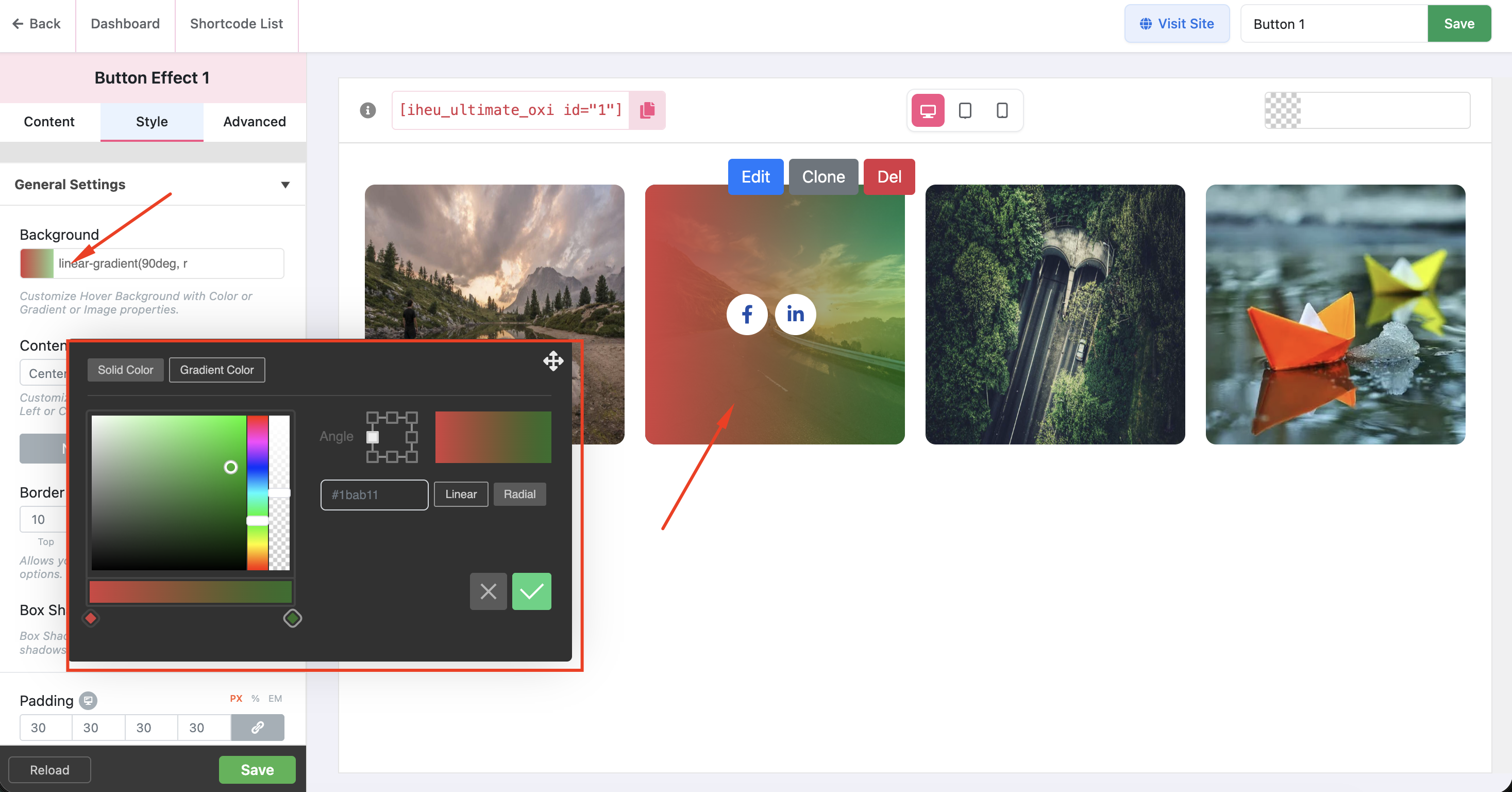
🎨 Background settings with gradient and image upload options. 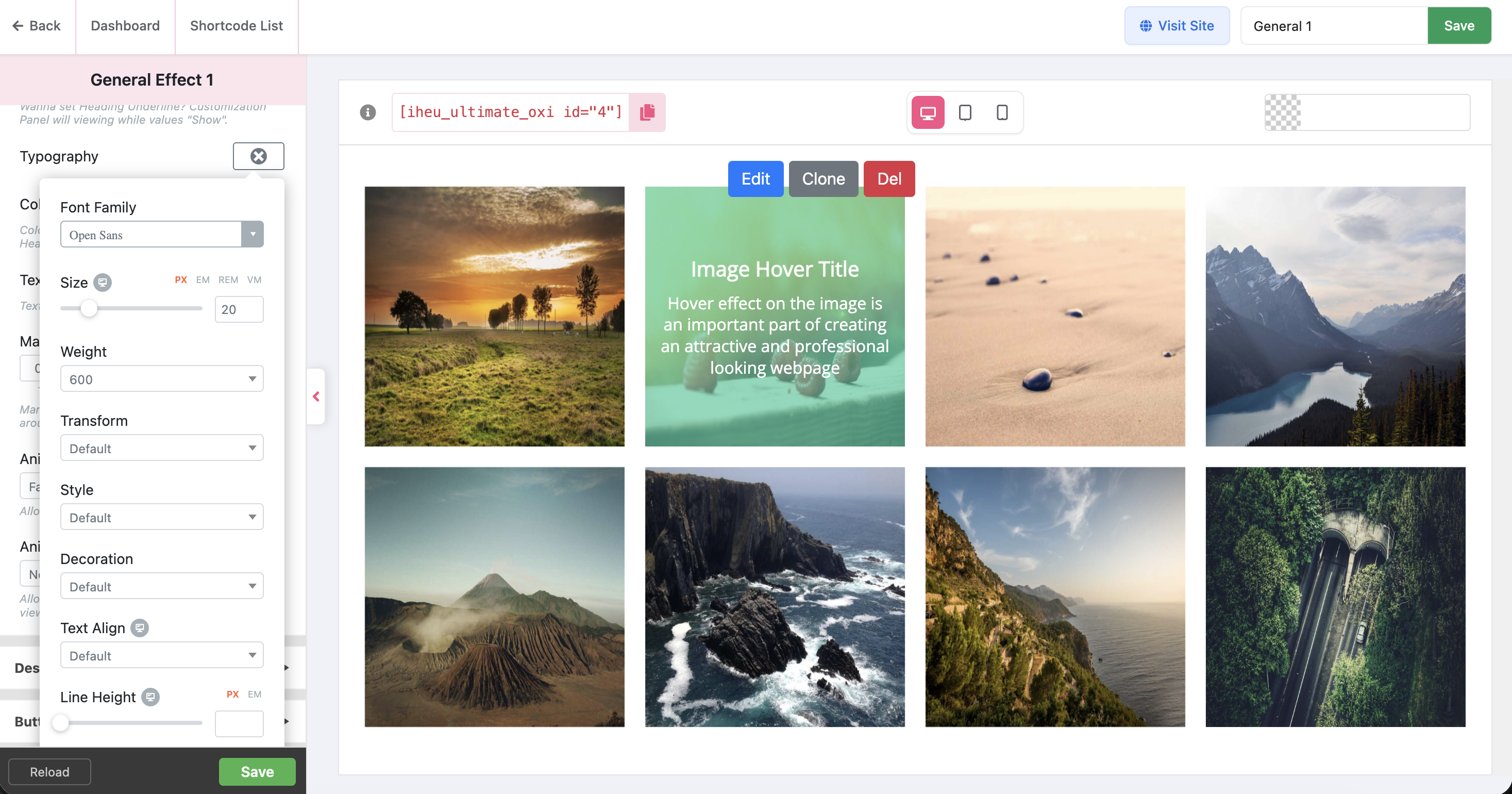
🔤 Typography controls with Google Fonts for headings and descriptions. 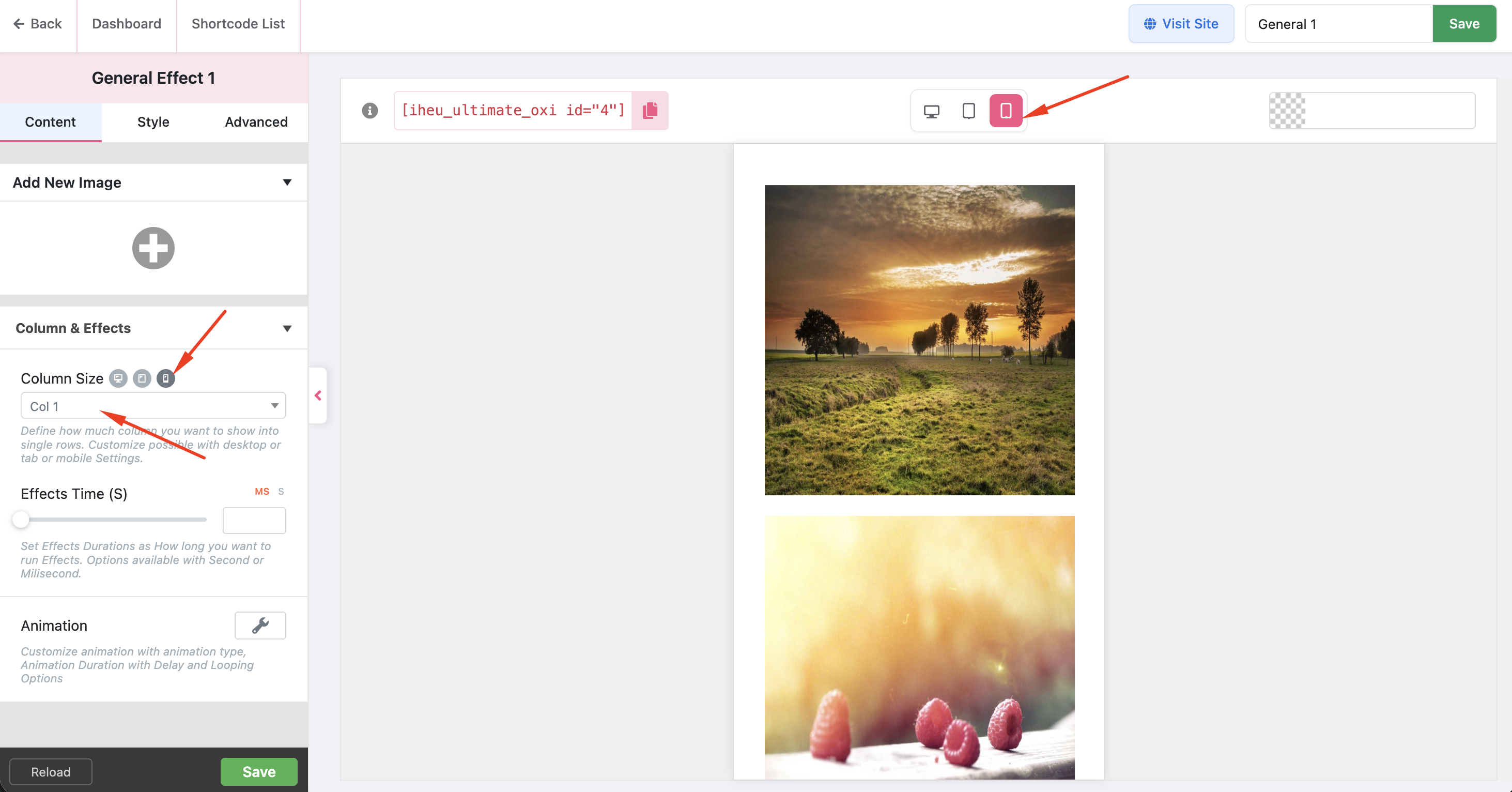
📱 Responsive device preview controls — Desktop, Tablet, and Mobile. 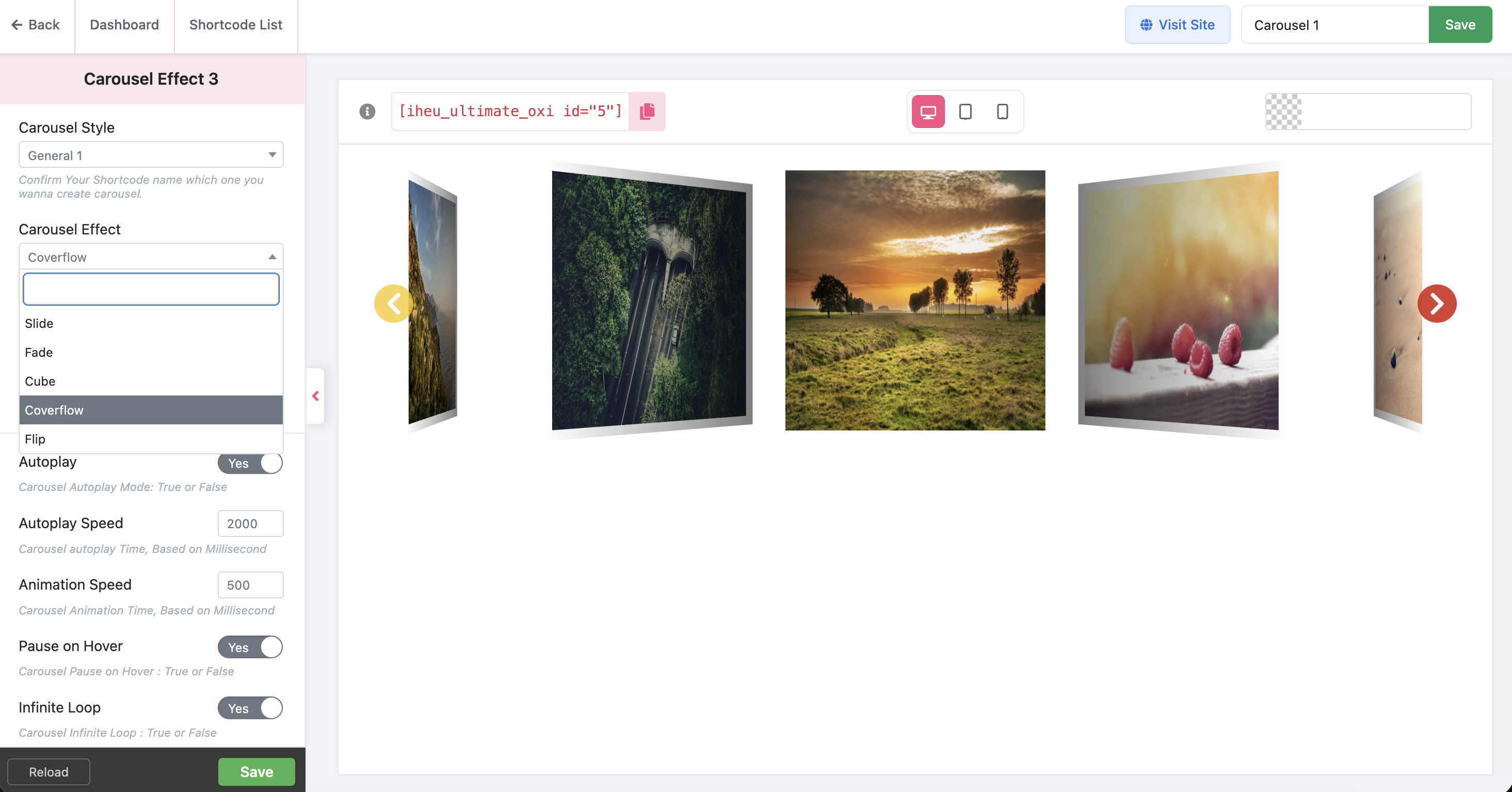
🎠 Carousel and Slider extension with hover effects. 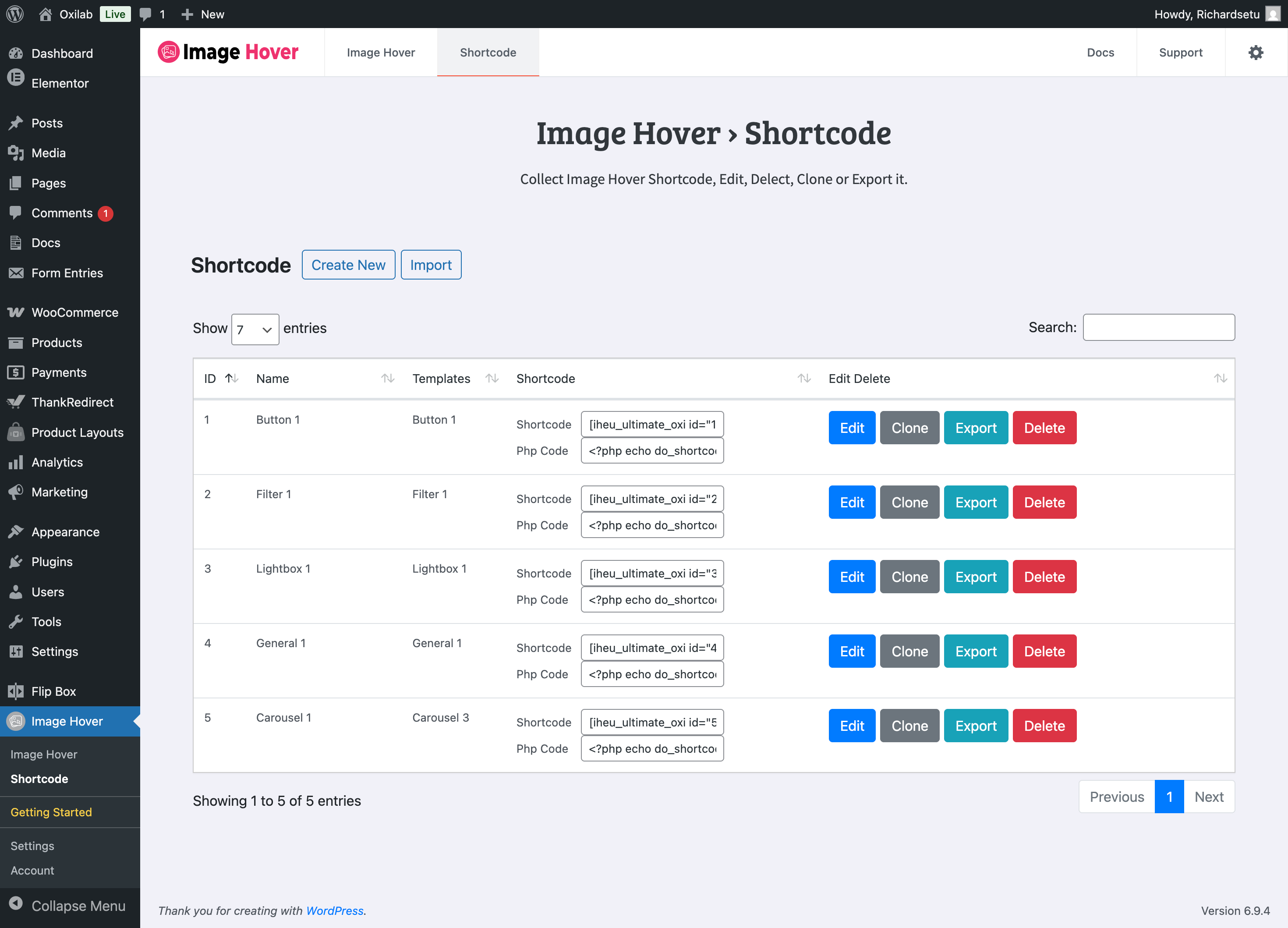
🔽 Shortcode List.


Instalace
⬇️ Option 1 — Install from WordPress.org (Recommended)
- 🔑 Log into your WordPress admin panel
- 🔍 Go to Plugins > Add New and search for Image Hover Effects Ultimate
- 🖱️ Click Install Now, then Activate
📦 Option 2 — Manual Upload
- ⬇️ Download the plugin zip from WordPress.org
- 📂 Go to Plugins > Add New > Upload Plugin
- 📤 Upload the zip file and click Install Now
- ✅ Click Activate Plugin
🚀 Getting Started
- 🗂️ Go to Image Hover in your admin sidebar
- 🎛️ Choose an effect module (for example, Caption Effects)
- 🖼️ Pick a layout from the template library
- ✏️ Give it a name and click Save
- ➕ Click Add New Item, upload an image, add your title and description
- 📋 Copy the shortcode — for example
[iheu_ultimate_oxi id="1"] - 📄 Paste it into any post, page, or widget
Nejčastější dotazy
-
🔌 Does this plugin work with Elementor?
-
Yes. Paste the generated shortcode into an Elementor Shortcode widget and your hover effects will display exactly as designed.
-
🟦 Does it work with the Gutenberg block editor?
-
Yes. Use the core Shortcode block in Gutenberg and paste in your shortcode. It works on any page or post.
-
💻 Do I need to write any code?
-
No. All effects are created through the visual admin panel. Developers who want more control can also add custom CSS, but it is completely optional.
-
📱 Are the effects mobile-friendly?
-
Yes. Every layout is fully responsive with separate controls for desktop, tablet, and mobile. Touch interactions also work smoothly on iOS and Android.
-
🆓 What is the difference between free and Pro?
-
The free version gives you access to all 10 modules and hundreds of layouts. Pro unlocks full customization of every effect — advanced color controls, 650+ Google Fonts, border and shadow settings, unlimited items, and priority support. See the 🔥 Pro section above for the full list.
Recenze


Autoři
Image Hover Effects Ultimate ( Image Gallery, Effects, Lightbox, Comparison & Magnifier ) je otevřený software. Následující lidé přispěli k vývoji tohoto pluginu.
Spolupracovníci


Zajímá vás vývoj?
Prohledejte kód, podívejte se do SVN repozitáře, nebo se přihlaste k odběru protokolu vývoje pomocí RSS.
Přehled změn
9.11.1
- 🐛 Fix: Resolved PHP 8.4 compatibility issue with mb_ereg_replace function
- ✨ Improvement: Replaced dashicon with a custom SVG icon in the admin sidebar for a cleaner branded appearance
- ✨ Improvement: Updated admin panel logo from PNG to SVG format in the header and Getting Started page
- ✨ Improvement: Hardcoded total template count to 150+ in the dashboard for accurate display
- 🔄 Update: Replaced all demo image URLs with new CDN format using WebP for faster loading
9.11.0
- 🆕 New: Added item count display for each module in the Image Hover dashboard
- 🆕 New: Added Create New and Import buttons to the Shortcode page header
- 🆕 New: Implemented iframe-based preview for strict style isolation and better performance
- 🆕 New: Added responsive device controls (Desktop, Tablet, Mobile) with live preview scaling
- ✨ Improvement: Moved inline CSS to external admin stylesheet for better maintainability
- ✨ Improvement: Simplified template selection — all templates now visible directly on the effect page
- 🐛 Fix: Fixed CSS specificity issues where saved styles could override live preview changes
- 🐛 Fix: Resolved backward compatibility issues with legacy shortcode data
- 🐛 Fix: Resolved Pro feature access issues with legacy license status
9.10.6
- 🆕 New: Conditional asset loading — Waypoints and Touch scripts only load when enabled in settings
- 🆕 New: Added cache-busting for admin assets via file modification time
- ✨ Improvement: Hardened AJAX and REST flows with stricter nonce verification
- 🐛 Fix: Minor stability fixes across shortcode rendering and widget output escaping
- 🔒 Fix: Fixed security issue in the Lightbox module
9.10.5
- 🐛 Fix: Resolved WordPress 6.7 „_load_textdomain_just_in_time“ notice
- 🐛 Fix: Allowed safe HTML in Short Description fields using wp_kses_post
- ✨ Improvement: Deferred heavy operations to later hooks for better performance
9.10.4
- 🆕 New: Added Getting Started page for new users
- 🎨 Update: Refreshed UI and UX across the admin panel
- 🐛 Fix: Fixed HTML tags not rendering in Lightbox title and description fields
- 🐛 Fix: Fixed HTML tags not rendering in button text across all modules
- 🐛 Fix: Fixed Visual Composer integration — dropdown now correctly passes Style ID
- 🐛 Fix: Fixed PHP 8.2 deprecation warning for dynamic properties
- ✨ Improvement: Enhanced error handling and input validation throughout the shortcode system
9.10.3
- 🔒 Fix: Resolved all reported security vulnerabilities
- ✨ Improvement: Improved input sanitization and output escaping throughout the plugin
- ✨ Improvement: Updated all database queries to use $wpdb->prepare()
9.10.0
- 🆕 New: Integrated Freemius SDK for license management and Pro upgrades
- 🆕 New: Added PSR-4 namespacing and Composer autoloading
- 🐛 Fix: Resolved responsive layout issues across multiple modules
9.9.7
- ✅ Compatible with WordPress 6.8
- 🐛 Fix: Resolved shortcode listing display issue
- 🐛 Fix: Fixed icon display issue in admin panel
9.9.6
- ✅ Compatible with WordPress 6.7.2
- 🐛 Fix: Fixed color changes not saving correctly in some configurations
9.9.5
- ✅ Compatible with WordPress 6.7
- 🐛 Fix: Fixed data table search functionality
9.9.4
- ✅ Compatible with WordPress 6.6.2
- 🐛 Fix: Resolved AJAX-related bugs
9.9.3
- ✅ Compatible with WordPress 6.4.3
- ✨ Updated Admin AJAX handling
9.9.0
- ✅ Compatible with WordPress 6.2.2
- 🐛 Fix: Resolved custom CSS issues
9.8.5
- ✅ Compatible with WordPress 6.1.1
- 🔒 Fix: Resolved XSS security issues
9.8.2
- ✅ Compatible with WordPress 6.0
- 🆕 New: Added alt tag support for all images
- 🐛 Fix: Resolved template display issues
9.3
- 🆕 New: Redesigned admin panel
- 🆕 New: 8 types of hover effect modules introduced
8.9
- 🐛 Fix: Resolved Gutenberg block editor compatibility issues
1.0
- 🎉 Initial release with responsive layout support