v0.41.0 A command line for interview practice
Practise coding interviews in your own editor.
cstudy writes the stub into a real project for your language, tests your code against visible and hidden cases, tells you whether it scales like the optimal solution, and schedules each problem for review. It runs on your machine, in Python, TypeScript, Java, Kotlin, Go and Rust. Prefer a browser? cstudy serve runs the same loop on a local page.
brew install bkuberek/tap/cstudy// Two Sum.
//
// You get an integer array nums and an integer target. Exactly two
// positions in nums hold values that add up to target. Find those two
// positions and return them.
//
// Statement: .statements/two-sum.md
// Run: cstudy test two-sum
package practice.two_sum
class Solution {
fun twoSum(nums: IntArray, target: Int): IntArray {
for (i in nums.indices) {
for (j in i + 1 until nums.size) {
if (nums[i] + nums[j] == target) return intArrayOf(i, j)
}
}
return intArrayOf()
}
}$ cstudy test --time-limit
two-sum · kotlin · 16 cases (2 visible, 13 hidden, 1 generated) · time limit 5x
build 1.8s (gradle, warm)
PASS ex1 0.04ms
PASS ex2 0.03ms
TLE g1 hidden · 412ms > limit 95ms (5x hash-map, calibrated)
PASS 13 hidden cases
15/16 passed · 1 tle · total 2.6s- ready problems
- 320
- languages
- 6
- autograded tracks
- 5
- algorithm patterns
- 23
- project problems
- 35
From the cstudy 0.41.0 catalog, synced 2026-11-12.
01 What it is
A practice system that lives in your terminal
This is coding interview practice with your own tools: you solve original problems in your editor, and the cstudy command does the rest. It picks the next problem, runs your code, shows hints and reference solutions, measures performance and keeps track of your progress.
- a.
Your editor, real toolchains
Each language is an ordinary project, built with uv, pnpm, Gradle, Go modules or Cargo, that your editor and its language server open directly. Breakpoints work too:
cstudy test --debugwaits for your debugger. - b.
More than algorithms
Data structures and algorithms, practical problems that grow over levels, backend and service projects, low-level design, concurrency and debugging, security and AI engineering problems, plus system design and code review prompts that you grade yourself with a rubric.
- c.
Optimality, not only correctness
cstudy benchmeasures how your solution grows with the input size and compares it with the reference approaches, so you know whether a passing solution is also the right one. - d.
Spaced repetition
cstudy doneschedules the next review from how the attempt went, andcstudy nextresumes what you have open, brings back what is due or picks a new problem from your weakest pattern.
New to a topic?With cstudy learn, read short guides that teach one idea before you practise it, with a worked example and diagrams, and follow a path on hashing that puts guides and problems in order. The local page shows them too. Guides and paths
02 How practice works
Pick, solve, test, come back later
One loop, the same in every language. Each step is one command you can also run from your editor.
Pick a problem
cstudy nextresumes an attempt you have open, or suggests a review that is due, or a new problem from the pattern where you are weakest, and prints the command that starts it.terminal $ cstudy next new koko-eating-bananas (medium · binary-search) weakest pattern: binary-search (0.75) start cstudy start koko-eating-bananas --lang kotlinStart it
cstudy startwrites a stub with the right signature and a short summary of the problem, renders the statement and opens both in your editor. The attempt’s clock starts here.terminal $ cstudy start two-sum --lang kotlin two-sum · easy · arrays-hashing · kotlin stub jvm/kotlin/src/main/kotlin/practice/two_sum/Solution.kt statement .statements/two-sum.md next cstudy test --watchSolve it in your editor
Your solutions live in a workspace of your own, next to your notes and progress. Open it in VS Code, IntelliJ IDEA, Neovim or anything else: completion, diagnostics and debugging work as in any project.
workspace ~/cstudy-workspace python/ pyproject.toml, uv.lock, practice/ typescript/ package.json, tsconfig.json, practice/ jvm/ Gradle wrapper, java/ and kotlin/ projects go/ go.mod, practice/ rust/ Cargo.toml, practice/ projects/ one folder per project problem notes/ your answers to system design and code review prompts sets.yaml your own lists of problems progress.db your attempts and reviews, in SQLiteTest on every save
cstudy test --watchruns your code against the cases each time you save. Visible cases are always listed; a hidden case that fails shows its input, the expected answer and yours. Time limits are off unless you ask for them.terminal $ cstudy test --time-limit two-sum · kotlin · 16 cases (2 visible, 13 hidden, 1 generated) · time limit 5x · timer 12:31 / 25:00 build 1.8s (gradle, warm) PASS ex1 0.04ms PASS ex2 0.03ms FAIL h1 hidden input nums=[-3, 8, 0, 3] target=0 expected [0, 3] (unordered) actual [2, 2] note negatives and zero TLE g1 hidden · 412ms > limit 95ms (5x hash-map, calibrated) PASS 12 hidden cases 14/16 passed · 1 failed · 1 tle · total 2.6sFinish, and come back when it is due
Rate the attempt
easy,okorhard. Hints, a revealed solution or a blown time box lower the grade, and the grade sets the next review.terminal $ cstudy done --rating ok two-sum · kotlin · passed · 18m 40s · rating ok · hints 0 next review 2026-10-27 (in 3 days) · ease 2.50
Stuck?cstudy hint reveals one hint at a time, and cstudy solution shows the reference approaches with their explanations. During an unsolved attempt it asks first, because revealing grades the attempt as again. To stop without finishing, cstudy abort ends the attempt, keeps your files and leaves your review schedule as it was.
03 Coverage
6 languages, 5 autograded tracks, 320 problems
The catalog runs from algorithms and backend design to security and AI engineering problems. Every statement, test and solution is original. Tests are written once as language-neutral data, so a problem is the same problem in every language you practise it in.
- Python272 problemsuv and Python 3.13
- TypeScript295 problemsNode 24 and pnpm
- Java250 problemsJDK 21 to 26, Gradle wrapper
- Kotlin250 problemsJDK 21 to 26, Gradle wrapper
- Go247 problemsGo 1.25 or newer
- Rust244 problemsRust 1.80 or newer, via rustup
236 of the 320 problems have reference solutions in all 6 languages. The others are project problems, each written for one language; problems that a language cannot express or whose bug exists only in some languages; and security and AI engineering problems, most of them in Python and TypeScript.
| Track | Problems | Graded by | Format |
|---|---|---|---|
Data structures and algorithms dsa | 198 | Tests, in each of its languages | Functions and data-structure designs across 23 patterns |
Practical practical | 85 | Tests, level by level where a problem has levels | One class whose API grows over levels, a business task with money and dates, a security or AI task (most in Python and TypeScript), or a project to extend |
Low-level design lld | 8 | Tests, then a design rubric | Object-oriented design |
Concurrency concurrency | 6 | Stress tests against invariants | Thread-safe classes, with a concurrency model per language |
Debugging debugging | 23 | Tests | Buggy code to fix, including bugs that exist only in Go or Rust, and JavaScript traps in TypeScript |
System design system-design | 10 | Yourself, with a rubric | A prompt, a notes template and a reference design |
Code review code-review | 6 | Yourself, with a rubric | A change to review, and the issues a strong reviewer finds |
04 Find what to practise
Search, filter, study from a list
Every problem is labelled by what it is about, who it is for and how big it is, so you can ask for what you are preparing for. A set is a list of your own, in the order you want to study it.
cstudy listandcstudy nextfilter by domain, job role and scope. There are 85 problems and items on backend work, 14 on security and 24 on AI engineering.cstudy list --searchfinds a problem by its slug or title.cstudy setmakes a named list, for an interview on the 12th or a topic you keep missing. A problem can be in several, andcstudy next --setpicks from one in its order.- Sets live in a file in your workspace that you can edit by hand and commit.
cstudy list --domain security      # also --role and --scope
cstudy list --search retry         # a slug or a title
cstudy next --role ai-engineer --lang typescriptcstudy set create backend-loop --description "The backend loop on the 12th"
cstudy set add backend-loop two-sum lru-cache url-shortener
cstudy next --set backend-loop
cstudy list --set backend-loop$ cstudy list --domain security
ID SLUG DIFF PATTERN STATUS DUE REFS
0255 token-claim-... medium arrays-hashing new - py ts
0256 refresh-toke... medium arrays-hashing new - py ts
0257 authorizatio... medium graphs new - py ts
- review-auth-... medium code-review new - -05 Project problems
Grow one codebase, level by level
A project problem starts from a seeded folder instead of a single function, and opens in levels that build on the same code, the way a longer practical exercise does.
There are 35 project problems: the bank project in each of Python, TypeScript, Java, Kotlin, Go and Rust, and 29 backend projects in TypeScript, Python, Java, Kotlin and Go, with 2 to 6 levels each. Every project opens with level 1 and adds a level at a time, as the bank project does:
- level 1Accounts and transfers
- level 2Top spenders
- level 3Scheduled transfers
- level 4Merges and balance history
cstudy test runs the project’s own tests with the language’s native framework. cstudy submit grades every case of the open levels, hidden ones included, and opens the next level once they all pass. You can finish once level 1 passes: the attempt passes through the levels you finished, and the next one names the level to try.
Service projects go further: in TypeScript, Python, Java, Kotlin and Go, you build a small running service, and cstudy submit grades it by what it answers over HTTP. Built-in mock servers stand in for the services it calls, with their outages, rate limits, slow answers and broken responses, and some problems add a real Postgres. It runs in Docker, and cstudy dev keeps it running for you to try by hand. Service projects
$ cstudy submit
bank-project-python · python · submit levels 1-2 of 4 · timer 33:05 / 90:00

level 1  PASS     5/5 (2 visible, 3 hidden)
level 2  FAIL     5/6 (2 visible, 4 hidden)
PASS     ex1   level 1
PASS     ex2   level 1
PASS     ex3   level 2
PASS     ex4   level 2
FAIL     h5    hidden · level 2
         input     ops=["Bank", "create_account", "create_account", "create_account", "deposit", ...]  args=[[], [1, "b9"], [2, "b10"], [3, "a"], ...]
         expected  [null, true, true, true, 10, 10, 0, 0, ["b10(10)", "b9(10)", "a(0)"]]
         actual    [null, true, true, true, 10, 10, 0, 0, ["b9(10)", "b10(10)", "a(0)"]]
         reason    op 8 topSpenders: expected ["b10(10)", "b9(10)", "a(0)"], got ["b9(10)", "b10(10)", "a(0)"]
         note      ids compare as text, so b10 comes before b9

10/11 passed · level 3 opens when levels 1-2 pass
06 Complexity
Passing is good. Optimal is the goal.
cstudy bench runs your solution and every reference approach on the same generated inputs, fits how the time grows, and places you on the problem’s complexity ladder with an explicit confidence.
- Separates growth classes such as n and n² reliably; tells n from n log n by the ratio to the optimal reference.
- Measures extra memory too, and says how sure it is.
- Compares you with your own previous runs, never with other people.
- Optional time limits for
cstudy testscale from the reference timings, so a brute force fails the large cases when you ask it to.
$ cstudy bench
two-sum · python · sizes 1e2..1e5 · reps 7 · power AC · load 1.2

TARGET       DECLARED  n=1e2   n=1e3   n=1e4   n=1e5   SLOPE  BAND      MEMORY
brute-force  O(n^2)    0.21ms  19.8ms  2.04s   budget  2.00   ~n^2      constant
hash-map     O(n)      0.01ms  0.09ms  0.94ms  10.1ms  1.00   ~n|nlogn  linear
you                    0.01ms  0.11ms  1.10ms  11.8ms  1.01   ~n|nlogn  linear

verdict   optimal: matches hash-map, 1.17x at n=1e5 · confidence high (spread 3%, R^2 0.999)
space     linear, same as hash-map · confidence high
history   best previous 13.0ms at n=1e5 (2026-09-12) · now 9% faster · 1st of 3 runs
07 In the browser
The same loop, on a local page
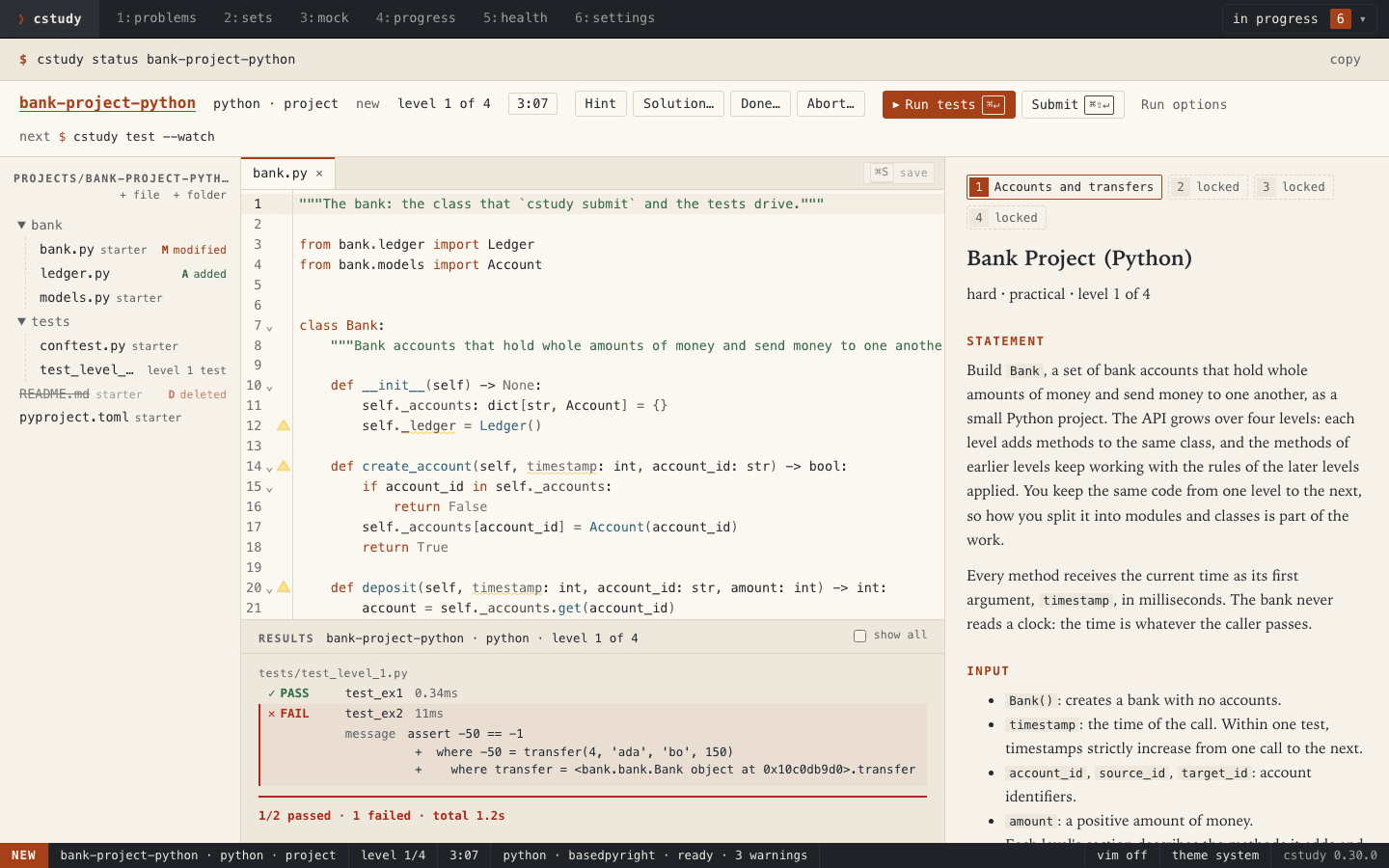
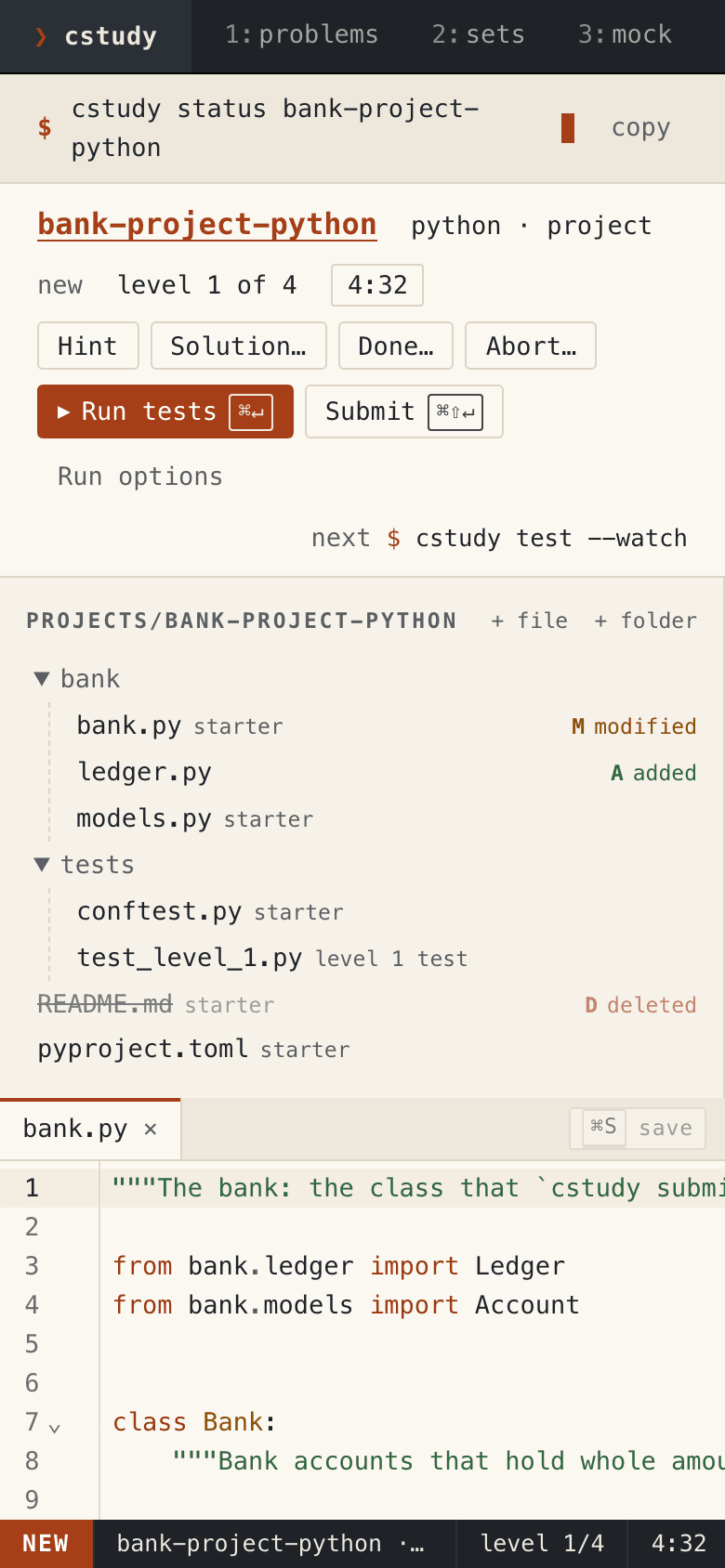
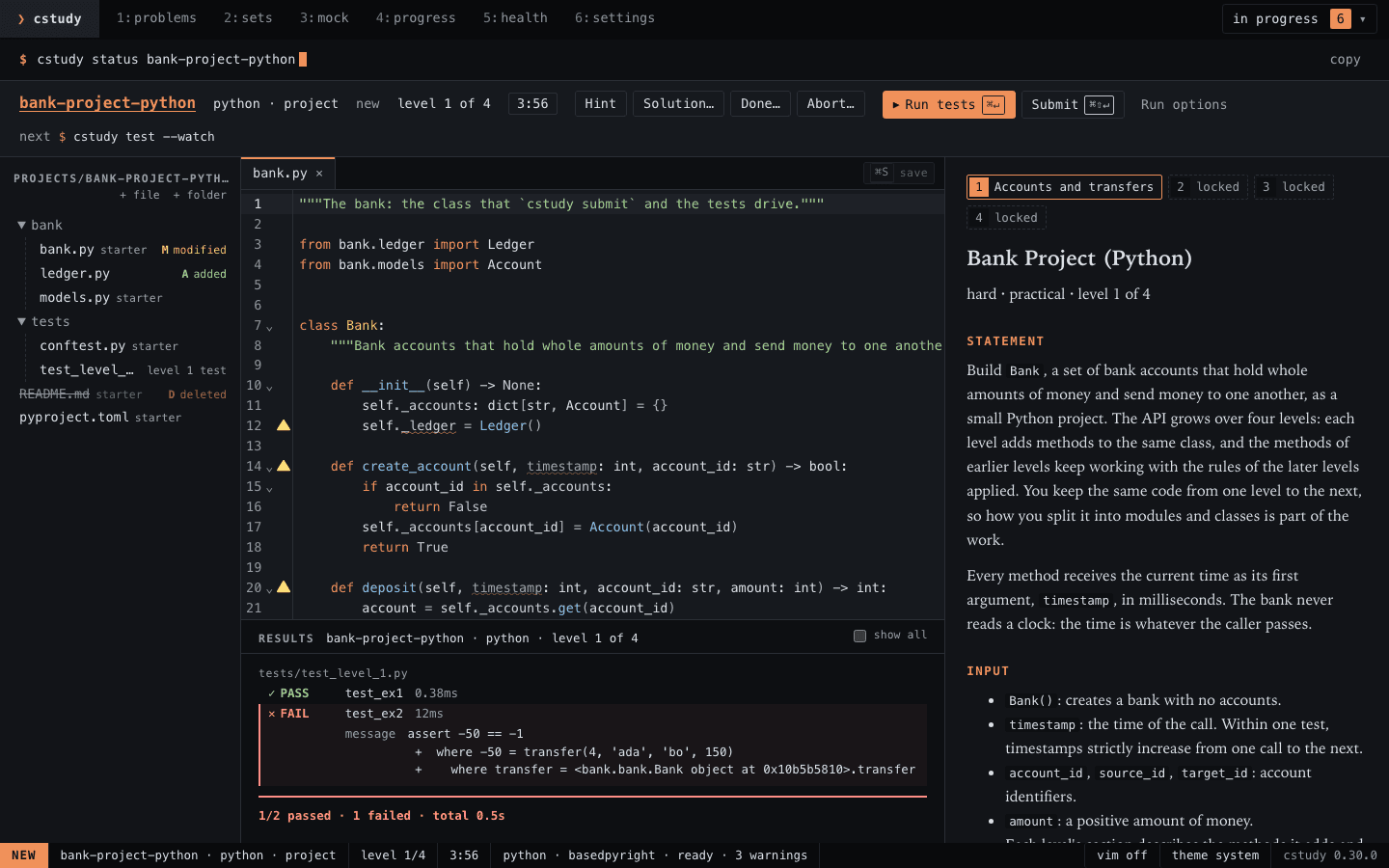
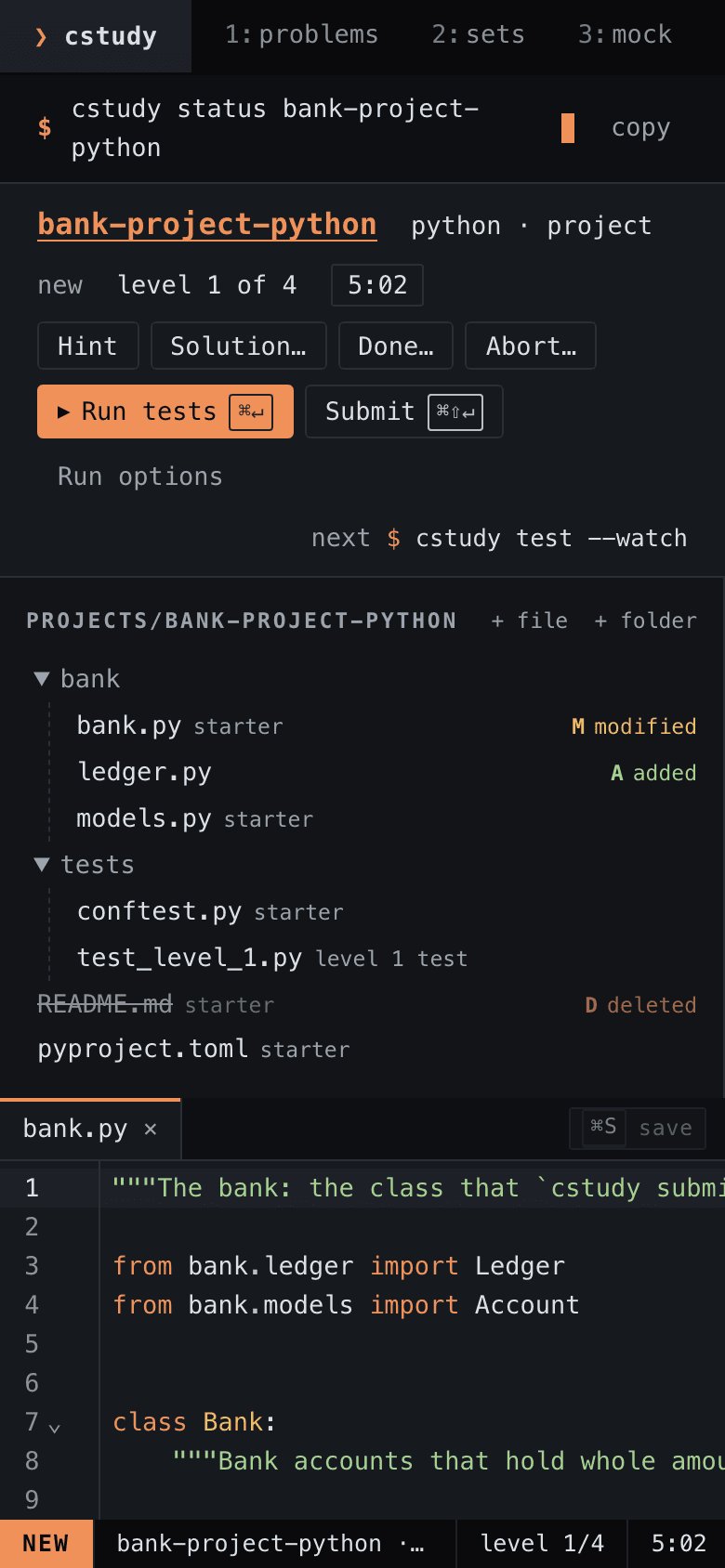
The terminal stays the main way to use cstudy. When you would rather have a page, cstudy serve runs one on your own computer, on the same workspace and the same progress.
cstudy serve --open- Every kind of problem, in all 6 languages: search and filter, start, edit, test, submit, take hints, work from your sets, read the guides and run mock interviews. Service projects run too, with a panel for the running app.
- Results arrive as a run goes, and compiler errors show in the editor.
- For Python, TypeScript, Java, Kotlin, Go and Rust, in every kind of problem, the editor can also mark errors as you type (Rust’s compiler errors after each save), show documentation and complete code: code intelligence and autocomplete, each off until you turn it on.
- Switch to the terminal or your editor at any time: they share your files and your progress.
08 Install
From zero to your first problem
Install cstudy with Homebrew, create a workspace and let cstudy doctor set up the language projects. cstudy runs your code with each language’s real toolchain: uv and Python are required, and Node, a JDK 21 to 26, Go and Rust only for the languages you use. Docker is needed only for service projects.
- One install brings the problems, tracks and runners.
cstudy doctorchecks every toolchain and prints the fix for anything missing.- Works on your own machine: you need internet only to install cstudy and its dependencies, and to start a service project, which also needs Docker.
cstudy servecomes with it, for when you would rather practise on a local page.
brew install bkuberek/tap/cstudy
cstudy init ~/cstudy-workspace --git   # --git runs git init; cstudy never commits
cd ~/cstudy-workspace
cstudy doctor --fix                    # uv sync, pnpm install, Gradle warm-up, runner checks
cstudy next                            # suggests a problem and prints the command to start it
Open source, under the MIT licence.
The code and the problem content are MIT licensed. The source, the specs and the decision records are all on GitHub.
cstudy is free and open source, and sponsoring supports its development.