
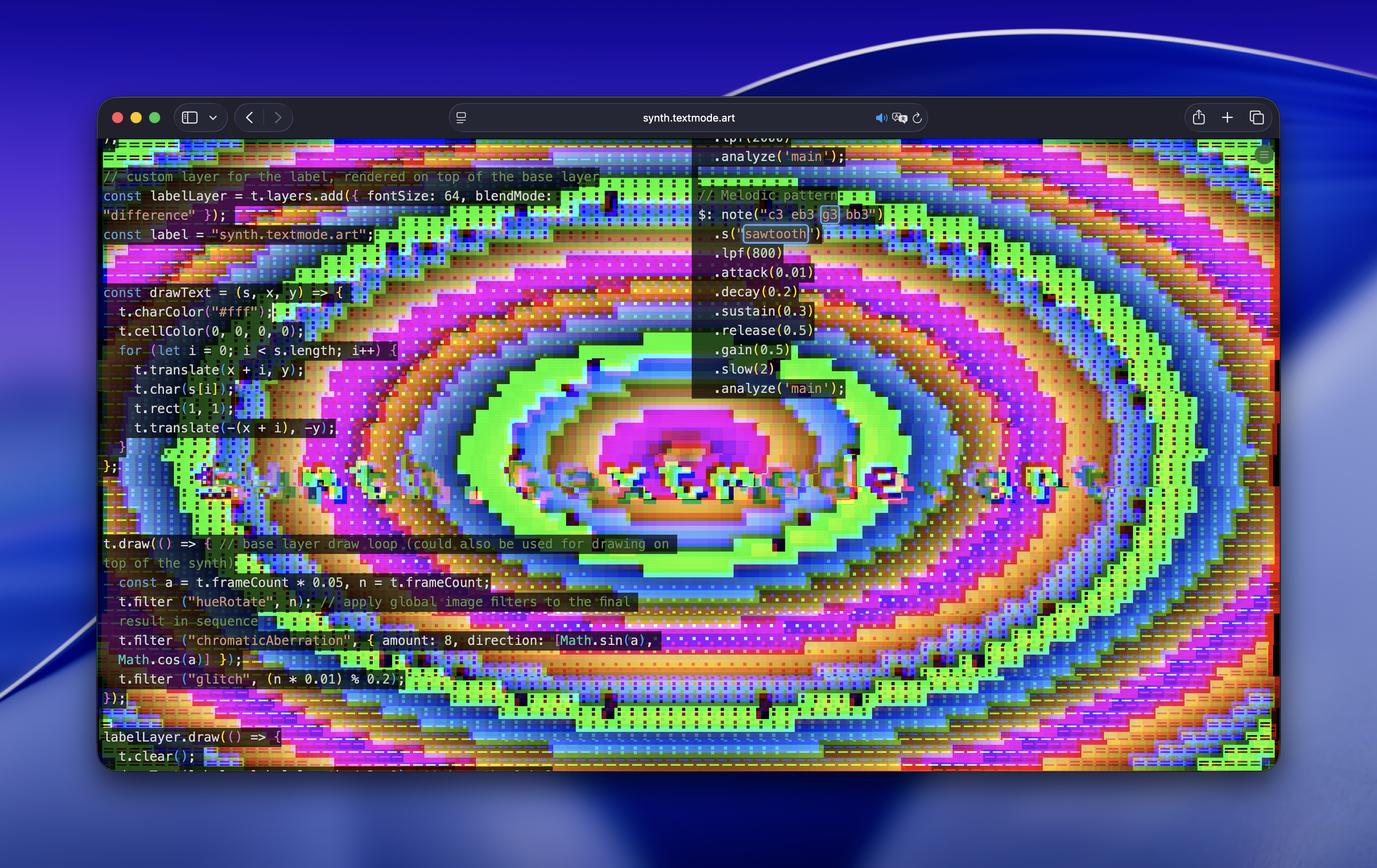
 Website
synth.textmode.art
synth.textmode.art is a browser-based live coding environment for procedural text generation and ASCII synthesis. It combines textmode.js with textmode.synth.js to provide a focused workflow for building animated textmode patches directly in the browser. (〜 ̄△ ̄)〜
Unlike flok.cc, which is built around collaborative sessions and multi-tool performances, synth.textmode.art is a dedicated single-surface environment for writing and iterating on textmode synth sketches.
Website
Getting started
- Visit synth.textmode.art.
- Start from the default sketch or open the examples tab from the system menu.
- Edit the code and let the sketch auto-run, or press
Ctrl+Enterto run it manually.
The editor saves your code locally in the browser, so you can close the page and continue later.
The synthesis model
synth.textmode.art exposes the standard textmode.js sketch API through the global t variable and adds the source-building functions from textmode.synth.js.
The core idea is that a textmode frame is split into separate channels:
char(...)controls which glyphs are renderedcharColor(...)controls glyph colorcellColor(...)controls background cell colorpaint(...)drives glyph and cell color together
This lets you drive structure, foreground color, and background color independently.
Basic example
js
t.fontSize(16);

const characters = voronoi(8, 0.3).rotate(() => t.secs * 0.2);

const colors = gradient().scrollX(0.5).colorama(0.5);

const background = osc(10, 0.1, 0.5).rotate(1.57).modulate(noise(3, 0.1), 0.5);

t.layers.base.synth(char(characters).charColor(colors).cellColor(background));
This patch uses three different synth sources:
- a
voronoi()pattern for glyph selection - a scrolling
gradient()for glyph color - an
osc()pattern for the cell background
Character maps
One of the most useful controls in synth.textmode.art is charMap(...), which limits the glyph set used by char(...).
js
const matrixData = noise(4, 0.2).pixelate(30).scrollY(1, 0.2);

const matrixColor = solid(0, 1, 0).mult(noise());

t.layers.base.synth(char(matrixData).charMap("01").charColor(matrixColor));
Changing the character map can completely change the look of a patch, even when the underlying source stays the same.
Layering
synth.textmode.art supports the full textmode.js layer system. You can stack synth layers with different blend modes, opacity values, offsets, and rotations, then combine them with direct drawing commands.
js
t.layers.base.synth(
  char(osc(10, 0.1, 0.5).kaleid(6))
    .charColor(gradient().hue(() => t.secs * 0.1))
    .cellColor(solid(0.05, 0.05, 0.1))
    .charMap("░▒▓█"),
);

const layer2 = t.layers.add({ blendMode: "screen", opacity: 0.7 });

layer2.synth(
  char(voronoi(12, 0.2))
    .charColor(osc(5, 0.1).colorama(0.3))
    .cellColor(solid(0, 0, 0, 0))
    .charMap("○●◐◑"),
);

layer2.draw(() => {
  const time = t.secs;
  layer2.offset(Math.sin(time * 0.5) * 50, Math.cos(time * 0.5) * 50);
});
Because the app uses standard textmode.js layers, you can also apply filters, draw text or geometry on top, and mix procedural sources with manual drawing.
Editor workflow
The app is designed for quick iteration:
- code runs automatically by default
Ctrl+Enterruns the current sketchCtrl+Shift+Rresets and re-runs the sketch- the examples tab includes built-in tutorial sketches
- editor settings such as font size, line numbers, and backdrop can be adjusted from the system menu
If you already work with Hydra-style source chains, the workflow will feel familiar, but the output is tuned for glyph-based rendering rather than raw pixels.
Sharing
synth.textmode.art can generate share links that encode the current sketch directly in the URL. When a shared sketch is opened, the code is shown behind an unlock step before it runs.