
Advanced Post Block
Advanced Post Block transforms your WordPress content into stunning grids, magazines, sliders, and timelines. Create dynamic post displays with the Gutenberg block editor – or import a ready-made layout from the Template Library in one click. Filter by category, tag, author, or post type. Build professional content galleries that engage visitors and keep them browsing longer. Perfect for blogs, news sites, and content-heavy websites.
- 12+ 5 Rating
- 10k+ Active Installs
- 14-day money-back guarantee
Why Choose Advanced Post Block?
WordPress users struggle to display posts beyond basic blog layouts. Advanced Post Block gives you complete control over how content appears, turning boring post lists into engaging, interactive displays that visitors actually want to browse.
The Problem with Default WordPress Post Displays
- Limited layout options, stuck with basic blog format
- No filtering or sorting controls for visitors
- Poor mobile experience with outdated designs
- Complicated coding required for custom displays
- Time-consuming manual post-curation
- Visitors bounce because the content looks unprofessional
A Better Way to Showcase Your WordPress Content
Advanced Post Block helps you:
- Create stunning post grids, magazines, sliders, and masonry layouts instantly
- Filter content by category, tag, author, page, or custom post type
- Build responsive displays that work perfectly on all devices
- Customize every element without touching code
- Add pagination, navigation, and advanced sorting options
- Deliver a modern, professional browsing experience
Build Stunning Post Layouts in Minutes
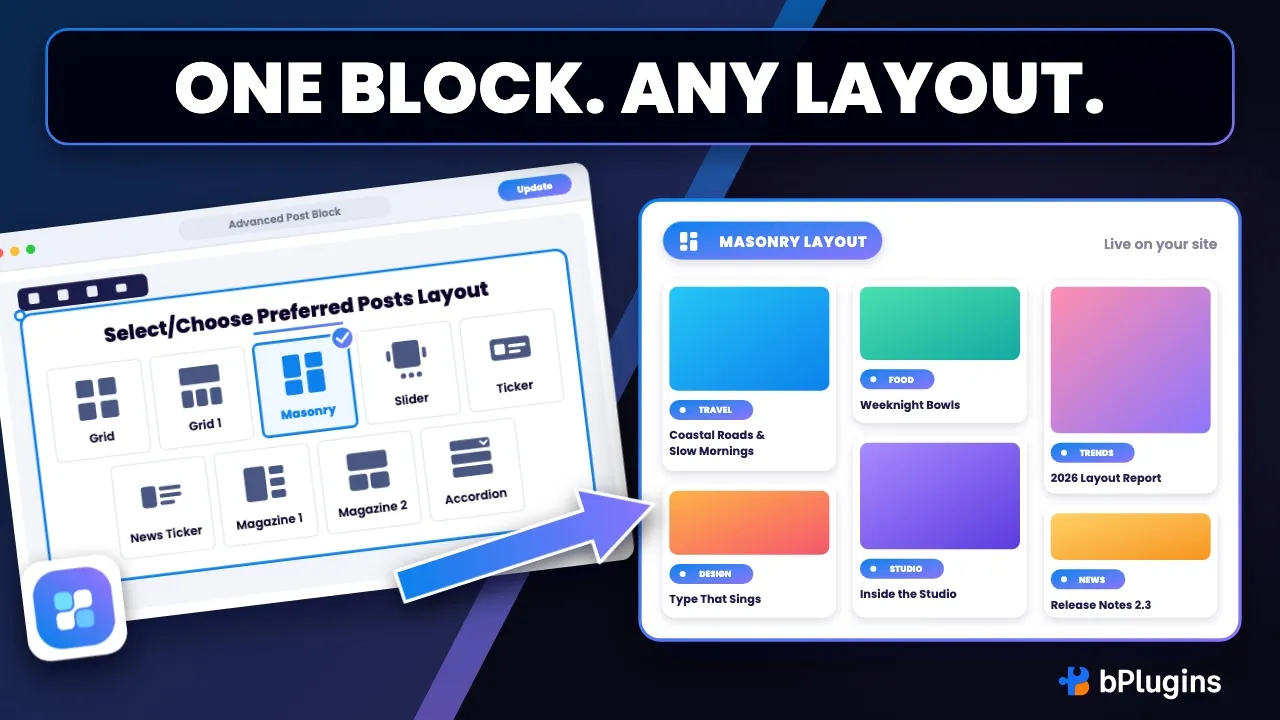
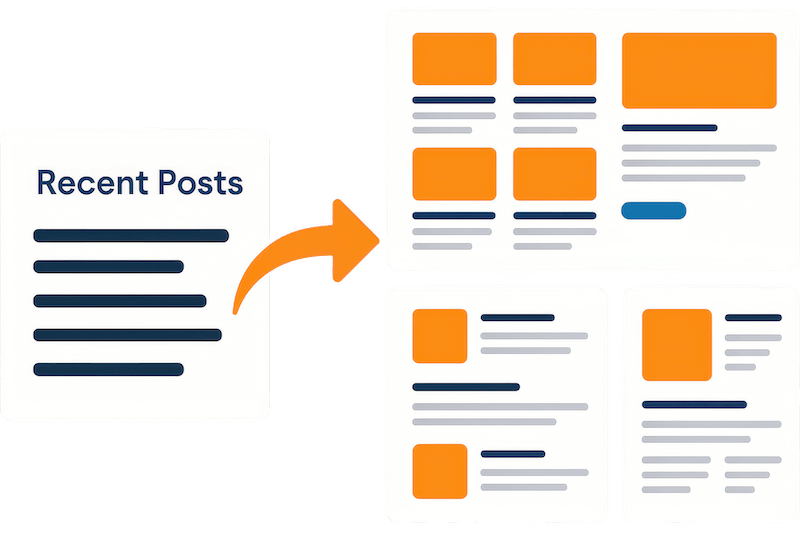
Transform boring post lists into eye-catching grids, sliders, masonry, magazine, and accordion displays. Choose from ten layout styles and customize spacing, columns, and alignment – or import a ready-made design from the built-in Template Library in one click. Your content instantly looks professional and engages visitors longer without any design skills needed.
Filter and Sort Content Like a Pro
Give visitors control over what they see. Filter by categories, tags, and authors across posts, pages, and custom post types. Skip posts with an offset, or hand-pick exact posts with include and exclude controls. Users browse exactly what interests them while staying on your site longer. Perfect for news sites, portfolios, and content-rich blogs.

Responsive Design for Every Layout
Every layout automatically adapts to phones, tablets, and desktops. Your post displays look perfect on any screen size. Visitors get a smooth browsing experience whether they’re commuting or working from their desk.

Complete Control Over Post Elements
Show or hide featured images, excerpts, author info, and publish dates – then drag and drop to reorder them. Pick the image size, set a fallback image, and limit title length by words or characters. Customize typography, colors, and spacing for every element. Create exactly the look you want while maintaining full control over what visitors see.

Powerful Features for Every Content Creator
-
Template Library
Import professionally designed post layouts in one click from the editor toolbar. Search, preview live demos, and save favorites for reuse.
-
Grid Layouts
Arrange posts in clean, organized columns. Perfect for showcasing multiple articles at once while maintaining readability and visual appeal.
-
Magazine Layout
Pair a large hero post with a scrollable list of secondary stories. Give your homepage the classic editorial front-page look in seconds.
-
Masonry Display
Create Pinterest-style layouts where posts flow naturally based on content height. Ideal for mixed content types and engaging visual browsing.
-
Post Sliders
Build interactive carousels that cycle through your best content. Great for highlighting featured posts or recent articles on homepage displays.
-
Accordion Layout
Display posts as collapsible panels that expand on click. Perfect for FAQs, documentation hubs, changelogs, and long-form content lists.
-
Timeline Layout (Pro)
Lay posts out as a dated sequence, vertical or horizontal. Ideal for milestones, release notes, changelogs, and company history pages.
-
Ticker Scrolling
Add scrolling news ticker displays for breaking news, updates, or announcements. Keeps important content visible while saving space.
-
News Ticker
Run headlines in a labeled ticker bar like a broadcast news site. A compact, always-moving strip that keeps your freshest stories in view.
-
Flexible Sub-layouts
Switch every card between Title Meta, Left/Right Image, and four Overlay styles, including the dramatic Overlay Half Content design.
-
Query Customization
Advanced filtering by post count, offset, order, and include/exclude options. Build precise content displays that show exactly what you want.
-
Category & Tag Filtering
Filter posts by specific categories or tags. Helps users find relevant content quickly while increasing engagement and time on site.
-
Author-Based Displays
Showcase posts from specific authors or contributors. Perfect for multi-author blogs, guest post highlights, or team member showcases.
-
Custom Post Types
Display pages, portfolios, testimonials, products, or any custom content type. Extends beyond blog posts to showcase everything that matters.
-
Query Presets (Pro)
Skip manual setup with one-click presets like Popular, Random, Sticky, Most Comments, and Related. Smart queries without the busywork.
-
Pagination Controls
Add numbered pagination or previous/next navigation with custom labels, colors, and spacing. Pro adds infinite scroll and a Load More button.
-
Element Sorting
Drag and drop to reorder titles, meta data, and excerpts inside every post. Arrange content exactly the way your readers scan the page.
-
Featured Image Control
Show, hide, or customize post thumbnails. Pick any registered image size, set a fallback image, and control linking, sizing, and hover effects.
-
Meta Information Display
Choose which post details to show – date, author, categories, or comments – and add a custom separator. Style and position each element.
-
Excerpt Customization
Control post preview text length and formatting. Show custom excerpts or auto-generated snippets with consistent styling across all displays.
-
Title Control
Pick the perfect heading tag for SEO and trim titles by word or character count. Keep every card tidy no matter how long the headline runs.
-
Read More Styling
Customize call-to-action buttons with your brand colors and typography. Encourage clicks with compelling, actionable button text.
-
Reading Time & View Count (Pro)
Show estimated reading time and live view counts right in the meta row. Social proof and expectations that keep visitors clicking through.
-
Responsive Breakpoints
Fine-tune how layouts adapt to different screen sizes. Ensure perfect display on mobile phones, tablets, and desktop computers.
-
Shortcode Support
Embed post displays anywhere using simple shortcodes. Perfect for sidebars, footer content, or custom page builders beyond Gutenberg.
Live Overview
Click on any section to view it live
-
Grid
Retro Print Teal
Preview live -
Magazine 1
Mica Gazette
Preview live -
Magazine 1
Quartz Stand
Preview live -
Grid
Strata Daily
Preview live -
Grid
Willow Journal
Preview live -
Grid
Sable Folio
Preview live -
Grid 1
Basalt Press
Preview live -
Grid
Solstice Review
Preview live -
Grid
Slate Ledger
Preview live -
Grid
Lumen Review
Preview live -
Grid 1
Lumen Folio
Preview live -
Grid
Vellum Folio
Preview live -
Grid
Meridian Ledger
Preview live -
Grid
Meridian Journal Gallery
Preview live -
Grid
Slate Stand Gallery
Preview live -
Grid
Slate Edition
Preview live -
Grid
Meridian Edition
Preview live -
Grid
Vellum Ledger
Preview live -
Grid
Obsidian Review
Preview live -
Grid
Obsidian Journal
Preview live -
Timeline
Timeline – Center Spine
Preview live -
Timeline
Timeline – Card Milestones
Preview live -
Timeline
Timeline – Compact Rail
Preview live -
Timeline
Timeline – Year Grouped
Preview live -
Timeline
Timeline – Photo Timeline
Preview live -
Timeline
Timeline – Horizontal Track
Preview live -
Grid
Obsidian Press
Preview live -
Grid
Meridian Daily
Preview live -
Grid
Aurora Daily
Preview live -
Masonry
Vista Dispatch
Preview live -
Grid
Vista Daily
Preview live -
Grid
Compact Cyber Neon
Preview live -
Grid
Compact Neo Brutal
Preview live -
Grid
Compact Elite Clean
Preview live -
Grid
Minimal Cyber Neon
Preview live -
Grid
Minimal Neo Brutal
Preview live -
Grid
Minimal Elite Clean
Preview live -
Grid- Default layout
Standard grid post layout. Preview live -
Grid- Title Meta layout
Grid with title and meta info. Preview live -
Grid- Side Image layout
Grid layout with side image. Preview live -
Grid- Overlay layout
Grid with overlayed content. Preview live -
Masonry- Default layout
Masonry style default layout. Preview live -
Masonry- Title Meta layout
Masonry with title and meta. Preview live -
Masonry- Side Image layout
Masonry layout with side image. Preview live -
Masonry- Overlay layout
Masonry with overlay style. Preview live -
Slider- Side Image layout
Slider with side image view. Preview live -
Slider- Overlay layout
Slider with overlay content. Preview live -
Ticker- Side Image layout
Ticker with side image layout. Preview live -
Ticker- Overlay layout
Ticker with overlayed text. Preview live -
All Posts
Display all posts together. Preview live -
Post Section (Design 1)
Stylish post section design 1. Preview live -
Post Section (Design 2)
Stylish post section design 2. Preview live -
Post Section (Design 3)
Stylish post section design 3. Preview live -
Post Section (Design 4)
Stylish post section design 4. Preview live -
Post Section (Design 5)
Stylish post section design 5. Preview live
No demos in this category.
Testimonials
What Our Customers Say to Us
4.2 rating · 17 real reviews from the WordPress.org community
-
WordPress.org
Advanced Post Block
I had problems with Advanced Post Block. This was fixed with help of the support. Very good.
playitnow65 Read review
-
WordPress.org
Excellent Plugin
Amazing plugin, with now option to showcase pages instead of posts as well. Just perfect!
sophibee Read review
-
WordPress.org
It does what I need it to do very well
This plugin works good, has many options and sounds like more to come. What I like best is the support. Nothing better then a quick reply and they were able help out too! Looking forward to much more style control maybe in a future update.
eMBurr Read review
-
WordPress.org
Great Job!
I love the layout! Makes things fast and easy.
Tori Chambers Read review
-
WordPress.org
Wonderful plugin, exceptional support
I’ll be completely honest, the level of support offered by the plugin creator is exceptional! This is the best plugin for your blog posts arrangement, it makes your blog look wonderful and well organized.
husainghasra Read review
-
WordPress.org
Excelente plugin
Fácil de entender y configurar.
niko125 Read review
-
WordPress.org
Very nice plugin
I do like the options to change the post preview appearances to suit my site. However, I do wish the speed of the plugin was improved and the price wasn’t so much for the additional extras.
chatterboxfilm Read review
-
WordPress.org
Very Good Plugin
This is the best post plugin I have seen to create beautiful post blocks, sliders on site.
niranjandev Read review
-
WordPress.org
Amazing Plugin
Very amazing plugin thanks for your efforts.
abdoamrali Read review
Screenshots
Explore the Interface, Settings & Preview Screens


Learning Materials
Looking for some learning materials. You will better understand how to use the Advanced Post Block.

FAQs
Frequently Asked Questions
Yes! All the custom posts that come to your site. You just need to select that custom post from the right setting panel.
It’s possible that your custom post type is not supported by the REST API. You can add REST API support for your custom content types by following the steps outlined in this article: Adding REST API Support for Custom Content Types.
For the query, you can change the post type, filter by taxonomies(categories, tags or custom), post per page, post order by, post order, and post offset.
Yes! This plugin has five main layouts and multiple sub-layouts.
Yes! There is a slider layout to slide the posts.
Yes! You can set different columns for different devices.
Yes! This plugin has pagination, but it will not for the slider and ticker layout.
Yes! you can every element, you can show or hide the title, feature image, meta-data, excerpt, read more button, etc.
Yes! you can change content alignment, background, padding, and border. all element’s(title, metadata, excerpt, read more button) typography, colors, and spacing.
Visit our support portal to open a ticket -> https://bplugins.com/support/. Also, You can send an email to [email protected]
Yes, we provide plugin customization service (Paid). Please send us details via email: [email protected]
We try to respond to our customer’s questions ASAP, however, it can take up to 72 hours.
No, you don’t have to buy a new license. You can go through the previous license!
When a new version will be released, you will receive an email notification.
Get started
Ready to get more from Advanced Post Block?
10,000+ WordPress sites already run Advanced Post Block. Start free, then upgrade to Pro when you want the full toolkit.

 35% OFF