JTextComponent
Highlight text with Highlighter
Section titled “Highlight text with Highlighter”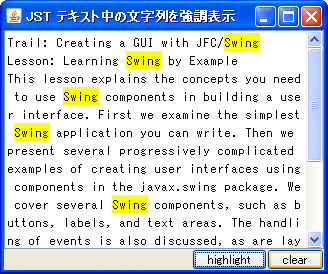
Displaying hyperlinks using JLabel, JButton, and JEditorPane
Section titled “Displaying hyperlinks using JLabel, JButton, and JEditorPane”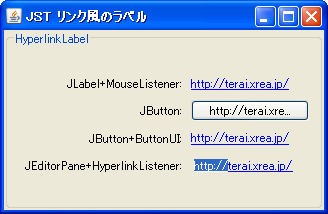
HyperlinkLabel
This code displays a hyperlink using a JLabel, JButton, and JEditorPane, and captures the event that occurs when each is clicked.
Displaying multiple lines using JTextPane, JLabel, etc.
Section titled “Displaying multiple lines using JTextPane, JLabel, etc.”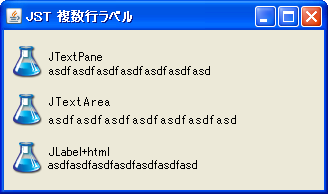
MultiLineLabel
This example tests multi-line labels using JTextPane, JTextArea, and JLabel.
Disabling JLabel and JEditorPane using HTML
Section titled “Disabling JLabel and JEditorPane using HTML”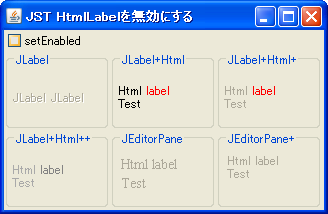
DisabledHtmlLabel
This tests how the display looks when JLabel and JEditorPane using HTML are disabled.
Copy from the popup menu in DefaultEditorKit
Section titled “Copy from the popup menu in DefaultEditorKit”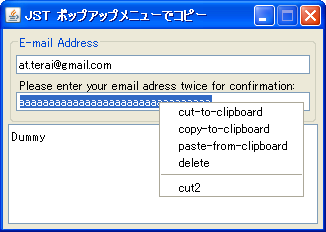
DefaultEditorKit
DefaultEditorKit is used to perform copy, paste, and cut operations using a popup menu in JTextFields and other applications.
Register and use the font in GraphicsEnvironment.
Section titled “Register and use the font in GraphicsEnvironment.”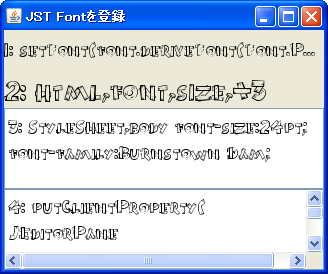
RegisterFont
This registers the font in GraphicsEnvironment so that it can be used in HTML tags and other elements.
Change the font size according to the width of the component.
Section titled “Change the font size according to the width of the component.”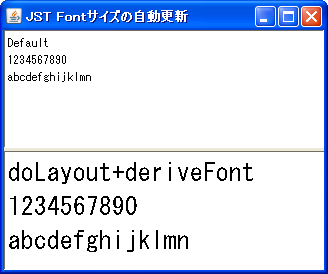
AutomaticallyResizeFont
The font size of the JTextPane will automatically adjust according to its width.
Access the system-wide shared clipboard with ClipboardService.
Section titled “Access the system-wide shared clipboard with ClipboardService.”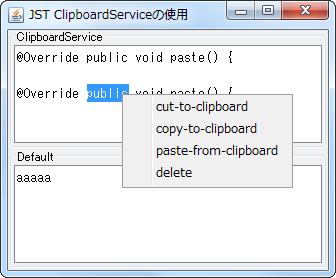
ClipboardService
Use ClipboardService to access the system-wide shared clipboard from an application running on JavaWebStart.
Testing surrogate pairs in JTextComponent
Section titled “Testing surrogate pairs in JTextComponent”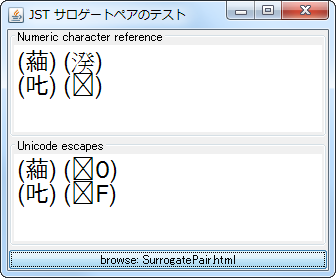
SurrogatePair
You can test surrogate pairs using numeric character references and Unicode escapes in a tool like JEditorPane.
Highlight search results in the JScrollBar
Section titled “Highlight search results in the JScrollBar”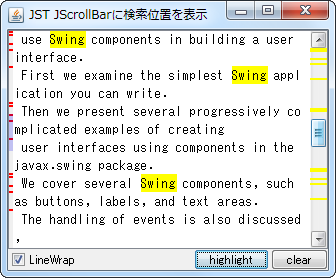
ScrollBarSearchHighlighter
This highlights the results of a string search in a JTextArea, such as in a JScrollBar.
Display text modified in JTextPane as HTML source in JTextArea.
Section titled “Display text modified in JTextPane as HTML source in JTextArea.”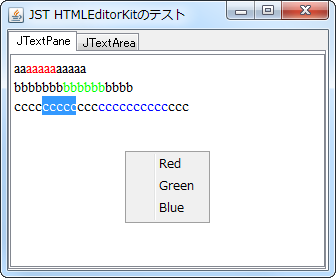
HTMLEditorKit
We are testing how to display, edit, and reflect text formatted in JTextPane using HTMLEditorKit as HTML source in JTextArea and JTextPane.
Connect JTable cells horizontally.
Section titled “Connect JTable cells horizontally.”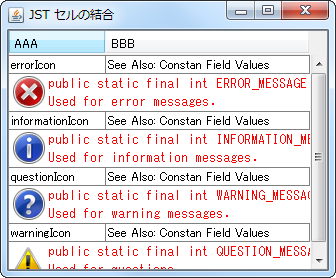
ColumnSpanningCellRenderer
This creates a cell renderer that concatenates JTable cells horizontally.
Change the rendering method of DefaultHighlighter.
Section titled “Change the rendering method of DefaultHighlighter.”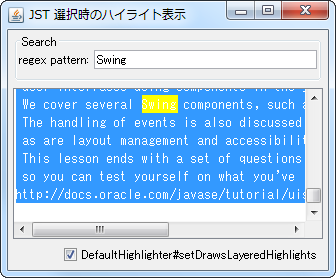
DrawsLayeredHighlights
This modifies the rendering method of DefaultHighlighter, changing how text is highlighted when selected.
Setting a border in JViewport
Section titled “Setting a border in JViewport”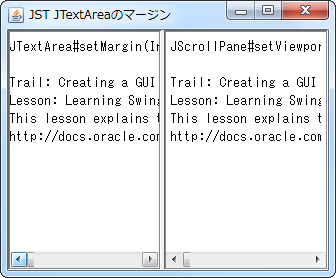
Aligning decimal points within JTable cells
Section titled “Aligning decimal points within JTable cells”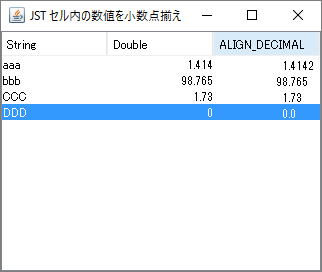
AlignDecimalCellRenderer
We use a JTextPane with TabSet configured as the cell renderer for the JTable, and align the decimal points of the numbers.
Change the selection highlight of JTextComponent
Section titled “Change the selection highlight of JTextComponent”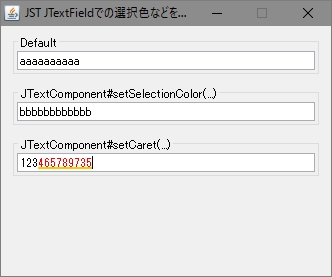
SelectionHighlightPainter
This modifies the background color and shape of the highlight used when selecting text in a subclass of JTextComponent.
Testing Caret movement when updating documents in JTextArea.
Section titled “Testing Caret movement when updating documents in JTextArea.”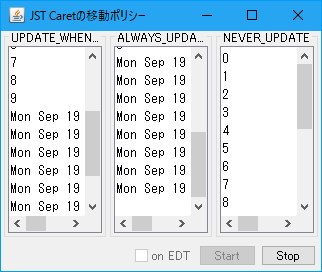
CaretUpdatePolicy
This tests how Caret's update policy moves the location of a JTextArea document when it is updated.
Applying condensation to the font for use in JTextArea
Section titled “Applying condensation to the font for use in JTextArea”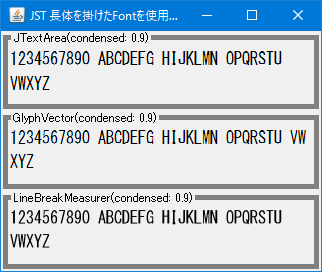
CondensedFontLabel
This generates a font with characters stretched condensed, and then uses it in components such as JTextArea.
Hide Carets such as JTextArea.
Section titled “Hide Carets such as JTextArea.”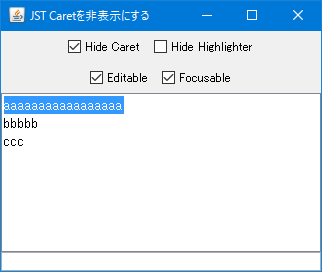
Change the color of the JTextComponent’s Caret.
Section titled “Change the color of the JTextComponent’s Caret.”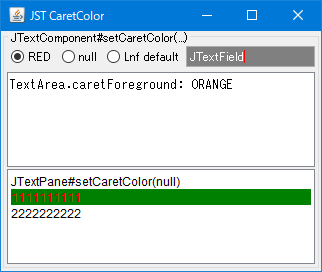
CaretColor
This changes the color of the Caret in JTextComponents such as JTextField and JTextPane.
Modify the JTextArea’s Caret to change the behavior of word selection by double-clicking with the mouse.
Section titled “Modify the JTextArea’s Caret to change the behavior of word selection by double-clicking with the mouse.”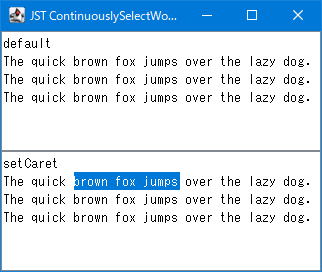
ContinuouslySelectWords
Modify the Caret of the JTextArea so that after selecting a word with a double-click of the mouse, the selection range will extend to the next word when you continue dragging.
Change the width of the Cart used in the JTextComponent.
Section titled “Change the width of the Cart used in the JTextComponent.”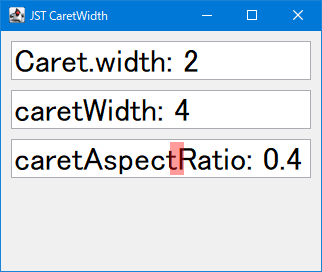
CaretWidth
This modifies the width of the Carte element used in JTextComponents such as JTextField and JTextArea.
Change the text selection highlight color depending on whether the JFrame is active.
Section titled “Change the text selection highlight color depending on whether the JFrame is active.”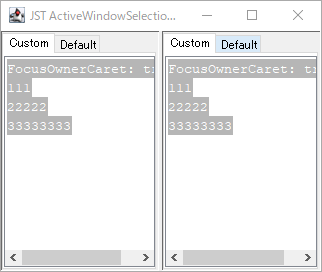
ActiveWindowSelectionHighlight
This code changes the background color of the text selection highlight in its child JTextComponent depending on whether the JFrame is active.
Remove all highlights set in the JTextArea.
Section titled “Remove all highlights set in the JTextArea.”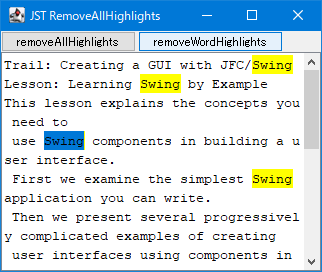
RemoveAllHighlights
This command removes all highlights set in a JTextArea, or removes all highlights except for selected highlights.
Applying the focus border of a child text component to a parent JScrollPane using NimbusLookAndFeel.
Section titled “Applying the focus border of a child text component to a parent JScrollPane using NimbusLookAndFeel.”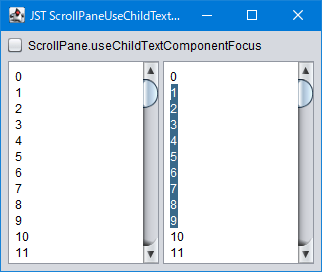
ScrollPaneUseChildTextComponentFocus
This NimbusLookAndFeel toggles whether to apply the focus border of a single text component to the parent JScrollPane when only one text component is placed in the JScrollPane's viewport.
Make files and text droppable in a JTextComponent
Section titled “Make files and text droppable in a JTextComponent”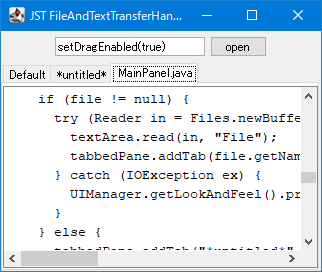
FileAndTextTransferHandler
Set a TransferHandler for the JTextComponent so that files can be dropped into it in addition to the default string.
Configure the Caret to blink even when the JTextField is in an uneditable state.
Section titled “Configure the Caret to blink even when the JTextField is in an uneditable state.”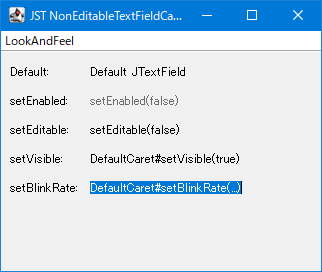
NonEditableTextFieldCaret
This setting ensures that the Caret continues to blink even when a JTextComponent such as a JTextField is not editable.
Insert a tab character into a JTextField.
Section titled “Insert a tab character into a JTextField.”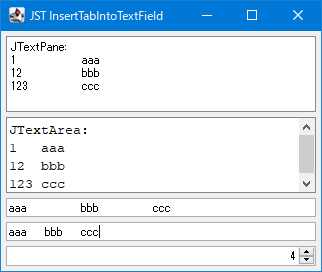
InsertTabIntoTextField
This allows you to insert tab characters or change tab sizes in a JTextField using keyboard input.
Press and hold the JTextArea with your mouse to select words, etc.
Section titled “Press and hold the JTextArea with your mouse to select words, etc.”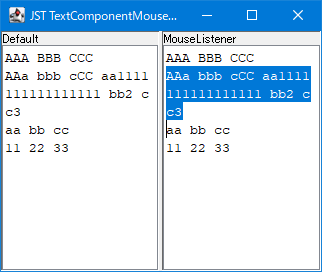
TextComponentMouseListener
We will add a MouseListener to the JTextArea, enabling features such as word selection by long-pressing the left mouse button and focus movement by right-clicking.
Display a JToolTip when the mouse cursor is over a word in a JTextArea.
Section titled “Display a JToolTip when the mouse cursor is over a word in a JTextArea.”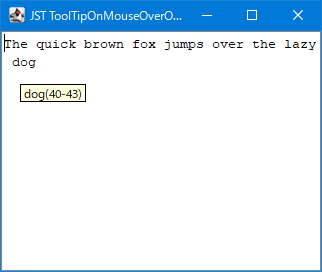
ToolTipOnMouseOverOfWord
This displays the starting offset of the word the mouse cursor hovers over within the JTextArea using a JToolTip.
Draw the selection highlight of a JTextComponent with rounded corners.
Section titled “Draw the selection highlight of a JTextComponent with rounded corners.”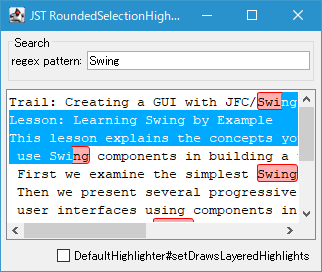
RoundedSelectionHighlightPainter
This creates a HighlightPainter that renders selection highlights and search highlights for JTextComponents with rounded corners.
Maintain the display area when all JTextArea is selected.
Section titled “Maintain the display area when all JTextArea is selected.”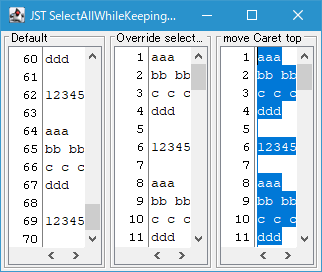
SelectAllWhileKeepingVisibleRect
This creates a 'Select All' action that maintains the viewable area before all selection was made, instead of scrolling to the end of the caret position when all lines of text in a JTextArea are selected.
Round all corners and make the selected text highlight of a JTextComponent semi-transparent.
Section titled “Round all corners and make the selected text highlight of a JTextComponent semi-transparent.”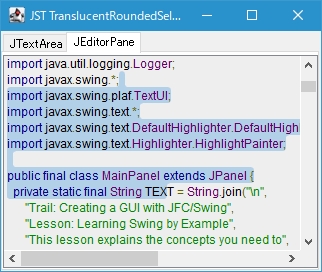
TranslucentRoundedSelection
This sets the Caret used by JTextComponents such as JTextArea and JEditorPane to use HighlightPainter, which rounds all corners of the selected text highlight and renders it semi-transparent.
Disable pasting selected text by middle-clicking the mouse.
Section titled “Disable pasting selected text by middle-clicking the mouse.”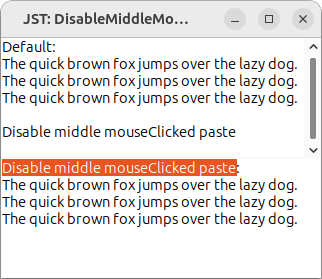
DisableMiddleMouseClickPaste
In environments where pasting system-selected text via middle-click mouse is enabled, set a Caret in the JTextComponent to disable this feature.
Change the color of the Caret when InputContext is available.
Section titled “Change the color of the Caret when InputContext is available.”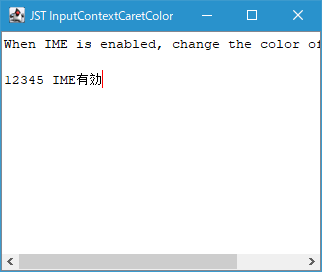
InputContextCaretColor
This sets the color of the Caret to change if the input method being used in a JTextComponent or similar component is available for conversion.
Highlighting a JTextComponent is rendered by changing the text color.
Section titled “Highlighting a JTextComponent is rendered by changing the text color.”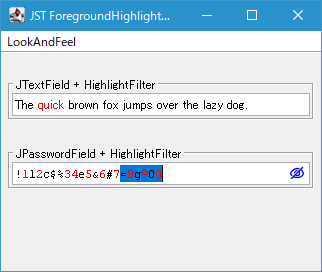
ForegroundHighlightPainter
We will create a Highlighter that renders the highlight of a JTextComponent by changing the text color instead of filling the background.