JTable
Drag and drop rows into the JTable.
Section titled “Drag and drop rows into the JTable.”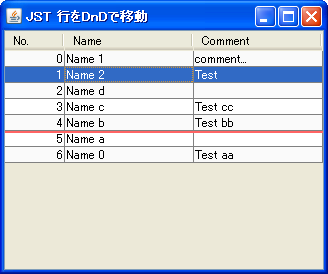
DnDTable
Select the rows in the JTable and rearrange their order by dragging and dropping them.
Use TransferHandler to drag and drop rows in a JTable and sort them.
Section titled “Use TransferHandler to drag and drop rows in a JTable and sort them.”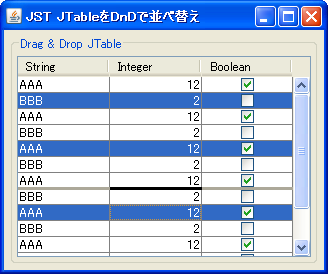
DnDReorderTable
Create a TransferHandler that allows you to select multiple rows in a JTable and rearrange them using drag and drop.
Drag and move rows from one JTable to another.
Section titled “Drag and move rows from one JTable to another.”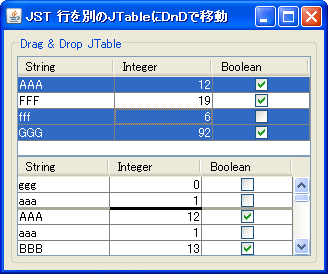
Committing edits to JTable cells
Section titled “Committing edits to JTable cells”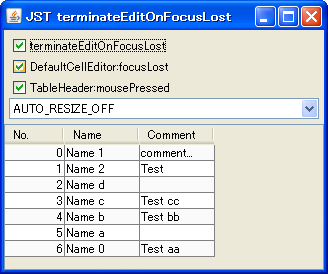
TerminateEdit
This tests how to confirm edits to a cell if the focus moves to another component while the cell is being edited.
Expand the height of the JTable itself.
Section titled “Expand the height of the JTable itself.”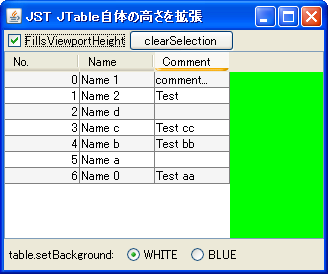
FillsViewportHeight
We'll use a feature introduced in JDK 6 to extend the JTable to the height of the JViewport.
Make JTable cells uneditable
Section titled “Make JTable cells uneditable”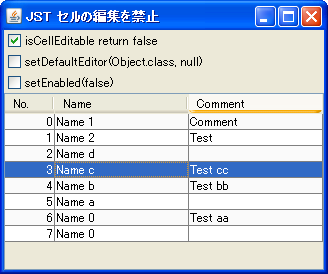
Disable starting cell editing via keyboard input in JTable.
Section titled “Disable starting cell editing via keyboard input in JTable.”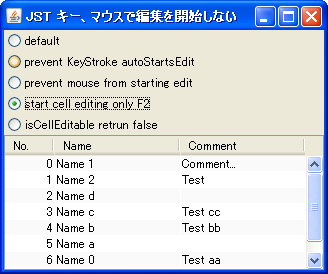
PreventStartCellEditing
This disables the initiation of JTable cell editing via keyboard input or mouse clicks.
Select a row in the JTable
Section titled “Select a row in the JTable”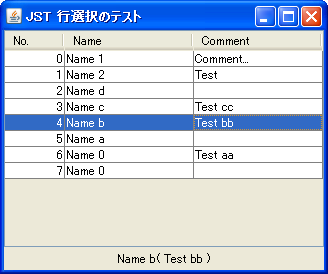
Adding and deleting rows in a JTable
Section titled “Adding and deleting rows in a JTable”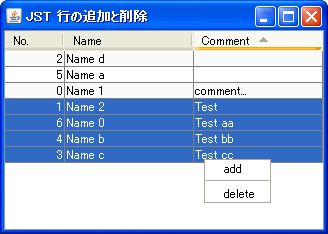
Adding and deleting rows in a JTable (animation)
Section titled “Adding and deleting rows in a JTable (animation)”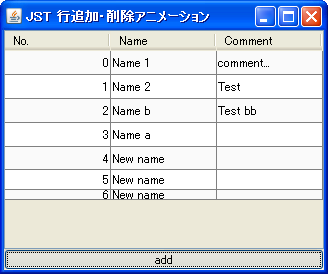
SlideTableRows
Adding or deleting rows in a JTable is highlighted with a slide animation.
Display JTable cells in an Explorer-like format.
Section titled “Display JTable cells in an Explorer-like format.”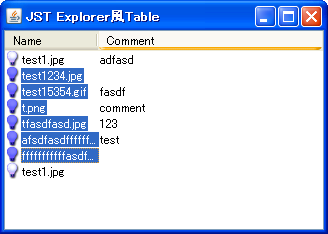
ExplorerLikeTable
An icon and text are placed inside a cell, and the focus is set to only the text to make it look like Windows Explorer.
Select a cell in a JTable only when the text is clicked.
Section titled “Select a cell in a JTable only when the text is clicked.”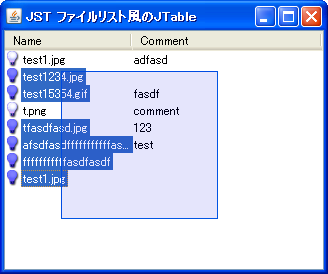
TableFileList
This prevents a cell from being selected if it is clicked anywhere other than the text in the JTable.
Change the selection state of the JTable.
Section titled “Change the selection state of the JTable.”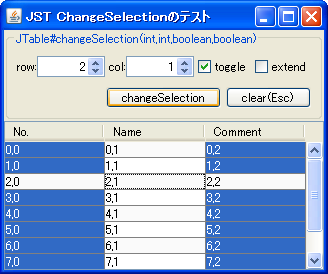
ChangeSelection
The selection state of a JTable is changed using the `changeSelection` method.
Apply focus to the entire row of the JTable.
Section titled “Apply focus to the entire row of the JTable.”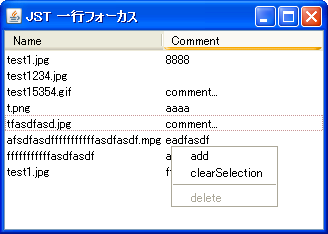
LineFocusTable
This displays the focus of a JTable as being on the entire row, rather than just a single cell.
Move focus to the next row in the JTable using the Tab key.
Section titled “Move focus to the next row in the JTable using the Tab key.”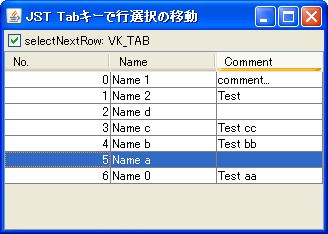
SelectNextRow
This sets the cell focus to move to the next row when the Tab key is pressed.
Delete all rows in the JTable.
Section titled “Delete all rows in the JTable.”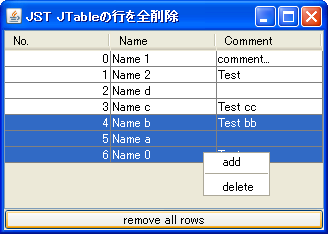
ClearTable
This code deletes all rows from a JTable model in bulk, without changing the state of the column headers.
Change the JTable’s Tooltips row by row.
Section titled “Change the JTable’s Tooltips row by row.”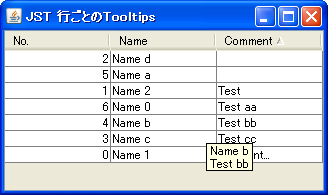
RowTooltips
This sets the JTable's Tooltips to display the contents of the row where the cursor is located.
Change JTable background color
Section titled “Change JTable background color”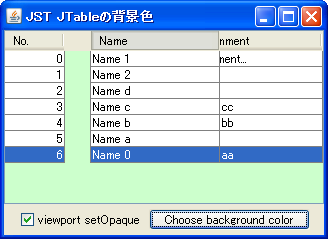
TableBackground
This changes the color of the parts of the JViewport that are not hidden by cells when a JTable is added.
Change the row height of a JTable
Section titled “Change the row height of a JTable”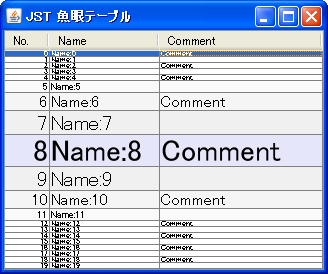
FishEyeTable
Change the row height of the JTable to zoom in on the area below the mouse cursor, like using a fisheye lens.
Manipulating JTables from other components
Section titled “Manipulating JTables from other components”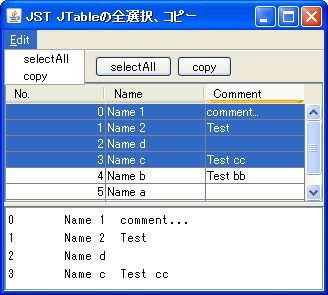
SelectAllButton
Selecting all rows in a JTable or copying selected rows can be done from other components such as JButtons.
JTable cell text alignment
Section titled “JTable cell text alignment”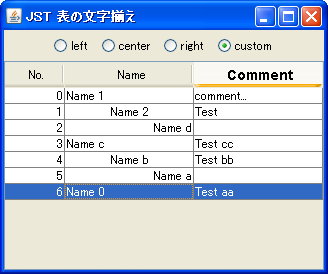
CellTextAlignment
This changes the alignment of the text displayed in the cells of a JTable.
Double-click a JTable cell.
Section titled “Double-click a JTable cell.”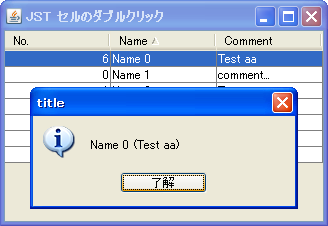
Change the background color of a cell using TableCellRenderer
Section titled “Change the background color of a cell using TableCellRenderer”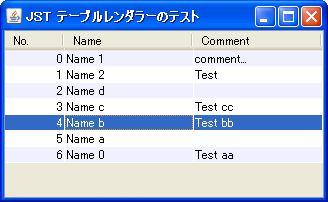
StripeTable
Create a renderer that inherits from TableCellRenderer to decorate the table cells.
Enable JTable cell editing even while text input is being converted.
Section titled “Enable JTable cell editing even while text input is being converted.”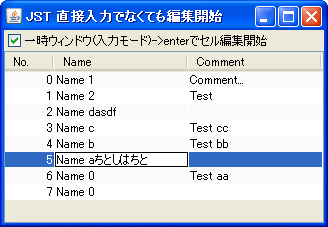
CompositionEnabled
Even if a temporary window is displayed when using an IME other than direct input, cell editing will begin when the input is confirmed.
Make the JTable semi-transparent
Section titled “Make the JTable semi-transparent”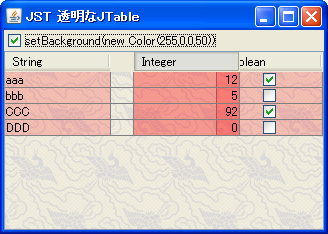
TransparentTable
We will create a semi-transparent JTable by changing the cell renderer used for drawing JTable cells.
If the JTable is empty, display the JComponent in the center.
Section titled “If the JTable is empty, display the JComponent in the center.”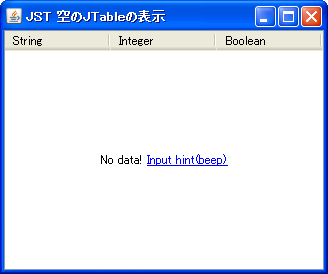
PlaceholderForEmptyTable
If the JTable is empty, this will set it so that any JComponent is displayed in the center of the tablespace.
In JTable, the automatic initiation of cell editing via keyboard input is partially disabled.
Section titled “In JTable, the automatic initiation of cell editing via keyboard input is partially disabled.”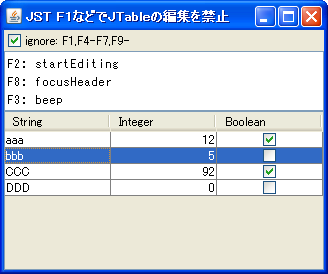
FunctionKeyStartEditing
This disables automatic cell editing in JTables only when using function keys.
JRadioButton in a JTable cell
Section titled “JRadioButton in a JTable cell”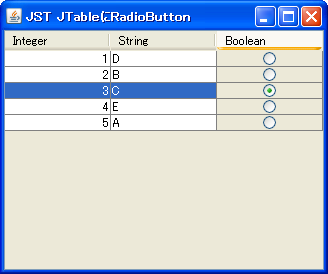
RadioButtonCellEditor
Place a JRadioButton in a JTable cell and configure it so that only one can be selected from the entire table.
Change the border settings and cell margins of a JTable.
Section titled “Change the border settings and cell margins of a JTable.”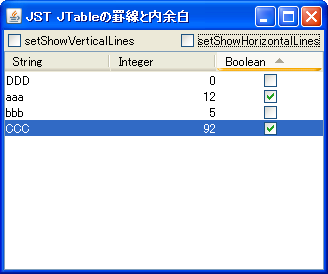
IntercellSpacing
This modifies the display/hide of borders and the inner margins of cells in a JTable.
Displaying an AnimatedGIF in a JTable cell
Section titled “Displaying an AnimatedGIF in a JTable cell”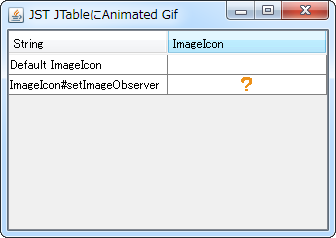
AnimatedIconInTableCell
By setting an ImageObserver to an ImageIcon, the AnimatedGIF animation will be performed within the JTable cell.
Perform a search using the first character entered in a JTable.
Section titled “Perform a search using the first character entered in a JTable.”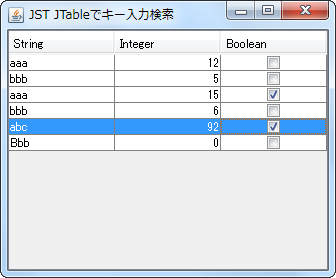
TableNextMatchKeyHandler
When a key is entered while the JTable has focus, the system searches for rows whose first characters match and selects them.
Place two JTables in a JSplitPane and synchronize their scrolling.
Section titled “Place two JTables in a JSplitPane and synchronize their scrolling.”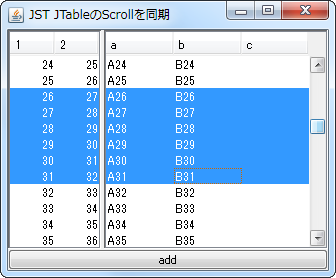
SynchronizedScrollingTables
Place JTables on the left and right sides of the JSplitPane, and share the model so that scrolling and adding data are synchronized.
JToolTips for components placed in multiple JTable cells
Section titled “JToolTips for components placed in multiple JTable cells”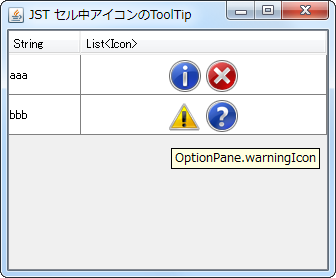
TooltipInTableCell
This configures the system so that a JToolTip is displayed for each of the multiple components placed within a JTable cell.
Receive events when a JTable model is changed.
Section titled “Receive events when a JTable model is changed.”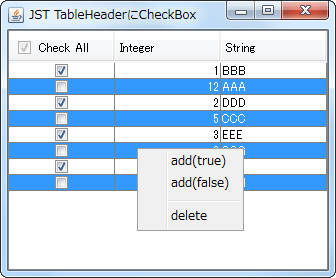
TableModelEvent
This process receives changes to the JTable model and updates the JCheckBox added to the JTableHeader.
Swapping rows in a JTable by drag and drop between JInternalFrames
Section titled “Swapping rows in a JTable by drag and drop between JInternalFrames”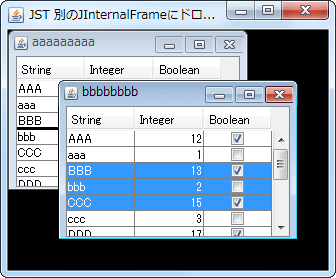
InternalFrameDropTarget
You can swap rows in a JTable between JInternalFrames using drag and drop.
Customize the HTML copy of JTables.
Section titled “Customize the HTML copy of JTables.”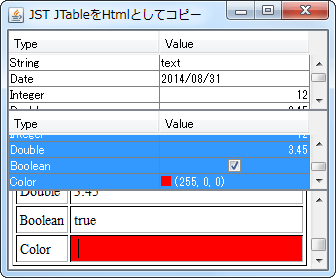
HtmlTableTransferHandler
When you select a JTable cell and copy the HTML text to the clipboard, the generated tags will change depending on the class of that cell.
Save and restore JTable models as XML files.
Section titled “Save and restore JTable models as XML files.”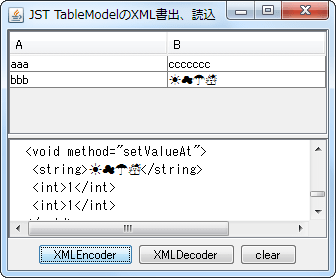
PersistenceDelegate
JTable models are saved and restored as XML files using XMLEncoder and XMLDecoder.
Select a cell in the JTable and drag and drop it into the JList to copy the Icon.
Section titled “Select a cell in the JTable and drag and drop it into the JList to copy the Icon.”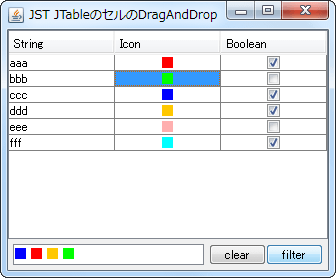
TableCellTransferHandler
This sets up a TransferHandler that allows you to select cells in a JTable and copy the icons within those cells to a JList via drag and drop.
Configure the JTable so that the cell editor gains focus when editing a cell begins.
Section titled “Configure the JTable so that the cell editor gains focus when editing a cell begins.”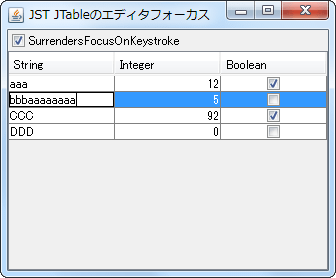
SurrendersFocusOnKeystroke
This setting allows you to toggle whether the cell editor gains focus when you start editing a JTable cell.
Adjust the row height of the JTable to match the height of the JViewport.
Section titled “Adjust the row height of the JTable to match the height of the JViewport.”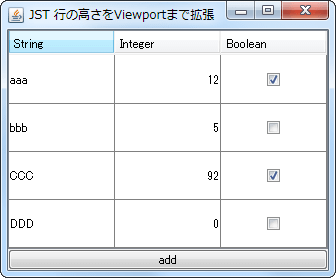
AdjustRowHeightFillsViewport
By changing the height of each row in the JTable, we can adjust the JViewport so that no margins appear even if the number of rows or other elements change.
Create a JScrollPane that displays a JScrollBar overlaid on a JTable.
Section titled “Create a JScrollPane that displays a JScrollBar overlaid on a JTable.”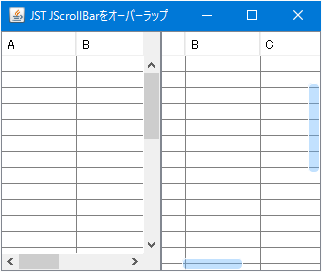
OverlappedScrollBar
We will create a JScrollPane that lays out a semi-transparent JScrollBar on top of a JTable.
Scroll a JTable by dragging without using a scrollbar.
Section titled “Scroll a JTable by dragging without using a scrollbar.”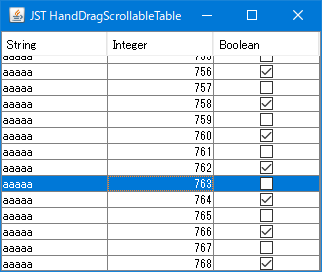
HandDragScrollableTable
This configures the JTable so that it can be scrolled by dragging the rows inside with the mouse, rather than using a scroll bar.
Applying a LocalDate that takes locale into account to a JTable displays a calendar.
Section titled “Applying a LocalDate that takes locale into account to a JTable displays a calendar.”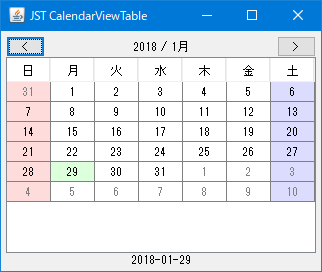
CalendarViewTable
This displays a calendar in a JTable where the first day of the week changes according to the locale.
Test cell selection in a JTable
Section titled “Test cell selection in a JTable”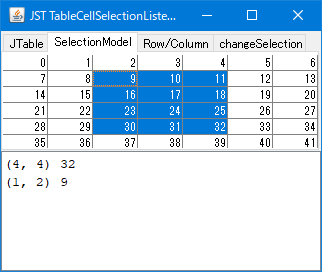
TableCellSelectionListener
I'm testing adding a ListSelectionListener to the SelectionModel of a JTable's rows and columns to write out information about the selected cells.
Using a JTable as a dropdown list in a JComboBox
Section titled “Using a JTable as a dropdown list in a JComboBox”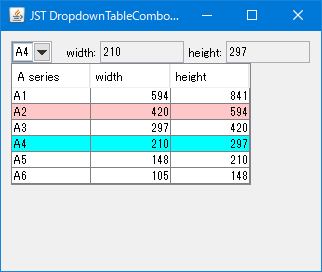
DropdownTableComboBox
Use a JTable instead of a JList as the dropdown list for the JComboBox.
Set borders for the JTable body, header, parent JScrollPane, etc.
Section titled “Set borders for the JTable body, header, parent JScrollPane, etc.”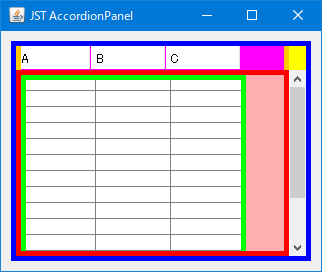
TableBorder
We will test setting different borders for JTables, their internal JTableHeaders, and their parent JScrollPane and JViewport.
Change the row header of the JScrollPane to the right.
Section titled “Change the row header of the JScrollPane to the right.”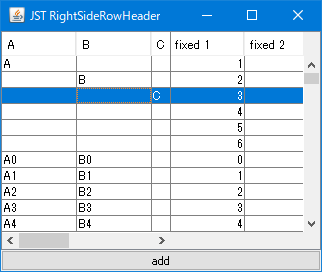
RightSideRowHeader
Use the JScrollPane layout manager to change the row header from the default left side to the right side.
If a file name is being edited in the detailed view of JFileChooser, cancel the editing process.
Section titled “If a file name is being edited in the detailed view of JFileChooser, cancel the editing process.”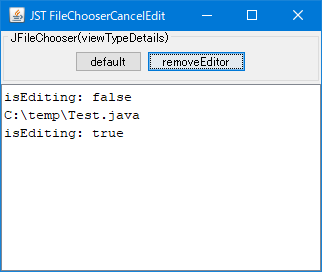
FileChooserCancelEdit
When JFileChooser is displayed in detailed view mode, any ongoing file name editing will be canceled.
Display file additions, deletions, etc., to a specified directory in a JTable.
Section titled “Display file additions, deletions, etc., to a specified directory in a JTable.”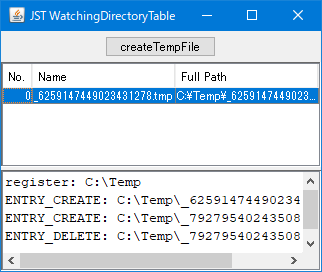
WatchingDirectoryTable
Use WatchService to monitor directory changes and display file additions and deletions in a JTable.
Get all selected cells in a JTable
Section titled “Get all selected cells in a JTable”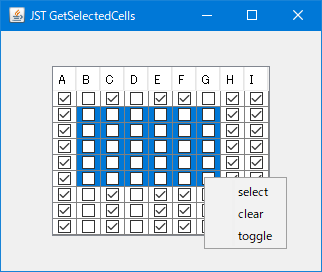
GetSelectedCells
This function retrieves all selected cells in a JTable and changes their values in bulk.
Configure the JTable to automatically expand column widths if its width is below a certain level, and to display a horizontal scroll bar if it is above that level.
Section titled “Configure the JTable to automatically expand column widths if its width is below a certain level, and to display a horizontal scroll bar if it is above that level.”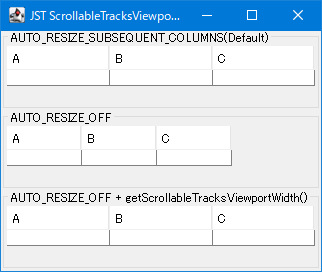
ScrollableTracksViewportWidth
This setting ensures that if the JTable width is below a certain level, the column width is maintained and a horizontal scrollbar is displayed; otherwise, the column width is automatically adjusted to expand to the JTable width.
Execute SwingWorker thread by thread in sequence.
Section titled “Execute SwingWorker thread by thread in sequence.”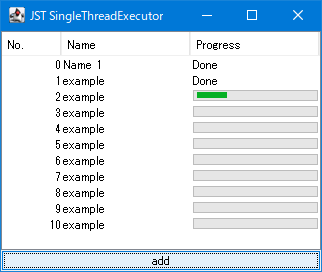
SingleThreadExecutor
This executes each SwingWorker task that manipulates the JProgressBar placed in the JTable cells, one by one, in sequence.
Perform drag-scrolling of a JTable using a touchscreen.
Section titled “Perform drag-scrolling of a JTable using a touchscreen.”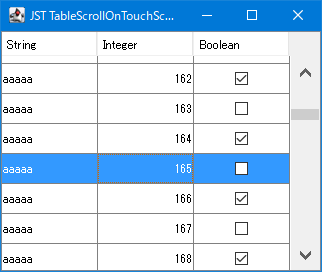
TableScrollOnTouchScreen
Create a listener to enable drag-scrolling of a JTable on a touchscreen.
Change the color of the drop line that displays the insertion destination when using drag and drop with TransferHandler.
Section titled “Change the color of the drop line that displays the insertion destination when using drag and drop with TransferHandler.”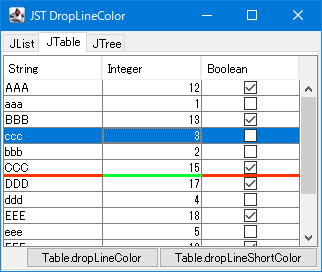
DropLineColor
This modifies the color of the drop line that displays the insertion destination when using the TransferHandler in JList, JTable, and JTree.
Convert the dates in the calendar created with JTable into numbers.
Section titled “Convert the dates in the calendar created with JTable into numbers.”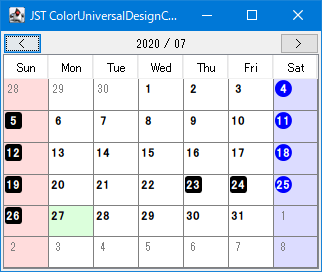
ColorUniversalDesignCalendar
If a date in the calendar created with JTable is a holiday, it will be changed to a number enclosed in a JLabel.
Set the header and cell border colors of the JTable to be consistent and the border width to remain unchanged.
Section titled “Set the header and cell border colors of the JTable to be consistent and the border width to remain unchanged.”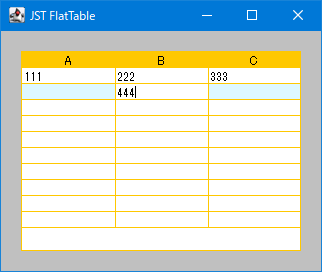
FlatTable
This setting unifies the header background color, cell border colors, and cell editor border colors of the JTable, and ensures that the overall border width does not change even when a cell is in edit mode.
Change the row height of a JTable by dragging with the mouse.
Section titled “Change the row height of a JTable by dragging with the mouse.”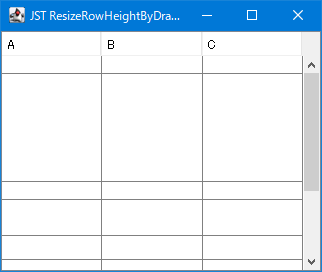
ResizeRowHeightByDragging
Use JLayer to allow you to change the row height of a JTable by dragging it with the mouse.
To make the horizontal JScrollBar of the JTable resizable, rearrange it into a JSPlitPane.
Section titled “To make the horizontal JScrollBar of the JTable resizable, rearrange it into a JSPlitPane.”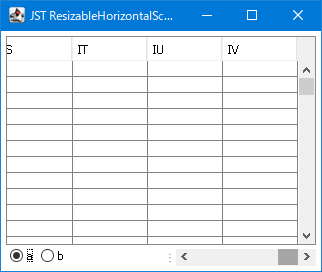
ResizableHorizontalScrollBar
This code extracts a horizontal JScrollBar from a JScrollPane containing a JTable, and rearranges it into a JSPlitPane to make it resizable.
Place a scroll lock button below the JScrollBar.
Section titled “Place a scroll lock button below the JScrollBar.”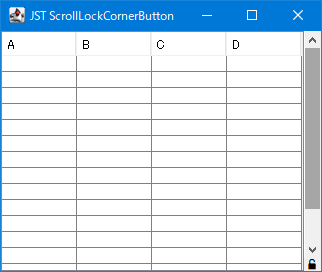
ScrollLockCornerButton
Place the vertical JScrollBars obtained from the JScrollPane and the JToggleButtons to lock their scrolling into a separate panel.
Retrieve the component located in the upper right corner section of the JScrollPane where the JTable is placed.
Section titled “Retrieve the component located in the upper right corner section of the JScrollPane where the JTable is placed.”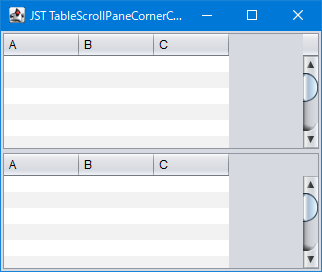
TableScrollPaneCornerComponent
This code retrieves the component located in the upper right corner of the JScrollPane containing the JTable, and if the width of the JViewport is greater than the width of the JTable, it toggles the component to be hidden.
Change the border of a JScrollPane containing a JTable.
Section titled “Change the border of a JScrollPane containing a JTable.”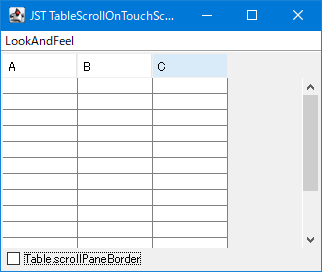
TableScrollPaneBorder
This changes the border applied to all JScrollPanes where a JTable is placed.
Create a continuous monthly calendar by placing a JTable in a JScrollPane.
Section titled “Create a continuous monthly calendar by placing a JTable in a JScrollPane.”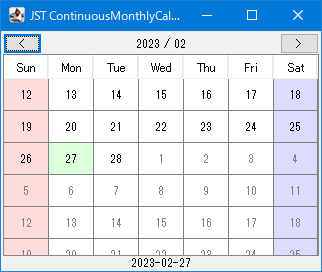
ContinuousMonthlyCalendar
We will create a continuous monthly calendar that can be scrolled using the mouse wheel by placing a JTable in a JScrollPane.
Click the JCheckBox placed within a JTable cell to expand or collapse the row height.
Section titled “Click the JCheckBox placed within a JTable cell to expand or collapse the row height.”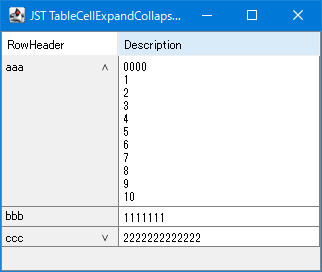
TableCellExpandCollapseOnClick
A JCheckBox is placed inside a JTable cell, and when clicked, the row height expands to the recommended size of the adjacent cell.
Change the position and color of the horizontal borders in a JTable according to the sorting criteria.
Section titled “Change the position and color of the horizontal borders in a JTable according to the sorting criteria.”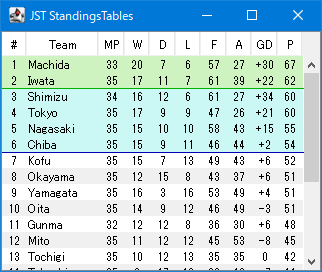
StandingsTables
Create a ranking table using JTable and configure it to draw horizontal lines using JLayer to represent the division between top and bottom groups.
Restore JTable grid line drawing from UIDefaults
Section titled “Restore JTable grid line drawing from UIDefaults”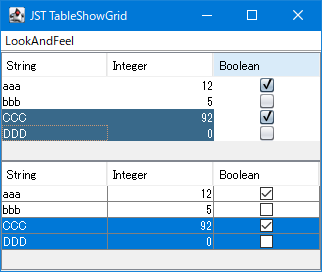
TableShowGrid
This setting restores the display of JTable grid lines to LookAndFeel's default setting.
Right-click to select a row in the JTable and simultaneously open JPopupMenu.
Section titled “Right-click to select a row in the JTable and simultaneously open JPopupMenu.”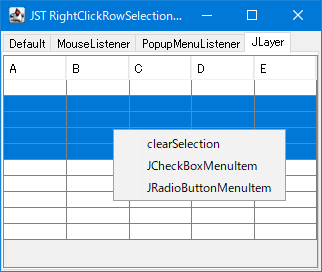
RightClickRowSelectionAndPopupMenu
This tests how to both change the selection state of a JTable row and display the JPopupMenu when a row is right-clicked.
Change the display magnification of the JTable.
Section titled “Change the display magnification of the JTable.”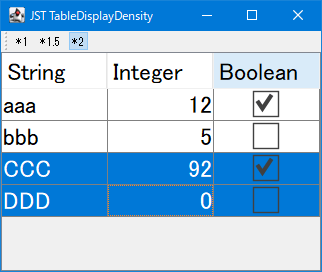
TableDisplayDensity
This modifies the display magnification by scaling the font size, row height, and check icons in the JTable.
Change the background drawing of selected rows in a JTable to a rounded rectangle.
Section titled “Change the background drawing of selected rows in a JTable to a rounded rectangle.”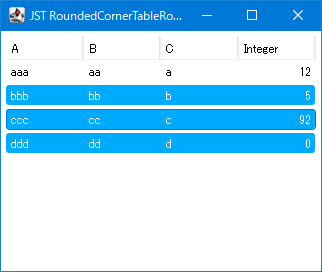
RoundedCornerTableRowSelection
The JTable's row selection background is drawn with rounded corners using the TableCellRenderer of the first and last cells so that the entire row appears as a rounded rectangle.
Add row selection checkboxes to JTable cells.
Section titled “Add row selection checkboxes to JTable cells.”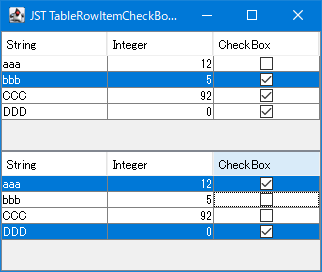
TableRowItemCheckBoxes
Add row selection checkboxes to JTable cells to enable the selection of multiple rows without keyboard input.
Change the background drawing of selected cells in a JTable to a rounded rectangle.
Section titled “Change the background drawing of selected cells in a JTable to a rounded rectangle.”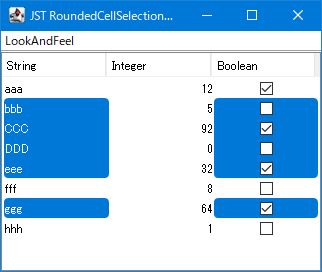
RoundedCellSelectionTable
This makes a JTable cell selectable and changes its selection background drawing to a rounded rectangle.
Execute JTable sorting by keyboard input.
Section titled “Execute JTable sorting by keyboard input.”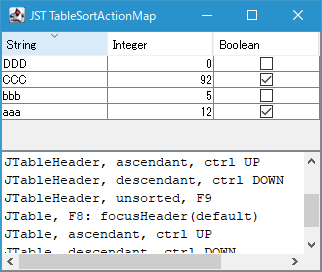
TableSortActionMap
This setting allows sorting via keyboard input rather than mouse clicks when a JTable or JTableHeader has focus.
Highlight JTable cell borders with hover effects.
Section titled “Highlight JTable cell borders with hover effects.”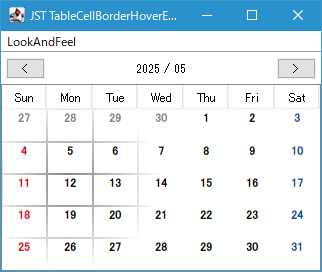
TableCellBorderHoverEffects
By setting gaps between JTable cells and drawing only the gaps around the mouse pointer, the edges of the cells are highlighted.
Change the location where JPopupMenu opens based on keyboard input to be based on the selected cell.
Section titled “Change the location where JPopupMenu opens based on keyboard input to be based on the selected cell.”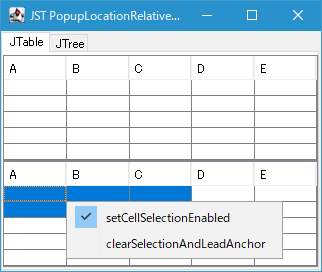
PopupLocationRelativeToCell
When a JPopupMenu configured in a JTable or JTree is opened via keyboard input, its display position is set to be based on the selected cell.
Overwrite JTable cell selection by making it semi-transparent
Section titled “Overwrite JTable cell selection by making it semi-transparent”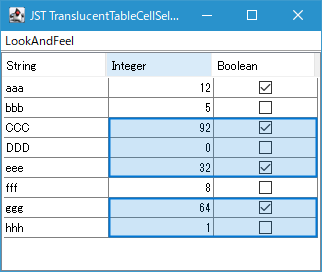
TranslucentTableCellSelection
The JTable cell selection is drawn on the JLayer side, overwriting the cell selection state with a semi-transparent color and setting an outline around the cell selection area.
Use the calendar created in the JTable as the date cell editor for the JTable.
Section titled “Use the calendar created in the JTable as the date cell editor for the JTable.”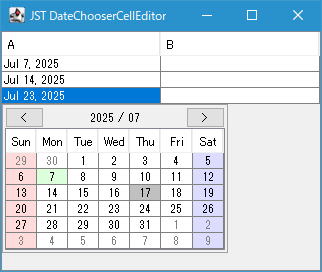
DateChooserCellEditor
By placing a calendar created with JTable into JPopupMenu and using it as a cell editor for the Date field in JTable, you can select and change dates.
Display calendar titles in a year-month pattern that corresponds to the locale.
Section titled “Display calendar titles in a year-month pattern that corresponds to the locale.”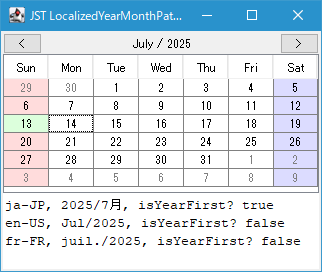
LocalizedYearMonthPattern
A DateTimeFormatter is created with the year and month displayed in the order corresponding to the locale, and it is set to be displayed as the calendar title string.
Display an animation where a dashed line moves along the edge of the selected cell area in the JTable.
Section titled “Display an animation where a dashed line moves along the edge of the selected cell area in the JTable.”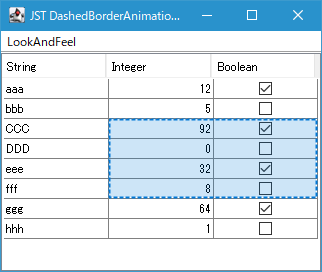
DashedBorderAnimationForSelectedCells
The movement animation of the JTable is drawn by alternately switching between dashed lines with different dashed phases around the entire edge of the selected cell area.
The JTableHeader and the height of each row are automatically adjusted evenly until the parent JScrollPane is filled.
Section titled “The JTableHeader and the height of each row are automatically adjusted evenly until the parent JScrollPane is filled.”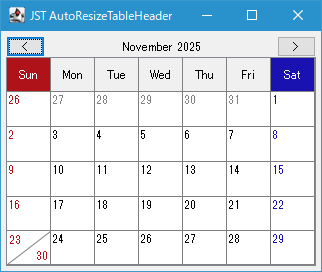
AutoResizeTableHeader
The JTableHeader and JTable row heights will automatically expand and contract evenly until they fill the height of the parent JScrollPane.
Enable undo functionality for JTable cell edits.
Section titled “Enable undo functionality for JTable cell edits.”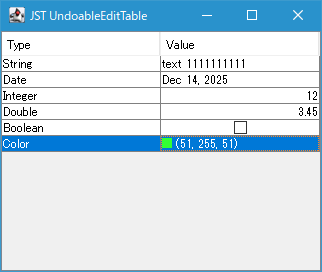
UndoableEditTable
Enables undo and redo of cell value edits performed in a JTable's CellEditor via keyboard input.
Drawing column borders in a JTable
Section titled “Drawing column borders in a JTable”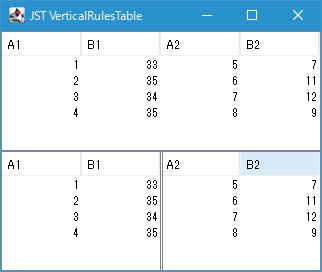
VerticalRulesTable
Draws a double vertical line dividing the JTable into two parts down the center column.
Draw multi-day schedules on a calendar created with JTable using JLayer.
Section titled “Draw multi-day schedules on a calendar created with JTable using JLayer.”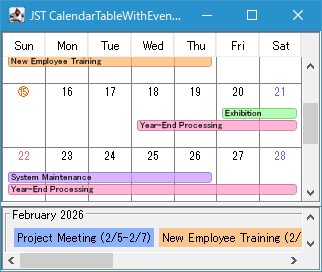
CalendarTableWithEventBars
Wrap the monthly grid calendar created with JTable in a JLayer to display multi-day events using color bars spanning across date cells.