JInternalFrame JLayeredPane JDesktopPane
Make JInternalFrame modal
Section titled “Make JInternalFrame modal”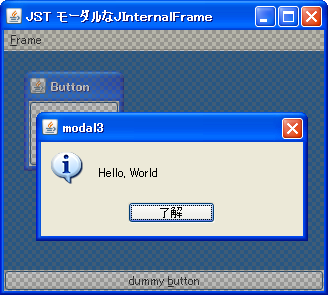
ModalInternalFrame
This makes the JInternalFrame modal, blocking other JInternalFrame objects from being manipulated.
Make JInternalFrame semi-transparent
Section titled “Make JInternalFrame semi-transparent”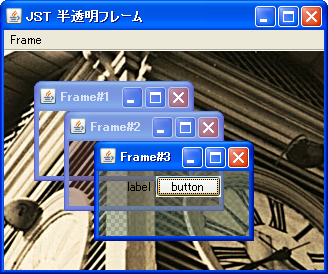
Make JInternalFrame semi-transparent using Synth
Section titled “Make JInternalFrame semi-transparent using Synth”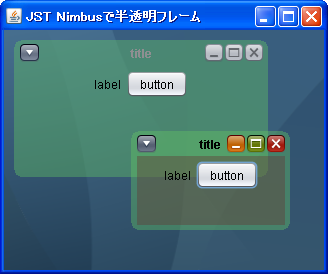
Move and resize JComponent with the mouse.
Section titled “Move and resize JComponent with the mouse.”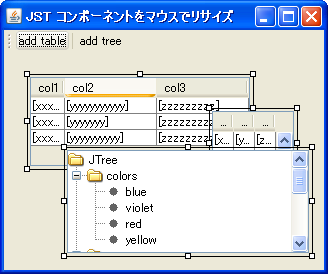
ResizableComponents
This adds a component to JLayeredPane that can be moved and resized with the mouse.
Attach JInternalFrame to JDesktopPane
Section titled “Attach JInternalFrame to JDesktopPane”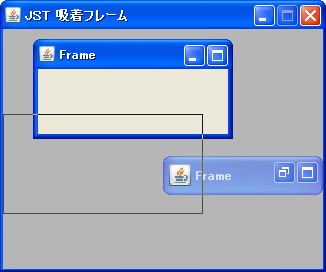
MagneticFrame
When the distance between JDesktopPane and JInternalFrame becomes too close, they will be automatically snapped together.
Fix JInternalFrame
Section titled “Fix JInternalFrame”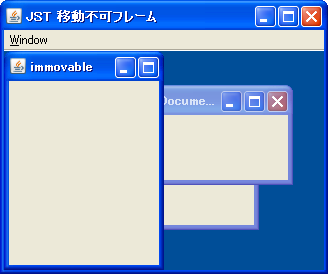
ImmovableFrame
This fixes the JInternalFrame so that it cannot be moved with the mouse or other means.
Rearranging icons in DesktopManager
Section titled “Rearranging icons in DesktopManager”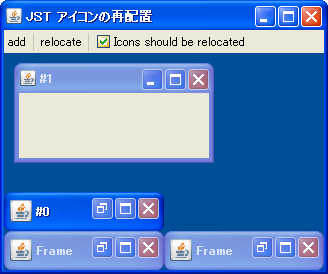
RelocatedIcon
When the size of JDesktopPane is changed, the iconized JInternalFrame is rearranged.
Display a small window using JLayeredPane
Section titled “Display a small window using JLayeredPane”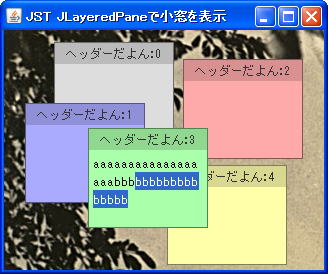
JLayeredPane1
This is a sample demonstrating how to display sticky notes on a JLayeredPane that can display a background image.
Display JInternalFrame at the foreground.
Section titled “Display JInternalFrame at the foreground.”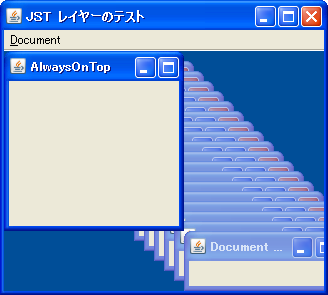
LayeredPane
We'll use JLayeredPane to create a JInternalFrame that will always be displayed in the foreground.
Close JInternalFrame
Section titled “Close JInternalFrame”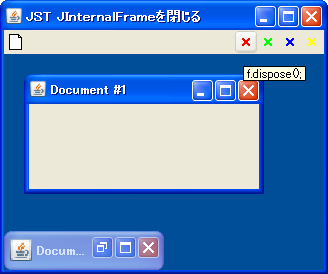
CloseInternalFrame
This tests how to close the selected JInternalFrame from an external source using DesktopManager or similar methods.
Display JInternalFrame as a JFrame
Section titled “Display JInternalFrame as a JFrame”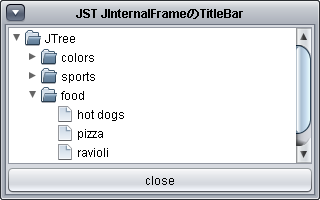
InternalFrameTitleBar
The title bar of the JFrame is hidden, and the title bar of the JInternalFrame is used as a substitute.
Place the JComponent in the bottom right corner of the border.
Section titled “Place the JComponent in the bottom right corner of the border.”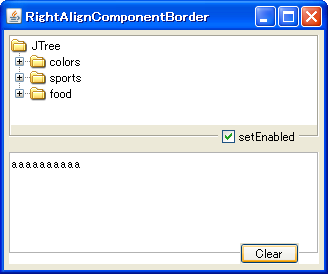
RightAlignComponentBorder
We'll use a JLayeredPane with SpringLayout configured to place a JComponent in the bottom right corner of the border.
Display an image as the background of JRootPane
Section titled “Display an image as the background of JRootPane”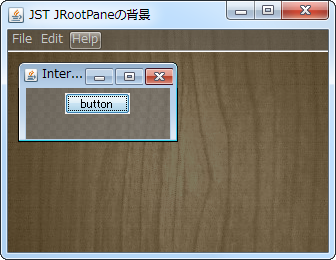
Set up decorations for resizing in JRootPane
Section titled “Set up decorations for resizing in JRootPane”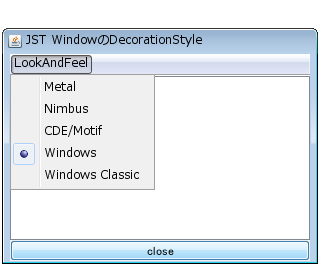
WindowDecorationStyle
Remove the decorations from the JFrame itself and set a transparent window decoration for resizing on the JRootPane.
Swapping rows in a JTable by drag and drop between JInternalFrames
Section titled “Swapping rows in a JTable by drag and drop between JInternalFrames”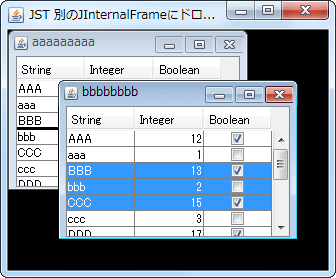
InternalFrameDropTarget
You can swap rows in a JTable between JInternalFrames using drag and drop.
Change the icon displayed in the title bar of JInternalFrame.
Section titled “Change the icon displayed in the title bar of JInternalFrame.”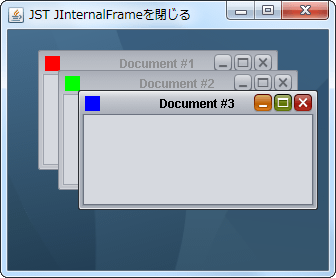
InternalFrameTitleIcon
This sets the icon displayed in the upper left corner of the title bar of each JInternalFrame.
Replace the JInternalFrame in JDesktopPane with the tabs in JTabbedPane.
Section titled “Replace the JInternalFrame in JDesktopPane with the tabs in JTabbedPane.”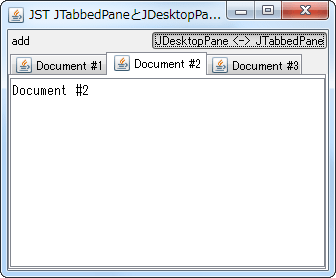
SwapInternalFramesWithTabs
When switching between JDesktopPane and JTabbedPane using CardLayout, all of the JInternalFrames and tabs within them are also swapped.
Changing the size when JInternalFrame is converted to an icon.
Section titled “Changing the size when JInternalFrame is converted to an icon.”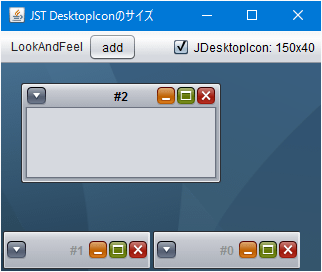
DesktopIconSize
This modifies the size of the JDesktopIcon used when JInternalFrame is minimized to an icon.
Place a TaskBar in JDesktopPane and display a list of JInternalFrames.
Section titled “Place a TaskBar in JDesktopPane and display a list of JInternalFrames.”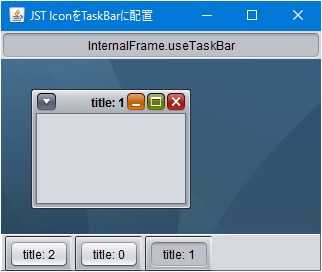
DesktopIconTaskBar
This sets up a taskbar that displays a list of JInternalFrames added to JDesktopPane.
Change the border decoration of JInternalFrame to create a palette.
Section titled “Change the border decoration of JInternalFrame to create a palette.”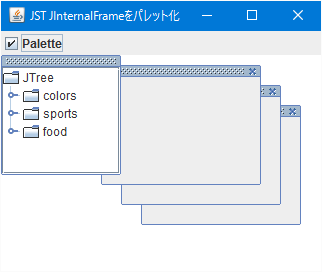
PaletteInternalFrame
The paletted JInternalFrame is added to the palette layer of the JDesktopPane.
Get events for maximizing and restoring JInternalFrame.
Section titled “Get events for maximizing and restoring JInternalFrame.”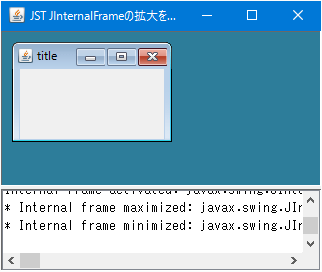
InternalFrameMaximizedListener
This code captures events when the maximize button and restore button of JInternalFrame are clicked.
Hide Bumps in the JInternalFrame titlebar of MetalLookAndFeel.
Section titled “Hide Bumps in the JInternalFrame titlebar of MetalLookAndFeel.”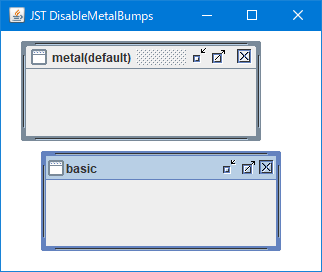
DisableMetalBumps
This code hides the bumps in MetalLookAndFeel's JInternalFrame and changes the title bar to a flat one.
Get the width of the title string in JInternalFrame and adjust the width of JDesktopIcon using that value.
Section titled “Get the width of the title string in JInternalFrame and adjust the width of JDesktopIcon using that value.”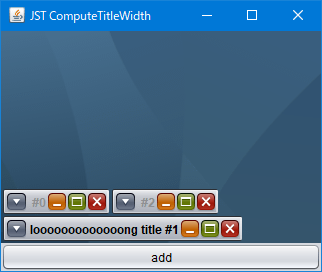
ComputeTitleWidth
The width of the title string of JInternalFrame is obtained, and that value is applied as the width of the JDesktopIcon when it is iconized.
Change the title of JInternalFrame to left-aligned.
Section titled “Change the title of JInternalFrame to left-aligned.”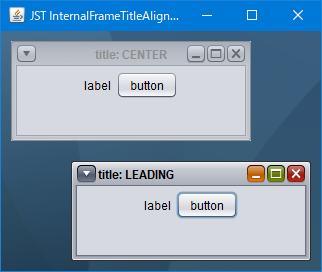
InternalFrameTitleAlignment
This modifies the title of JInternalFrame, which uses NimbusLookAndFeel, to be left-aligned.
Move and resize JInternalFrame using keyboard input.
Section titled “Move and resize JInternalFrame using keyboard input.”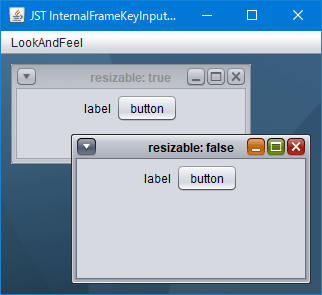
InternalFrameKeyInputOperation
This tests the movement and resizing of JInternalFrame using cursor key input.
Change the MetalTheme to change the title text color of JInternalFrame.
Section titled “Change the MetalTheme to change the title text color of JInternalFrame.”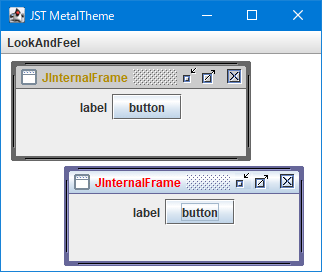
MetalTheme
This modifies the MetalTheme to change the title text color of JInternalFrame, including the title text color when it's not active.
Change the drag style applied to JDesktopPane.
Section titled “Change the drag style applied to JDesktopPane.”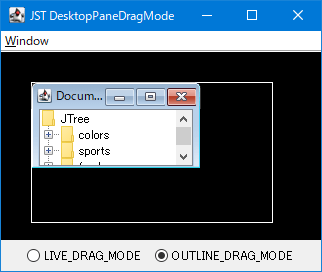
DesktopPaneDragMode
Switches the drag style of JDesktopPane between continuous drawing mode and outline drawing mode.
Switches the display state of all JInternalFrames placed in JDesktopPane.
Section titled “Switches the display state of all JInternalFrames placed in JDesktopPane.”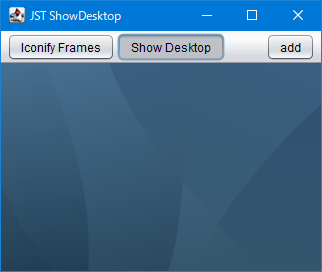
ShowDesktop
This function collectively toggles the display and iconization status of all JInternalFrames placed in the JDesktopPane.
Set JPopupMenu in JInternalFrame and change the title.
Section titled “Set JPopupMenu in JInternalFrame and change the title.”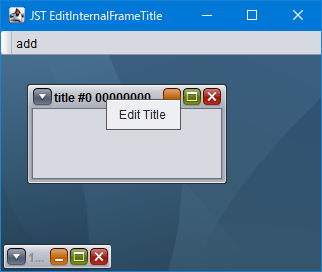
EditInternalFrameTitle
Change the title of JInternalFrame by opening JPopupMenu from the title bar or the JDesktopIcon icon.
Configure JInternalFrame so that it does not maximize when the title is right-clicked.
Section titled “Configure JInternalFrame so that it does not maximize when the title is right-clicked.”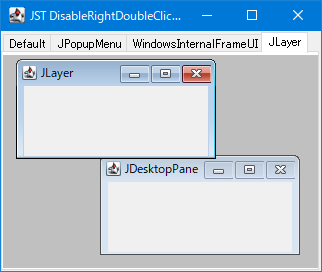
DisableRightDoubleClickMaximize
This setting prevents JInternalFrame from maximizing when its title bar is double-clicked with the right mouse button.
JInternalFrame within JDesktopPane changes the range that can be moved with the cursor keys.
Section titled “JInternalFrame within JDesktopPane changes the range that can be moved with the cursor keys.”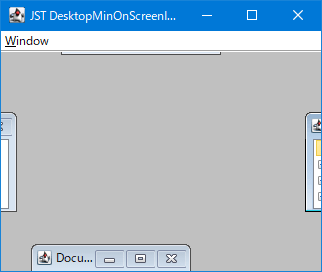
DesktopMinOnScreenInsets
The JInternalFrame within JDesktopPane is configured using Insets to set the area where it can be positioned by moving with the cursor keys.
While JInternalFrame is being moved by mouse dragging, the frame becomes semi-transparent.
Section titled “While JInternalFrame is being moved by mouse dragging, the frame becomes semi-transparent.”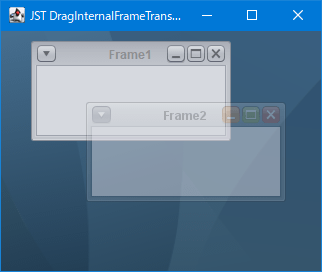
DragInternalFrameTranslucency
When JInternalFrame is being moved by mouse dragging, the frame is made semi-transparent so that the background can be seen.
Change the outline displayed during JInternalFrame resizing to a dotted line.
Section titled “Change the outline displayed during JInternalFrame resizing to a dotted line.”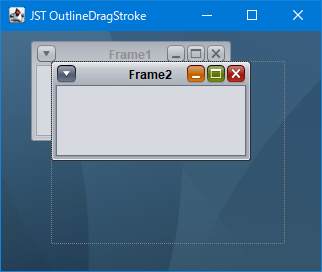
OutlineDragStroke
The outline displayed during JInternalFrame resizing is changed from a color-inverted straight line to a dotted line and drawn on the JLayer.
Draw the title panel of JInternalFrame from the frame origin.
Section titled “Draw the title panel of JInternalFrame from the frame origin.”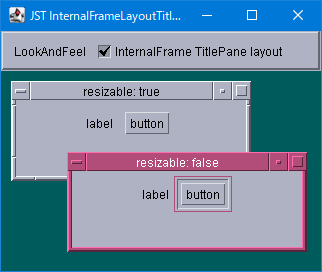
InternalFrameLayoutTitlePaneAtOrigin
This switches whether the title panel of JInternalFrame is drawn from the frame origin or positioned considering the border.
Toggle whether to display the JToolTip using the TitleButton of the JInternalFrame.
Section titled “Toggle whether to display the JToolTip using the TitleButton of the JInternalFrame.”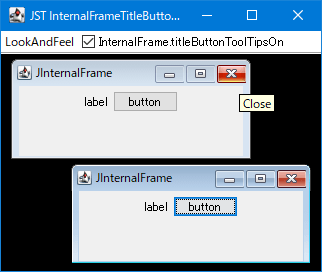
InternalFrameTitleButtonToolTipsOn
The JToolTip is shown and hidden using the Close, Maximize, and Minimize JButtons located in the title bar of the JInternalFrame.
Change the height of the TitlePane in JInternalFrame.
Section titled “Change the height of the TitlePane in JInternalFrame.”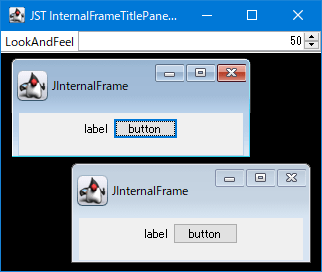
InternalFrameTitlePaneHeight
Change the height of the title bar located at the top of the JInternalFrame.
Create a dot indicator with JToggleButton
Section titled “Create a dot indicator with JToggleButton”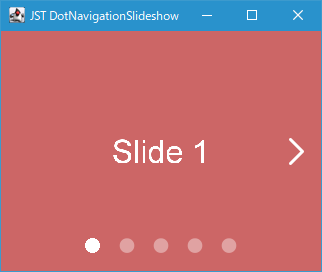
DotNavigationSlideshow
Create a dot indicator with JToggleButton and place it at the bottom of the page, and perform a screen transition with a scroll animation when the mouse is clicked, etc.
Add an expandable and collapsible side menu to JLayeredPane
Section titled “Add an expandable and collapsible side menu to JLayeredPane”
Drawer
Add the side menu created in JPanel to the modal layer of the JLayeredPane, and animate its expansion and collapse.