Oct
29
2007
Prism is a new project from Mozilla Labs that essentially dresses up a web applications as desktop applications. Prism can create desktop, start menu, and quick launch desktop shortcuts for any given URL. The shortcuts launch the web application in a undecorated application window running Firefox underneath.
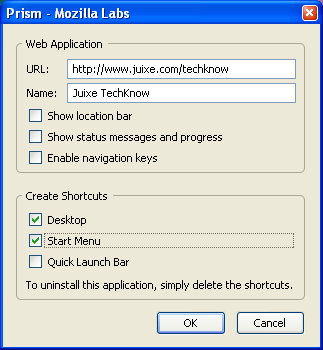
Prism works well for web applications, where all the links point to the domain where the application is running from. If you there are links to other domains, Prism will open those links in FireFox instead of the Prim application window. Other than launching the web application in a undecorated application window, I don’t see how different this is from just creating a internet shortcut. The web application is not downloaded, you still need internet access, and you are still limited by the browser limitations for it to really feel like a desktop application.
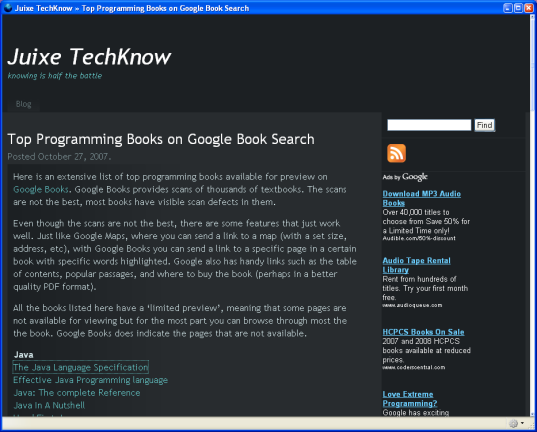
I think some great opportunities will emerge if you can mashup Mozilla Prism, Google Gears, and some great JavaScript libraries like YUI!, jQuery, or Ext JS. This is definitely a technology to watch.
Technorati Tags: firefox, mozilla, prism, gears, web, webdesign
2 comments | posted in HTML/XML, Programming, Rant, TechKnow, Tools
Oct
27
2007
Here is an extensive list of top programming books available for preview on Google Books. Google Books provides scans of thousands of textbooks. The scans are not the best, most books have visible scan defects in them.
Even though the scans are not the best, there are some features that just work well. Just like Google Maps, where you can send a link to a map (with a set size, address, etc), with Google Books you can send a link to a specific page in a certain book with specific words highlighted. Google also has handy links such as the table of contents, popular passages, and where to buy the book (perhaps in a better quality PDF format).
All the books listed here have a ‘limited preview’, meaning that some pages are not available for viewing but for the most part you can browse through most the the book. Google Books does indicate the pages that are not available.
Java
The Java Language Specification
Effective Java Programming language
Java: The complete Reference
Java In A Nutshell
Head First Java
C/C++
Practical C++ Programming
C++ The Core Language
The Concurrent C Programming Language
C++ Primer Plus
.Net/C#
The C# Programming Language
The Visual Basic .NET Programming Language
Pro C# 2005 and the .NET 2.0 Platform
Learning Visual Basic .NET
VB.NET Language in a Nutshell
Python
Python in a Nutshell
Learning Python
Visual Quickstart Guide: Python
Python Pocket Reference
Python Cookbook
JavaScript/DOM
JavaScript: The Definitive Guide
Beginning JavaScript with DOM Scripting and AJAX
The Book of JavaScript
The Complete Reference JavaScript
JavaScript Bible
DOM Scripting
Ruby/Rails
Ruby in a Nutshell
The Ruby Way
Beginning Ruby
Ruby on Rails: Up and Running
Rails Solutions: Ruby on Rails Made Easy
Beginning Ruby on Rails E-Commerce
PHP
PHP in a Nutshell
Programming PHP
PHP Cookbook
Learning PHP and MySQL
Learning PHP 5
Database
Visual Quickstart Guide: MySQL
MySQL Cookbook
MySQL in a Nutshell
MySQL Tutorial
Programming SQL Server 2005
SQL Server 2005: Developer’s Guide
SQL Server 2005: A Beginner’s Guide
Beginning SQL Server 2005 Express
Technorati Tags: java, php, database, programming, language, .net, ruby, rails, google, book search, dom, javascript, python, vb
1 comment | posted in Books, DotNET, Java, JavaScript, PHP, Programming, Rant, Ruby, SQL, TechKnow, Visual Basic
Oct
27
2007
Mac OS X Leopard is out, and so is the verdict. Apple claims over 300 features, but one key feature missing is Java 6! If the next version of Mac OS X does not include the latest version of Java, my next upgrade will be to Ubuntu. Since I can’t get what I want with Leopard, I need to use bootcamp to dual install Windows XP too.
Here are some links to reviews, upgrade instructions, and development news for Leopard.
Reviews
Upgrade
Development
Technorati Tags: leopard, mac, macosx, os, macbookpro, java, ruby, development, windows, upgrade, 13949712720901ForOSX
2 comments | posted in Java, Rant, Ruby, TechKnow
Oct
25
2007
Have you ever been on the road or away from the office when you are struck by an idea for a new features and wanted to debug or prototype your application but found yourself without access to the code base? What if you where able to connect to the Eclipse running on your work desktop from anywhere in the world using a browser? Well, now you don’t have to wonder. EclipseWebEnabler is a Eclipse plugin from IBM AlphaWorks that allows you to connect, interact, and manipulate an instance of the Eclipse IDE via FireFox. Basically, the plugin converts the Eclipse SWT-based UI to XUL which can then be delivered to a browser via the Jetty server.
For EclipseWebEnabler to work you do need an instance of Eclipse to be running on your desktop. Once the Jetty server embedded with the EclipseWebEnabler plugin has started you can point your browser to it, any change you do in browser will be reflected in Eclipse, and vice versa. You can edit Java code files in FireFox and the new edits will be reflected in Eclipse, in near real time.
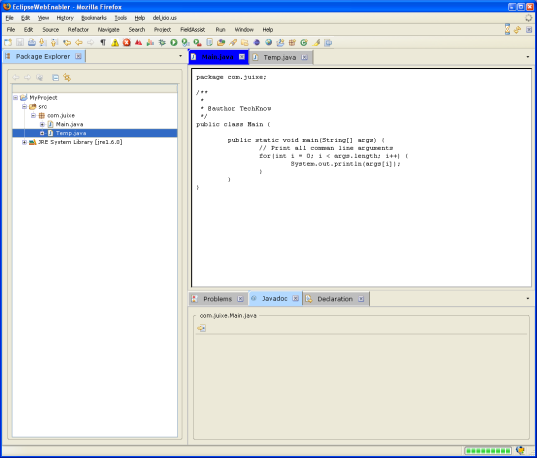
Even though I think that the EclipseWebEnabler plugin is innovative, I soon discovered that it doesn’t enable completely or well. EclipseWebEnabler, as of this writing, is lacking a lot of fundamental features. Closing source files from FireFox is not implemented. The ia no code syntax coloring or highlighting at all. You can’t resize views. There is too much flickering when moving between source files. And there is no security whatsoever.
Even with it’s obvious shortcomings, I think that the EclipseWebEnabler plugin take the price for Most Outrageously Innovative Idea 2007 award. I haven’t seen an application features this thought provoking since GWT took the price in 2006.
Once the kinks are worked out, it might be possible to write a fat client application using the Eclipse RCP and then have the EclipseWebEnabler generate a web version for said application.
Technorati Tags: eclipse, webenabler, eclipsewebenabler, firefox, plugin, xul, swt, java, ide
1 comment | posted in IDE, Java, Programming, Rant, TechKnow
Oct
15
2007
Unlike some developers I know and work with, I have a very vanilla installation of Firefox. I know some Firefox enthusiasts that have a ton of add on extensions like Greasemonkey, delicious, enhanced tabs, and what not. Up until recently I have used only one extension, FireBug, but I have recently discovered ScreenGrab! ScreenGrab lets you create PNG screen shots of the current web page on your browser.
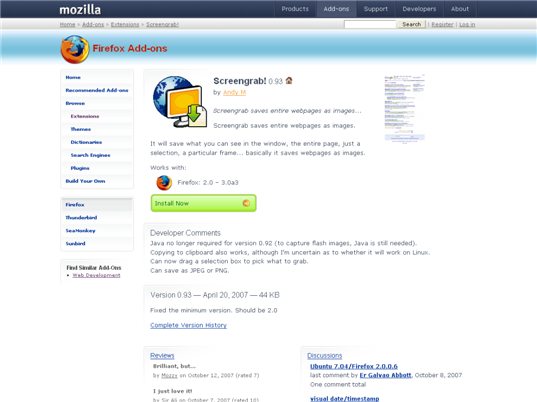
The screen shot can be of the entire web page, the current visible portion, or of a selected portion. Once you install ScreenGrab and restart FireFox you will find a new icon on the lower right of the browser window. Click it if you like to capture a current web page. ScreenGrab does not capture any of the decoration of the browser, just the page content itself. You can also capture a screenshot by right clicking on a page and select the ScreenGrab menu item.
Technorati Tags: firefox, ff, browser, screengrab, screenshot, screencast, plugin, extension, development, tools
1 comment | posted in Programming, Rant, TechKnow, Tools
Oct
12
2007
I think that some of the best Java Posse rants happens when they do a live show. The following is my transcription from their live show at JavaZone 2007.
Top reasons indicating you might be in a broken project…
- It adds three months to add a checkbox on a web UI
- Everything starts to look like it would be quicker to rewrite
- Everyone on the project has architect on their business card
- Conversations always start with ‘oh that, that is really simple…’ followed by a thirty minute discussion of what is required
- You time your life around The Build
- The GUI is written in AWT or HTML 3.2
- The GUI is written in something you wrote yourself
- The Project X is a homegrown web framework
- Someone just added five more hours of meetings to your day because the release is late
- The guy that is supposed to train you, throws a file full of notes, and runs away
- The lines of XML outnumber the lines of Java 10 to 1
- You ask about JUnit tests and you get blank stares from everyone
Technorati Tags: java, project, management, process, javaposse, funny, comedy
no comments | posted in Conference, Java, Programming, Rant, TechKnow
